-
iTop Easy Desktop - No.1 Desktop Organizer for Windows
-
Automatically organize and customize Windows desktop. Make your messy desktop look clean and professional within seconds.

Top 5 To-do List Widgets for Windows to Keep Your Tasks Organized
Check out the 5 best to-do list widgets for Windows to boost productivity. Find your dream desktop to do list widget for efficient task management.
Effective task management is essential, which helps you boost productivity and stay focused. You can juggle multiple projects and manage tight deadlines, and everyday chores efficiently. In this case, a to-do list widget is what you need. It’s a practical solution that makes your tasks visible and accessible directly on your desktop. So what is the best to do list widget for Windows? This blog covers the top 5 options that streamline daily tasks, reduce mental clutter, and ensure nothing important slips through the cracks.
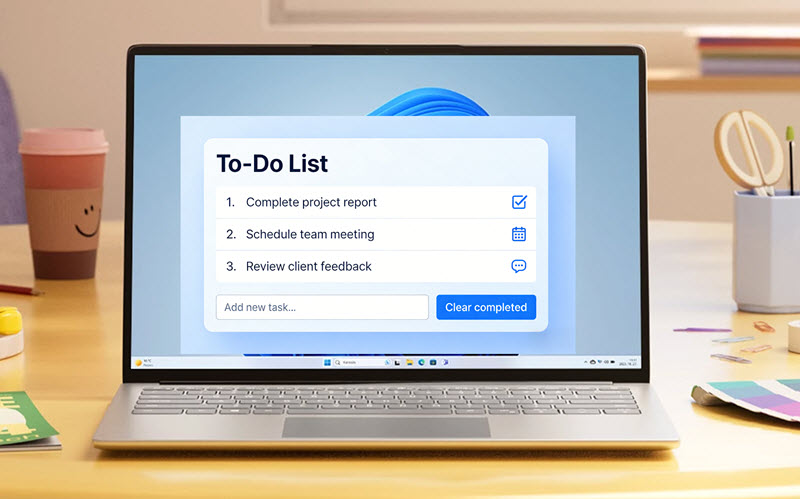
A to-do list widget is a tool that stays on your desktop. It allows you to create, manage, and track tasks without launching full applications. These widgets support quick task entry, priority settings, reminders, and, in many cases, integration with calendars or productivity apps.
Here are the main reasons why you need a to do list widget for laptop/PC:
Keep your tasks constantly visible, so nothing is forgotten or overlooked.
Enhance productivity with a clear overview of what needs to be done.
Eliminate reliance on memory or scattered notes across different apps.
Prioritize tasks, deadlines, and manage daily responsibilities more effectively.
Improve time management by keeping your workflow organized in one place.
Ensure tasks are tracked and under control to reduce stress.
A desktop to do list widget can be your best help to improve your daily workflow. But with so many options out there, which one fits you the best? Here we have concluded the key factors to consider when choosing a to-do list widget:
Ease of use: A great to do list widget should have an intuitive interface that allows quick task entry.
Customization options: Choose widgets that let you adjust size, themes, transparency, and desktop placement.
Rich task management features: The best to do list widget supports priorities, due dates, reminders, recurring tasks, and subtasks.
Integration capabilities: It should work well with calendars, email services, or other productivity apps you already use.
Cross-device sync: The ability to sync your tasks across your desktop, laptop, and mobile devices for better management.
With the definition and key selection factors in mind, it’s time to choose the best to-do list widget for your workflow. To save you time and effort, we've curated a selection of top-rated tools that can manage tasks efficiently on Windows more easily.
iTop Easy Desktop: To-do List Widget Provider & Desktop Customizer for Windows
Perfect for: Project managers, students, teachers, and bloggers who need desktop organization alongside task management.
Pricing: Free version with basic features; Pro plan $26.99/year for 5 devices; lifetime: $31.99 for 5 devices
Why we pick it: iTop Easy Desktop’s to-do list widget stands out for its effortless task management, which allows users to jot down ideas and reminders directly on the desktop. With seamless calendar integration and customizable priorities, this lightweight to-do list widget improves productivity by keeping tasks visible and organized on Windows.
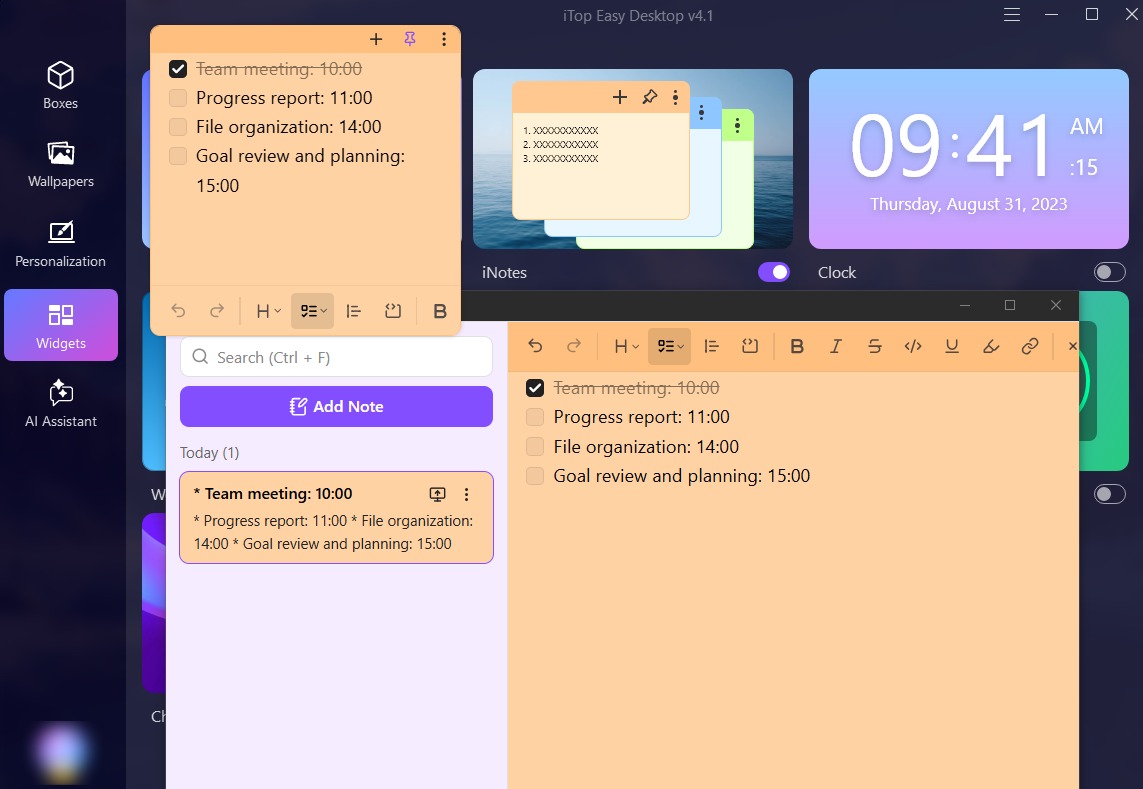
iTop Easy Desktop includes the built-in iNotes widget, allowing users to add, edit and delete notes directly on Windows desktop. You can emphasize the key tasks/events in favorite style (bold, italic, strike, underline or highlight) with the text editor, or use list feature to well organize tasks. Especially, the task list - that builds in a check box - empowers you to check the task when it is completed. It is a good idea to pin crucial notes, making them stay over other windows as a reminder. Moreover, you can set different colors for notes for quick access to essential tasks.
Aside from task management, the software offers productivity tools such as iPomodoro, 4K wallpapers, and automatic desktop organization into customizable boxes. Designed as a lightweight to-do list widget for Windows 11/10, it supports multi-monitor setups and quick file access, delivering an efficient and clutter-free desktop experience.
- Pros
- User-friendly to do list widget for Windows
- One-click desktop tidy-ups
- Appealing static/dynamic wallpapers
- Powerful desktop management & customization
- Cons
- The iNotes widget is not integrated with Calendar.

- iTop Easy Desktop - Keep Your Desktop Organized
-
- Box desktop icons to declutter your workspace
- Manage documents, games, media files, etc., at 1 click
- Add calendar, clock and other widgets to desktop
- Locate any file you want instantly with search box
Microsoft To Do: All-Round To Do List Widget for Desktop
Perfect for: Individuals, families, and teams who need shared task lists and seamless cross-device access.
Pricing: Completely free across all platforms, with no paid plans or trials required.
Why we pick it: Microsoft To Do excels as an all-round to do list widget with intelligent suggestions and Outlook integration. It makes task management simple and connected for users who are seeking a no-cost and reliable option.
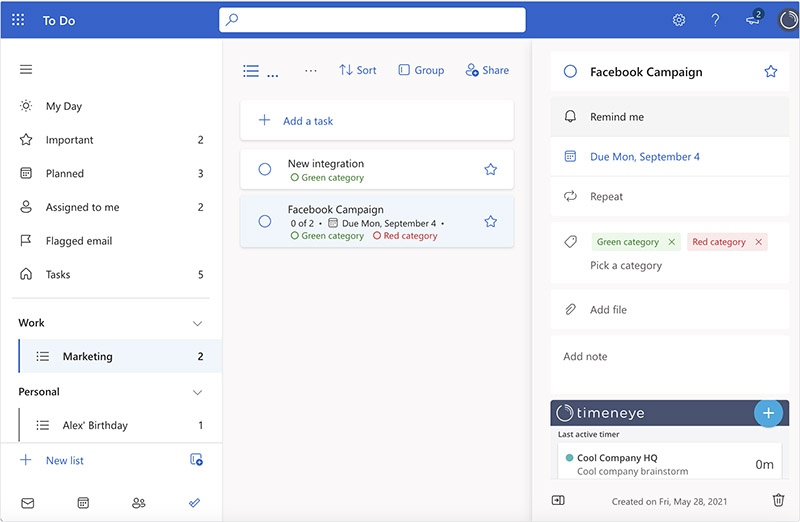
Featuring "My Day" for personalized daily suggestions and task breakdowns, Microsoft To Do is a versatile to do list widget for Windows. It syncs seamlessly across desktop, mobile, and web, allowing users to add due dates, reminders, and share lists for collaboration. With the integration of Outlook, Flagged Email List, and Planned View that help organize priorities, Microsoft To Do is the best choice to reduce stress and enhance focus.
- Pros
- Free sync across devices
- Smart daily planning
- Easy sharing and reminders
- Outlook integration
- Simple task breakdown
- Cons
- Lacks advanced customization options
- Occasional sync delays between devices
Todoist: Professional To-do List Widget to Simplify Work & Life
Perfect for: Professionals and teams who require mental clarity, focused planning, and collaboration in work or personal projects.
Pricing: Free plan; Pro plan: $5 per month, Business: $8 per user/month
Why we pick it: We choose Todoist for its natural language input for thought capture and AI-assisted planning, which simplifies complex tasks into actionable plans with excellent organization.
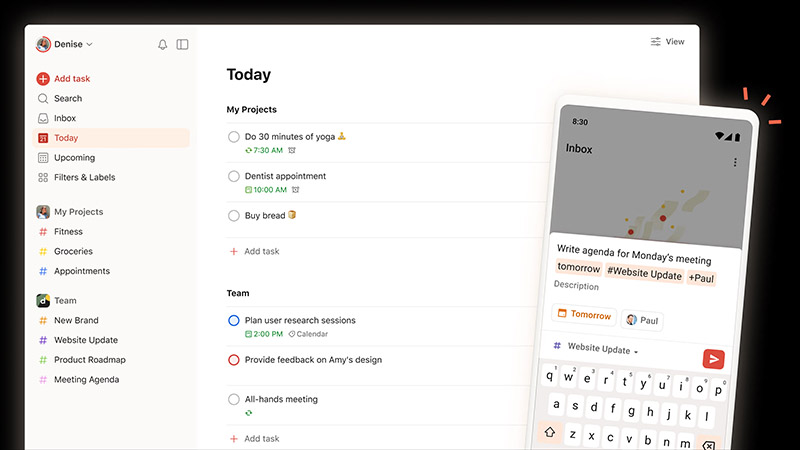
Todoist is a professional to-do list widget that captures tasks instantly with natural language and organizes them into various filters. It supports due dates, recurring tasks, calendar views, and team collaboration. With over 50 ready-made templates, for instance, Accounting Tasks, Client Management, Deep Work, etc., Todoist is the productivity tool you need to get work and life organized. Its intelligent AI also turns ideas into clear action plans, making task management more focused and efficient on Windows.
- Pros
- Intuitive natural language input
- Smart filters and views
- Team collaboration feature
- AI task sorting
- High user ratings
- Cons
- Premium features behind the paywall
- Bland user interface
- Lacks advanced project management tools
TickTick: Creative To-do List Widget to Keep You Focused on Goals
Perfect for: Students, educators, professionals, and teams who need habit tracking, reminders, and collaborative planning.
Pricing: Free version for basics; Premium plan at $35.99 per year (less than $3 per month).
Why we pick it: TickTick impresses with its all-in-one functionality, which seamlessly combines to-do lists, calendars, and Pomodoro for creative focus and goal achievement.
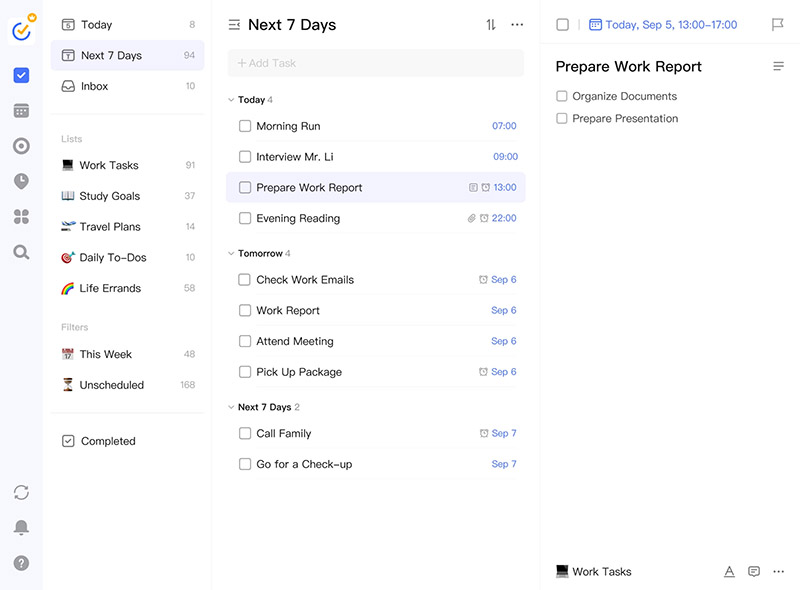
TickTick is a creative to-do list widget for Windows, offering smart time tracking, reminders, and priority filters. It also supports calendar views, habit tracking, the Eisenhower Matrix, and Kanban boards, with built-in statistics to monitor progress. Users can choose from over 40 themes to customize the widget’s appearance. Collaboration features such as shared lists and app integrations further enhance teamwork. With cross-device compatibility, TickTick works seamlessly on desktops and laptops, making it ideal for focused goal-setting and daily planning.
- Pros
- All-in-one with calendar and Pomodoro
- 40+ Customizable themes
- Robust free version
- Innovative Eisenhower Matrix tool
- Cons
- Limited customer support
- Modest UI design
Any.do: Productive To Do List Widget to Organize Anything
Perfect for: Individuals, teams, families, freelancers, or event planners for personal and collaborative task management.
Pricing: Free plan for essentials; Premium plan at $4 per month billed annually.
Why we pick it: Any.do is selected for its intuitive design and strong collaboration, which lets you organize tasks offline or online with seamless integrations for productivity.
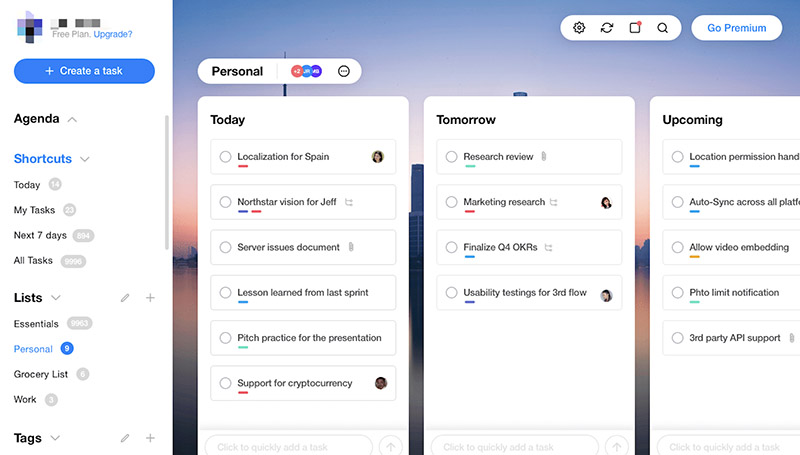
Any.do is a productive to-do list widget that supports a daily planner, task lists, color tags, and subtasks for better organization. Users can quickly create tasks and receive reminders directly through WhatsApp, making task tracking more convenient. It also offers due dates, recurring reminders, and shared workspaces for families or teams, along with over 100 ready-made templates. Integration with Google Calendar, Slack, and other tools ensure seamless sync, which makes Any.do a reliable solution for managing everything from grocery lists to business projects.
- Pros
- Widely supported integration with apps
- Excellent collaboration for families and teams
- Customizable for various needs
- Positive productivity impact
- Cons
- No advanced features for complex project management
- The desktop version is less intuitive
Conclusion
Choosing the right to-do list widget can significantly improve the way you manage tasks. So you can work more efficiently and feel less overwhelmed throughout the day. Now you have the top 5 options that offer a wide range of features tailored to different workflows. Among them, iTop Easy Desktop stands out as the best to do list widget for Windows 11/10. The desktop organizer perfectly combines powerful task management with smart desktop organization in one lightweight solution. If you want to keep your tasks visible and desktop clutter-free, iTop Easy Desktop is well worth trying on your Windows device!
- iTop Easy Desktop - Keep Your Desktop Organized
-
- Box desktop icons to declutter your workspace
- Manage documents, games, media files, etc., at 1 click
- Add calendar, clock and other widgets to desktop
- Locate any file you want instantly with search box