-
iTop Easy Desktop - No.1 Desktop Organizer for Windows
-
Automatically organize and customize Windows desktop. Make your messy desktop look clean and professional within seconds.

Clock Widget Windows 11: 5 Top Picks to See & Manage Time Easily
Here are the top 5 aesthetic clock widget Windows 11 to help you easily track time, manage tasks, and stay on schedule right from desktop at a glance.
Many Windows 11 users miss having a simple and always-on desktop clock widget. While the taskbar shows time, it’s not customizable enough for those who want a personal, bigger, or more functional Windows clock widget. Unfortunately, Microsoft no longer includes a built-in desktop widget like older Windows versions did. That’s why people are turning to third-party tools to fill the gap. If you are searching for a clean, modern, and reliable clock widget Windows 11 setup, this post highlights the 5 clock widget for Windows 11 that also work smoothly on Windows 10.
Here’s a quick overview of the most aesthetic clock Widget Windows 11 available now. Take a look at the comparison below before jumping into the detailed reviews that follow.
| Best Clock App for Windows 11 | Best for | Features |
Cost |
| iTop Easy Desktop | All-in-one desktop organizer & clock | Desktop organizer, clock, widgets, live wallpapers |
Free |
| 8GadgetPack |
Fans of Windows 7 gadgets | Classic gadgets: clock, calendar, CPU meter | Free |
| ClocX | Simple analog clock lovers | Lightweight analog clock with alarms |
Free |
| Rainmeter | Full desktop customization | Extensive widgets: clocks, system monitors, weather, etc | Free |
| Widget Launcher | Minimalist widget users |
Easy install, clock + other widgets | Free (with upgrades) |
If you’re searching for the most practical time widget for Windows 11 users actually enjoy or a flexible time widget for Windows 11, the next section walks through each of these picks in detail, helping you find the perfect fit for your desktop style and workflow.
iTop Easy Desktop is a smart utility and brings order and style to your cluttered PC screen. Beyond being just a desktop organizer, it doubles as a personal workspace assistant that blends productivity, visual clarity, and convenience. If you prefer a time widget Windows 11 that fits naturally into a clean layout, iTop Easy Desktop shows both form and function.
With this tool, you can arrange desktop icons, files, documents, downloads, apps, etc. into tidy groups, manage time and calendar through built-in clock and schedule widgets, and even customize themes to match your daily workflow. It’s especially handy for those switching between work and home setups or managing multiple tasks.

- iTop Easy Desktop - Keep Your Desktop Organized
-
- Box desktop icons to declutter your workspace
- Manage documents, games, media files, etc., at 1 click
- Add calendar, clock and other widgets to desktop
- Locate any file you want instantly with search box
Highlights of iTop Easy Desktop:
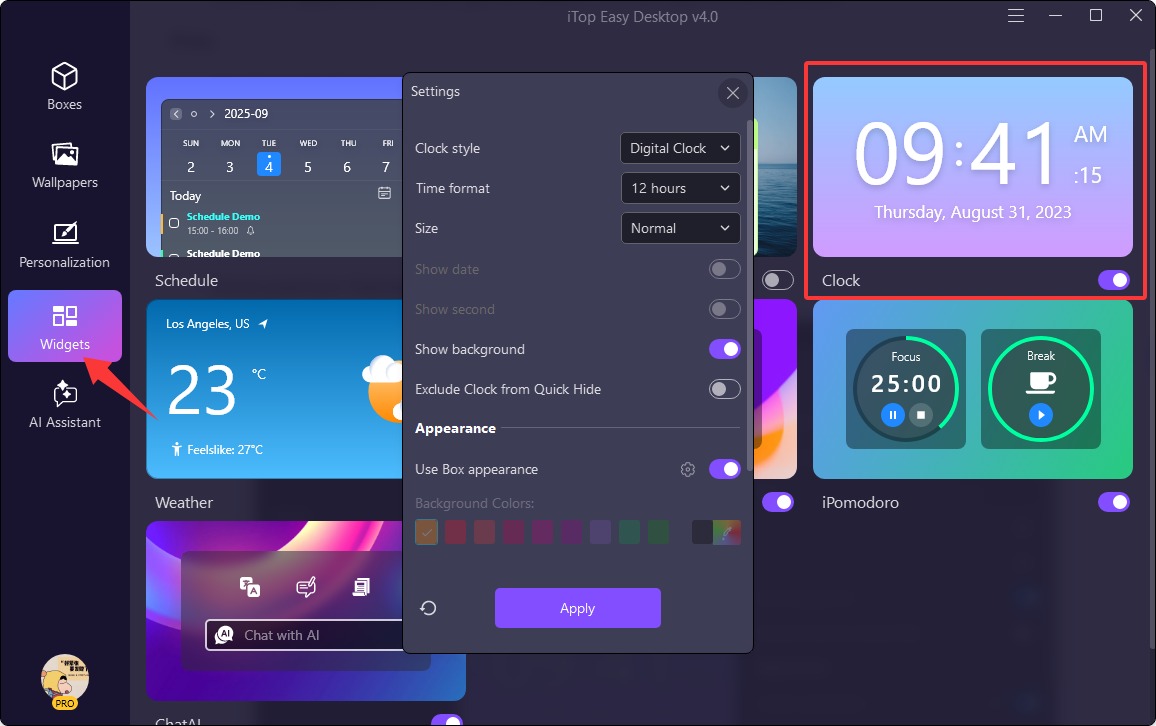
Customizable Windows Clock Widget. iTop Easy Desktop displays clocks with adjustable clock style, size, time format, background showing/hidden, etc. You can freely personalize it to match your desktop theme and keep track of time in your own way.
Smart Desktop Organization. iTop Easy Desktop instantly categorizes icons, files, apps, downloads, etc. via personalized boxes to keep your workspace structured and distraction-free.
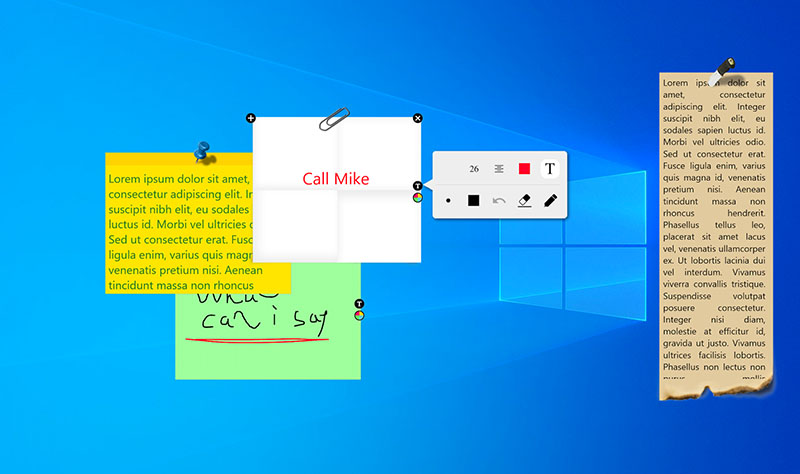
A set of useful widgets. The desktop organizer has lots of built-in widgets, such as desktop calendar widget, iNotes, Weather, Fancy Taskbar, and more, so you can quickly access important information and stay on top of daily tasks without opening multiple apps.
Live 4K HD wallpaper. iTop Easy Desktop comes with a large library of live wallpapers in 4K and HD in different types, like animals, games, beach, movies, sports, cartoon, etc.
Pros:
Intuitive interface and smooth drag-and-drop organization.
Highly customizable widgets and layouts.
Advanced desktop organizer and wallpaper features.
Integrated with helpful chat AI.
Cons:
Some premium themes require a paid upgrade.
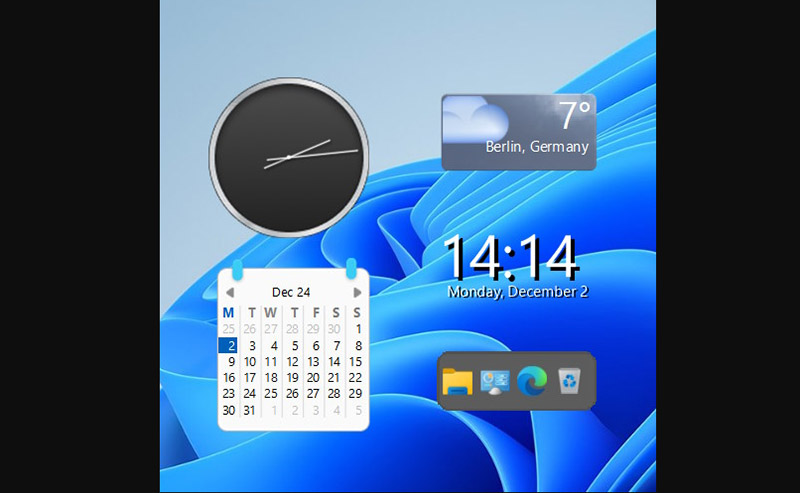
8GadgetPack (now GadgetPack) brings back the feature of the original Windows sidebar gadgets that many users loved and missed after Microsoft removed them in later versions. This lightweight analog clock widget for Windows 11/10 restores that familiar functionality, letting you pin mini tools like weather panels, CPU meters, and a sleek clock widget Windows 11 directly onto your desktop. It’s a simple way to make your workspace both informative and nostalgic.
The installation takes just minutes, and once added, the gadgets stay neatly on your screen, updating in real time. You can reposition or resize them to match your layout preferences.
Highlight: Comes preloaded with over 50 classic desktop gadgets, including analog/digital clocks, calendars, system monitors, and weather widgets.
Pros:
Easy to install and use, even for beginners.
Runs smoothly on modern Windows systems.
Wide range of classic gadgets with real-time updates.
Restores familiar Windows 7/Vista desktop feel.
Cons:
Outdated visual design compared to newer widgets.
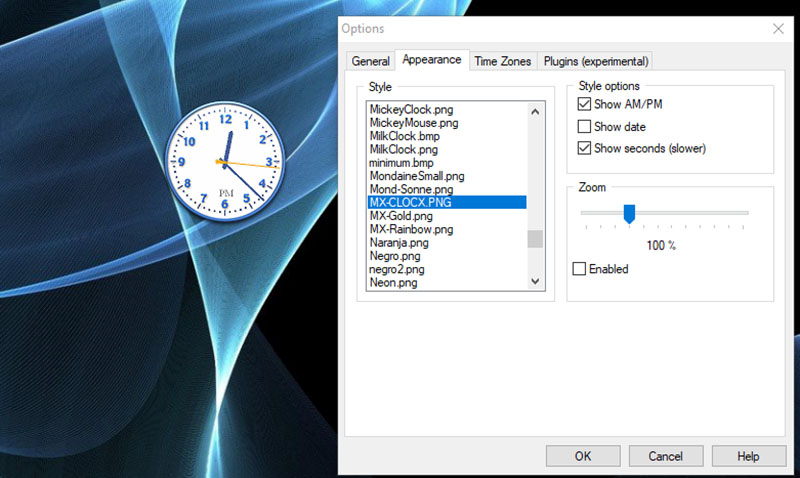
ClocX is a lightweight and stylish analog clock widget for Windows 11/10 designed for users who appreciate both aesthetics and practicality. One of its standout features is the clock widget Windows 11, which offers customizable designs, transparency options, showing seconds, and floating windows that stay visible above other applications.
Setup is straightforward, and the interface is clean, so even beginners can show clock on desktop and get it running in minutes. Beyond displaying time, the aesthetic clock widget Windows 11 allows users to set multiple alarms, configure snooze options, and adjust the appearance to match their desktop theme.
Highlight: Elegant analog clock with alarms, transparency control, and floating window support.
Pros:
Customizable appearance with adjustable size and transparency.
Built-in alarm, snooze functions, timezone support.
Stays visible on top of other windows.
Cons:
Limited free features compared to other widgets.
Rainmeter isn’t just another time widget Windows 11, it’s an open-source desktop customization tool that completely redesigns your workspace. Instead of limiting you to one static widget, it allows you to build entire interactive dashboards with real-time information: CPU stats, weather, music controls, calendars, and, of course, clocks.
You can create a sleek digital clock, a retro analog design, or a futuristic time display that matches your wallpaper. It also supports desktop world clock widget for Windows 10, making it suitable for anyone who switches between systems. Thousands of community-made skins are available online, so your desktop can look and function exactly how you want it to.
Highlight: Endless customization with open-source skins that switch the desktop into a personalized command center.
Pros:
Exceptionally versatile with thousands of free themes.
Lightweight, stable, and updated regularly.
Active community sharing creative skins and setups.
Cons:
Learning curve for beginners.
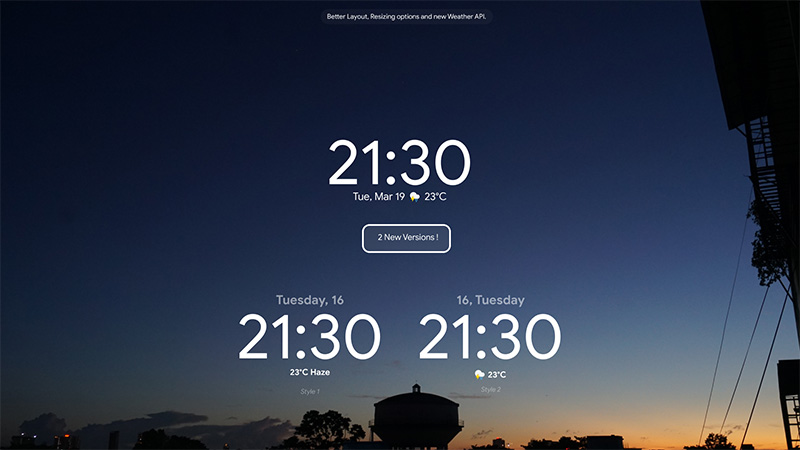
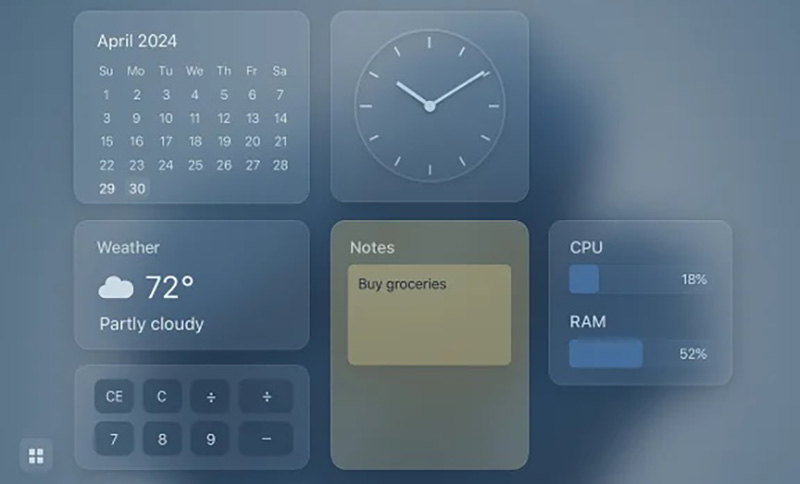
Widget Launcher is a modern desktop utility designed for users who want a simple, clock widget Windows 11 without digging into complicated setup files or third-party sites. Available directly from the Microsoft Store, it delivers clean, resizable widgets like weather, notes, currency converters, and clocks that blend naturally with Windows 11’s design language. Even users looking up how to set the best time widget Windows 11 will find Widget Launcher an easy solution, as it works smoothly across both versions.
Highlight: Offers a collection of widgets with customizable sizes, themes, and real-time updates straight from Microsoft Store.
Pros:
Easy to install and beginner-friendly.
Lightweight with smooth performance.
Compatible with both Windows 10 and 11.
Cons:
Limited deep customization options.
 Conclusion
Choosing the right clock widget Windows 11 isn’t just about style, it’s about convenience and better time management in your daily workflow. Each tool covered above brings something unique. But if you’re checking for something functional that combines clean organization with a smart, built-in clock, iTop Easy Desktop is the one to try. It helps you manage files, stay on schedule, and keep your desktop neat at the same time. Download iTop Easy Desktop now and experience how effortless your Windows workspace can become.