-
iTop Easy Desktop - No.1 Desktop Organizer for Windows
-
Automatically organize and customize Windows desktop. Make your messy desktop look clean and professional within seconds.

Best Desktop Countdown Widgets: Countdown Timer to Any Date
Add a desktop countdown widget! It can help boost productivity and improve procrastination habits. 5 options, each with its strengths, are ready for you.
Working at your own pace often leads to getting distracted by other things, and before you know it, too much time has been wasted! So how can each task be planned properly and scheduled effectively? The answer is to add a desktop countdown widget to your computer. It helps track time and often comes with extra features designed to boost focus.
Whether for students or professionals, having a countdown widget for desktop can instantly improve productivity. This article will recommend four of the best options, along with an overview of their features and strengths, to help find the right productivity companion.
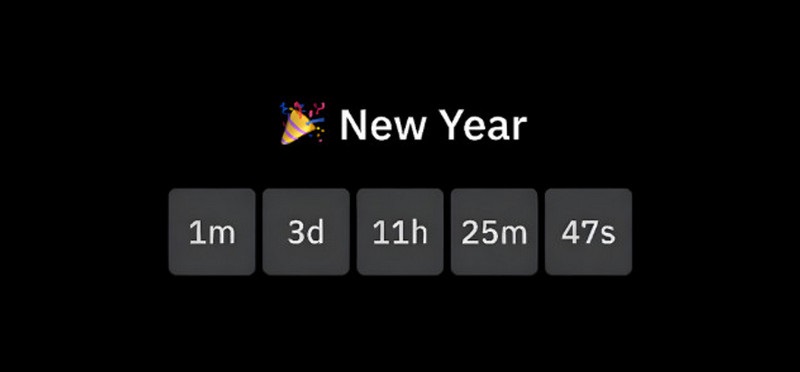
Before selecting and using a tool, it's essential to have a general understanding of its concept and functionality. Let's explore what a typical desktop countdown widget should look like: A desktop countdown widget generally refers to a timing tool displayed on your computer desktop, used to count down in real-time to a user-set time or duration. But it's more than just a stopwatch. It can track the time spent on each task performed on your computer, integrate with every application and tool, provide time reports and analysis, and visualize your time usage.
Common use cases for desktop countdown widgets include:
Exam and deadline tracking: Calculate time remaining until exams or important task submissions to help plan study and work schedules.
Work sprints and Pomodoro sessions: Supports setting 30-minute work periods and 5-minute breaks for the Pomodoro Technique, helping maintain focus, balance work and rest, and avoid procrastination.
Event countdowns: Used to calculate time remaining until important milestones like meetings, holidays, or product launches, preventing users from missing them.
Gaming, streaming, and live events: Counts down to the start and end of key matches, live streams, and other events, helping users stay on top of the action.
Countdown widget for desktop delivers remarkable results for users with hectic schedules or a tendency to procrastinate, significantly boosting efficiency through the following benefits:
Keeps important deadlines always visible: No more anxiously flipping through calendars to recall deadlines. The countdown to critical dates remains permanently on your desktop, visible whenever your computer is on.
Reduces distractions by creating urgency: The dwindling countdown instills a sense of urgency, motivating you to complete tasks without getting sidetracked.
Improves productivity and time management: By visualizing time, you can create clear schedules for when to accomplish specific tasks.
Helps avoid missed meetings or tasks: With the countdown always in your line of sight, you'll never worry about forgetting critical deadlines again.
Works better than mobile reminders for desktop users: The countdown is visible whenever your computer screen is on, unlike easily overlooked pop-up notifications on your phone.
After all that build-up, it's time to get down to business. Four countdown widgets for Windows desktop are right here, waiting for you to choose. This article will introduce each one along with their pros and cons. Read on to see which one you'll pick.
1. Free Countdown Timer–Lightweight Countdown Timer for Windows 11/10
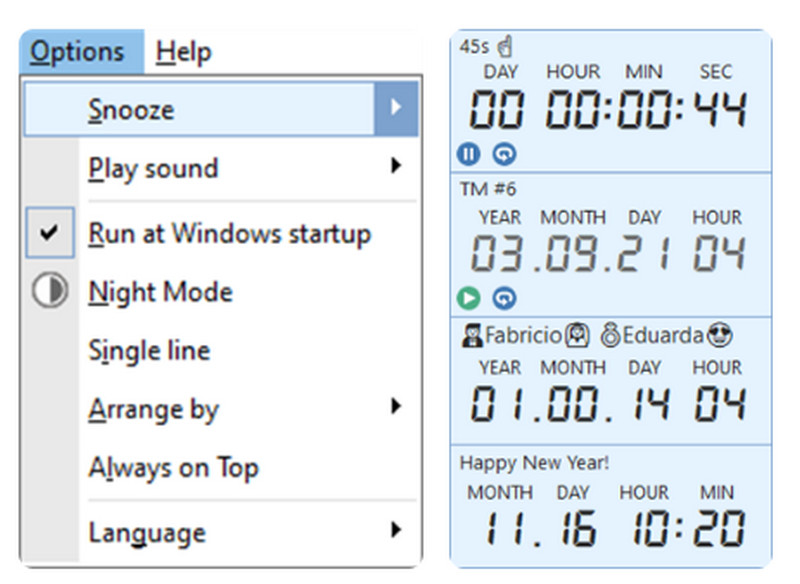
A recurring theme throughout this guide is that countdown widgets for Windows desktop will always appear on your lit computer screen to remind you—but what if your computer goes to sleep? Free Countdown Time addresses this with a system wake-up feature. When the countdown ends, your computer will wake from sleep, illuminate the screen, and play an alert sound. Naturally, it includes all the essentials: simultaneous countdowns for multiple tasks; playing your favorite music and displaying a notification when the time is up. Even if your computer is muted, it will automatically increase the volume to ensure you hear the alert.
Pros
Overrides sleep and mute modes to guarantee users see and hear notifications.
Supports simultaneous countdowns for multiple tasks.
Allows custom notification sounds.
It is a free desktop countdown timer.
Cons
Wake-up feature may not work on some systems.
2. Widgets Box – Modern Widget Collection
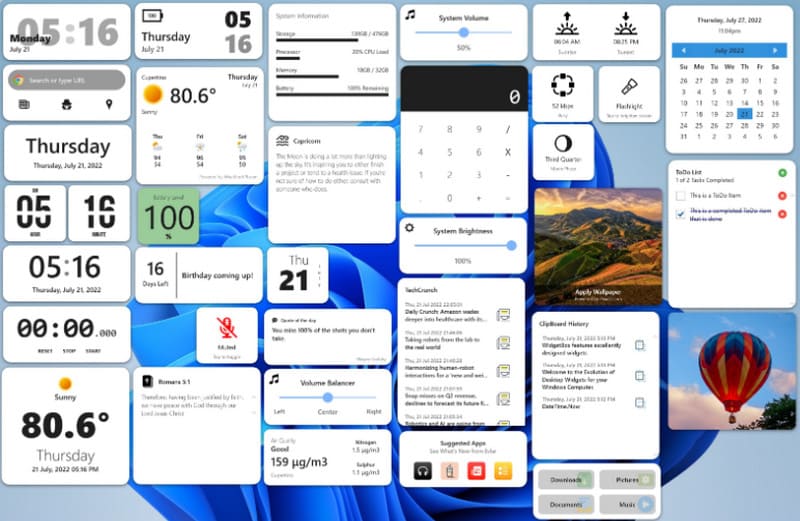
Tired of seeing the same old countdown styles? Widgets Box lets you unleash your creativity and customize your reminder interface.
The biggest highlight of this countdown timer desktop app is its clock widget for Windows. Users can easily access popular timers, schedules, and weather widgets, then design their own and apply themes, turning time tracking into a visual feature on the desktop (the team is continuously developing new components, so fresh options are added regularly). It's worth noting that some advanced themes require an account upgrade to unlock.
Pros
Over 40 high-resolution, beautifully designed widgets available.
Users can customize their desktop appearance.
The desktop calendar widgets library is continuously updated.
Cons
Only paid users can unlock all widgets.
3. Flip Clock & Floating Widget - Minimal Timer
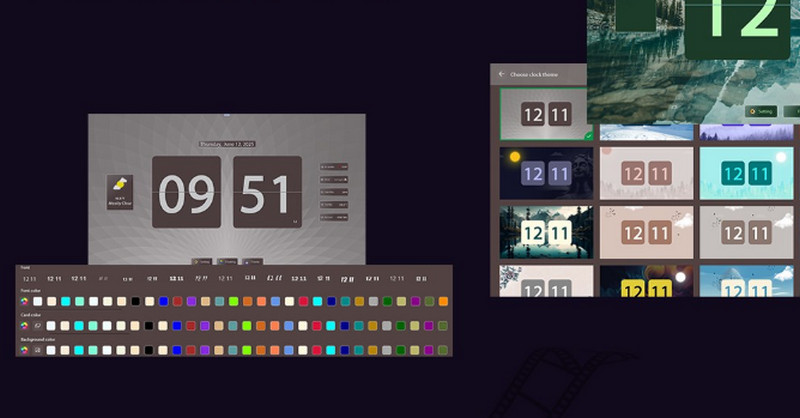
Another outstanding countdown widget for Windows desktop has arrived, excelling in style and customization: Flip Clock & Floating Widget.
This time, you can not only customize the floating window theme, clock widget style, countdown animation, and weather display format, but also design your own text color, background color, and font. With these features, you become the designer of your own schedule!
Pros
Offers multiple preset page-turning animations for time display.
Extremely high customization level, including fonts, background colors, and clock styles.
Intuitive operation. All options are easily accessible.
Cons
Infrequent updates.
This desktop organizer for Windows is not entirely free.
4. Windows Clock–Best for Time Management
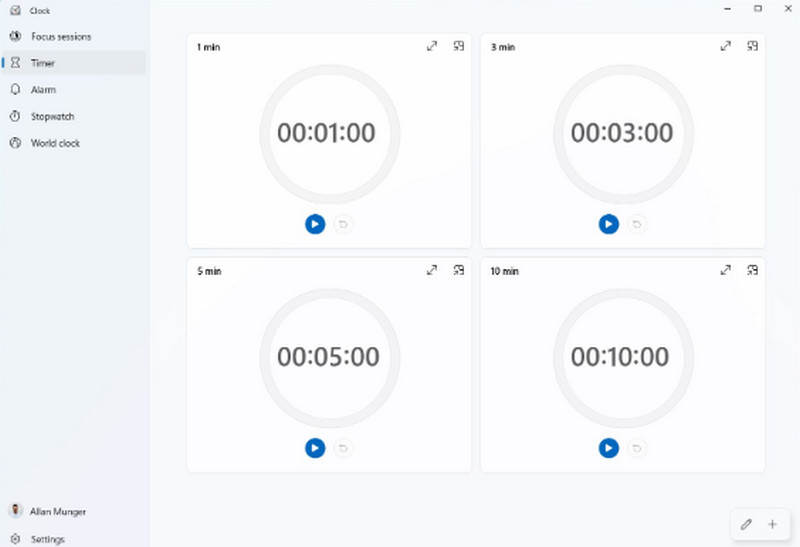
If you have a packed schedule—especially when working on cross-border projects—Windows Clock is definitely worth trying. This desktop countdown widget for Windows 11 supports displaying the current, past, and future times of locations around the world, and multiple locations can be shown at once. This helps eliminate communication issues caused by time zone differences. Having trouble staying focused while a countdown is running? The Windows Clock countdown timer desktop app suggests using it together with Spotify. Listening to calm, focus-friendly audio can help stabilize attention and improve concentration.
Pros
Supports world clock display.
Can connect with Spotify for ambient sounds while working.
Available on both desktop and mobile devices.
Cons
The seconds display is often unavailable.
Each of the countdown timer desktop apps mentioned above has its own strengths, covering features such as world clocks, customizable appearances, and selectable pleasant alert sounds. However, potential issues may still discourage some users.
Recognizing these concerns, the next section introduces a more complete, all-in-one desktop countdown widget: iTop Easy Desktop.
After testing numerous Windows 10 desktop countdown widgets, a highly polished and comprehensive solution stands out—iTop Easy Desktop.
For time and schedule management, iTop Easy Desktop comes with built-in iNotes, allowing important events to be recorded quickly. Combined with Google Calendar and Outlook Calendar synchronization, all start times and deadlines become fully visualized.
Want to design your own desktop countdown widget style? iTop Easy Desktop offers 20,000+ watermark-free wallpapers, theme packs, Start menu styles, desktop icons, and mouse cursor presets. These elements can be freely mixed and matched to create a desktop interface featuring your favorite characters or aesthetics.
Is your desktop cluttered? That's exactly where iTop Easy Desktop excels as a powerful desktop organizer for Windows. It supports one-click automatic desktop organization, grouping apps by purpose into customized boxes. A built-in search bar also helps quickly locate any file.

- iTop Easy Desktop - Keep Your Desktop Organized
-
- Box desktop icons to declutter your workspace
- Manage documents, games, media files, etc., at 1 click
- Add calendar, clock and other widgets to desktop
- Locate any file you want instantly with search box
Benefits of Using iTop Easy Desktop
Concise clock and Pomodoro widgets to manage time
A clean, accurate clock combined with a Pomodoro countdown window helps balance work and rest. After every 25 minutes of focused work, a 5-minute break is prompted to maintain productivity.
Easily customize widget theme, color, and layout
Themes, Start menus, desktop icons, and mouse cursors can all be customized. Countless styles are available, allowing the computer to adapt perfectly to personal workflow preferences.
Organize desktop folders to boost productivity
No more worrying about messy files. iTop Easy Desktop can organize desktop items with one click, automatically placing icons into categorized groups.
Numerous live desktop wallpapers to choose from
More than 20,000 high-definition, watermark-free live wallpapers are available. Whether 4K or 8K resolution is preferred, display settings can be adjusted freely.
How to Add a Widget on Windows with iTop Easy Desktop
Take a look at how iTop Easy Desktop performs in real use by following this how to add widgets to desktop guide:
Step 1. Download the installation package from the official iTop Easy Desktop website and complete the installation.
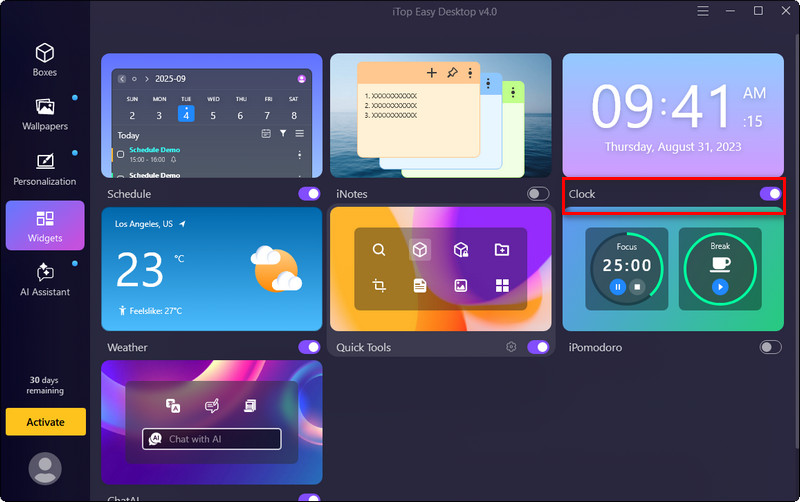
Step 2. Launch the software and go to the Widgets section. You'll see various widgets available, such as Calendar, Weather, Clock, AI Toolbar, and of course, a Pomodoro countdown timer.
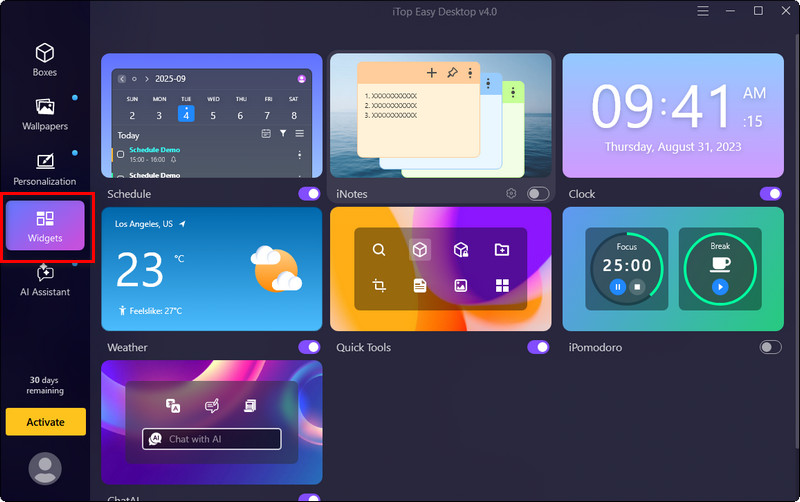
Step 3. Enable the option below the widget you selected, and it will instantly appear on your desktop.
The Bottom Line
Some tools excel at design and customization, some support multiple countdown tasks at the same time, others display world clocks or offer Pomodoro plugins—and of course, there are desktop countdown widgets that combine everything in one solution.
Whether you're trying to push yourself to study or simply don't want to miss the start of an important event, these tools help ensure that procrastination and forgetfulness no longer hold you back. If you want it all—clear time planning, beautifully designed desktop themes, and convenient file organization—iTop Easy Desktop is the top choice.
- iTop Easy Desktop - Keep Your Desktop Organized
-
- Box desktop icons to declutter your workspace
- Manage documents, games, media files, etc., at 1 click
- Add calendar, clock and other widgets to desktop
- Locate any file you want instantly with search box
- Related Articles for Reference