-
iTop Easy Desktop - No.1 Desktop Organizer for Windows
-
Automatically organize and customize Windows desktop. Make your messy desktop look clean and professional within seconds.

Top 4 Free Rainmeter Alternatives to Customize Your Desktop [Windows]
Check out the tested Rainmeter alternative tools for Windows. Grab free desktop customization apps similar to Rainmeter with widgets and better usability.
"Any alternative to Rainmeter?"
"Any software better than Rainmeter?"
These questions come up a lot when users start customizing their Windows desktop and realize Rainmeter isn't always as simple as it looks at first.
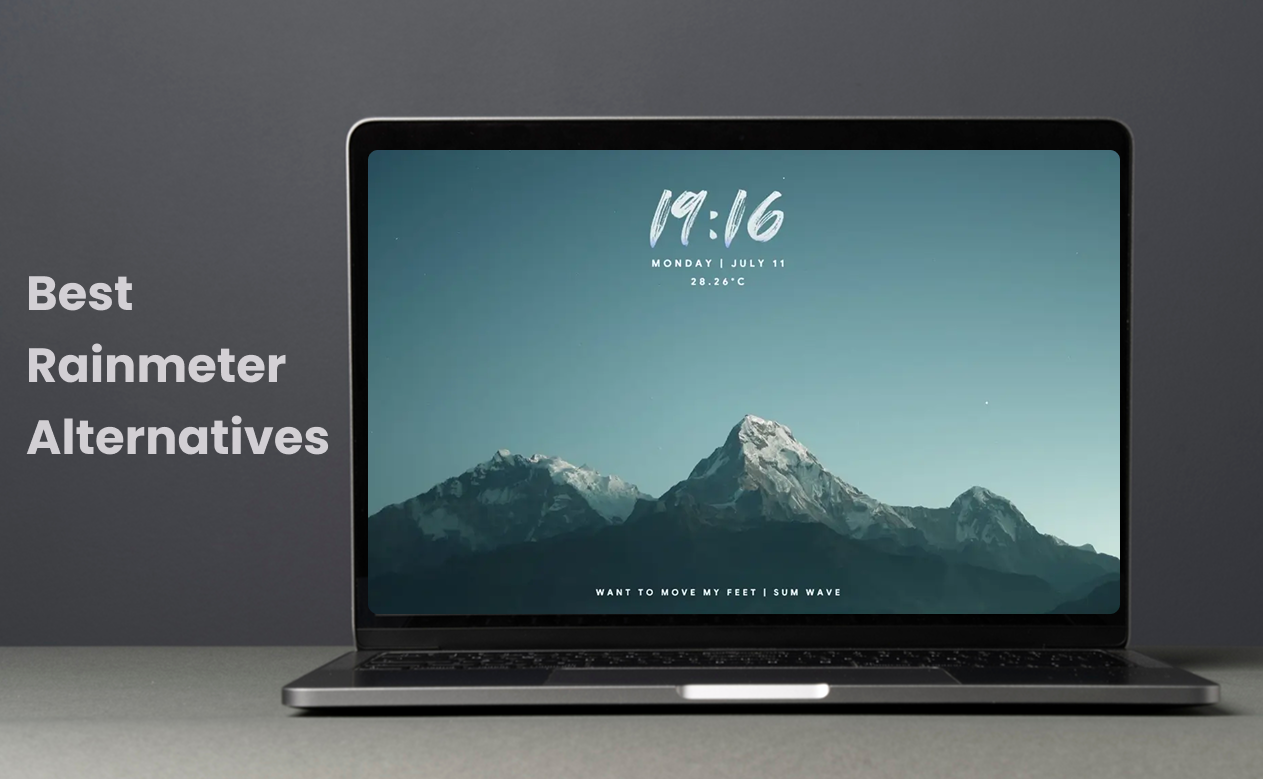
Rainmeter is widely used for building custom desktop widgets, from system monitors to minimalist dashboards. It’'s powerful, but it also comes with occasional CPU and RAM spikes. Some skins feel outdated, and performance can vary depending on how many elements you load at once. This post recommends the best 4 free Rainmeter alternative tools that are something lighter, easier to set up, or just more modern in design.
To help you quickly compare Rainmeter with its alternatives, the table below focuses on the factors that matter most in real-world use, how easy these Rainmeter alternatives are to use, how much they can be customized, and how they impact system performance. Instead of just listing features, it highlights the overall experience from setup to daily usability.
| Rainmeter | iTop Easy Desktop | Windhawk | Seelen UI | Widget Launcher | |
| Interface | Skin-based | Clean, icon-focused | Minimal patch-style | Modern UI shell | Simple widget grid |
| Ease of Use | Medium | Easy | Medium | Medium | Easy |
| Customization | High | High | High | High | Low-Medium |
| Aesthetic | Depends on skins | Polished | Functional | Modern, sleek | Basic widget |
| Performance Impact | Medium | Low | Medium | Medium | Low |
| Setup Time | Medium | Fast | Medium | Medium | Fast |
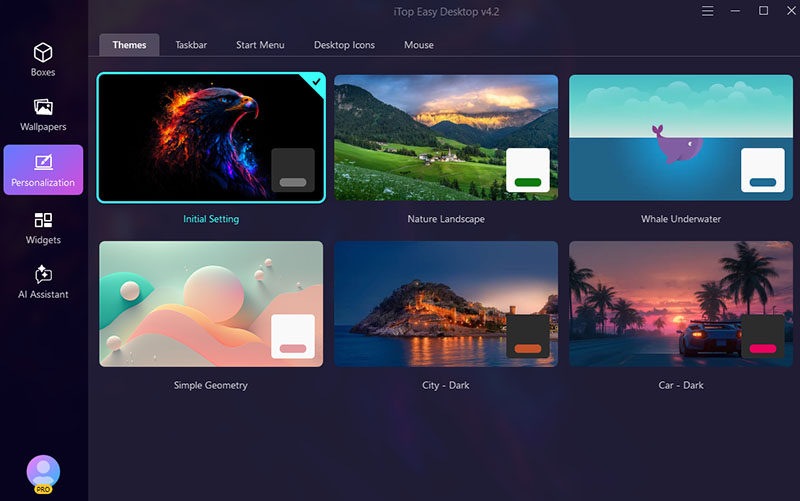
Who it's for: Those who want a tidy workspace with minimal effort and a more modern, feature-rich alternative to Rainmeter.
Pros:
✔ Lightweight, very quick setup, no learning curve.
✔ Clean, modern interface design.
✔ Auto desktop organization for icons and files.
✔ Built-in productivity widgets like schedule, sticky notes, weather, and clock.
✔ Flexible personalization with wallpapers, taskbar, mouse cursor, etc.
Cons:
✘ Fewer community-made themes or extensions.
✘ Only works on Windows.
Some users just like their desktop to look clean without spending hours setting things up. That's exactly where iTop Easy Desktop fits in. It positions itself as a more approachable Rainmeter alternative without dealing with scripts or skins.
iTop Easy Desktop takes a different direction from traditional desktop customization tools. Instead of relying on complex skin systems like Rainmeter, it is highly praised for its structure and usability. Its personalization module offers one-click settings to customize Windows theme, taskbar, desktop icons and mouse cursors. You can also explore live wallpapers, HD/4K wallpapers for PC across a wide range of genres and apply your favorite one as desktop or lock screen backgrounds with ease.
This tool rethinks the traditional Windows desktop by turning it into a more organized, functional workspace. Instead of a cluttered layout, it lets you automatically group files, folders, and shortcuts into structured, resizable “boxes” that follow rules you set, making everything feel more intentional and easier to navigate.
The Rainmeter alternative for Windows 11/10 also goes beyond basic desktop organizer by including productivity widgets such as calendar, Pomodoro timer, sticky notes, a customizable clock, and live weather updates.

- iTop Easy Desktop
Next-Gen Desktop Customizer -
- 1-click organize 100+ icons
- 5000+ 4K and live wallpapers
- Interact with AI desktop pet
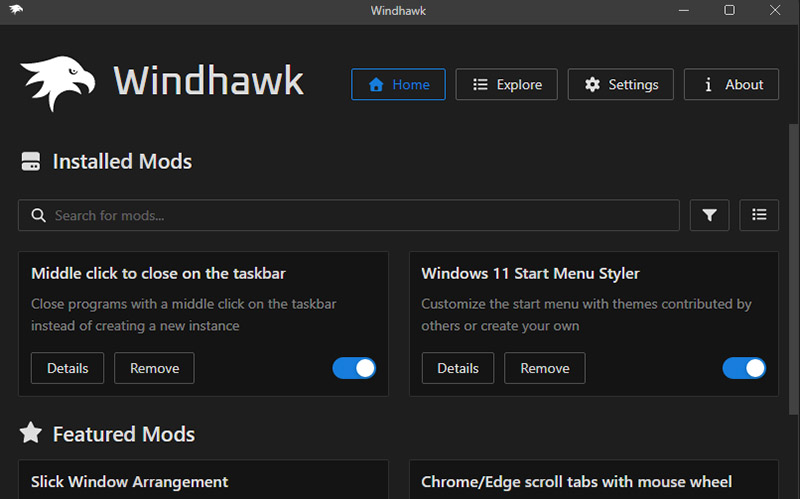
Who it's for: People who feel limited by default Windows behavior and prefer free open-source Rainmeter alternative.
Pros:
✔ Deep system-level customization for Windows UI.
✔ Modular setup with individual tweakable components.
✔ Lightweight and doesn’t permanently modify system files.
✔ Large community-driven library of mods.
✔ Changes can be applied or removed quickly without reinstalling.
Cons:
✘ Not beginner-friendly in some advanced mods.
✘ Certain tweaks may affect system stability.
✘ Possible conflicts with anti-cheat software in games.
✘ Some features require careful configuration.
Windhawk sits in a very different space compared to traditional desktop customization tools. While many users first explore a Rainmeter alternative for visual widgets, Windhawk goes deeper into how Windows itself behaves. It works more like a customization platform than a simple desktop tool. Instead of offering visual themes like most Rainmeter alternatives, it lets users modify specific Windows behaviors, such as taskbar layouts, File Explorer details, window animations, and even system menus.
Each tweak is packaged as a separate “mod,” which can be installed or removed independently. This keeps things flexible and avoids the heavy, all-in-one structure seen in many customization tools. Windhawk gives users the ability to reshape parts of Windows that normally stay locked, making it feel closer to a toolkit for power users rather than a visual customization app.
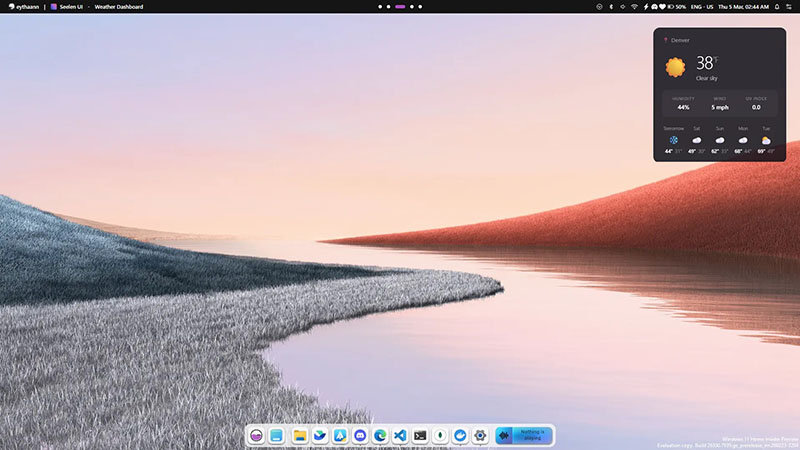
Who it's for: Anyone looking for the desktop that feels closer to Linux with a highly customizable interface.
Pros:
✔ Clean, modern desktop redesign with dock and top bar.
✔ Built-in tiling window management for multitasking.
✔ Customizable launcher for quick app access.
✔ Unified system controls for audio, Wi-Fi, and Bluetooth.
✔ Free and open-source with frequent updates.
Cons:
✘ Can use more system resources than expected.
✘ Occasional bugs on multi-monitor setups.
Seelen UI is often mentioned as a modern Rainmeter alternative for a full desktop transformation instead of just widgets. Instead of adding small widgets like Rainmeter, it rebuilds how the desktop is structured. The dock replaces the standard taskbar, while a top bar introduces quick access tools that feel more like a modern OS layer than a simple overlay.
One of its strongest points is window management. The tiling system automatically organizes open apps, which makes multitasking feel smoother without manual dragging or resizing. It also includes a built-in launcher inspired by Linux environments, letting users open apps or commands instantly. The trade-off is performance: it can feel heavier, especially on lower-end machines, but the visual consistency and productivity features make it stand out.
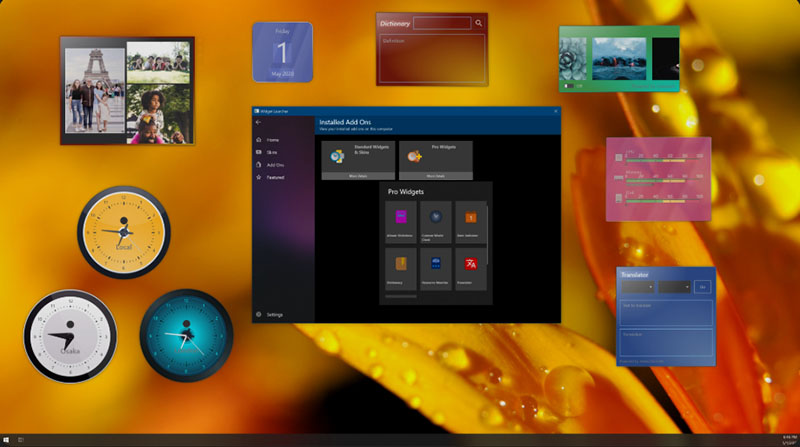
Who it's for: Users who want quick desktop widgets without learning curves or technical setup steps.
Pros:
✔ Extremely easy installation from the Microsoft Store.
✔ Ready-to-use widgets like clock, weather, and CPU monitor.
✔ Clean interface with minimal setup required.
✔ Stable performance on most Windows systems.
✔ Good starting point for basic desktop customization.
Cons:
✘ Free version includes short ads before widgets open.
✘ Limited advanced customization options.
✘ Some widgets are restricted to single-instance use.
✘ Fewer deep styling controls compared to Rainmeter.
Ever searched for apps like Rainmeter for PC that don't require setup guides or endless tweaking? Widget Launcher usually comes up pretty quickly. It's a lightweight way to place useful widgets directly on your desktop without dealing with complex configuration files. Compared to traditional Rainmeter similar software, it feels more like a plug-and-play solution than a customization toolkit.
You can check system performance, track the weather in different locations, or keep a calendar visible without opening extra apps. Widget Launcher doesn’t aim to replace advanced customization tools but rather to simplify desktop information at a glance. Everything is centralized inside a clean interface, and widgets can be added or removed in just a few clicks.
The Bottom Line
Finding a solid Rainmeter alternative really comes down to how much control you want versus how simple you prefer things to be. For most users, iTop Easy Desktop is picked as the most balanced pick. The all-in-one desktop organizer and customizer keeps things intuitive while still offering enough tools to organize a cluttered desktop into something usable and visually clean. The interface is intuitive and stylish. iTop Easy Desktop also brings a surprisingly large collection of wallpapers, including live backgrounds that instantly change the feel of your workspace. Download iTop Easy Desktop and get a refreshed desktop look in just a few clicks.

- iTop Easy Desktop - Make Your Desktop Look Amazing
-
- Control desktop taskbar to better fit your workflow
- Change the look of start menu for your preference
- Choose from themes to make consistent interface
- Enjoy personalized desktop icons and mouse cursors