-
iTop Easy Desktop - No.1 Desktop Organizer for Windows
-
Automatically organize and customize Windows desktop. Make your messy desktop look clean and professional within seconds.

Best Free Wallpaper Engine Alternatives for Windows
Are you looking for a free Wallpaper Engine alternative for Windows? Try the 5 options like Wallpaper Engine with live wallpapers, themes, and customization.
A computer desktop is a digital canvas, a space that reflects an individual’s personality and style. Dedicated wallpaper applications elevate this personalization far beyond a static image, bringing still screens to life with animation, interactivity, and depth. Wallpaper Engine is a popular choice for this, but its paid model might not suit everyone. If you're seeking vibrant desktop dynamism without the cost, you're in the right place. This article explores the best Wallpaper Engine alternatives that are powerful, creative, and entirely free.
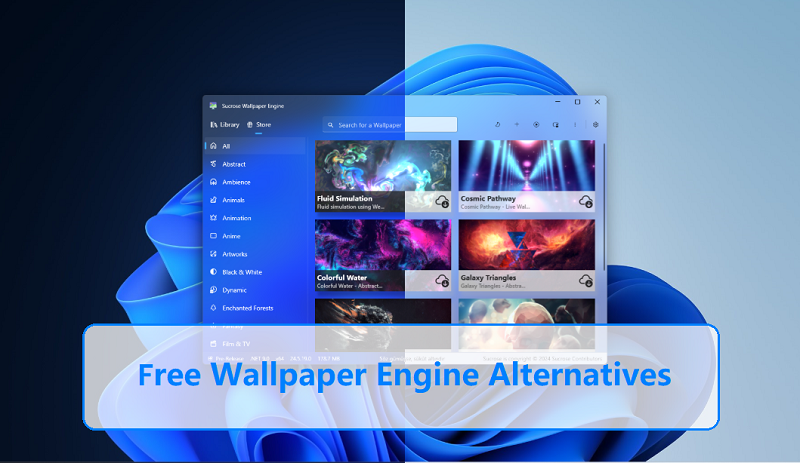
Wallpaper Engine is a renowned Windows application available on Steam that allows users to set stunning animated and interactive live wallpapers on their desktop. It supports a wide range of formats, including videos, web pages, applications, and even 3D scenes. Its core appeal lies in a massive, user-generated workshop library on Steam, where creators share everything from serene landscapes to complex, game-like interactive backgrounds. While feature-rich, it requires a one-time purchase, which leads many to seek out capable alternatives to Wallpaper Engine.
A worthy Wallpaper Engine alternative should capture the essence of what makes the original great while addressing user desires for accessibility and performance. Here are the key characteristics included.
Massive Wallpaper Library: A vast, diverse, and easily accessible collection is crucial. The best free alternatives to Wallpaper Engine offer integrated online galleries or strong community support for endless fresh content, from abstract art to anime scenes.
Live and Animated Wallpaper Support: A good alternative must smoothly render video files (.mp4, .webm), animated GIFs, HTML5, and interactive elements without significantly impacting system performance.
Run Well on Different Windows Versions: Compatibility and optimization for Windows 10 and 11 are non-negotiable. The software should be stable, receive updates, and manage resources intelligently to avoid slowing down your PC.
Free and Easy Access: The ideal Wallpaper Engine free alternative provides robust features at no cost, with a straightforward installation process and an intuitive user interface that doesn’t require a manual to navigate.

- iTop Easy Desktop - Keep Your Desktop Organized
-
- Box desktop icons to declutter your workspace
- Manage documents, games, media files, etc., at 1 click
- Add calendar, clock and other widgets to desktop
- Locate any file you want instantly with search box
Ready to transform your desktop? Let's dive into the top contenders. Each of these Wallpaper Engine alternatives windows users can trust offers a unique approach to desktop customization, ensuring you find the perfect fit for your style and system.
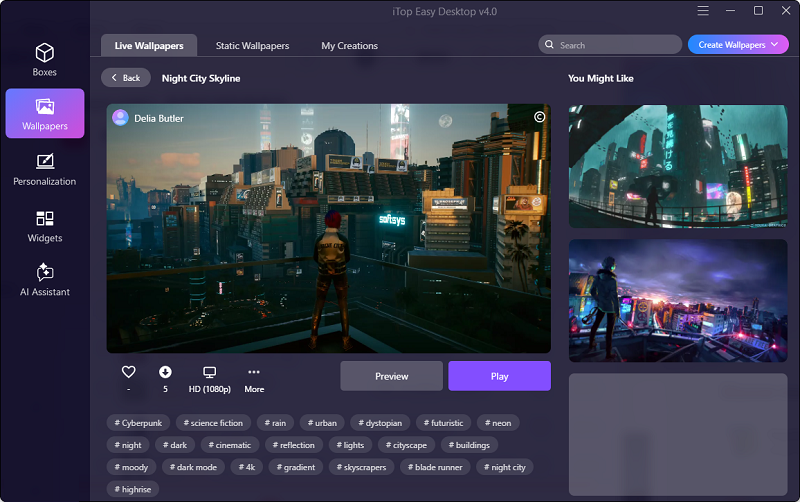
For users seeking an all-in-one desktop enhancement suite that goes beyond just wallpapers, iTop Easy Desktop stands out as a premier choice. It’s not merely a Wallpaper Engine alternative for Windows; it's a comprehensive toolkit to beautify and organize your entire PC experience, making it a strong candidate for one of the best Wallpaper Engine alternatives.
- iTop Easy Desktop - Keep Your Desktop Organized
-
- Box desktop icons to declutter your workspace
- Manage documents, games, media files, etc., at 1 click
- Add calendar, clock and other widgets to desktop
- Locate any file you want instantly with search box
Key Features:
Aesthetic Live and Static Wallpapers: Features a curated collection of high-quality, performance-optimized live wallpapers that animate smoothly without hogging CPU or RAM resources
Diverse Themes and Topics: Complete desktop theme packs that change wallpapers and layouts in one click, covering categories like gaming, nature, anime, and minimalism.
Custom Desktop Icons and Mouse Cursors: There are extensive libraries of stylish icon packs and animated mouse cursors to fully personalize every visual element of your interface.
Smart Desktop Organizer: It features a desktop organizer that automatically sorts cluttered desktop icons into categorized grids and allows you to create custom zones, transforming a messy screen into an orderly workspace.
One-Click Application: All changes are applied instantly and seamlessly. You can preview themes and easily revert to previous settings with a single click.
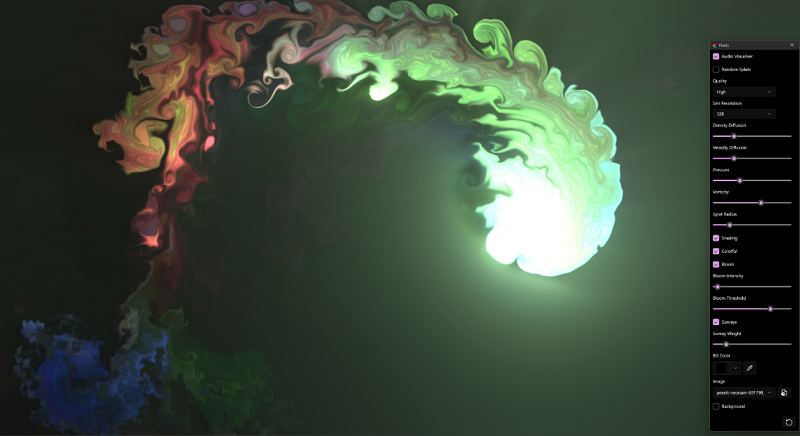
Lively Wallpaper is a powerhouse for tech-savvy users who want ultimate control. This free, open-source application is one of the most direct and powerful free Wallpaper Engine alternative options available, supporting virtually any video or web-based content as a background.
Key Features:
Unparalleled Format Support: Set video files, GIFs, URLs, HTML files, and even ShaderToy animations as your live wallpaper with flawless playback.
Hardware Accelerated Performance: Utilizes your GPU efficiently to run demanding wallpapers while keeping the impact on system resources remarkably low.
Interactive Wallpapers: Create or use wallpapers that react to system audio (music visualization), mouse movement, or time of day for a truly dynamic experience.
Completely Free and Open Source: No cost, no ads, and a transparent development process that allows the community to contribute and audit the code.
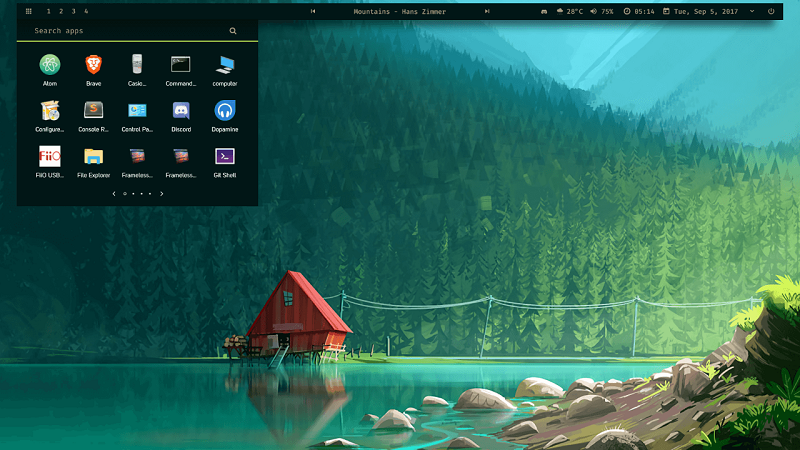
Rainmeter is the ultimate toolkit for users who want to build their desktop from the ground up. While it has a steeper learning curve, it is arguably the most powerful and customizable Wallpaper Engine alternative available, capable of creating fully interactive desktop suites.
Key Features:
Limitless Customization: Uses "skins" – small widgets and modules – to display information (CPU, weather, RSS) and control media. These can be layered and animated to create a cohesive, living desktop.
Highly Interactive Desktops: Create functional desktops where your background integrates with launchers, system monitors, music players, and more, all controllable from the desktop itself.
Massive Community Library: Benefiting from one of the largest and most creative communities, Rainmeter offers thousands of free skins and suites for every imaginable style and function.
Lightweight Foundation: The core application is extremely lightweight. System impact depends entirely on the complexity of the skins you choose to run.
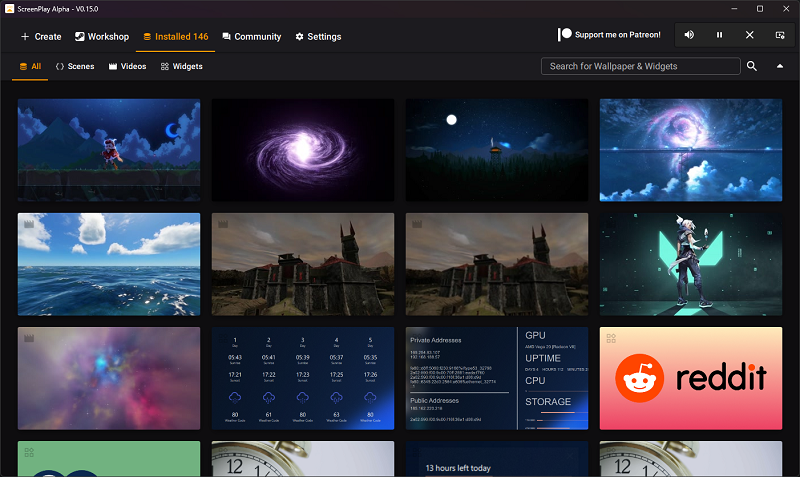 ScreenPlay is a modern, cross-platform contender built with web technologies. It’s an excellent choice for users who value a clean, user-friendly interface and want the same experience on both Windows and macOS.
Key Features:
Cross-Platform Compatibility: It works seamlessly on Windows, macOS, and Linux, allowing for a consistent desktop aesthetic across all your devices.
Web-Based Wallpaper Gallery: Browse and install wallpapers directly from the app’s online library, which features a growing collection of community-submitted animated and interactive backgrounds.
Easy to Use Interface: The sleek, intuitive interface makes finding, applying, and managing live wallpapers a simple and pleasant experience.
Focus on Performance: Designed to be resource-friendly, it ensures your live wallpapers run smoothly without degrading system performance.
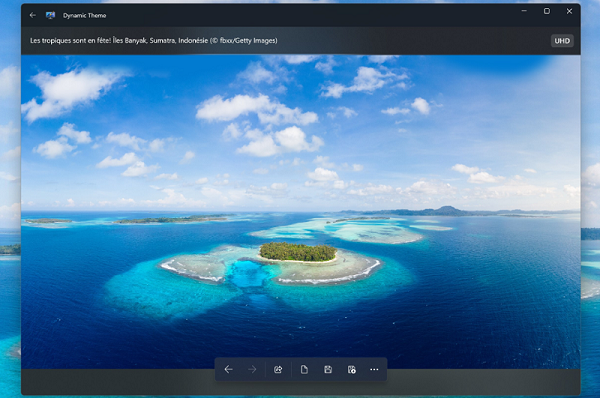
For users who love fresh, high-quality wallpapers daily, Dynamic Theme is a perfect, hassle-free solution. This free app from the Microsoft Store automatically fetches stunning photos from sources like Bing and Spotlight to keep your desktop constantly refreshed.
Key Features:
Automatic Daily Updates: Dynamic Theme sets your desktop background to a new, professionally curated image every day, which eliminates the need to manually find new wallpapers.
High-Quality Source Images: It pulls beautiful photography directly from Bing, Windows Spotlight, and other premium sources with exceptional image quality.
Simple and Lightweight: The minimal interface focuses on a single, well-executed feature. It runs quietly in the background with virtually no system footprint.
Completely Free: A true free Wallpaper Engine alternative in the Microsoft Store with no hidden costs or feature limitations.
- iTop Easy Desktop - Keep Your Desktop Organized
-
- Box desktop icons to declutter your workspace
- Manage documents, games, media files, etc., at 1 click
- Add calendar, clock and other widgets to desktop
- Locate any file you want instantly with search box
Using these alternatives is typically straightforward. Let's take iTop Easy Desktop as an example:
Step 1: Download and install iTop Easy Desktop. Launch the application.
Step 2: Navigate to the "Wallpapers" tab. Browse through the categorized library and click on a live wallpaper or theme you like to preview it.
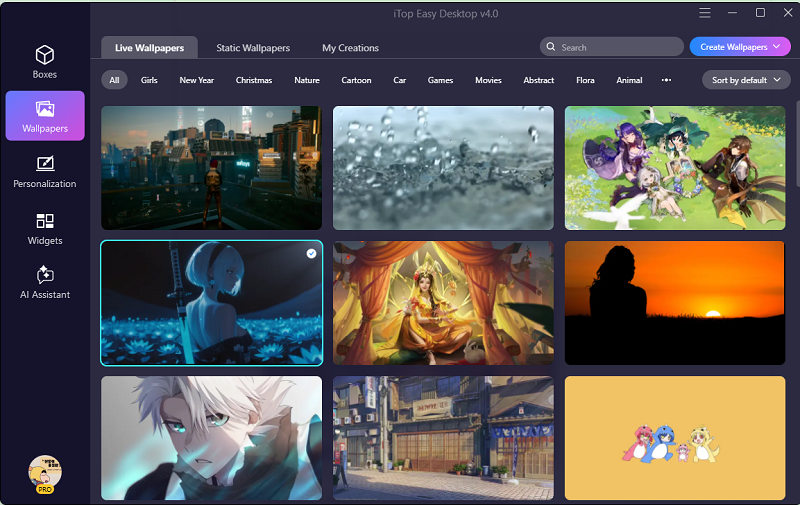
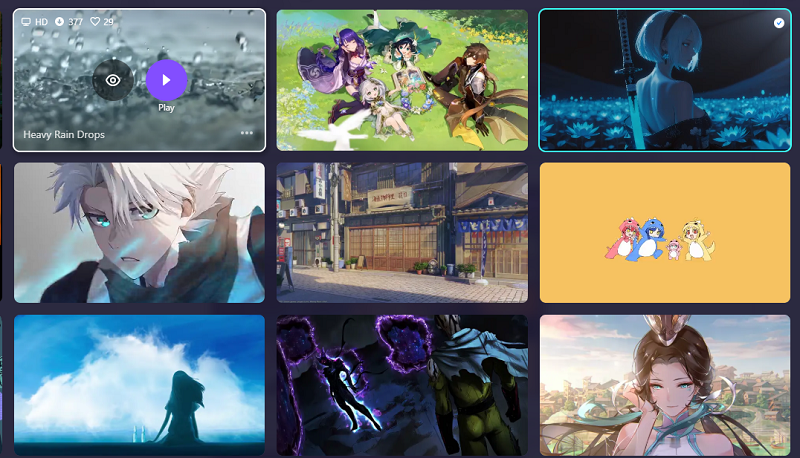
Step 3: Once you've made your choice, simply click Play. The software will instantly set the live wallpaper on your desktop in one click.
1. Is Wallpaper Engine free now?
No, Wallpaper Engine is not free. It requires a one-time purchase on the Steam platform, which is why exploring best free Wallpaper Engine alternatives is a popular endeavor.
2. Is Wallpaper Engine on mobile?
Yes, there is an official Wallpaper Engine companion app for Android (and unofficially for iOS via workarounds) that allows you to sync and use wallpapers from your PC on your mobile device.
3. Which is better, Lively or Wallpaper Engine?
It depends on your needs. Wallpaper Engine has a larger, more polished workshop library and easier social features. Lively is completely free, open-source, supports more technical formats (like web pages), and offers excellent performance. For a free Wallpaper Engine alternative, Lively is exceptionally powerful.
4. Is there any good Wallpaper Engine alternative for Mac?
Yes, while most alternatives are Windows-focused, ScreenPlay (mentioned above) offers excellent native support for macOS. Other options include dynamic wallpaper apps that use video or native Mac utilities for basic slideshows.
Transforming your static desktop into a dynamic expression of your personality doesn't have to cost a thing. From the all-in-one beauty of iTop Easy Desktop and the open-source power of Lively Wallpaper to the limitless customization of Rainmeter, there are exceptional Wallpaper Engine alternatives for every type of user. If you want a balanced mix of stunning live wallpapers, complete theme packs, and useful organization tools in one free package. Begin your desktop customization journey with iTop Easy Desktop today.
- iTop Easy Desktop - Keep Your Desktop Organized
-
- Box desktop icons to declutter your workspace
- Manage documents, games, media files, etc., at 1 click
- Add calendar, clock and other widgets to desktop
- Locate any file you want instantly with search box
- Related Articles for Reference