-
iTop Easy Desktop - No.1 Desktop Organizer for Windows
-
Automatically organize and customize Windows desktop. Make your messy desktop look clean and professional within seconds.

6 Best Sites for Free Live Wallpaper for PC & Create Your Own
Browse top 6 sites for best free live wallpaper for PC (up to 4K/8K) and follow the quick DIY tips to create custom live desktop backgrounds effortlessly.
Tired of staring at the same static desktop background day after day? A live wallpaper for PC can instantly turn your screen into a captivating scene, be it flowing water, drifting clouds, or a mesmerizing animation. Such live wallpapers bring personality and energy to your workspace, showcase your style, and make your computer feel uniquely yours.
Best of all, live wallpapers are now easy to customize and within reach for any user, no advanced skills required. You’ll find a handpicked selection of the best places to grab dynamic images, along with two straightforward ways to set up live wallpaper for PC. Keep reading to give your screen a fresh, moving makeover.
You don’t need to spend money to get a live wallpaper for Windows. Plenty of sites offer free, high-quality options. From calming landscapes to fast-paced anime scenes, each of the picks below brings something different to the table.
1. MyLiveWallpapers
MyLiveWallpapers is a go-to choice for anyone who loves animated backgrounds with a bit of flair. While it covers many styles, anime content is where it really focuses, featuring smooth, high-resolution loops of popular characters and scenes. You’ll get live wallpaper for PC free, from gaming visuals, to cityscapes, nature shots, TV & movies, or animals, all optimized for various screen setups, including ultra-wide displays. You can choose a live wallpaper for Windows in different resolutions, such as 4K, QHD, ultrawide standard, ultrawide(3440x1440), and more.
2. Motion Bgs
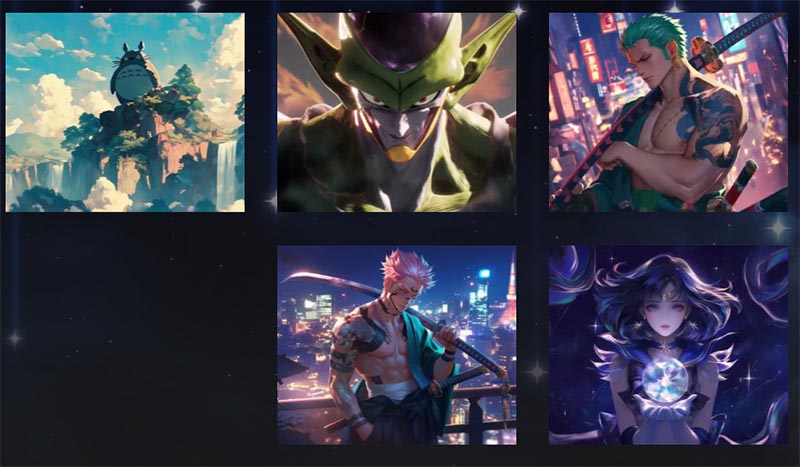
If you want wallpapers that look like they belong in a design showcase, Motion Bgs is worth bookmarking. The live wallpaper's library leans toward popular animation, such as Demon Slayer, One Piece, or Dragon Ball. Each live wallpaper is available in multiple resolutions, right up to 4K, so that it looks really sharp even on big monitors. A built-in preview player lets you see the animation in action before you commit to downloading. You can also do a quick search for 4k live wallpaper for PC on the search bar.
3. MoeWalls
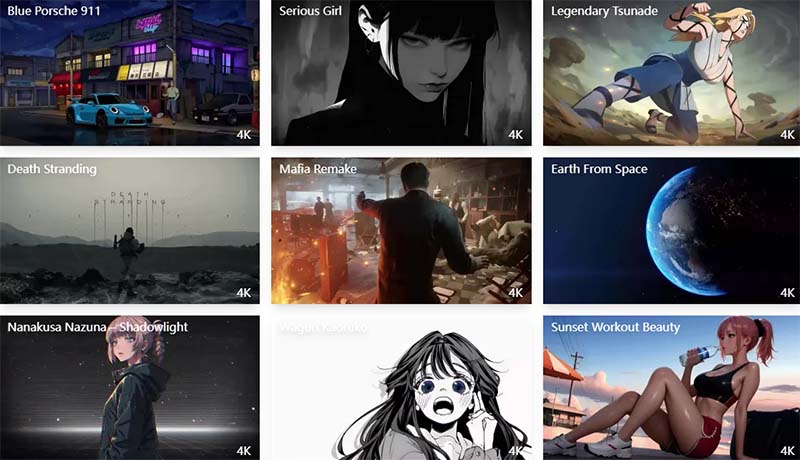
MoeWalls might not have the largest selection of live wallpapers for PC on the internet, but it makes up for it with quality control. Every wallpaper is fine-tuned for smooth playback and minimal impact on system performance. Anime and gaming fans will feel right at home here, with detailed tags, resolution info, and even frame rate listings to help you choose wisely. The search function is quick and precise, so tracking down that specific scene or character is a breeze. However, the site does display banner and pop-up ads, so you may want to use an ad blocker.

4. DesktopHut
With DesktopHut, you’re not just downloading wallpapers, you’re also getting a handy little tool that applies them directly to your desktop. DesktopHut' s live wallpaper for PC selection covers from relaxing scenic views to action-packed loops, with community-made uploads adding personality to the mix. Go to DesktopHut, and you'll get an extensive collection of over 3,000 live wallpapers. All these live wallpapers are the most downloaded from the DesktopHut community.

5. LiveWallpapers4Free
Sometimes, simple live wallpapers for PC are the best. LiveWallpapers4Free has a clean interface and a broad range of HD/4K live wallpaper categories, from outer space scenes to fantasy landscapes. Many of its wallpapers are available in both HD and 4K MP4 format, with previews that give you a feel for the motion before you download. It’s also a smart pick if your PC isn’t top-of-the-line, as a lot of its files are lightweight and resource-friendly.
6. WallpaperWaifu
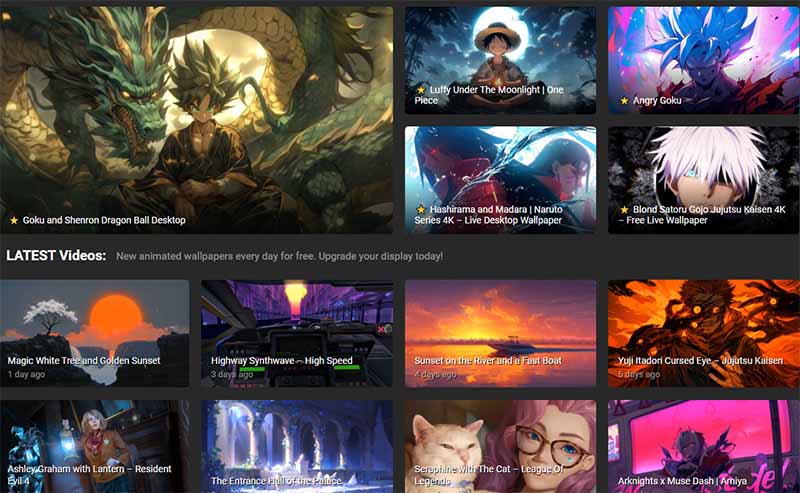
If you lean toward anime or gaming art but still want a bit of variety, WallpaperWaifu is a solid choice. You’ll find lots of looped animations that play seamlessly without abrupt transitions. Many files come in MP4 format, making them compatible with tools like Lively Wallpaper. Filtering by style, mood, or resolution helps you zero in on exactly the kind of vibe you want for your desktop. Note that the site includes ads, and some pages feature misleading download buttons that can be confused with the actual wallpaper link.
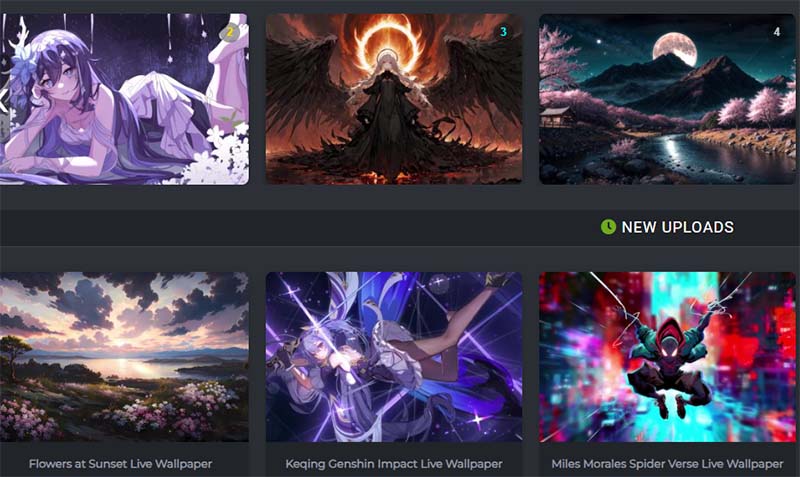
Windows 11 doesn’t support live wallpapers natively, so to bring motion and interactivity to your desktop, you’ll want to use a reliable third-party app like Lively Wallpaper. With this free, open-source program, your PC's screen easily comes alive. You can pick from a massive library of animated backgrounds, everything from videos and GIFs to your favorite YouTube clips. Learn how to get live wallpaper for PC with the Live Wallpaper app.
How to Set Live Wallpaper on PC with Lively Wallpaper?
Step 1. Head to the Microsoft Store and search for “Lively Wallpaper.” Download and install the app on your PC.
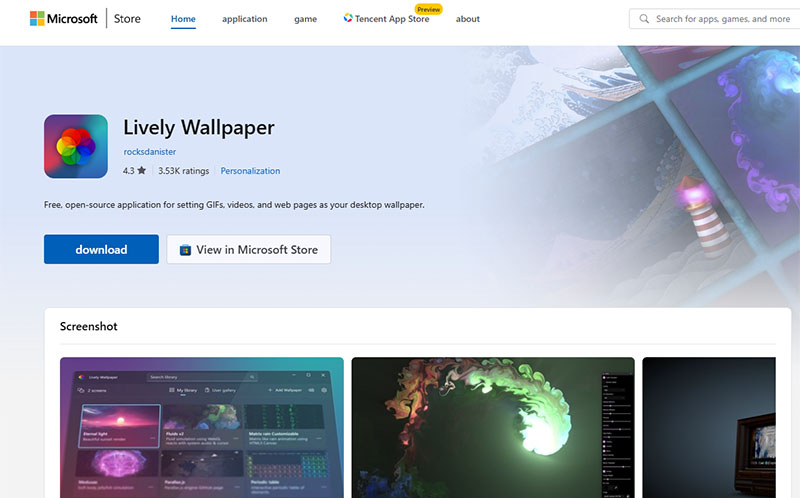
Step 2. Launch Lively Wallpaper from the Start menu.
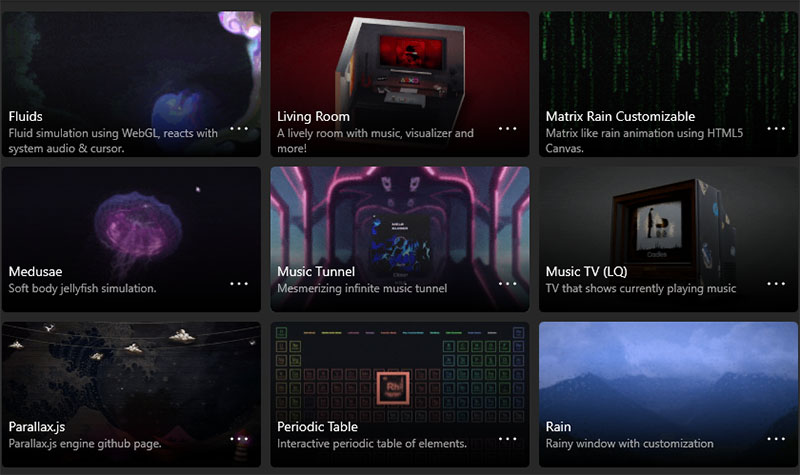
Step 3. Click Library, browse through the live wallpapers on the app’s main screen, and simply click on your favorite to apply it to your desktop.
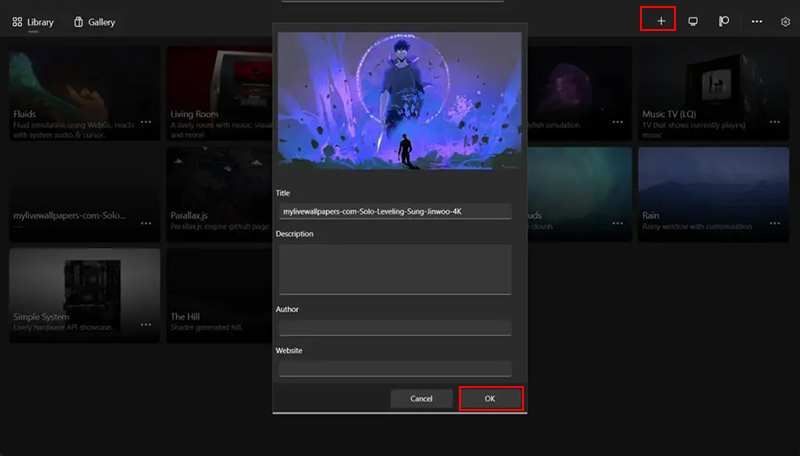
Step 4. If you want to personalize further, you can import your own GIFs or videos by clicking the “+” icon within the app.
Although Lively Wallpaper is a popular pick for adding motion to Windows desktops, it sometimes leaves users wanting more than just animated visuals. Its customization is somewhat basic, and it lacks handy productivity tools. That’s exactly where iTop Easy Desktop comes in. This free live wallpaper software and computer organizer offers everything you need in one spot: vibrant live wallpapers for your screen and handy mini-apps to keep your daily life running like clockwork.

- iTop Easy Desktop - Explore Aesthetic Wallpapers for PC
-
- Free download wallpapers across a wide range of styles
- Animate your desktop with free HD/4K live wallpapers
- Create custom wallpapers from images/videos with ease
- Apply and change desktop backgrounds in one click
A large library of live wallpapers for PC.
From soothing natural landscapes to lively cityscapes and artistic abstracts, iTop Easy Desktop offers a wide-ranging library that caters to different tastes. Whether you want something calming or energizing, you’re sure to get the live wallpaper for PC that fits your needs and refreshes your desktop screen regularly.
Custom live wallpaper upload support.
You’re free to bring your own videos, GIFs, or animations into the live wallpaper mix. For example, you can take your best video clips, epic game wins, or cherished memories, and make them your very own animated desktop background.
4K resolution outputs with various themes.
Every wallpaper supports 4K UHD quality, so your desktop looks crisp, even on ultra-wide or multi-monitor setups. With categories from calming nature to cool tech and vibrant anime, picking a style for your mood is always a snap.
Organize PC screen to streamline workflow.
More than just pretty wallpapers, iTop Easy Desktop helps you declutter and organize your workspace. You can group files, apps, and folders into clearly defined sections by boxes. The boxes can be customized in terms of colors, tab style, sorting, etc.
Other useful widgets for productivity boost.
iTop Easy Desktop lets you check live weather updates right from your screen, set timed tasks or reminders, or jot down ideas instantly with sticky notes. Small tools like these really matter. They help you stay on point and get tasks finished all day long.
Ready to upgrade your desktop? Here’s how to set live wallpaper on PC with iTop Easy Desktop:
Step 1. Click the button to download, and install the app, then launch it.
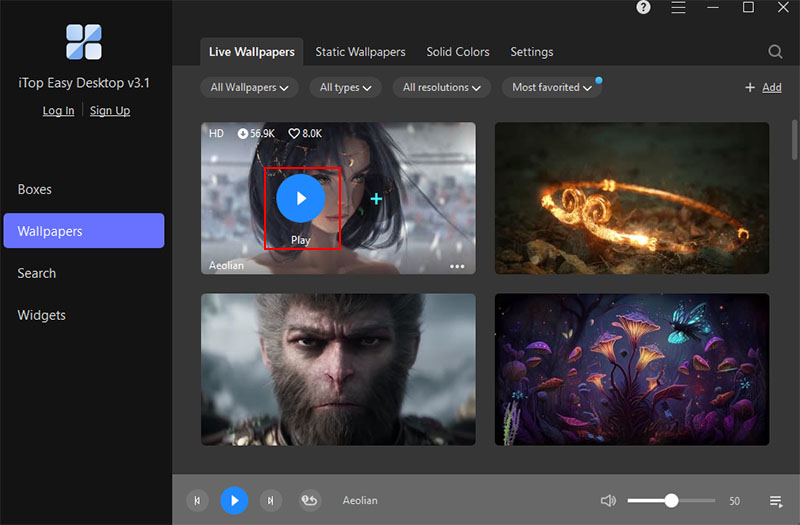
Step 2. Explore the built-in wallpaper gallery via the “Wallpapers” window or click “Add” icon to add your own custom live wallpapers for PC.

Step 3. Pick the wallpaper you like and choose to download the wallpaper, then click play to apply it.
Conclusion
If you enjoy customizing your desktop, you’ve probably explored the above live wallpaper for PC sites. While these add visual flair, iTop Easy Desktop offers more than just 4K live wallpapers for your PC and takes things further by combining beautiful layouts with powerful productivity tools. It helps you work smarter, just prettier, with lots of built-in tools for file grouping, ChatAI, sticky notes, and quick-launch icons. Just try iTop Easy Desktop and see how an organized, visually appealing workspace can transform your daily PC routine.

- iTop Easy Desktop - Keep Your Desktop Organized
-
- Box desktop icons to declutter your workspace
- Manage documents, games, media files, etc., at 1 click
- Add calendar, clock and other widgets to desktop
- Locate any file you want instantly with search box