-
iTop Easy Desktop - No.1 Desktop Organizer for Windows
-
Automatically organize and customize Windows desktop. Make your messy desktop look clean and professional within seconds.

Best Mouse Cursor Packs: 6 Free & Custom Cursor Sets to Download in 2026
Here are best 6 mouse cursor platforms to browse and apply mouse cursor packs for Windows/Google Chrome/Microsoft Edge. Quick setup, safe downloads, and free.
Staring at the same old arrow all day can make even the most stunning desktop feel lifeless. While many users go all out customizing wallpapers, icons, and themes, the humble cursor often gets overlooked. Yet, a fresh pointer can completely change the way you interact with your PC and add flair to every click. For anyone searching for mouse cursor packs, this is your chance to make your setup feel playful, sleek, or downright unique. Here are the best options, from cute and quirky to animated and stylish, plus safe download sources and step-by-step installation tips for Windows users.
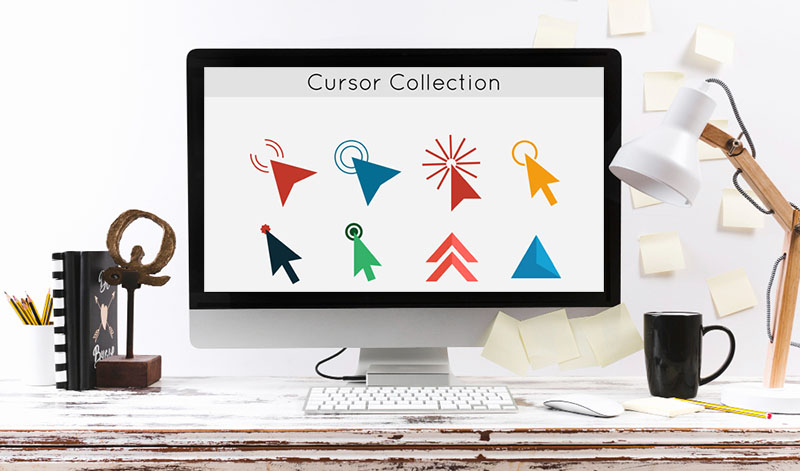
Grabbing different mouse cursor packs is a fun way to start to instantly refresh your desktop experience. To help you choose quickly, here’s a snapshot of six diverse options that cover everything from playful designs to professional-looking pointers.
| Mouse Cursor Packs | Style |
Highlights | Compatible for |
| iTop Easy Desktop | Clean, modern UI, Bitata | Includes Bibata sets plus built-in desktop organization tools | Windows |
| Custom Cursor World | Trendy, design-focused |
Offers a wide range of curated cursor styles across different aesthetics | Windows/Chrome/Edge |
| Cursors-4U | Retro & fun | Known for its nostalgic pixel designs and classic web-era collections | Windows |
| Sweezy Cursors | Anime & gaming vibes | Features animated pointers inspired by popular games and characters | Windows/Browser/Roblox |
| Custom Cursor | Anime & cute | Provides thousands of highly customizable pointer options in various styles | Windows/Chrome/Edge/Opera |
| Cursor World | Custom packs | Supports user-created collections | Windows/Chrome/Edge |
Next, we’ll review these six cursor packs individually, highlighting their unique features, installation ease, and the types of users they’re best suited for.
Ever felt your desktop lacked personality? iTop Easy Desktop tops the list of the best mouse cursor packs for Windows. The tool includes a range of mouse cursor packs with minimalistic arrows, vibrant colors, or subtle motion effects. Beyond just offering a variety of mouse cursor packs, it comes with a full suite of customization options designed to refresh your PC in minutes, such as high-quality wallpapers and themed icons to toolbar tweaks and layout adjustments. With iTop Easy Desktop, there’s no need to hunt for cursor packs from obscure websites or risk downloading unsafe files, everything you need is built in.

- iTop Easy Desktop - Make Your Desktop Look Amazing
-
- Control desktop taskbar to better fit your workflow
- Change the look of start menu for your preference
- Choose from themes to make consistent interface
- Enjoy personalized desktop icons and mouse cursors
Key Features of iTop Easy Desktop:
Diverse Mouse Cursor Packs for Windows: iTop Easy Desktop provides different stylish and functional cursor packs for Windows, including Bibata-inspired sets, animated pointers, and colorful designs, to name a few.
One-Stop Desktop Customization Options: The software combines cursor packs, 4K wallpapers, themes, icons, toolbar adjustments, and desktop calender widget in a single tool, so you don’t need to juggle multiple apps to get a seamless and cohesive desktop personalization experience.
Easy to Apply with One Click: All cursor packs and desktop themes can be applied instantly with a single click, without complex installation steps.
Free and Safe to Use: Fully verified and free-to-download, iTop Easy Desktop guarantees safety from malware or unsafe files. Just feel to free explore dozens of cursor packs for Windows.
Efficient Desktop Management: The desktop organizer for Windows can also organize icons, folders, documents, apps, and visual assets efficiently, while maintaining a clean workspace. Enjoy a more productive, clutter-free desktop with customized visuals and functional enhancements.
Cons:
Available for Windows only
Cursor pack selection is somewhat limited.
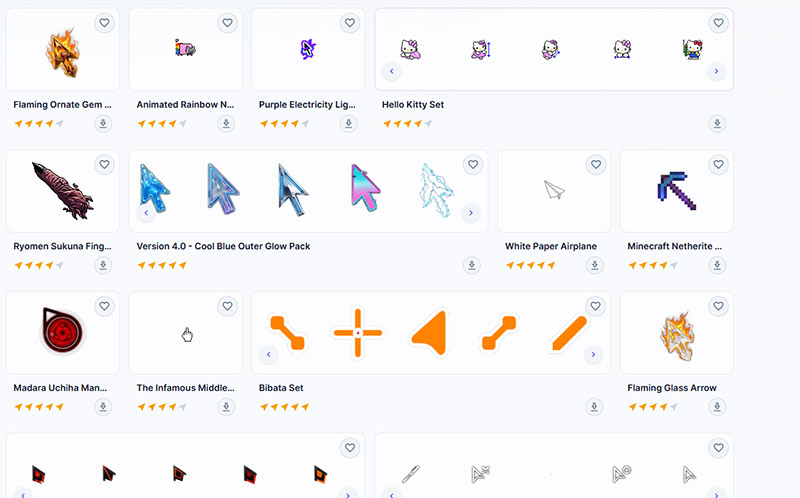
Custom Cursor World is a well-known hub for anyone looking to refresh how their pointer looks without digging through complicated system settings. It focuses on playful, visually polished designs, such as soft pastel themes, character-inspired sets that feel closer to digital stickers than standard UI elements.
Its library leans heavily into aesthetic-driven mouse cursor packs, with frequent updates that keep the collection feeling current rather than recycled. Over 1,990 free cursor packs and custom pointer styles are available. It also supports basic customization, so you can tweak size, speed, and color instead of sticking to presets.
Cons:
Slight lag or reduced precision compared to the default cursor.

Cursors-4U is a long-running resource built for users who want direct access to files without relying on extensions or installers. The platform hosts a vast collection of over 11,000 cursors, spanning everything from classic pixel icons to anime, gaming, and novelty themes. Unlike more curated sites, its library feels raw and expansive, which makes it easier to find unusual or older designs that are no longer widely shared.
All downloads are provided in standard .cur and .ani formats, so each set can be quickly applied as a Windows cursor pack without additional tools. Its biggest advantage is this file-first approach, no setup barriers, just instant access.
Cons:
Pop-ups can disrupt browsing.
Certain cursors may not work perfectly due to size limits, browser restrictions, or minor performance impact.
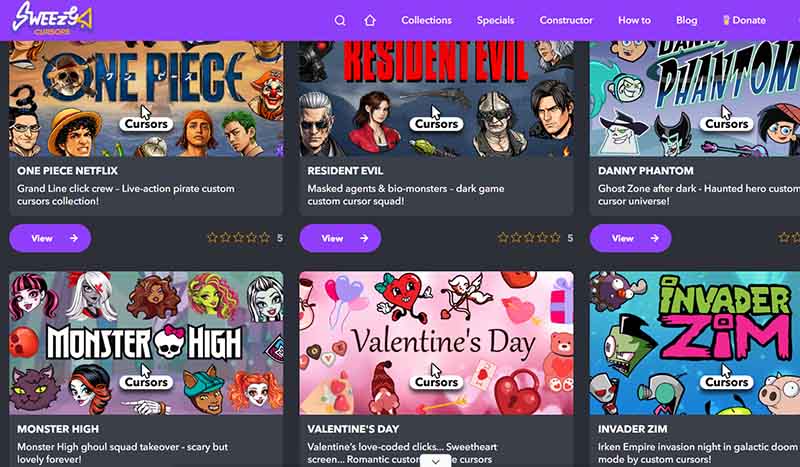
Sweezy Cursors is a platform focused on anime and game-themed mouse pointers, offering a wide range of mouse cursor packs that let users personalize both their browser and Windows experience. The collection spans animated characters, game icons, animals, and even car culture designs.
The site is user-friendly, allowing you to quickly add your ideal cursors, and it includes a custom constructor to upload or create unique designs. While these Windows cursor themes can be applied system-wide, doing so requires downloading ZIP files and adjusting settings in Windows, which may feel cumbersome for some users.
Cons:
Excessive animations can be distracting.
Cursors cannot be applied to internal browser pages.
Read More: Best Clock Widget Windows 11/10 for 2026.
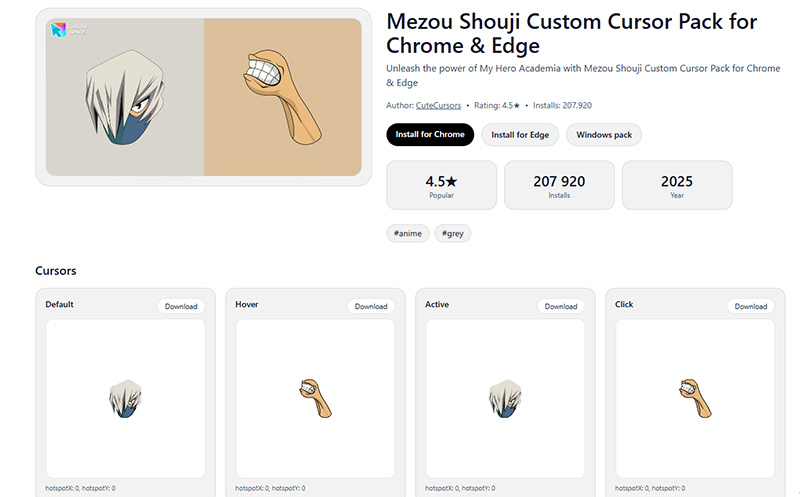
Custom Cursor is a widely recognized place for anyone who want cute and anime mouse cursor pack download. It offers a broad selection of mouse cursor packs, featuring everything from anime and cartoon designs to popular game and movie themes. You can also upload their own images to create fully personalized pointers, and many cursors include hover effects or adjustable sizes for added flexibility.
The mouse cursor pack focuses on fun and accessibility within the browser. While primarily designed for Chrome, certain collections can also be adapted into Windows 11 cursor packs.
Cons:
Some custom shapes can make precise clicking difficult.
Animated cursors may lag on older hardware.

Cursor World embraces a growing selection of mouse cursors. The site leans toward clean designs, while still including playful styles inspired by games, minimal icons, and everyday objects. You can choose to install cursors directly for Chrome or Edge, or download a Windows cursor pack in ZIP format and add it through the system settings.
While the interface isn’t especially polished, it feels easy to use, with no ads or pop-ups interrupting the process. It’s a good place to design your own mouse cursor. The main drawback is that the design quality can vary between uploads.
Cons:
Some cursor packs can feel repetitive, with similar designs appearing across the library.
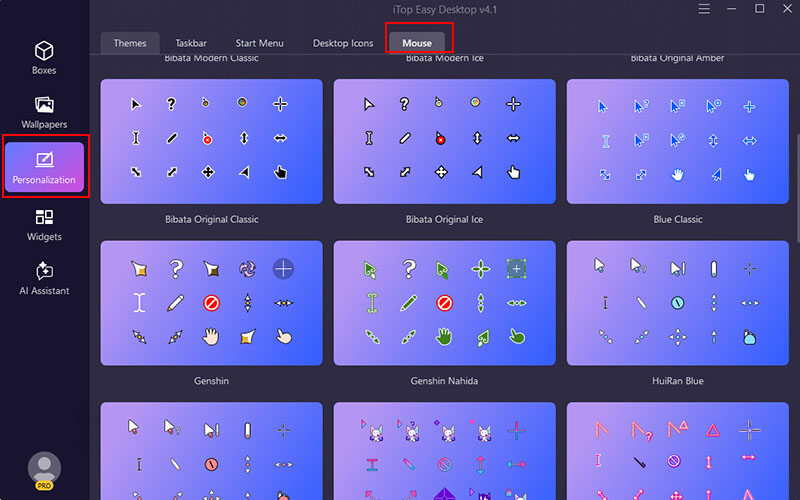
Setting up mouse cursor packs on Windows is much easier than you think. With the right tool, the whole process takes just a few minutes and avoids manual file handling. One simple option is using iTop Easy Desktop, which keeps everything organized in one place.
Step 1. Download and install iTop Easy Desktop on your PC, then open the mouse cursor pack for Windows after installation.
Step 2. Go to the Personalization section and locate the Mouse settings. You’ll find a selection of styles ready to preview.
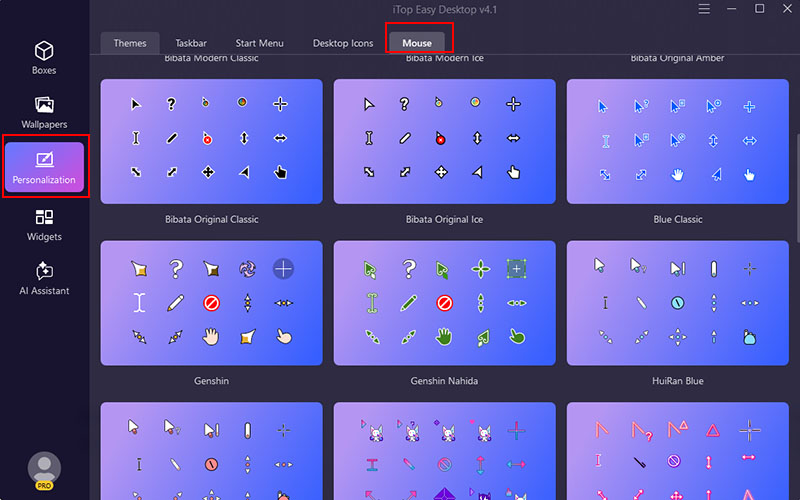
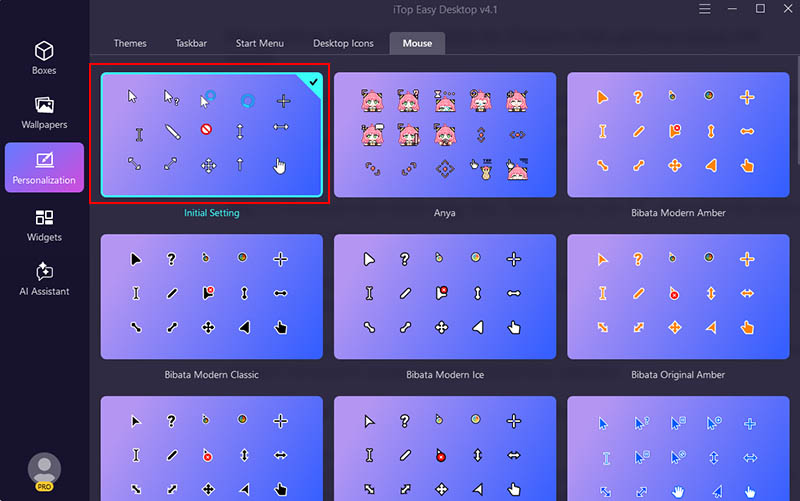
Step 3. Pick a design you like and click to apply it instantly. The change takes effect right away, so there’s no need to restart or adjust system files manually.
Q: Are mouse cursor packs safe to download?
They are generally safe if you download from reputable sites. Stick to trusted sources and standard formats like .cur or .ani, and avoid unknown installers.
Q: Will animated cursor packs slow down my PC?
On most modern systems, the impact is minimal. However, older devices or heavy animations may cause slight lag.
Q: What’s the difference between cursors for browser and Windows?
Windows cursors are system-wide and OS-controlled, while browser cursors are CSS-based and change depending on webpage interactions and content.
Q: Why does the cursor revert to the default style after restarting?
This usually happens when settings aren’t saved properly or when third-party tools fail to load at startup.
Final Words
Several reliable sources are covered above for finding mouse cursor packs, including large libraries and niche sites focused on anime, games, and creative styles. It’s easy to pick what fits your setup without trial and error. For a smoother way to change cursor packs on Windows, try iTop Easy Desktop. Browse, switch cursor styles, and manage the desktop in one place without digging through system settings. Download it and refresh your desktop in seconds.

- iTop Easy Desktop
Next-Gen Desktop Customizer -
- 1-click organize 100+ icons
- 5000+ 4K and live wallpapers
- Interact with AI desktop pet