-
iTop Easy Desktop - No.1 Desktop Organizer for Windows
-
Automatically organize and customize Windows desktop. Make your messy desktop look clean and professional within seconds.

All-in-One Guide for Getting Cute Desktop Wallpaper - Free Download
Have no idea of how to get cute desktop wallpaper for your computer? Discover the best ways to find adorable cute wallpapers for desktop.
Cute desktop wallpaper, the background image of computer screen that features soft colors, playful designs, friendly characters, always creates a cheerful vibe for your digital workplace. It ignites the feeling of comfort and uplifts positive emotions. The soft visuals help reduce stress, building a relaxing break using long work sessions.
Discover adorable cute wallpaper for desktop to set the tone for your day. But, how to get lovely backgrounds that fit your computer? This article will tell you the best ways to explore HD cute desktop wallpapers, with free download.
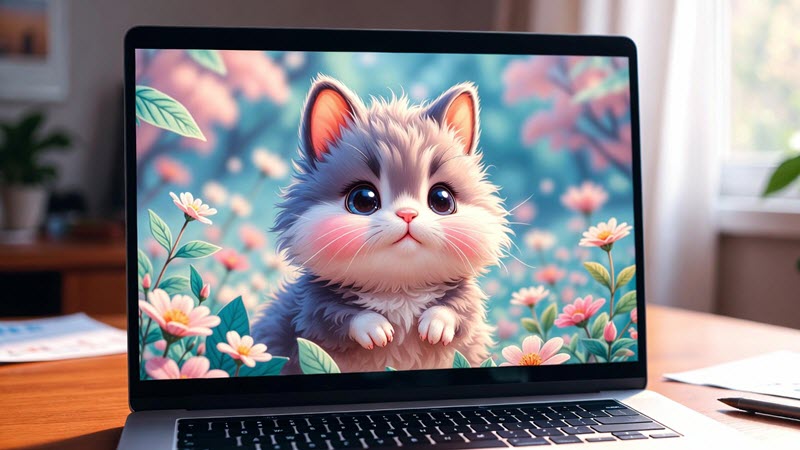
Cute desktop wallpapers vary from styles, across character-themed images to simple designs. What are the most common cute styles? Have a quick look.
Cartoon/Anime: Characters or figures with big expressive eyes, simplified proportions, etc., often seen in cartoon, anime, manga and games.
Animals/Mascots: Realistic, illustrated or furry version of puppies, kittens, pandas, etc., paired with soft backgrounds.
Pastel: Integration muted colors (baby pink, mint green, lavenders) and simple shapes (stars, hearts, tiny flowers) to create gentle visuals.
Minimalism: Uncluttered design using only one main object on pure background, leaving lots of empty space.
Kawaii: Highly stylized and adorable items inspired by Japanese kawaii culture, e.g. pastel icons, rounded shapes, cute characters.
There is no a specific criterion to choose a cute wallpaper for desktop but tailored to your preference. You can set the image of your favorite cartoon/anime character as the background to express interest and boost mode. You can also use minimal or pastel aesthetic cute wallpaper for computer to add a cozy touch during working.
If you have clearly known what cute desktop wallpaper you want, the next question is where and how to find your dream adorable backgrounds. In the following, we will walk you through.
There are lots of cute desktop wallpaper sources over the internet. Stock image website offers numerous wallpapers across a wide range of genres; social media services are ideal for searching stylish cute backgrounds while some online design tools allows you to personalize your own cute wallpaper through templates.
Here are 3 reliable websites available for desktop wallpaper free download or customization.
Freepik
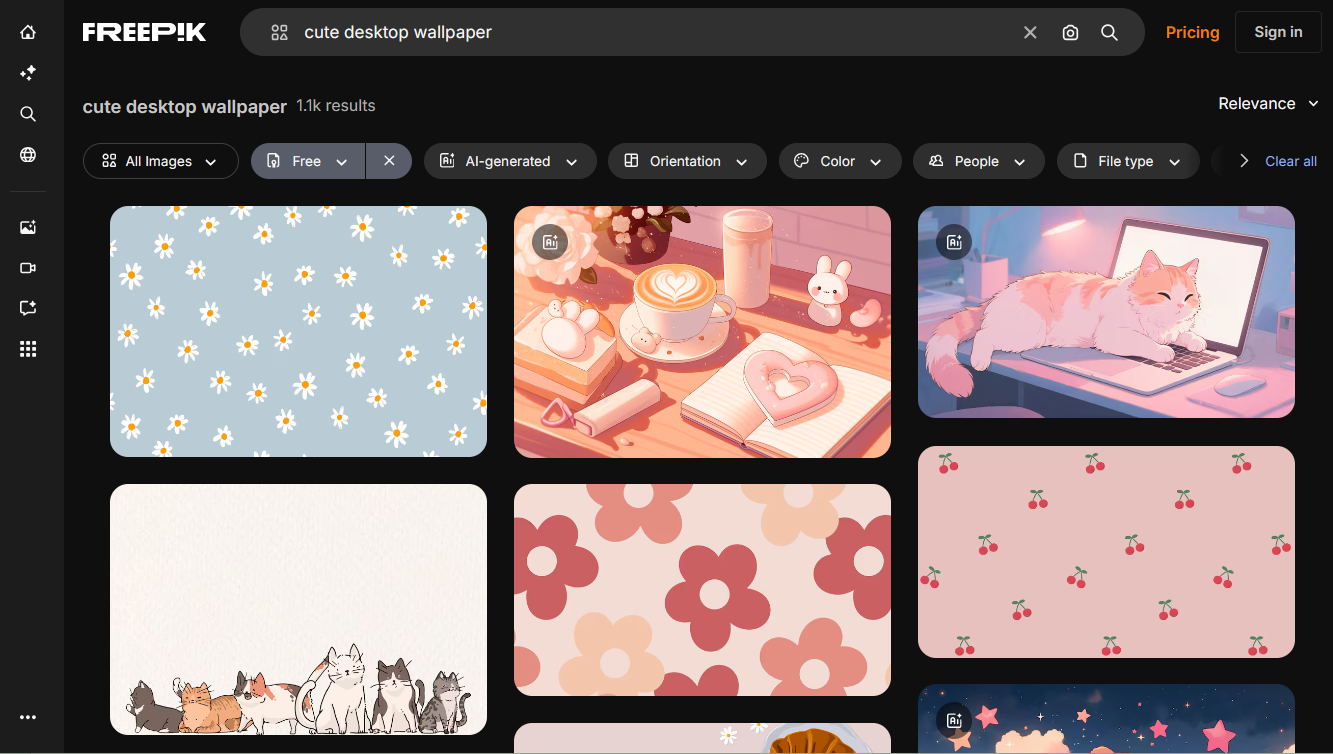
Freepik establishes a huge library of visual resources, hosting design graphics, stock photos, icons, illustrations, and more creative assets in one place. It is often recognized as a perfect platform for graphic designers and content creators, but also provides numerous high-quality desktop wallpapers with individuals.
Simply input cute desktop wallpaper in the search box and the platform presents all available resources. Filters help narrow down the selection for you to quickly achieving desired cute wallpapers. And, you can switch the license to free for downloading favorite wallpapers with no cost.
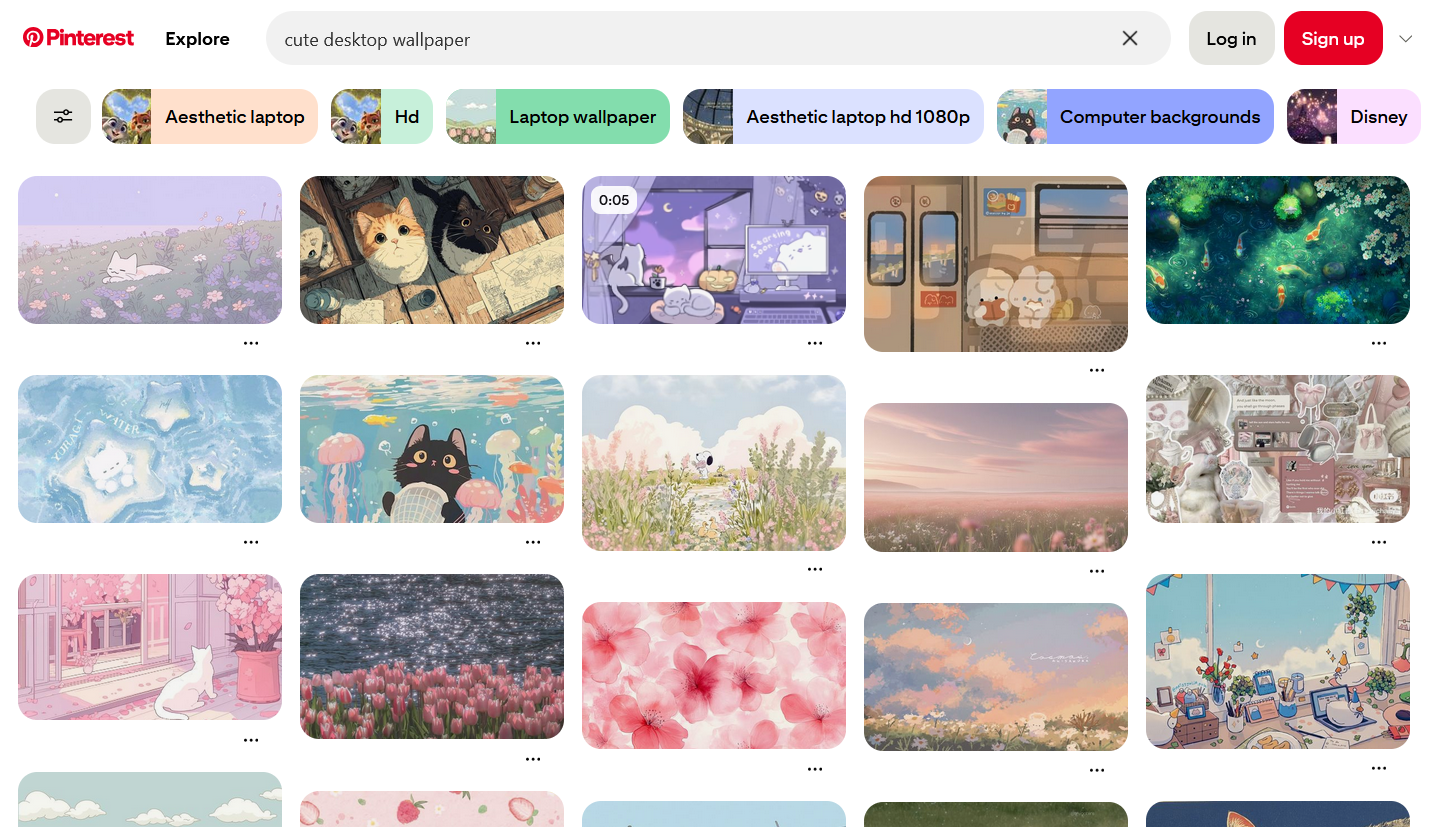
Pinterest acts as a search engine for everyone to explore creative visuals for inspiration and planning. It collects billions of stylish and personalized content that caters to various use cases. On the platform, you can save interested images and videos through Pins or create your own Pins to share ideas.
Type the keyword “cute desktop wallpaper” in the search box and Pinterest will give you all possible results. Additional related terms, like 4K wallpaper for PC, aesthetic, pink, etc., are listed for your reference. Whether for cartoon/anime wallpapers or minimal cute backgrounds, you can discover stunning visuals on Pinterest.
Canva
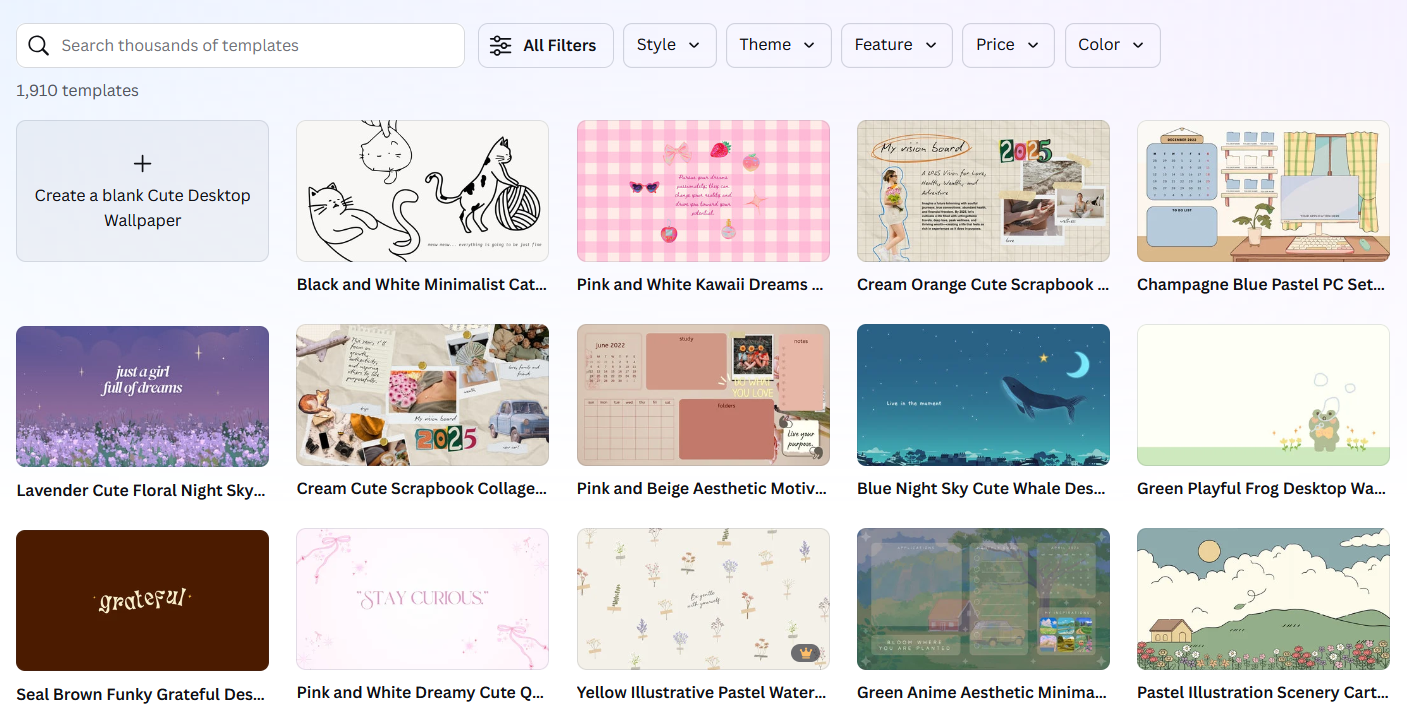
A bit different from Freepik and Pinterest, Canva introduces a more customizable way to get cute wallpaper for desktop. It gives you a digital workplace where you can design adorable backgrounds based on ready-made templates. Browse all templates to pick out the favorites or use filter to choose from cute backgrounds in specific styles, themes and colors.
Canva doesn’t have a direct “Download” option. Instead, customize the templates with your creativity, making your cute wallpaper for laptop or computer unique. Otherwise, Create a blank wallpaper and decorate it with cuteness.
All three websites ensures easy and efficient wallpaper discovery. However, if you prefer live cute wallpapers to make your desktop look cooler, you’d better get help from professional wallpaper software.
iTop Easy Desktop is developed to declutter and beautify your PC desktop. Its Wallpaper section embraces massive background images across a wide range of styles. Only in one click, you can apply the cute wallpaper you love as desktop background.
Now, let’s find out how to get cute wallpaper for PC with iTop Easy Desktop.
Step 1. At the very beginning, please download and install the desktop customization software on Windows.
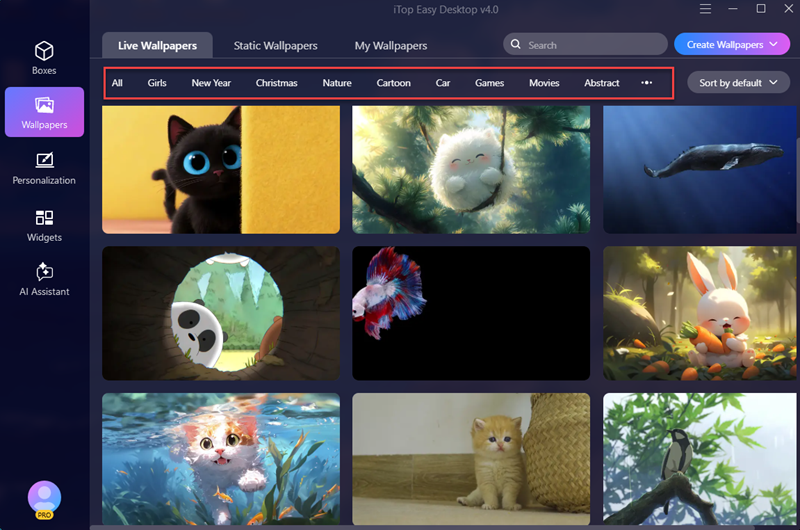
Step 2. Launch iTop Easy Desktop. Navigate to Wallpaper and choose the category, Live Wallpapers or Static Wallpapers.
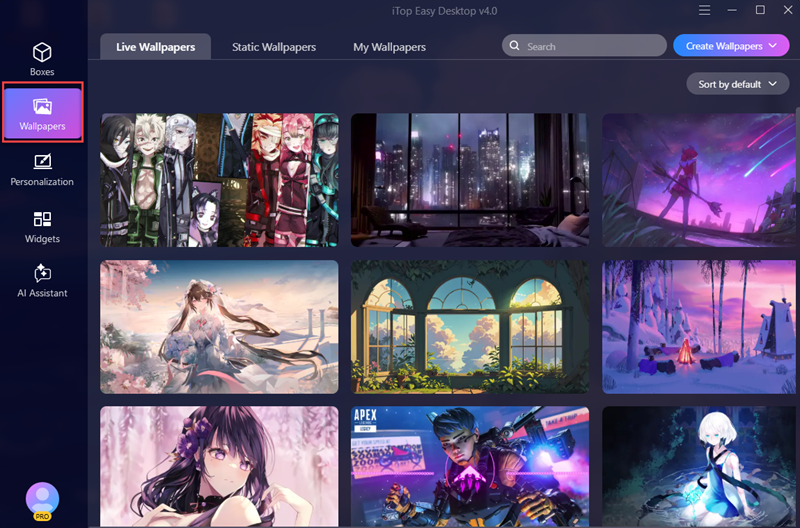
Step 3. Browse all wallpapers to find the cute desktop wallpaper you want. Or, select a style, for example, Cartoon, Anime, Animal, etc., to get access to wanted wallpaper more quickly.
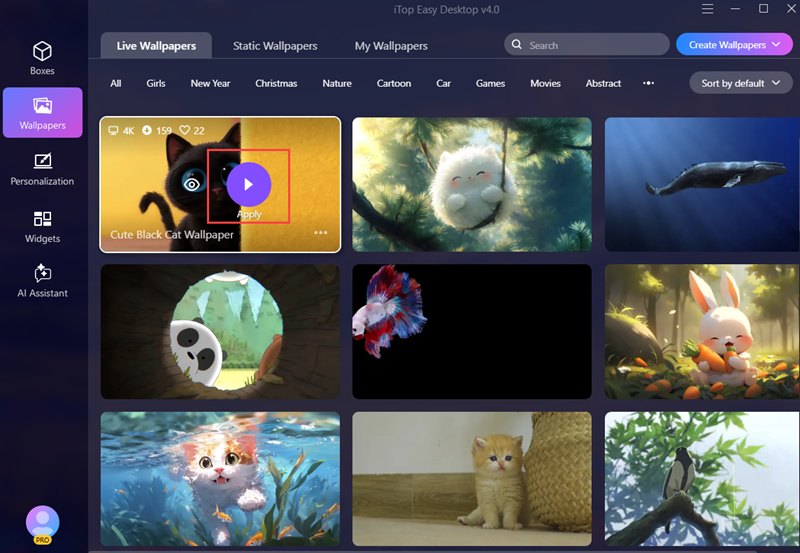
Step 4. Move the mouse on the wallpaper you love, and click Apply and it will be automatically set as your desktop background.
TIPS
You can also set static cute wallpaper as lock screen background. Check “How to Change Lock Screen Wallpaper” for a detailed tutorial.iTop Easy Desktop is packed with a set of features letting you take full control of your desktop and build you a dream digital workplace.

- iTop Easy Desktop - Explore Aesthetic Wallpapers for PC
-
- Free download wallpapers across a wide range of styles
- Animate your desktop with free HD/4K live wallpapers
- Create custom wallpapers from images/videos with ease
- Apply and change desktop backgrounds in one click
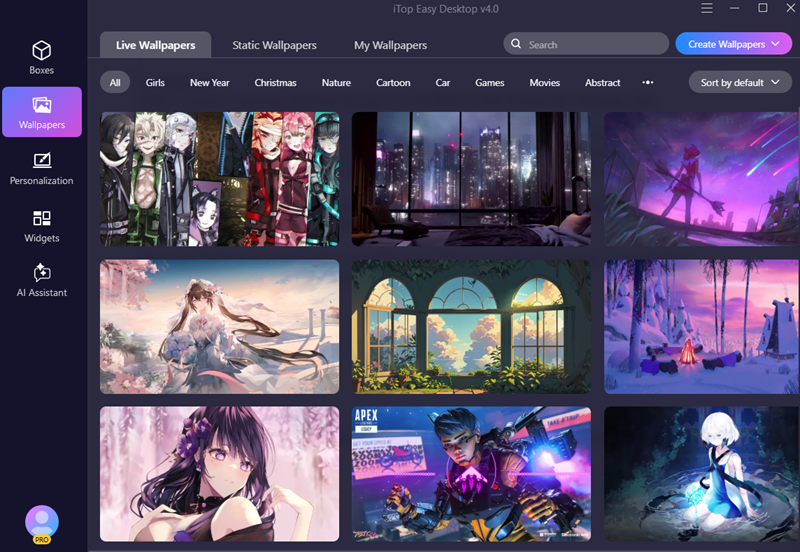
iTop Easy Desktop hosts thousands of high-definition and watermark-free live wallpapers for PC. You can preview and set the live wallpaper you like as background at the touch of a button. Or, add multiple wallpapers to your favorites for quick setup another day. And, the “Create Wallpapers” option empowers you to make custom live wallpapers based on images or videos.
Desktop Customization
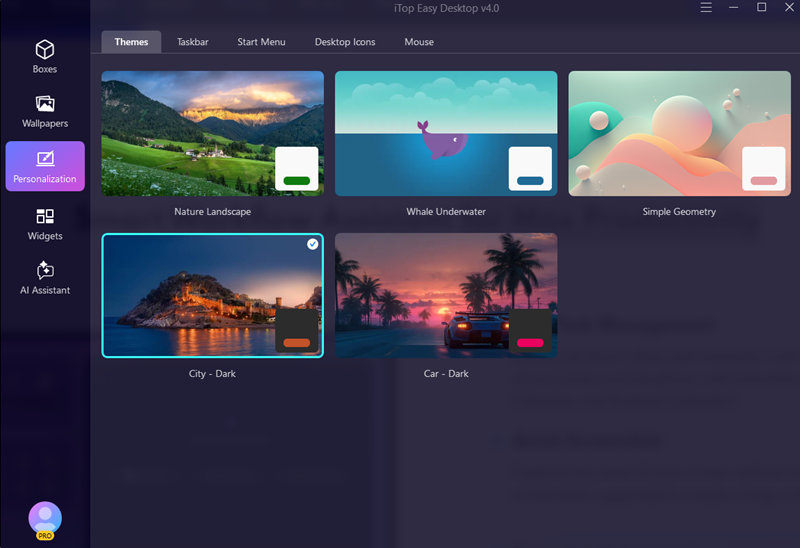
Personalization is the highlight feature to customize your desktop. It presets multiple styles for theme, taskbar, start menu, desktop icons and mouse. Choose from the styles to enhance the appearance of your desktop, not limited to transparent taskbar, but re-shaped icons and cute mouse cursors.
 Desktop Widget
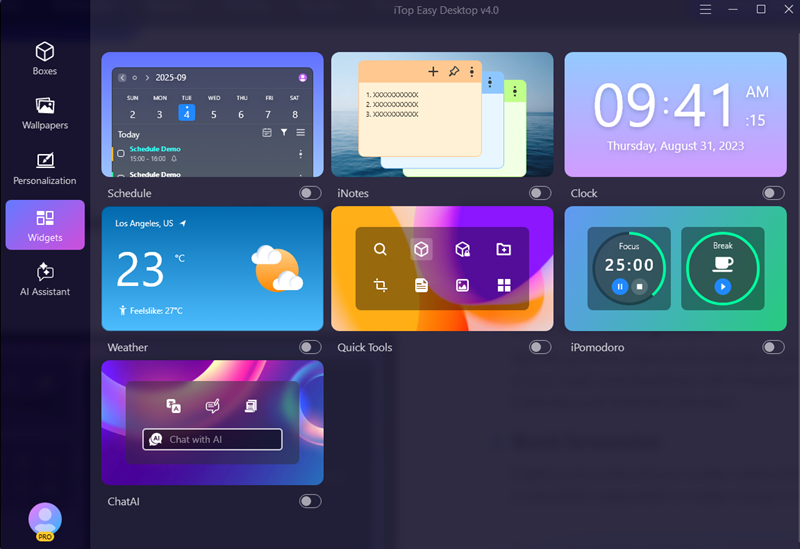
iTop Easy Desktop also works as a considerate work assistant with powerful widgets. Add schedule and iNote widgets to your desktop to check your plans efficiently; show clock on desktop to track time in case missing important events; Use iPomodoro to keep focus on study or work with no interruption. Explore more widgets in the desktop organizer for max productivity.
The Bottom Line
Cute desktop wallpaper, often featuring adorable animals, playful designs and soothing colors, adds a warmth and joy touch to your workspace. The visual hosting websites are good places get cute wallpaper for desktop while special wallpaper software, like iTop Easy Desktop, delivers better experience to explore fantastic cute backgrounds for PC. In short, all recommendations let you discover expected cute desktop wallpaper.

- iTop Easy Desktop - Keep Your Desktop Organized
-
- Box desktop icons to declutter your workspace
- Manage documents, games, media files, etc., at 1 click
- Add calendar, clock and other widgets to desktop
- Locate any file you want instantly with search box