-
iTop Easy Desktop - No.1 Desktop Organizer for Windows
-
Automatically organize and customize Windows desktop. Make your messy desktop look clean and professional within seconds.

Best 5 Places to Get New Year Wallpaper 2026 - Free Download
Where to free download new year wallpaper? Discover top 5 websites and apps to download live or static new year wallpapers in 4K/HD to start the year fresh!
The start of a new year is more than a date on the calendar, it’s a chance to reset how your digital space feels. Unlike everyday wallpapers, a carefully picked new year wallpaper can set the tone for the months ahead, blending motivation, calm, or festive energy right onto your screen. It’s not just decoration: it helps you focus, sparks creativity, or simply makes long hours at your desk a little brighter. From subtle winter landscapes to bold celebratory designs, refreshing your background is an easy way to make 2026 feel intentional from the very first glance.

When you’re hunting for that great new year wallpaper to signal a fresh start in 2026, having reliable sources at your fingertips saves time and frustration. Here are top 5 best websites and apps to find happy New Year wallpaper designs and a candid look at the pros and cons of each.
1. Wallpaper Engine
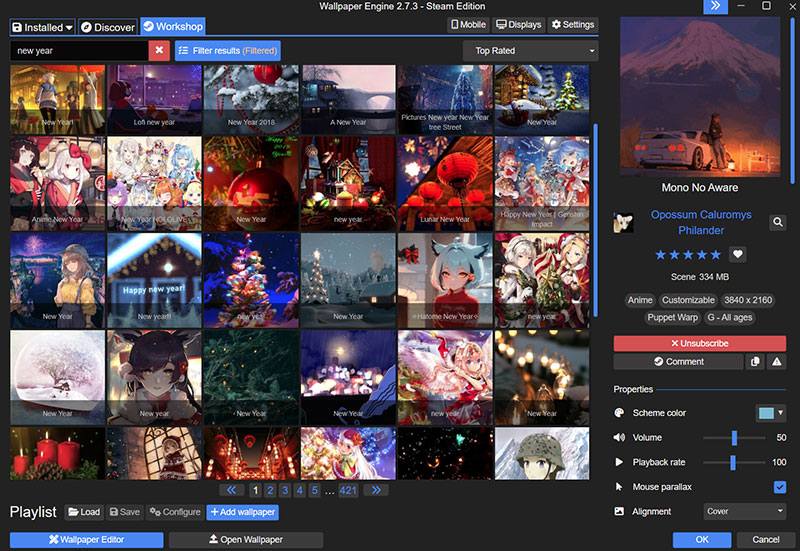
Wallpaper Engine is a beloved desktop application for animated and static wallpapers, including 4k wallpaper for PC, 2D, 3D, and videos. With the integration with music and video media, its library includes plenty of festive visuals, especially around the turn of the year. Tons of wallpapers created by community are added to the workshop for downloading.
Pros:
Huge selection of new year wallpaper styles.
Customizable wallpapers from images and videos with effects.
Community-driven content means fresh uploads all the time.
Optimized performance and quality settings.
Cons:
Paid app, though wallpapers are affordable.
Can be resource-heavy on older machines.
2. Lively Wallpaper
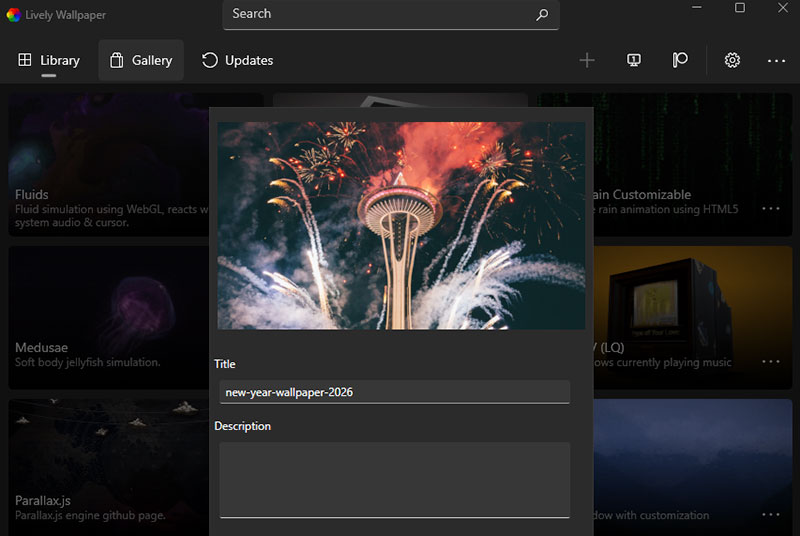
Lively Wallpaper is a free and open-source Windows app that turns your desktop into a dynamic space instead of a static background with a live wallpaper for PC. You can use GIFs, MP4s, web pages, or custom media to create your own new year wallpaper 2026 for desktop, or choose from community-shared content to match the 2026 vibe. It supports multiple monitors and simple drag-and-drop for your files, giving you a lively, personalized workspace without any cost.
Pros:
Completely free and open-source, no payment needed for basic features.
Supports videos, GIFs, and web content as wallpapers.
Performance settings for 2026 new year wallpaper.
Cons:
Dynamic wallpapers use more system resources than static new year wallpaper for PC.
First-time setup may take a bit of learning to get familiar with the interface.
Heavy animated content can affect performance on older machines.
3. Pexels
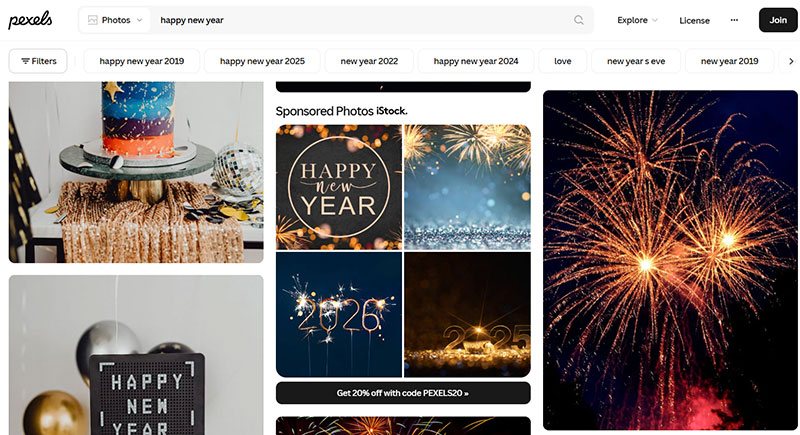
Pexels offers a broad library of free, highresolution photos and wallpapers. Searching “happy new year” or “Christmas wallpaper” brings up photos of fireworks, celebrations, and winter scenes that can work as wallpapers or backgrounds for presentations and posts. You can choose a size for your new year wallpaper, from 640x960 to 3456x5184, or customize the size freely.
Pros:
Completely free with generous usage rights.
Plenty of photographic new year wallpaper options.
Different customized wallpaper resolutions for downloads.
Cons:
Some results feel like regular stock photos rather than true wallpapers.
No dedicated desktop wallpaper layout feature.
4. DeviantArt
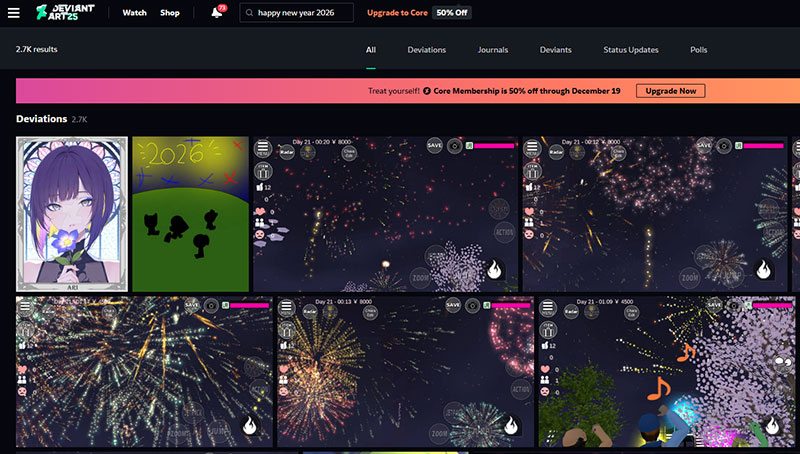
DeviantArt remains one of the most creative communities on the web. Artists upload original aesthetic new year wallpaper designs ranging from minimal typography to vivid, abstract interpretations of seasonal themes. You can message creators directly if you want custom tweaks. For viewers and patrons, it’s a central hub to explore, collect, and engage with art across web and mobile.
Pros:
Lots of unique artistmade wallpapers.
Great for niche tastes and artistic flair.
Option to commission custom art.
Cons:
Quality and size aren’t always consistent.
A sharp rise in AI-generated art and copied works.
5. Wallpaper.com
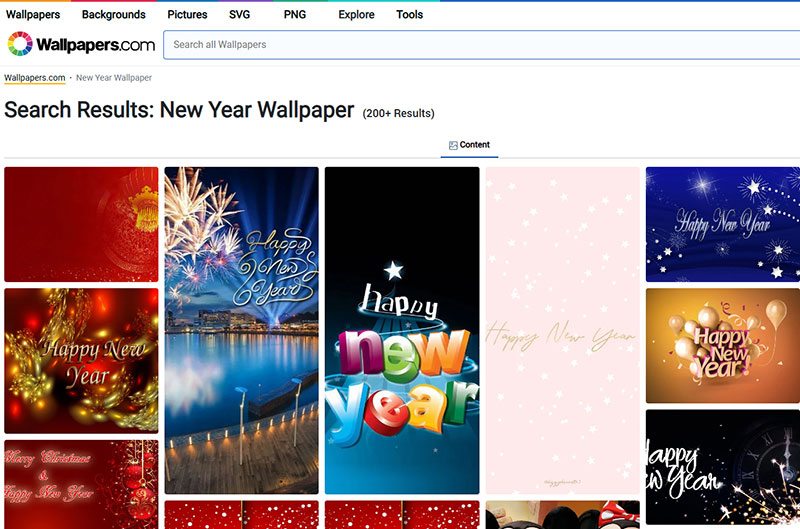
Wallpaper.com is picked for its focus on design, architecture, and contemporary culture. Searching for Happy New Year wallpaper, hundreds of inspired new year wallpapers pop up. It also includes cultural profiles and exhibitions that reflect current movements in art and design across global cities.
Pros:
High-end, editorial-quality wallpapers curated by a renowned design magazine.
Strong focus on architecture, interiors, fashion, and modern visual culture.
Cons:
Mostly static images, lack animated or interactive wallpapers.
Each of these picks has its strengths, but if you want a more guided and effortless way to apply and manage your new year wallpaper for PC collection, it’s worth looking into tools designed for desktop enhancement. Next, learn how iTop Easy Desktop can simplify your wallpaper experience and bring all your visual ideas together in one place.
Refreshing your workspace for 2026 doesn’t have to be time-consuming. iTop Easy Desktop makes it easy to bring a festive touch to your screen with dynamic, lively visuals. Whether you want a subtle seasonal change or a bold, celebratory look, this free tool lets you set a new year wallpaper for desktop in just a few clicks. Here’s how to add a new year wallpaper for desktop using iTop Easy Dekstop.
Step 1. Free download iTop Easy Desktop and launch the wallpaper app for PC.
Step 2. Navigate to the wallpaper section by clicking the “Wallpapers” icon at the left panel. Here, you’ll find a curated gallery of live wallpapers, including themed options for New Year celebrations. Or use the search bar to search for new year wallpapers.
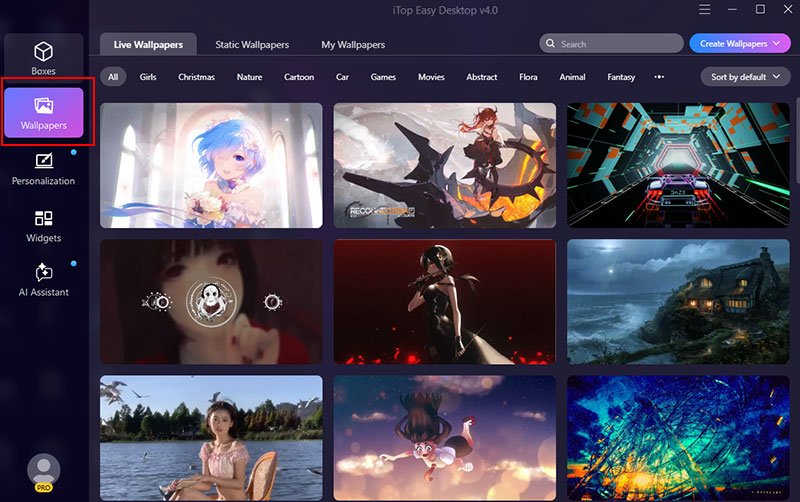
Step 3. Scroll through the collection or import your own image or video file. Click “Apply” to download the ideal wallpaper for your desktop.
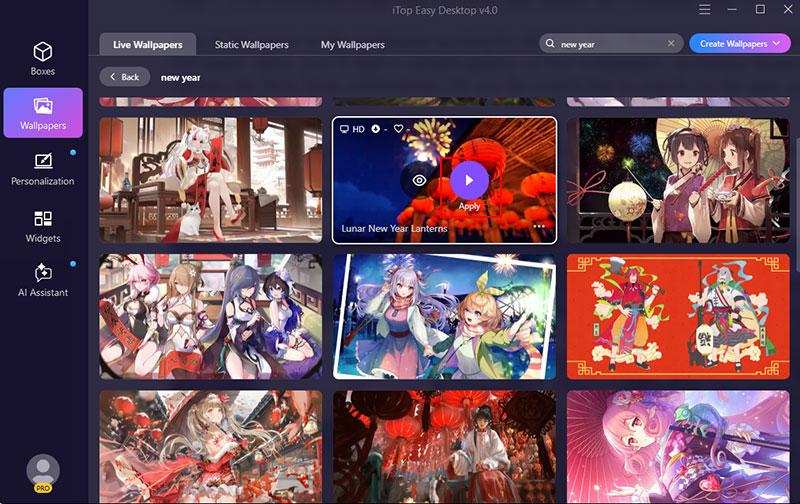
Step 4. The wallpaper will instantly appear on your desktop. You can switch wallpapers anytime without restarting your PC.
Why iTop Easy Desktop Is Picked
Desktop Wallpaper
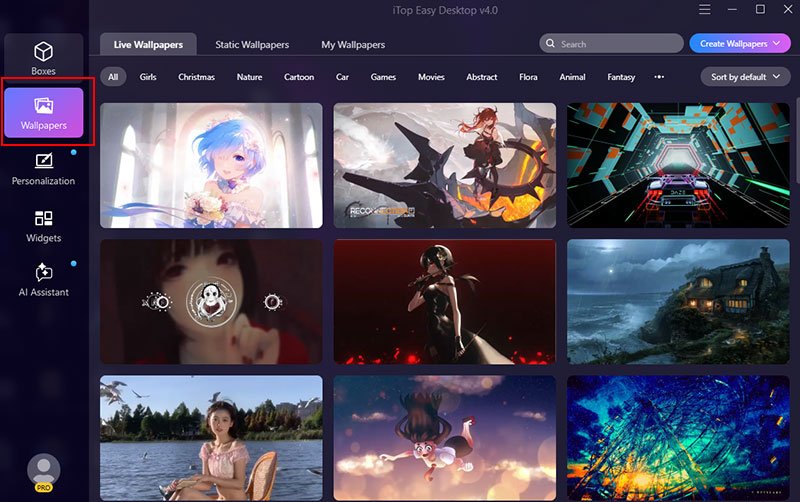
iTop Easy Dekstop offers a massive library of over 20,000 high-definition static and live wallpapers for PC, all desktop wallpaper free download is watermark-free and optimized for flawless display on 4K and 8K screens. From subtle seasonal designs to dynamic visuals, it lets you give your desktop a visually impressive New Year's refresh in a single click.
Desktop Organization
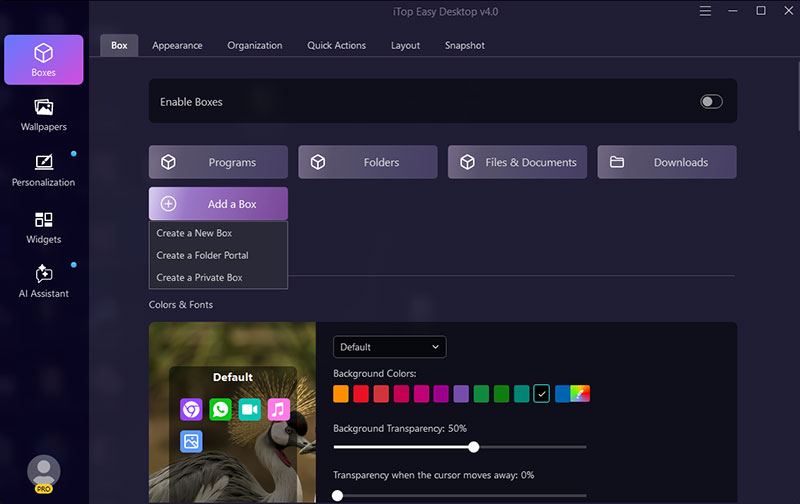
With automatic file grouping, the tool cleans up a cluttered desktop by sorting icons, documents, folders, and shortcuts into neat, labeled, and customizable boxes, so your workspace stays organized for the new year without constant manual rearranging.
Desktop Widgets
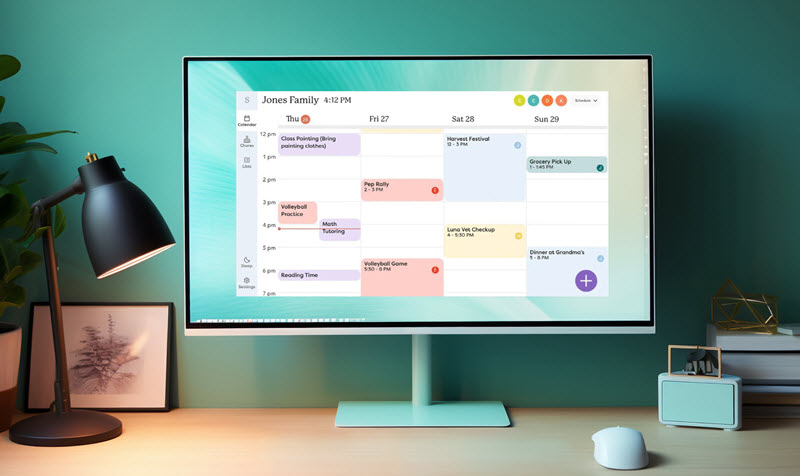
Turn your desktop into a functional dashboard to kick off the new year by adding personalized clocks, calendars, weather, and notes, useful at a glance, and easy on the eyes.
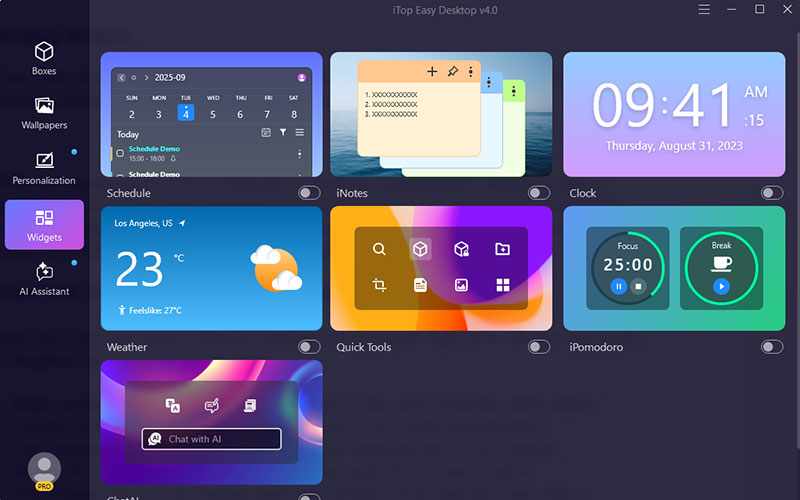
With its combination of live wallpapers, desktop management, helpful widgets, and free access, iTop Easy Desktop is more than just a wallpaper tool. Grab iTop Easy Desktop here: https://www.itopvpn.com/itop-easy-desktop, and switch your screen to a vibrant, organized space ready for the new year.

- iTop Easy Desktop - Explore Aesthetic Wallpapers for PC
-
- Free download wallpapers across a wide range of styles
- Animate your desktop with free HD/4K live wallpapers
- Create custom wallpapers from images/videos with ease
- Apply and change desktop backgrounds in one click
Here are a few new year wallpaper options you can grab right now, all free and ready to brighten up your screen for 2026.
1. High-resolution festive wallpaper with fireworks and cinematic atmosphere.

2. Luxury festive backdrop featuring gold decor on a dark background.

3. Eye-catching New Year greeting with bold lettering and vivid contrast.

4. Happy New Year flat lay with champagne, gold decor, and confetti.

5. 2026 Happy New Year background with golden clock and glowing effects.

You now have multiple places to find and set eye‑catching new year wallpapers to welcome 2026, be it static 4K images or more dynamic visuals. From the curated collections above to tools that help organize and personalize your screen, there’s no shortage of inspiration. If you want a smoother, all‑in‑one experience, including easy wallpaper setting, desktop organization, and useful widgets, iTop Easy Desktop makes it a few clicks away to manage your screen setup in one place. Try it out and give your workspace a refreshed, festive feel as you step into the new year.

- iTop Easy Desktop - Keep Your Desktop Organized
-
- Box desktop icons to declutter your workspace
- Manage documents, games, media files, etc., at 1 click
- Add calendar, clock and other widgets to desktop
- Locate any file you want instantly with search box