-
iTop Easy Desktop - No.1 Desktop Organizer for Windows
-
Automatically organize and customize Windows desktop. Make your messy desktop look clean and professional within seconds.

Free Romantic Valentine's Day Wallpapers for PC - HD/4K Download
Download free Valentine's Day wallpaper for PC in HD/4K. Choose romantic, cute, and aesthetic designs to personalize your desktop for this Valentine’s Day.
The screen you check nearly every day deserves more than the same old background, especially on Valentine’s Day. A small visual change can quietly become a subtle way to say “I’m thinking of you.” That’s the real charm of Valentine’s Day wallpaper. These images aren’t just decorative. They act like silent love notes, emotional cues, or private reminders of connection.
Finding the right Valentine’s Day wallpaper doesn’t require design skills or paid apps. Below, you’ll find carefully chosen sites that offer quality Valentine-themed wallpapers, along with quick tips on how to apply them.
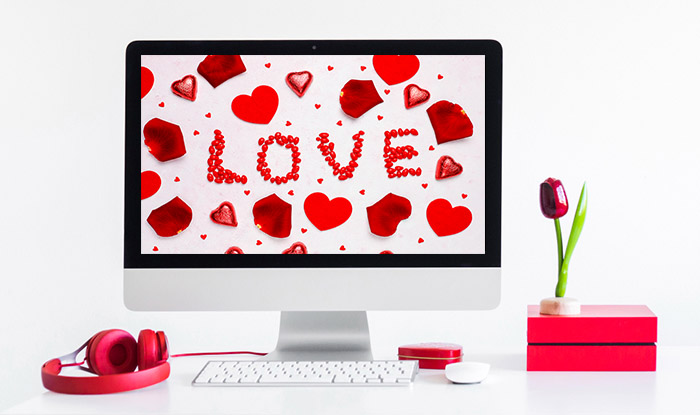
Not everyone connects with the same symbols or colors, and that’s where the right visual can quietly say a lot without trying too hard. Below are some ideas for Valentine’s wallpaper that cater for different tastes, screens, and emotional tones.
Classic romantic red roses. Red roses work because they’re instantly understood. Deep reds and rich textures add warmth and tradition, making them ideal for lock screens or home screens you glance at all day.
Modern abstract minimalism. Soft gradients, simple shapes, and restrained color palettes suit people who prefer romance without visual noise. This style feels clean, modern, and doesn’t distract from icons or notifications.
Whimsical and cute illustrations. Hand-drawn hearts, playful characters, or cozy couple scenes bring a lighter mood. They’re perfect if Valentine’s Day feels more fun than formal.
Dramatic, deeply romantic vibe. Dark reds, shadows, and cinematic lighting create intensity. This style fits anyone drawn to emotional depth and passion.
Personalized photo wallpapers. A well-cropped couple photo or meaningful moment turns your screen into a private reminder instead of a generic theme.
Nature-inspired botanical charm. Flowers, leaves, and soft natural tones offer romance without obvious symbols. Botanical designs age well and feel calm, elegant, and timeless.

Once you have a clearer sense of style, the real task becomes finding sources that offer quality without hidden catches. Many wallpaper sites look appealing at first, but fall short when it comes to resolution, licensing clarity, or real usability on larger screens. The following platforms are picked here because they balance visual quality with practical use, making it easier to download a Valentine's Day wallpaper that actually feels right day after day.
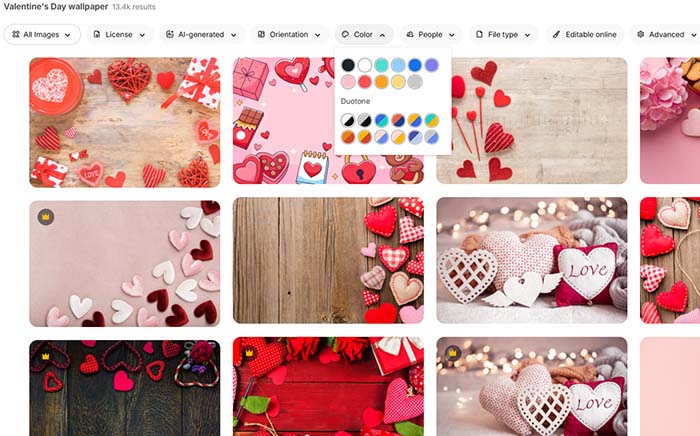
1. Freepik
Freepik is a great choice for users who want flexibility and high-quality Valentine’s Day design resources. Its library includes vectors, layered PSD files, and photo-based backgrounds, making it easy to mix styles or adjust layouts for different screens. Beyond traditional assets, Freepik’s AI Creative Suite lets you generate new images, remove or change backgrounds, and upscale designs up to 10K resolution, so you’re not limited to pre-made content.
The browser-based editor and mockup generator allow you to preview and showcase designs directly online. The main drawbacks are that free assets require attribution and advanced AI features are behind higher-tier plans. Overall, Freepik provides structured 4K wallpaper for PC, intuitive editing tools, and powerful AI support, making it useful for both casual users and professional designers.
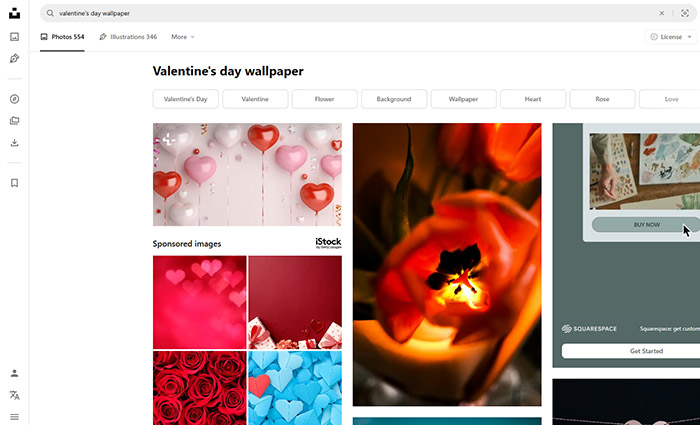
2. Unsplash
Unsplash provides high-quality, photography-focused Valentine’s Day wallpapers. Its collection emphasizes light, texture, and subtle emotion, capturing quiet moments like hands brushing, soft florals, or cozy interiors. Unlike sites that rely on obvious hearts or symbols, Unsplash delivers a refined and sophisticated Valentine's Day wallpaper aesthetic.
All romantic & cute Valentine wallpapers are free to download in high resolution and can be used without restrictions for personal projects, making them ideal for desktops, mobile devices, or creative designs. The platform’s mature, understated tone appeals to users who want romance without visual clutter, and its intuitive search and tagging make finding the perfect mood effortless.
3. Wallpapers.com
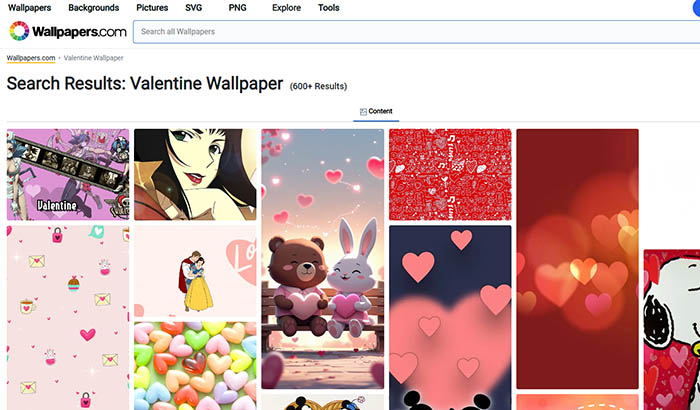
Wallpapers.com is built around resolution and convenience. You can filter by device type and screen size, which removes a lot of guesswork. The Valentine section ranges from dramatic imagery to playful designs, including options that lean toward Valentine wallpaper styles without looking cheap. Image previews load quickly, and files retain sharpness even on large monitors. It’s a practical choice for desktop wallpaper free download if clarity and compatibility matter more than just artistic nuance.
4. Wallpaper Cave
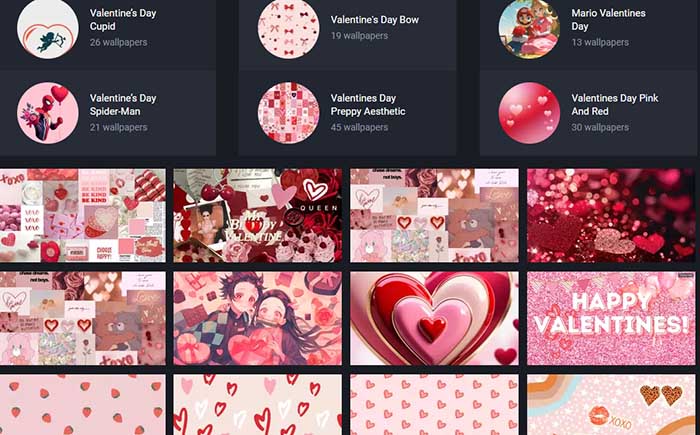
Wallpaper Cave has a more personal and eclectic feel compared to highly curated stock platforms. Its vast collection spans traditional romantic visuals, seasonal Valentine’s themes, and unconventional designs you rarely find elsewhere, creating a diverse Valentine's Day wallpaper aesthetic.
The desktop-focused happy Valentine wallpaper section consistently offers plenty of strong options for those seeking wallpapers that feel unique rather than mass-produced. Community features like uploading, favoriting, and commenting encourage interaction, while most wallpapers remain free to download, with optional sign-up for extra features.
5. Wallpapers Wide
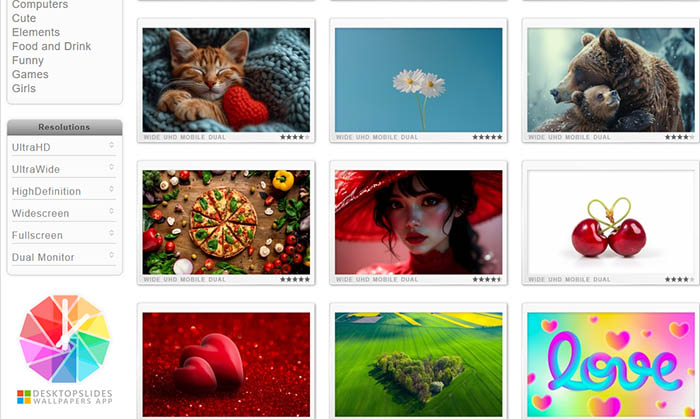
Wallpapers Wide is picked for its ultra-HD, widescreen backgrounds. Automatic resolution detection suggests the best match for your screen, while the library spans nature, abstract, gaming, and movie-themed wallpapers, many available in 4K UHD and even 8K. Specialized sections cater to dual or triple-monitor configurations, making widescreen and ultrawide (21:9) setups feel seamless.
Most content is free for personal use, though users should verify licensing for commercial applications. While the interface may feel slightly dated, its focus on high-quality, screen-filling visuals keeps it reliable.
Since you’ve picked an image that matches the mood you want, the next step is making sure it actually looks right on your screen. Below are 2 easy ways to set your new Valentine's Day wallpaper. Start with the built-in Windows method and then move to a faster, more flexible option.
Set Your New Valentine Wallpaper with Windows Settings
Changing your desktop background in Windows is simple. Follow the steps to learn how to change desktop background with new Valentine’s Day wallpaper via Windows settings.
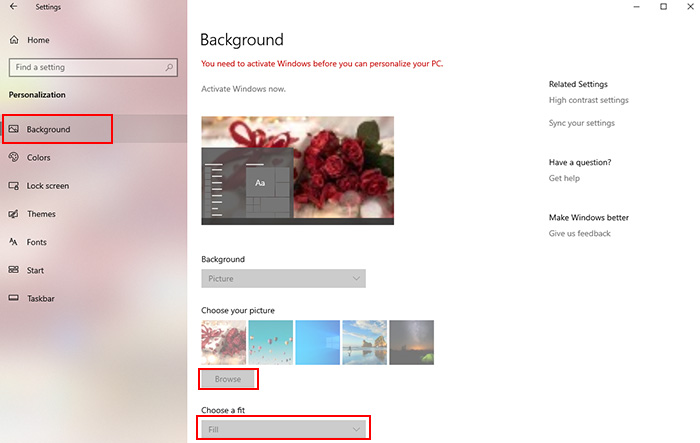
Step 1. Right-click on an empty area of your desktop and select Personalize from the menu.
Step 2. Under Background, choose Picture, then click Browse to select your downloaded image.
Step 3. Adjust the Fit option (Fill, Fit, or Center) until the image sits naturally on your screen.
Set Your New Valentine Wallpaper with an All-in-One PC Wallpaper Tool
If you’d rather skip manual resizing and enjoy more visual options, iTop Easy Desktop offers a smoother approach. The desktop organizer for Windows combines wallpaper management with desktop organization, which helps when you’re rotating images or trying out free Valentine's Day wallpapers without cluttering your workspace.
Step 1. Visit the official website and install iTop Easy Desktop.
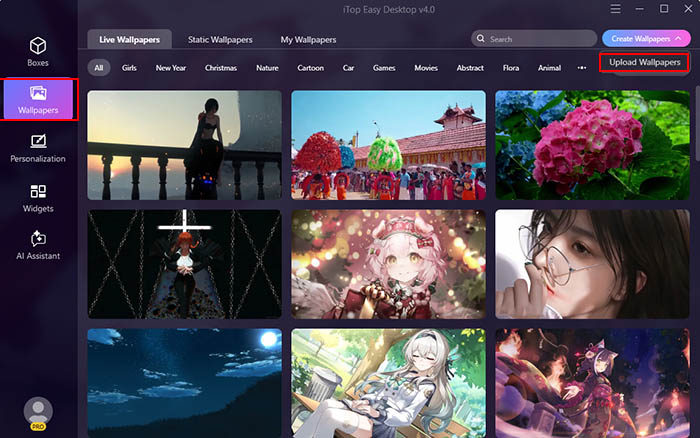
Step 2. Open the Wallpapers tab, click the “Create Wallpapers” drop-down menu, and select “Upload Wallpapers”.
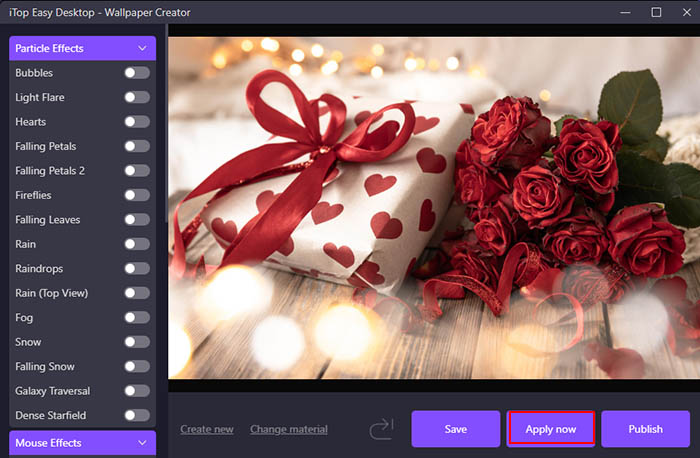
Step 3. Browse files or directly drag the Valentine's Day wallpaper you choose, then click “Apply now” to set the wallpaper.
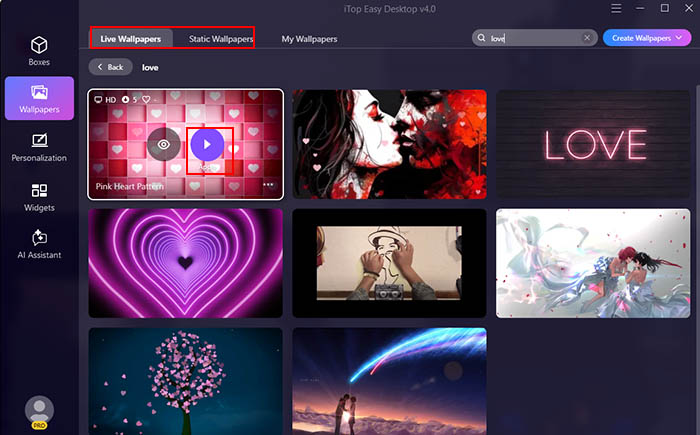
Step 4. You can also choose the preset wallpaper from the library. Select between live or static styles. Type “love” or “Valentine’s Day” to filter high-resolution Valentine’s Day wallpapers made for PC displays. Pick your favorite design, click Apply to add the Valentine wallpaper for PC desktop instantly.
More You Can Enjoy from iTop Easy Desktop
Effortlessly apply personalized wallpapers.
You can import your own photos or saved images and apply them in one step. iTop Easy Desktop automatically adapts sizing and aspect ratio, so your background looks clean and properly framed on any screen.
Live Valentine’s Day wallpapers with one tap.
Choose from animated Valentine-themed designs and apply them instantly. The motion is smooth and lightweight, adding a cozy, romantic vibe without distracting animations or performance drops.
Keep your digital love nest uncluttered.
Automatically organize your desktop icons into clean, customizable boxes with the desktop organizer for Windows. You can group files and apps by category, color, or transparency, so you declutter your workspace and access essentials faster.
Extra gadgets to boost your productivity.
Built-in widgets like iNotes, Schedule, Clock, Pomodoro timer, Weather, etc. help balance festive visuals with everyday work.

- iTop Easy Desktop - Explore Aesthetic Wallpapers for PC
-
- Free download wallpapers across a wide range of styles
- Animate your desktop with free HD/4K live wallpapers
- Create custom wallpapers from images/videos with ease
- Apply and change desktop backgrounds in one click
Conclusion
From picking the right Valentine's Day wallpaper style to setting it properly, the goal is simple: add a warm, romantic touch that makes your desktop feel more personal. A well-chosen Valentine's Day wallpaper can quietly lift your mood, spark warmth, or reflect a moment that matters to you. If you want an easier way to manage wallpapers for Valentine’s Day and keep your desktop clean at the same time, iTop Easy Desktop is worth trying.