-
iTop Easy Desktop - No.1 Desktop Organizer for Windows
-
Automatically organize and customize Windows desktop. Make your messy desktop look clean and professional within seconds.

Top 5 Sticky Notes Alternative for Windows 11/10 [Free & Paid]
Discover top Microsoft Sticky Notes alternatives for Windows 10/11. Find free & paid replacements to boost your desktop note-taking and task management.
Microsoft Sticky Notes, the pre-installed desktop notes app for Windows, is widely used to organize tasks and boost productivity. However, users frequently report issues such as the app not launching or working correctly, encountering sync problems, or finding its feature set too basic for advanced needs. If you’re experiencing these frustrations, there are many powerful alternatives to sticky notes available to lead you out.
Here, we have picked out the best 5 Sticky Notes alternatives that cater to different user needs, from lightweight widgets to full-featured notebooks, for Windows 11 and 10.
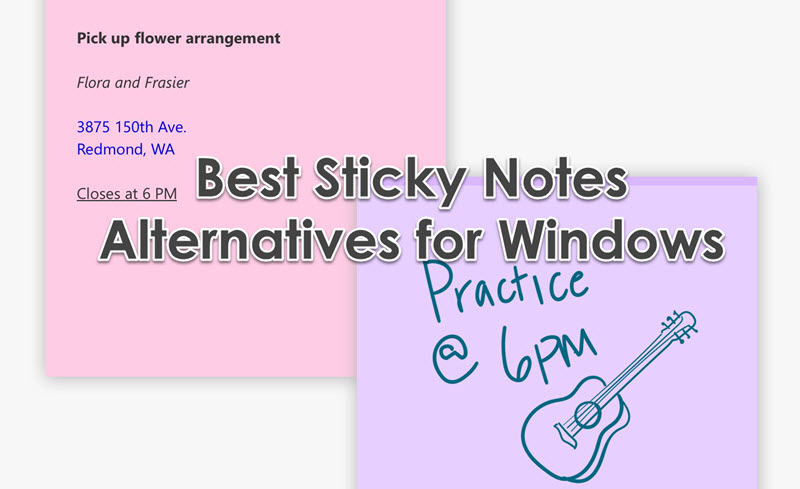
While convenient, Microsoft Sticky Notes can be limiting. The best Sticky Notes replacement options offer richer features like cross-device syncing, reminders, better organization, and more customization. The following table provides a quick comparison of the top Microsoft Sticky Notes alternative apps in detail.
| Sticky Notes Alternative | Standout Features | Best for | Pricing |
| iTop Easy Desktop | Desktop widget, always-on-top pinning, quick capture, customization | Users wanting a persistent, visually integrated sticky note directly on the desktop | Free & Pro |
| Microsoft To Do | Deep integration with Microsoft 365, task lists with subtasks, My Day feature | Users deeply embedded in the Microsoft ecosystem needing task-focused lists | Free |
| Notezilla | Sticky notes that can stick to specific apps/websites, extensive formatting, reminders | Users who need to attach notes directly to relevant windows for context | Freemium |
| Evernote | AI-powered search, web clipper, notebook organization, multi-format notes | Users requiring a powerful, all-in-one digital notebook for complex projects | Freemium |
| Simple Sticky Notes | Lightweight, classic sticky note interface, alarm reminders, network sync | Users seeking a straightforward, no-fuss sticky notes alternative for Windows that just works | Free |
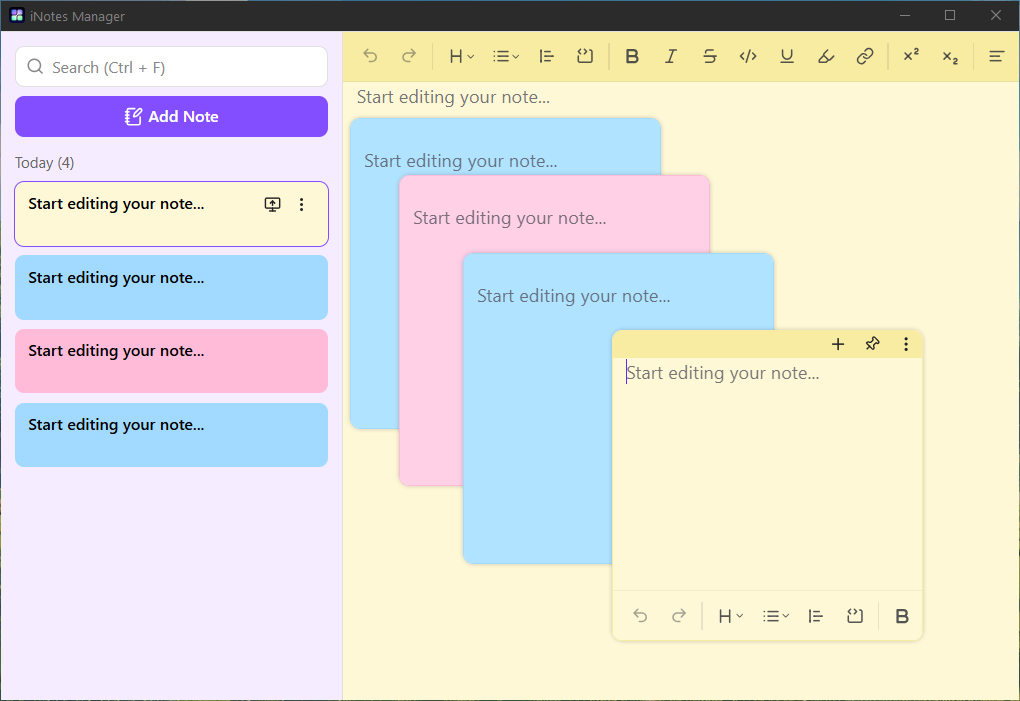
For those seeking a seamless and highly visible sticky notes alternative for Windows 11 and 10, iTop Easy Desktop offers an innovative solution with its iNotes desktop widget. This tool transforms the traditional sticky note into a persistent, customizable widget that lives directly on your desktop. It stands out among modern Sticky Notes alternatives for its simplicity and integration.
The iNotes widget from iTop Easy Desktop is more than just a note-taking pad. It allows you to create, edit, and manage notes that are always accessible. You can customize its transparency, font, and colors to match your desktop aesthetic or visual preferences. Its core function is to provide a frictionless way to jot down ideas, to-dos, or reminders without opening a separate application, making it an excellent Microsoft Sticky Notes alternative that feels like a natural part of your OS.
Why we pick it:
Always on Top: You can add sticky notes on desktop so it stays visible above all other application windows, ensuring critical notes are never lost behind browser tabs or documents.
Quick Capture: Instant note creation with minimal clicks.
Customizable & Lightweight: Highly adjustable appearance with minimal system resource usage.
Clean Integration: Functions as a sleek desktop gadget rather than a separate app window.
All-in-one Desktop Organizer for Windows: Organize icons, apps, widgets etc., in one click to make your desktop look clean and cool.
Why you may dislike:
Primarily designed as a desktop widget, it may lack advanced features like cloud sync or mobile apps found in more comprehensive suite tools.

- iTop Easy Desktop - Keep Your Desktop Organized
-
- Box desktop icons to declutter your workspace
- Manage documents, games, media files, etc., at 1 click
- Add calendar, clock and other widgets to desktop
- Locate any file you want instantly with search box
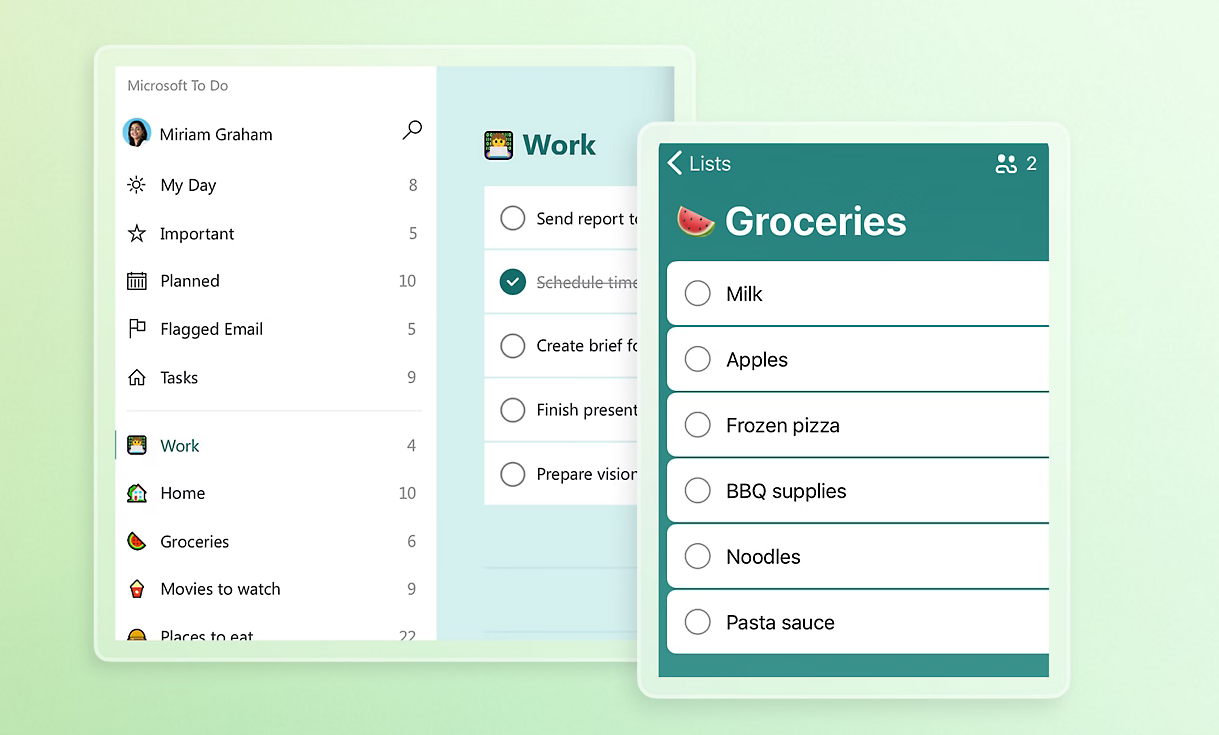
If your sticky notes are primarily task lists, Microsoft To Do presents a powerful and integrated Sticky Notes replacement. Developed by Microsoft, it intelligently evolves the simple note into a structured task management system and is a compelling option among Sticky Notes alternatives.
Microsoft To Do is a free, intelligent task management app. It allows you to create multiple lists (e.g., "Work," "Groceries," "Project Alpha"), add detailed steps as subtasks, and set due dates and reminders. Its standout "My Day" feature helps you plan daily focus items. For Windows users, it integrates perfectly with the OS and can even import tasks from flagged emails in Outlook, making it a logical upgrade from disjointed sticky notes.
Why we pick it:
Official Microsoft Integration: Seamless sync across Windows, web, and mobile via your Microsoft account.
Task-Focused Design: Turns vague sticky notes into actionable, completable tasks with reminders.
Simple Yet Powerful: Clean interface that is easy to use but supports priorities, file attachments, and list sharing.
Why you may dislike:
It is strictly for task management, not ideal for free-form note-taking, sketches, or storing information snippets.
Less about visual "stickiness" on the desktop and more about list management.
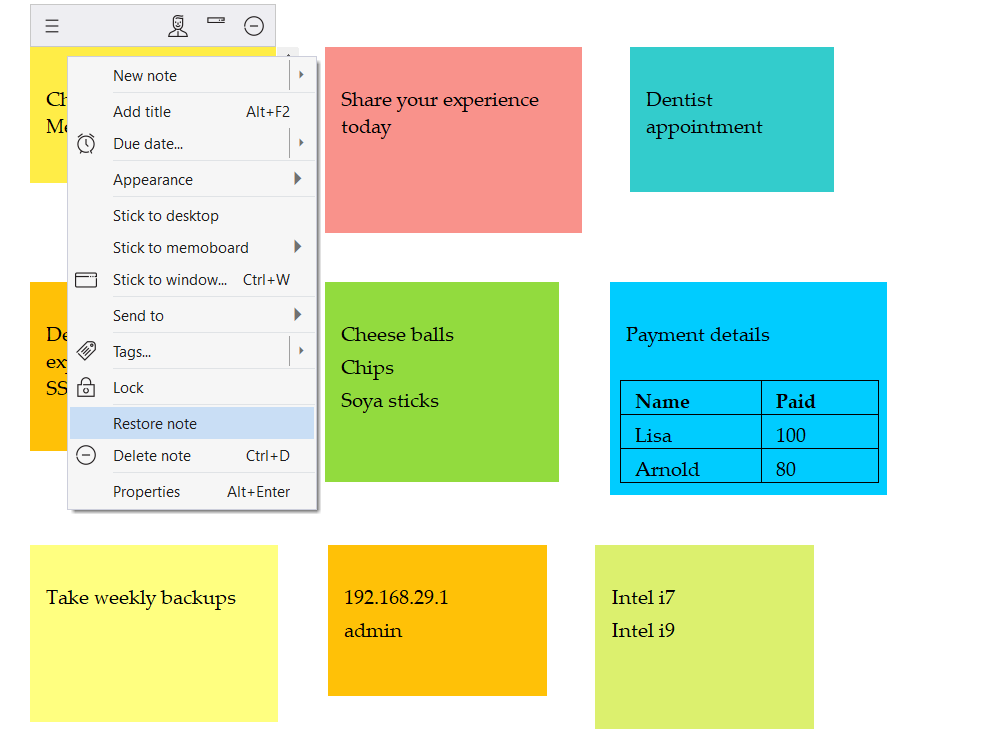
Notezilla excels at context. The notes app for Windows revives the classic concept of a physical sticky note you put on a monitor. Its digital superpowers make it a top contender and an unique entry among in the list of Sticky Notes alternatives.
Notezilla creates sticky notes that can "stick" not just to your desktop, but to specific applications, websites, documents, or even folders. You can close the parent window to minimize the note, keeping your notes organized by context. It offers rich text formatting, images, reminders, and sync across Windows, Android, and iOS.
Why we pick it:
Pin Notes to Anything: Uniquely allows you to attach notes to specific windows for perfect contextual organization.
Highly Customizable: Extensive control over note appearance, fonts, and colors.
Cross-Platform Sync: Reliable sync ensures notes are available on all devices.
Why you may dislike:
The free version has limitations, and the paid license can be a consideration for individual users.
The interface, while feature-rich, can feel slightly more complex than minimalist alternatives.
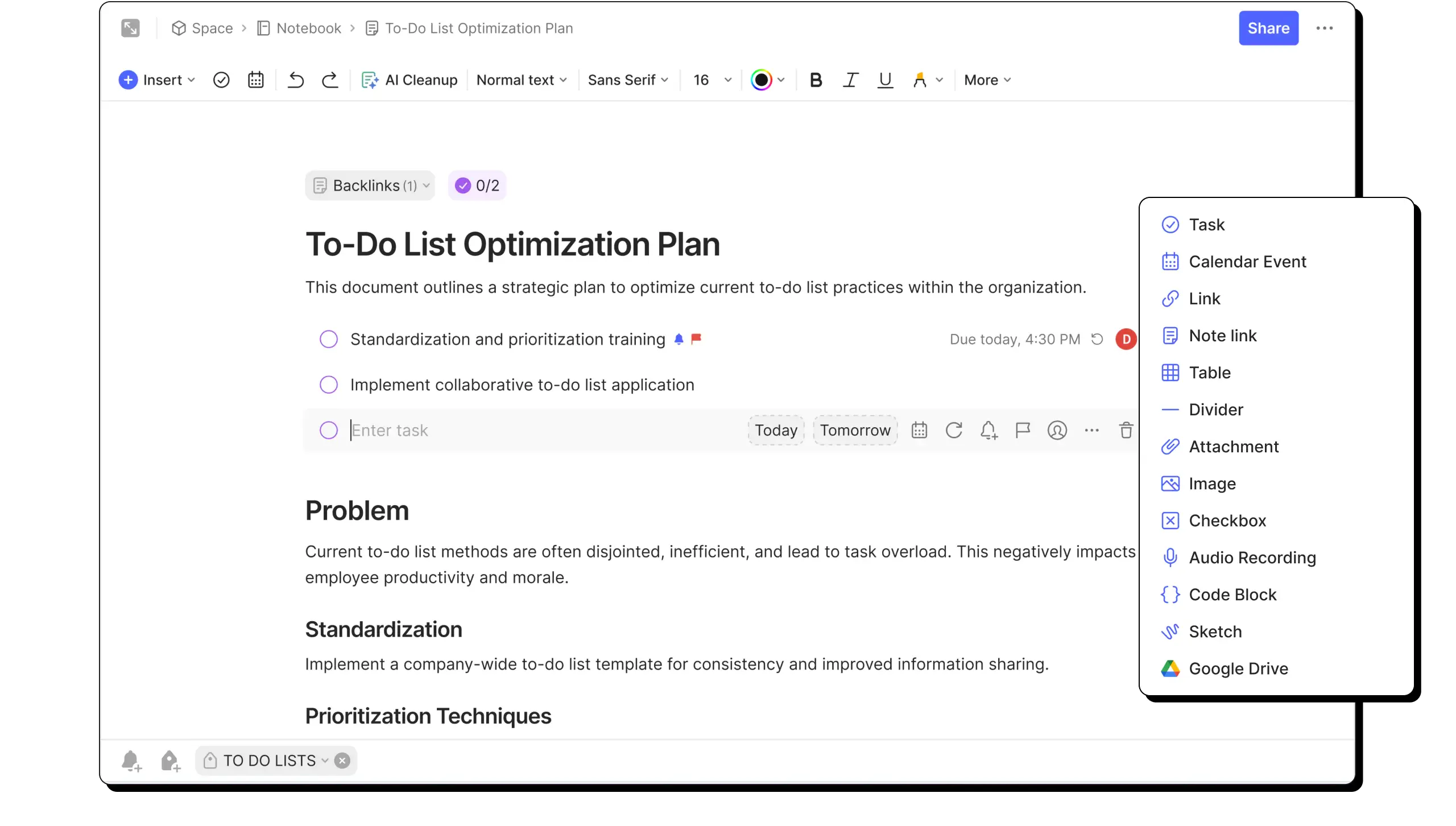
When your note-taking needs outgrow simple reminders, Evernote stands as the powerhouse alternative to Sticky Notes. It's a full-featured digital notebook designed to capture, organize, and find any type of information and represents a high-end category of Sticky Notes alternatives.
Evernote is an all-in-one workspace. You can create notes with text, checklists, tables, sketches, and file attachments. Organize them into notebooks and tag them for sophisticated searching. Its AI-powered search can even find text within images and handwritten notes. The Web Clipper tool lets you save articles and web pages directly as notes.
Why we pick it:
Unmatched Search & Organization: The best-in-class search and hierarchical structure (Notebooks > Notes > Tags) for vast information archives.
Multi-Format Notes: Supports text, audio, images, PDFs, and scanned documents in a single note.
Powerful Web Clipper: An essential tool for research and saving online content.
Why you may dislike:
The free plan is now limited to 60 MB of monthly uploads and syncs across only 2 devices, which can be restrictive.
It is a comprehensive system with a steeper learning curve, potentially overkill for simple, quick reminders.
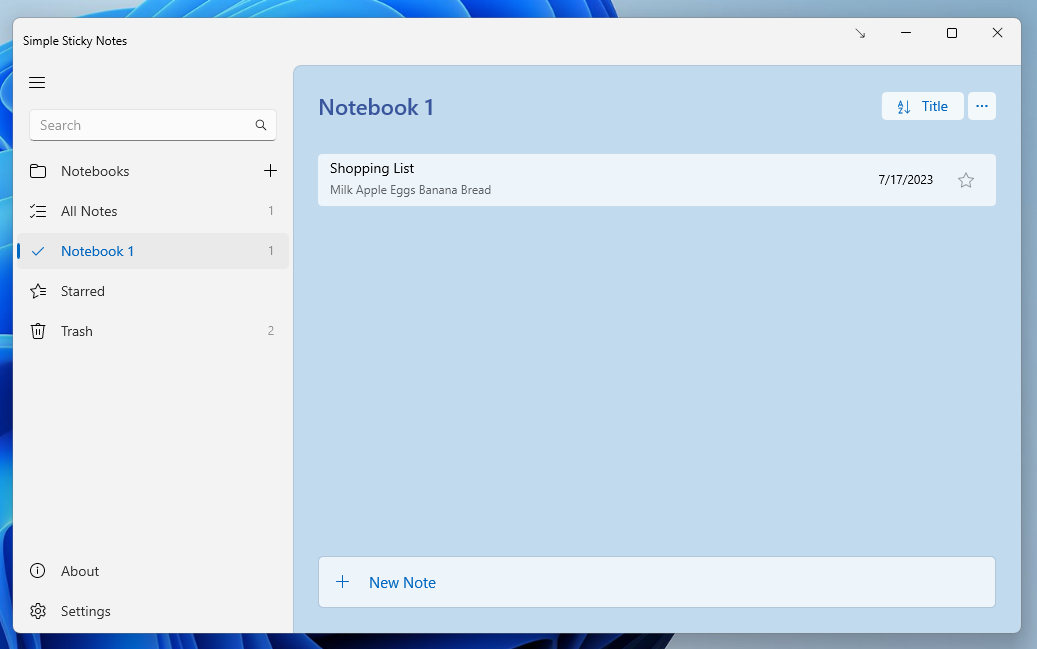
True to its name, Simple Sticky Notes provides a no-nonsense, lightweight experience that closely mirrors the classic Microsoft tool but with added reliability and features, making it an excellent Sticky Notes alternative for Windows 10 and a solid choice for users.
This free application places customizable sticky notes directly on your desktop. It supports alarm reminders, different note colors and fonts, and can even sync notes across multiple PCs on a local network. It focuses on doing one thing well: providing stable, feature-enhanced digital sticky notes without bloat, serving as a perfect sticky notes alternative windows 11 users can also adopt seamlessly.
Why we pick it:
Lightweight & Stable: Uses minimal system resources and is known for reliable performance without crashing.
Essential Extra Features: Adds useful functions like alarms and network sync that the native Windows app lacks.
Familiar & Easy: The learning curve is virtually zero for anyone used to Microsoft Sticky Notes.
Why you may dislike:
The design can feel dated compared to modern applications.
Lacks cloud sync via the internet (only local network) and does not have a mobile app.
Conclusion
The inherent limitations of the native Microsoft app, from sync glitches to a basic feature set, rightly lead people to seek an alternative. The top 5 Sticky Notes alternatives listed here deliver significantly better experiences for taking notes, setting reminders, and organizing information on your Windows desktop. Whether you need a simple Sticky Notes alternative for Windows 11/10 or a robust system by evaluating your specific needs for simplicity, power, or integration, you can pick the best alternative to Sticky Notes that boosts your personal productivity.