-
iTop Easy Desktop - No.1 Desktop Organizer for Windows
-
Automatically organize and customize Windows desktop. Make your messy desktop look clean and professional within seconds.

Top 7 Day to Day Planner Apps to Optimize Time Management (Daily/Weekly Plan)
A hands-on review of 7 best day to day planner app, highlighting real-world usability, core features, advantages, disadvantages, available platforms, price.
Both business professionals and everyday employees rely heavily on digital tools to stay organized and on track. Scheduling meetings, managing deadlines, and balancing tasks have become far easier with the help of modern planning solutions. This post highlights 7 top-rated day to day planner apps, designed to streamline task management, improve productivity, and make time organization feel effortless, all without any cost.
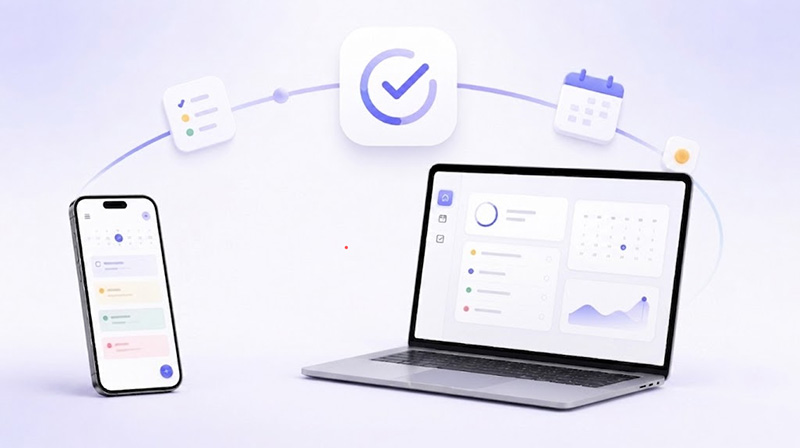
Keeping up with meetings, deadlines, personal errands, and daily priorities can quickly become overwhelming without a clear system in place. A reliable day to day planner app helps organize schedules, track important tasks, and reduce the stress of forgetting key responsibilities.
Whether you are managing business projects or balancing work with personal life, these tools make planning far more efficient. A good day planning app can also improve focus, encourage better time management habits, and help users stay productive throughout even the busiest days.
Choosing the right tool depends less on features alone and more on how each app fits into daily habits, workload style, and planning depth. Below is a quick side-by-side comparison of the seven most useful tools.
App Name |
Best for |
Daily Plan |
Weekly Plan |
Free or Paid |
Google Calendar |
Task plan and event scheduling |
✅ |
✅ |
Free |
Todoist |
Task management and time blocking |
✅ |
✅ |
Freemium |
Motion |
AI automated scheduling and productivity |
✅ |
✅ |
Paid |
iTop Easy Desktop |
Desktop-based planning and widgets |
✅ |
✅ |
Free |
Sunsama |
Mindful daily planning and focus work |
✅ |
||
Team project and workflow tracking |
✅ |
✅ |
Freemium |
|
Any.do |
Simple task + calendar planning |
✅ |
✅ |
Freemium |
A good day to day planner app should do more than simply display dates and reminders. Below are 7 widely used apps worth trying if you want a flexible day planning app for both professional and personal organization.
1. Google Calendar
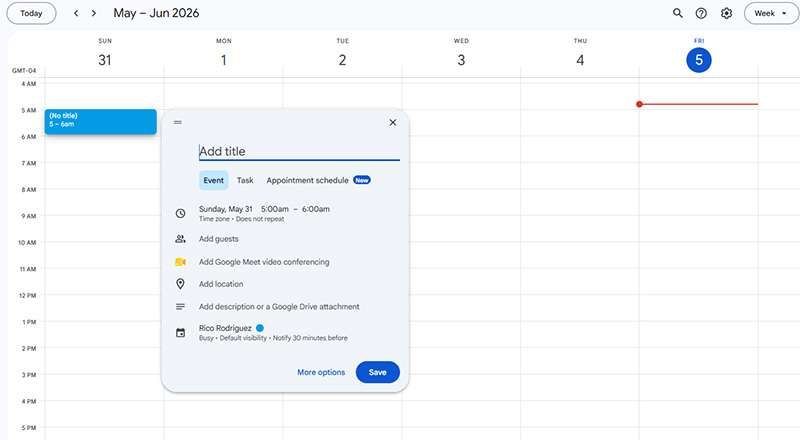
Google Calendar remains one of the most dependable day to day app and desktop calendar widget for professionals, students, and remote teams. Its clean layout, reliable syncing, and tight integration with other Google services make it especially convenient for everyday planning.
What You Like Most
Seamless integration with Gmail, Google Meet, and Google Maps.
Easy calendar sharing for teams, clients, or family members.
Supports color-coded schedules for clearer daily organization.
What You Dislike
No intelligent automatic task scheduling.
Multiple calendars can become visually crowded.
Available for: Web, Android, iOS, Windows, Mac.
Pricing: Free with a Google account for personal use.
2. Todoist
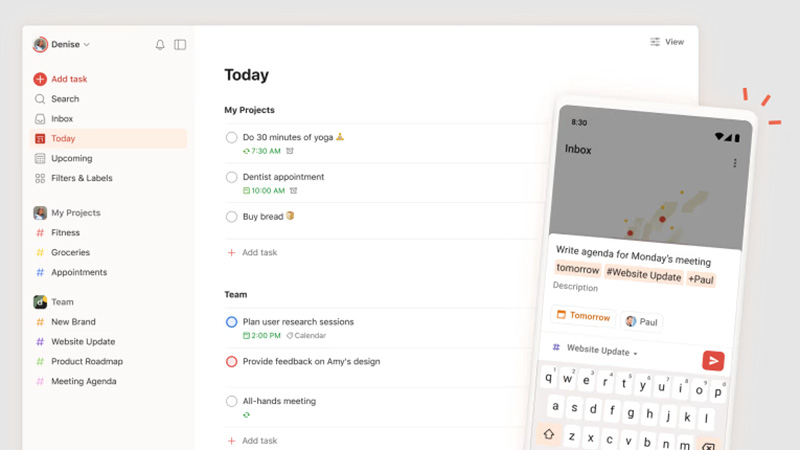
Todoist has become a favorite among professionals who prefer a clean and distraction-free workspace for organizing responsibilities. It helps capture tasks quickly, arrange priorities, and stay consistent throughout the week, making it a top-rated daily planner app for busy work routines and long-term planning.
What You Like Most
Smooth drag-and-drop task scheduling in calendar view.
Syncs well with Google Calendar and Apple Calendar.
Minimal interface that stays easy to navigate.
Flexible daily and weekly planning layouts.
What You Dislike
Calendar features require a paid subscription.
Lacks Gantt charts, workloads, and task dependency tracking.
Available for: Web, Windows, Mac, Android, iPhone, iPad, Apple Watch.
Pricing: Beginner plan is free, pro plan is around $7/month or $60/year.
3. Motion AI Calendar
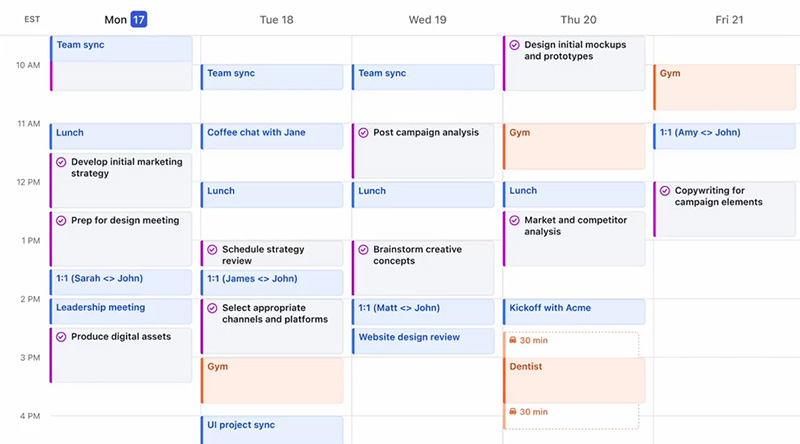
Motion AI Calendar actively reorganizes your calendar using AI based on deadlines, availability, and workload changes. It combines project tracking, scheduling, and task management inside one workspace. For anyone juggling meetings and projects, it also works well as a powerful daily planner app that reduces the time spent constantly.
What You Like Most
AI automatically reschedules tasks when conflicts appear.
Booking links simplify meeting scheduling with clients or teams.
Supports multiple project management views, including Kanban boards.
What You Dislike
Subscription cost is noticeably higher than many competitors.
Automatic task reshuffling may feel disruptive for some users.
Some advanced AI tools rely on limited monthly credits.
Available for: Web, Windows, macOS, Android, iPhone, iPad.
Pricing: 7-day free trial available, pro AI plan starts around $19/seat/month.
4. iTop Easy Desktop
For Windows users that want schedules and reminders directly on the desktop instead of constantly opening browser tabs or mobile apps, iTop Easy Desktop offers a surprisingly robust solution. The built-in widgets allow users to create task lists, manage appointments, and monitor schedules without interrupting their workflow. That convenience makes it a helpful day to day planner app for office workers, students, and remote employees handling busy routines on Windows systems.

- iTop Easy Desktop
Next-Gen Desktop Customizer -
- 1-click organize 100+ icons
- 5000+ 4K and live wallpapers
- Interact with AI desktop pet
What You Like Most
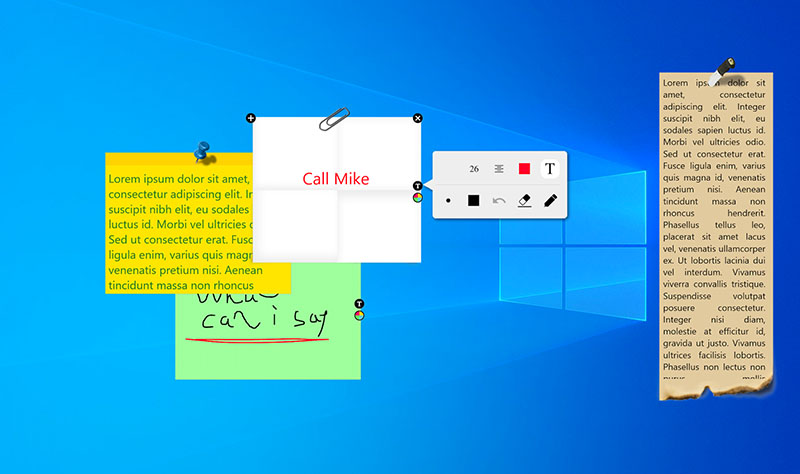
Day-to-Day Task Plan Widget. iTop Easy Desktop quickly creates and manages clear desktop to-do lists without opening extra apps or browser windows.
Customizable Daily/Weekly Plan. The desktop organizer supports personalized widget colors, font styles, sizes, and layouts for a cleaner workspace.
Set Schedule for Program/Event. The day to day planner app makes it easy to add reminders, recurring schedules, and important appointments directly on the desktop.
More Widgets for Work Efficiency. The tool includes additional tools like clock widget Windows 11, iPomodoro timers, weather updates, and quick-access utilities.
Auto Organize Desktop Effortlessly. The best desktop organizer helps tidy cluttered desktops automatically with one-click organization features.
What You Dislike
Works only on Windows instead of full cross-platform support.
Available for: Windows.
Pricing: Free version available with core features.
5. Sunsama
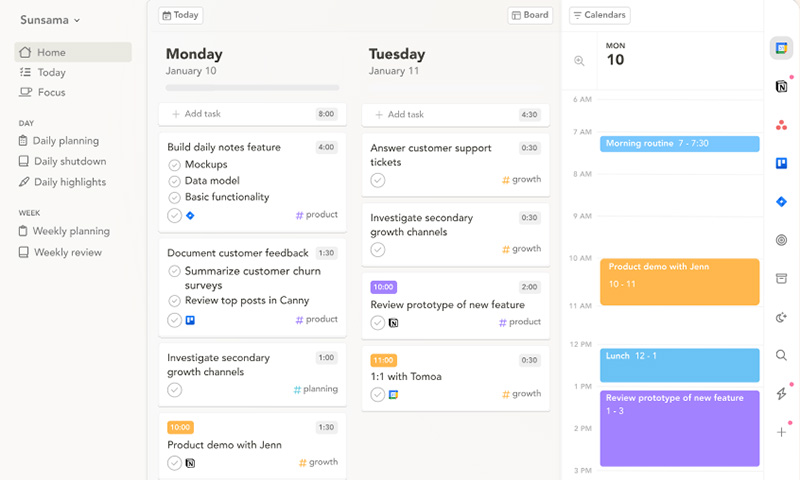
Sunsama encourages you to select what truly matters each day and structure your workload around realistic limits. This day to day planner app blends calendar scheduling with guided daily planning rituals to set priorities in a more mindful way.
What You Like Most
Guided daily planning workflow that helps set realistic priorities.
Clean integration with Google Calendar and task tools like Notion and Trello.
Focus mode that keeps attention on a small set of tasks.
What You Dislike
Daily planning requires manual effort instead of full automation.
Mobile experience is more limited compared to desktop.
Available for: Web, macOS, Windows, Linux, iOS, Android.
Pricing: $20/user/month (annual billing).
6. Plaky
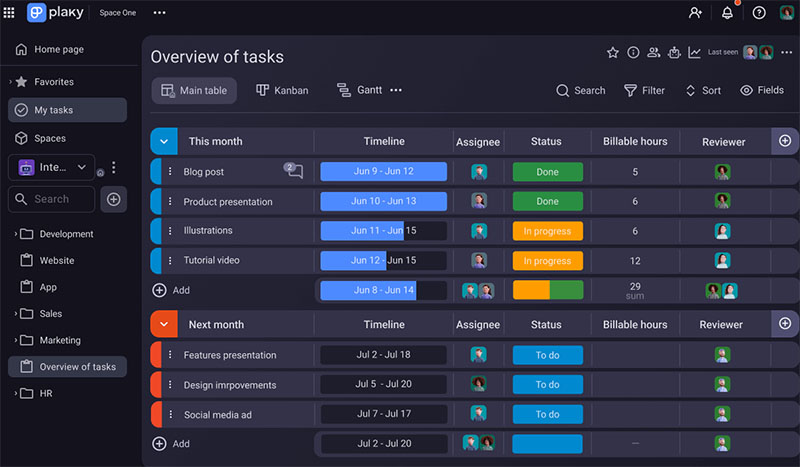
Plaky is built for teams that want structure without the complexity that usually comes with project management tools. Its board-based layout makes it easy to visualize tasks, assign responsibilities, and track progress in real time. It is equally useful as a weekly planner app for teams that need a clear overview of ongoing projects and deadlines.
What You Like Most
Generous free plan with unlimited users and projects.
Multiple views, including list, Kanban, and Gantt-style layouts.
Strong connection with other CAKE.com tools like Clockify.
What You Dislike
Automation features are still relatively basic.
Reporting tools may feel limited for advanced analytics users.
Available for: Web, desktop, iOS, Android.
Pricing: Free plan with unlimited core usage, pro plan starts at around $3.99/user/month.
7. Any.do
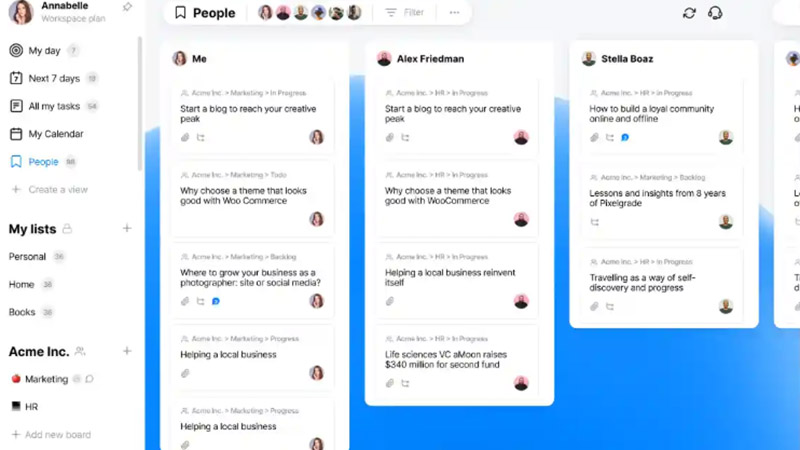
Any.do keeps daily organization simple, fast, and accessible across all devices. The day to day planner app brings tasks, reminders, and calendar events into one streamlined space. It also works well as a weekly schedule app for those who prefer planning ahead without dealing with heavy setup or learning curves.
What You Like Most
Built-in calendar that merges tasks and events smoothly.
Smart reminders with location-based notifications.
What You Dislike
Many useful features are locked behind the premium plan.
Subscription cost can feel high compared to similar apps.
Available for: Web, Windows, macOS, iOS, Android.
Pricing: Free plan, premium is around $4.99–$7.99/month, depending on billing cycle.
Learn how to use iTop Easy Desktop, the best desktop organizer for Windows, to keep task, reminders, and schedules available in one hub when both short-term focus and broader planning are needed.
Day To Day To Do List Notes
Follow the steps below to turn the desktop into a lightweight task manager with day-to-day to-do list notes.
Step 1. Install iTop Easy Desktop, open it, and navigate to the widget section.
Step 2. Activate the notes widget from the available widget library to display a quick to-do panel on your desktop.
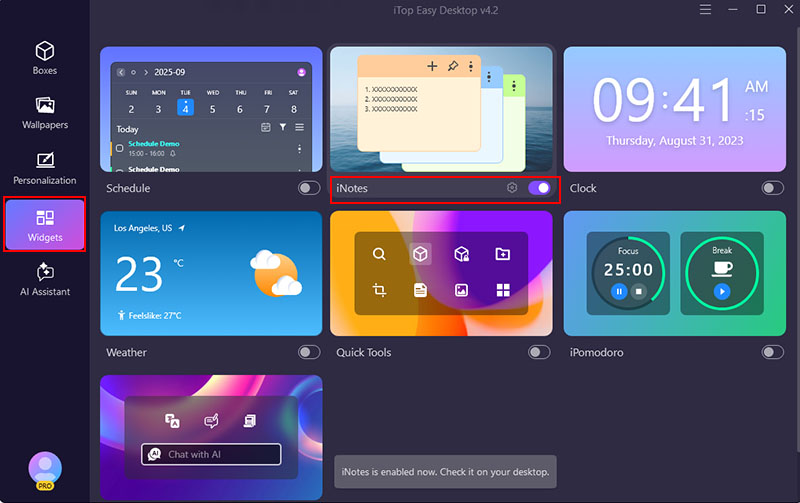
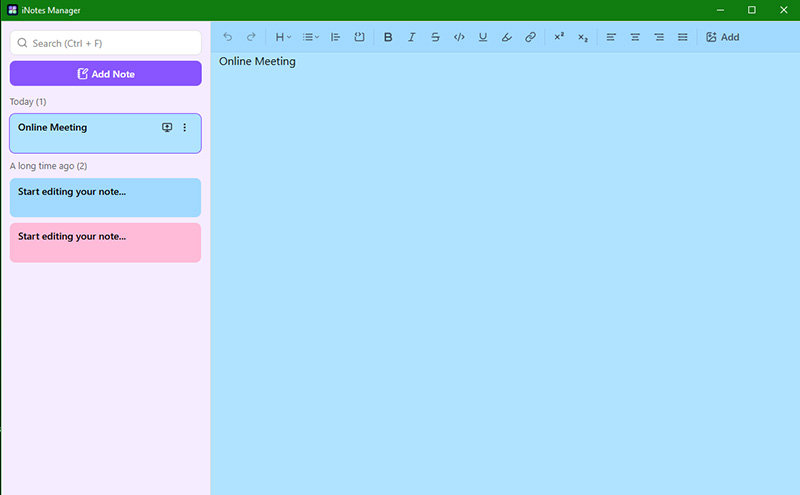
Step 3. Click the plus icon to create a new note, then use the menu options to edit, organize, or adjust the layout for better visibility.
Daily/Weekly Schedule Reminder
Step 1. Open the widget panel and locate the schedule tool from the list of available widgets.
Step 2. Enable the schedule function so a calendar view appears directly on your desktop workspace.
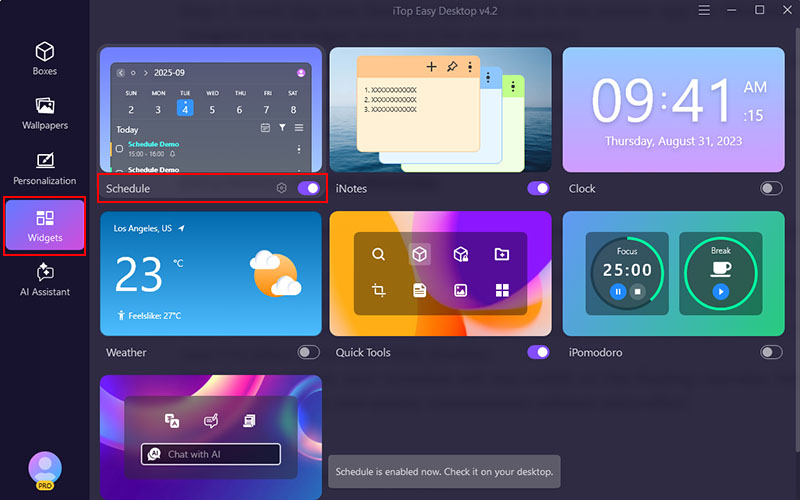
Step 3. Add your event details, such as time, description, and optional location, then save it to place it into your daily timeline.
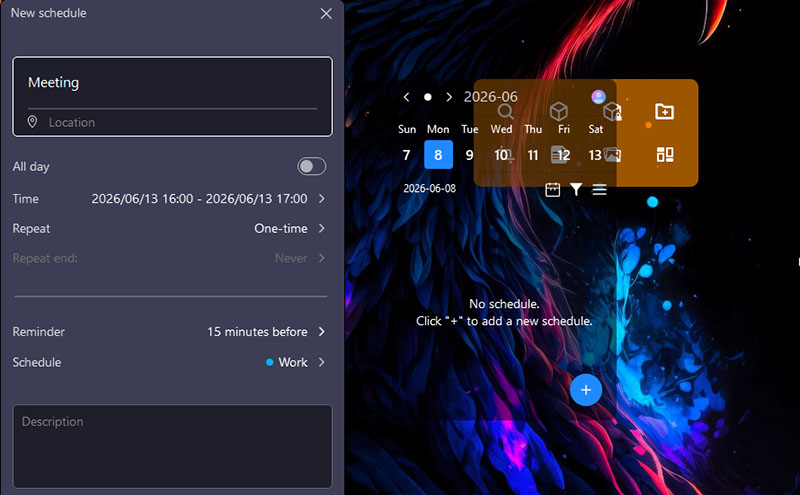
Step 4. Once added, your schedule will stay visible on the floating calendar, helping you track both daily and weekly commitments without extra effort.
The Bottom Line
A good planning tool can make daily work feel more structured and less chaotic. iTop Easy Desktop fits well as a day to day planner app with its simple desktop widgets and easy scheduling setup. If a weekly planner app free option is what you need, it also covers basic weekly organization without extra complexity. Download it to keep your routine clearer and easier to follow.
- iTop Easy Desktop
Next-Gen Desktop Customizer -
- 1-click organize 100+ icons
- 5000+ 4K and live wallpapers
- Interact with AI desktop pet