-
iTop Easy Desktop - No.1 Desktop Organizer for Windows
-
Automatically organize and customize Windows desktop. Make your messy desktop look clean and professional within seconds.

Best Calculator Widgets in 2026: Boost Your Productivity
Looking for the best calculator widget? Choose from the top-ranked desktop calculator apps to perform instant calculations on PC, Mac, iPhone and Android.
Calculator widget is often a necessity - when you are deep into editing a spreadsheet, budgeting expenses, analyzing data for work and so on. Instead of flipping between pages or launching separate apps, a calculator widget for desktop lives right on your screen, ready to calculate in seconds. In this article, we'll show you the best options for Windows, Mac, iPhone/iPad, and Android.
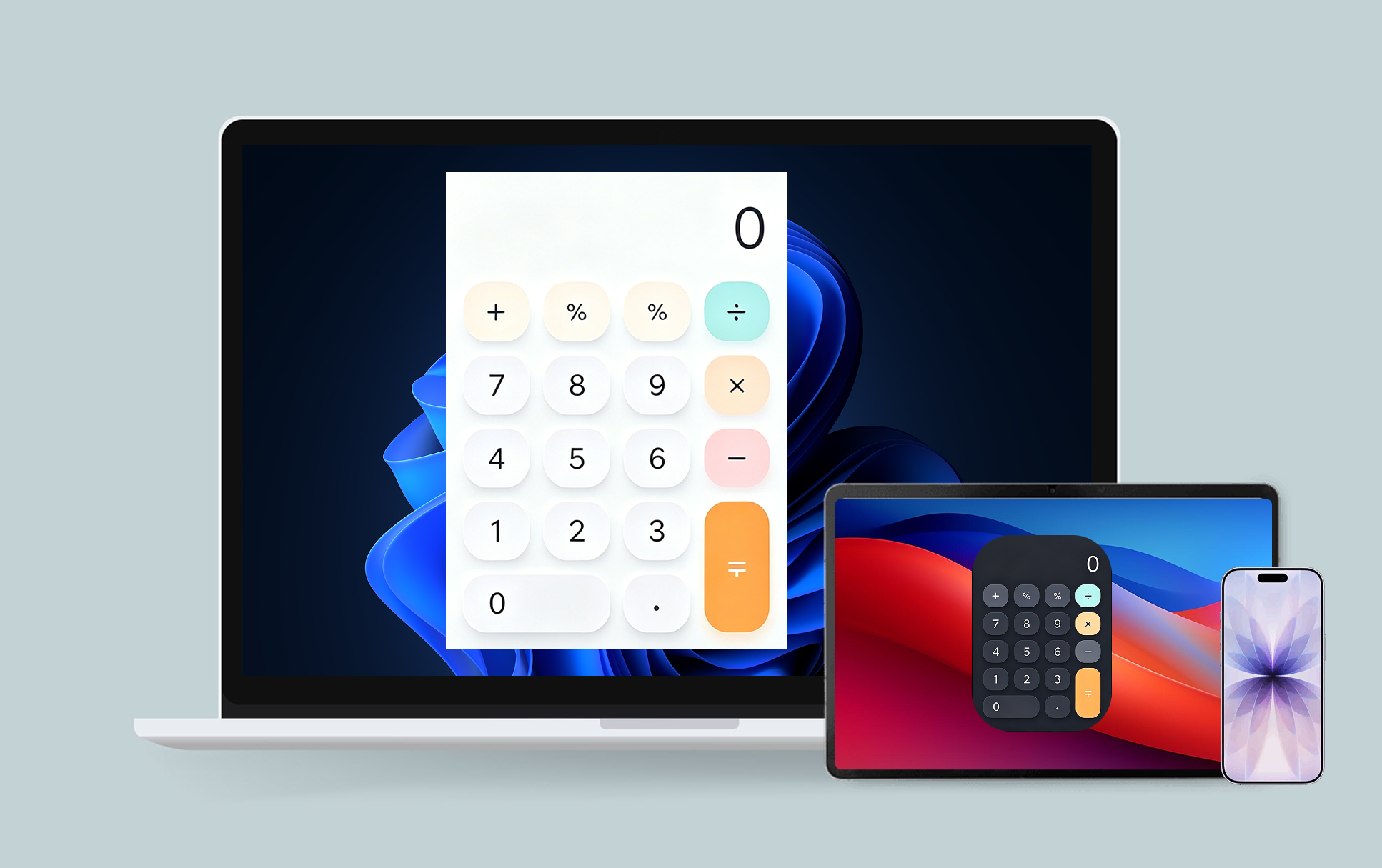
A calculator widget is basically a small, interactive calculator that sits on your desktop, home screen, or notification panel. You can perform calculations instantly without opening any app or software whether that's a standard sum, a percentage, or a currency conversion to check foreign exchange rates on the fly.
A lot of calculator widgets are exhibited in the market. But what makes one special? Here are some key factors:
Easy to access – No searching through folders or app menus
Lightweight and fast – Minimal resource usage, maximum speed
Integrated into your workflow – Stays on your screen so you never lose focus
Why should you bother with a calculator widget instead of the calculator app that came with your device? Let me break down the key benefits:
Instant Access: Tap, click, or swipe—and you're calculating. No waiting for apps to load or navigating through menus.
Improved Productivity: Less context switching means fewer distractions. When you can calculate without leaving your current screen, you stay in the zone and get more done.
Easy Multi-Tasking: Working on a spreadsheet and need a quick percentage calculation? The currency calculator widget sits right there, letting you multitask like a pro.
Customizable Experience: Many calculator widgets let you tweak themes, sizes, and layouts to match your style. Some even support advanced functions like scientific calculations or currency conversion.
It is worth having a calculator widget. And now, let’s look at the best free options for each platform, including more specialized tools like a mortgage calculator widget for handling loan and payment calculations.
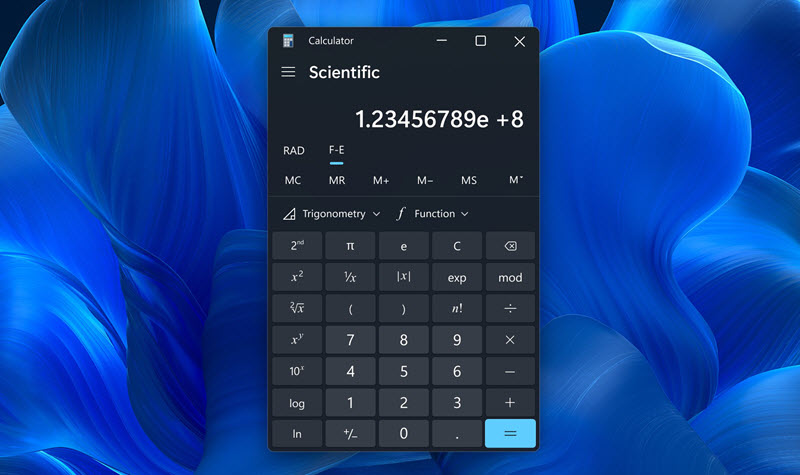
Windows Calculator comes with a pre-installed utility in Windows 11/10 to handle every calculation on PCs and laptops. More than a simple desktop calculator app, it is a versatile, high-performance application tailored to different needs of students, professional needs and every users. It also can be pinned on taskbar and star menu for quick access.Whether you are working complex math/scientific equations or manage your finances, Windows Calculator is the perfect tool to provide a seamless, ad-free experience.
Key Features
Standard, scientific, and programmer modes
Unit and currency conversion
Date calculation features
Simple interface that's easy to navigate
| Pros | Cons |
| √ Built in Windows, no extra installation | × Limited widget functionality compared to dedicated widget apps |
| √ Completely free with no ads | × No interactive desktop widget support out of the box |
| √ Reliable and lightweight | × Requires opening the app rather than truly living on the desktop |
Calculator Widget⁺ delivered a streamlined calculation workflow, offering quick-access capabilities directly from the desktop or Notification Center. It has
a simple, consistent interface for everyday arithmetic and percentage operations. You can not only enjoy standard and scientific calculations with this calculator widget for Mac, but resize or pin it for your preference.
Key Features
Supports desktop interactive widgets (macOS 14+)
Works on Mac with Apple M1 chip or later
Support for StandBy mode
Built-in 18 retro and cute calculator themes
Customizable digital keys, symbol keys, and background colors
No data collection—your privacy is respected
| Pros | Cons |
| √ Beautiful design with plenty of theme options | × Requires macOS 14.0 or later |
| √ True interactive widget - no need to open the app | × Needs Apple M1 chip or newer (older Intel Macs not supported) |
| √ No ads in the free version | × PRO features require in-app purchase |
| √ Works seamlessly across iPhone, iPad, and Mac |
While the default calculator app for iPhone/iPad is useful, it doesn’t offer a true widget experience - getting quick accessing to the tool from home screen. Here, we pick out the best two calculator widgets apps that empower you to perform instant calculations on iPhone and iPad.
1. Calculator Widget - Simple Calc
Calculator Widget – Simple Calc is a lightweight, user-friendly digital tool designed to perform basic arithmetic operations on iOS devices. It features an array of calculations such as addition, subtraction, multiplication, and division. The interface is usually clean and intuitive, often resembling a standard handheld calculator with clearly labeled buttons and a display screen. This simplicity allows users of all skill levels to perform calculations without needing advanced knowledge or training.
Key Features
iOS 17 interactive widget for seamless functionality
Dynamic Island calculator and Live Activity support
Multiple widget sizes available
StandBy mode widget while charging
| Pros | Cons |
| √ Totally free | × Limited advanced calculation functions |
| √ Multiple sizes | |
| √ Modern iOS 17 features |
2. Calculator Widget Pro
Calculator Widget Pro is an advanced version of a standard calculator widget, designed to handle both basic and complex mathematical tasks with enhanced functionality and flexibility. Unlike a basic calculator, it typically includes scientific functions such as trigonometry (sin, cos, tan), logarithms, exponents, and roots. Many versions also support memory storage, allowing users to save and reuse values during multi-step calculations.
Key Features
Interactive calculator widget for both iPhone and iPad
Supports addition, subtraction, multiplication, division
Advanced scientific functions
Tip calculation built right in
| Pros | Cons |
| √ Only 2 MB | × Some features may require PRO upgrade |
| √ Supports scientific functions | |
| √ No data collection |
Android has long been ahead of the curve when it comes to widgets, so you've got plenty of great options. Here are two of the best free calculator widget apps on Google Play.
1. Calculator - Floating Widget
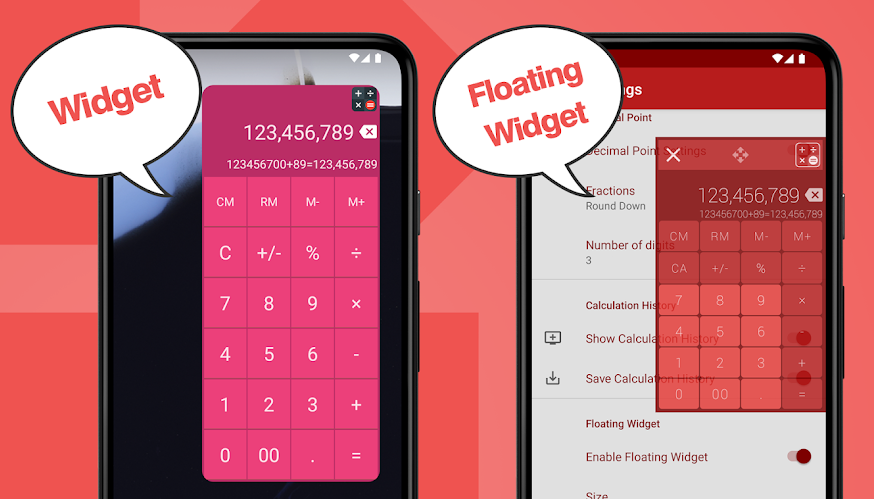
Calculator – Floating Widget is a convenient and multitasking-friendly calculator designed to stay accessible on top of other apps or screens. It “floats” over your current workspace, allowing you to perform calculations without interrupting your workflow. Whether you’re browsing, working on documents, or shopping online, the calculator widget app remains available with minimal disruption. Its interface is compact and movable. Users can drag it anywhere on the screen for easy visibility.
Key Features
Floating widget that stays above other apps
Supports percent, constant, repeat, exponential, and interest calculations
Memory functionality with formula display and save
All calculation results are saved automatically
Customizable themes, fonts, and layouts
| Pros |
Cons |
| √ True floating overlay for true multitasking | × Contains ads (can be removed with in-app purchase) |
| √ Tons of advanced features | × Might feel overwhelming if you just need basic calculations |
| √ Saves calculation history |
2. Calculator Widget
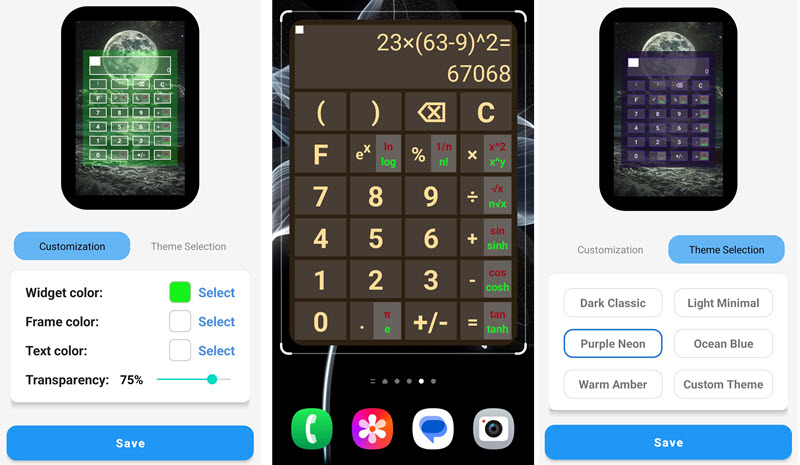
Calculator Widget is a fast, lightweight, and highly customizable tool that brings powerful calculation capabilities directly to your Android home screen. It allows users to perform instant calculations without opening an app, while offering flexible widget resizing, customizable colors, adjustable transparency, and a built-in history log with notes, copy, and sharing features. In addition to basic arithmetic, the calculator widget for Android supports a wide range of scientific and engineering functions, including trigonometry, exponents, roots, logarithms, factorials, and constants like π and e. It combines convenience, efficiency, and advanced functionality into a compact, user-friendly experience ideal for everyday and professional use.
Key Features
Resizable widget for your home screen
History stores last 30 results
Lock screen widget support (Android 4.2+)
10 different themes to choose from
| Pros | Cons |
| √ Very lightweight | × Fewer advanced features than the first option |
| √ Simple and straightforward | × Older-style interface |
| √ Multiple themes |
For most Android users, Calculator - Floating Widget is the way to go if you want true multitasking power. If you just need something quick and simple, the second option works great.
Calculator widget give its focus on calculation. But, if you really want to supercharge your desktop, you need a solution that brings everything together in one place. That's where iTop Easy Desktop comes in. It acts an all-in-one widget hub for Windows that transforms your messy desktop into a clean, productive workspace.

- iTop Easy Desktop - Keep Your Desktop Organized
-
- Box desktop icons to declutter your workspace
- Manage documents, games, media files, etc., at 1 click
- Add calendar, clock and other widgets to desktop
- Locate any file you want instantly with search box
Let's check what makes this desktop organizer for Windows so special:
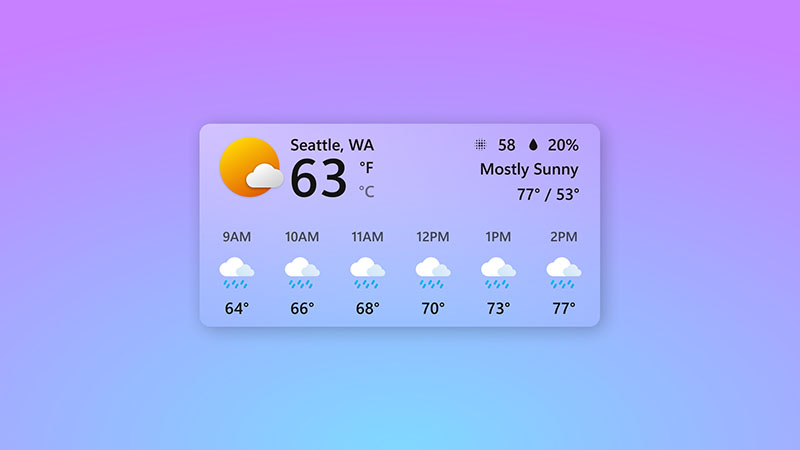
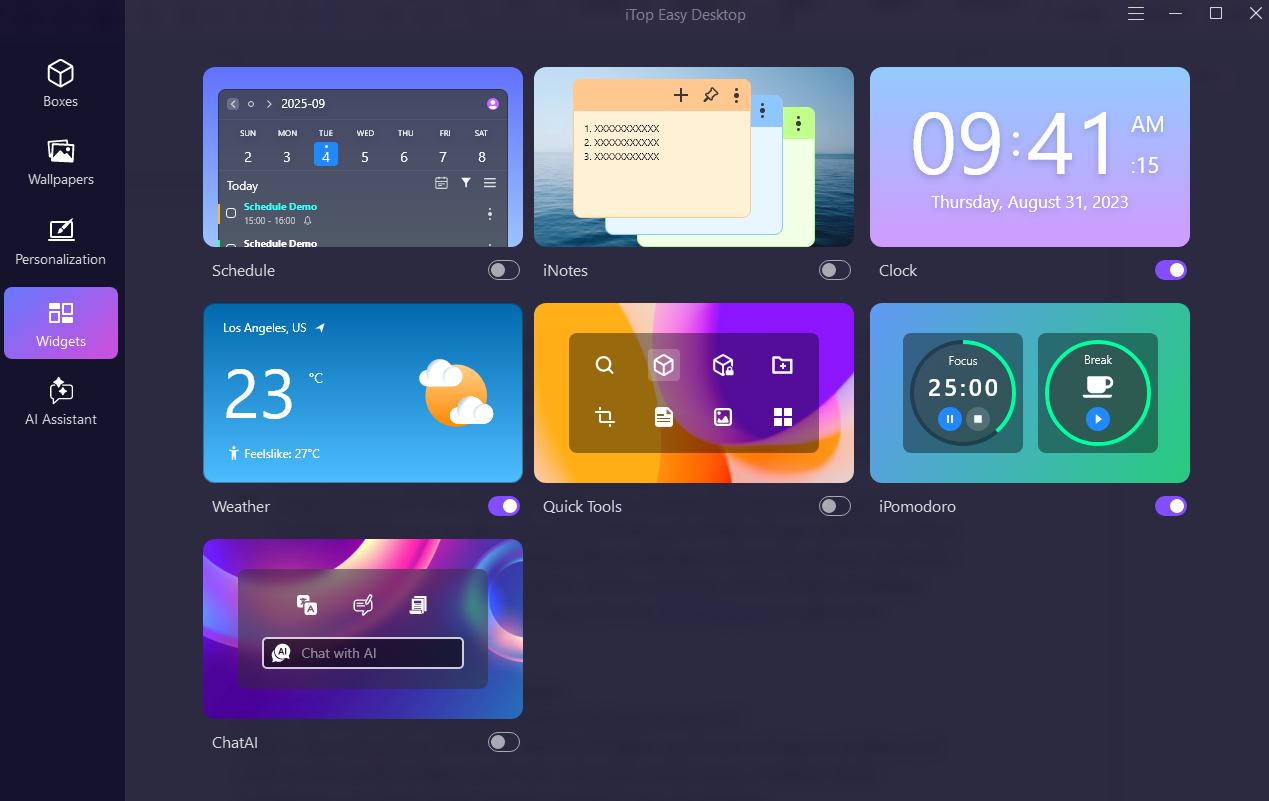
Free Efficient Desktop Widgets: iTop Easy Desktop comes loaded with practical widgets like a desktop calendar widget, sticky notes, weather display, etc. These tools sit right on your desktop so you can check your schedule or jot down a reminder without opening any app. You can also customize the widget appearance by adjusting colors and transparency.
One Station Desktop Organization: This is where iTop Easy Desktop really shines. It automatically organizes your documents, videos, folders, and apps into smart boxes based on rules you create. No more dragging files around manually—the software does the heavy lifting for you. Plus, the Quick Search function (just press Windows + F3) helps you locate any file in seconds. There's even a Private Box feature with password protection for sensitive files.
Large Library of Free Desktop Wallpapers: A clean desktop is one thing, but a beautiful desktop is another. iTop Easy Desktop includes a huge collection of free wallpapers, including daily-updated Bing wallpapers, dynamic options, and static images across categories like nature, anime, and pure colors. Want something specific? Just search for it, or bring your own 4k wallpaper to make your workspace truly yours.
How to Enable Widgets on Windows
Step 1. Download and install iTop Easy Desktop on your PC
Step 2. Open iTop Easy Desktop, find the Widgets section in settings or toolbar, and click to turn on the widgets you want - calendar, sticky notes, weather, clock, countdown, etc. Each widget appears instantly on your desktop.
Step 3. Drag each widget to your preferred spot, resize them, and tweak colors, fonts, and transparency as you like.
The Bottom Line
A calculator widget is one of those small tools that quietly boosts your productivity every single day. Whether you're on Windows, Mac, iPhone, iPad, or Android, there's a great free option waiting for you. For Windows users who want a calculator widget Windows experience that truly integrates into a clutter-free desktop, we highly recommend starting with iTop Easy Desktop. It's a desktop organizer that bundles calculators, calendars, sticky notes, and beautiful wallpapers into one seamless package - all for free. So go ahead, clean up that messy desktop and download iTop Easy Desktop today.

- iTop Easy Desktop
Next-Gen Desktop Customizer -
- 1-click organize 100+ icons
- 5000+ 4K and live wallpapers
- Interact with AI desktop pet