-
iTop Easy Desktop - No.1 Desktop Organizer for Windows
-
Automatically organize and customize Windows desktop. Make your messy desktop look clean and professional within seconds.

Best 3 Free Windows Desktop Customization Software Bring Clean Interfaces
Learn practical Windows desktop customization tips and compare the best tools to organize icons, improve layouts, and create a clean, efficient desktop.
Windows desktop customization plays an important role in daily productivity, yet many users only rely on basic system settings. A cluttered Windows desktop can reduce productivity and make daily tasks harder to manage. From organizing icons to choosing the right 4K wallpaper, desktop customization plays a key role in building a clean and productive Windows workspace. While Windows allows simple changes like wallpapers and colors, advanced features such as automatic icon organization, transparent taskbars, widgets, and layout control require dedicated Windows desktop customization software to achieve a clean and efficient desktop.
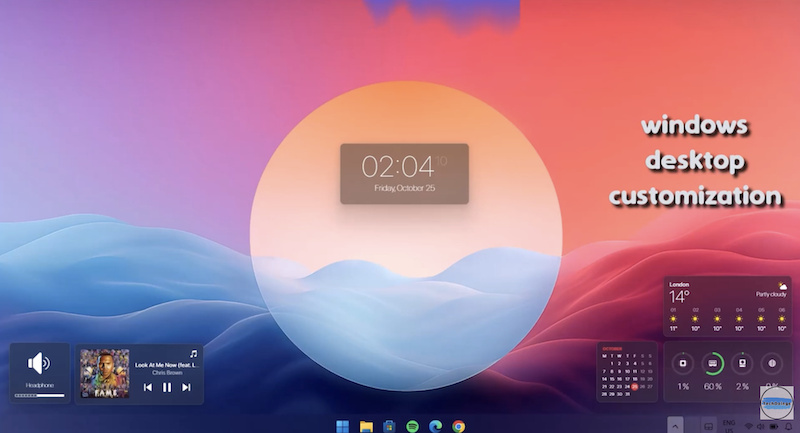
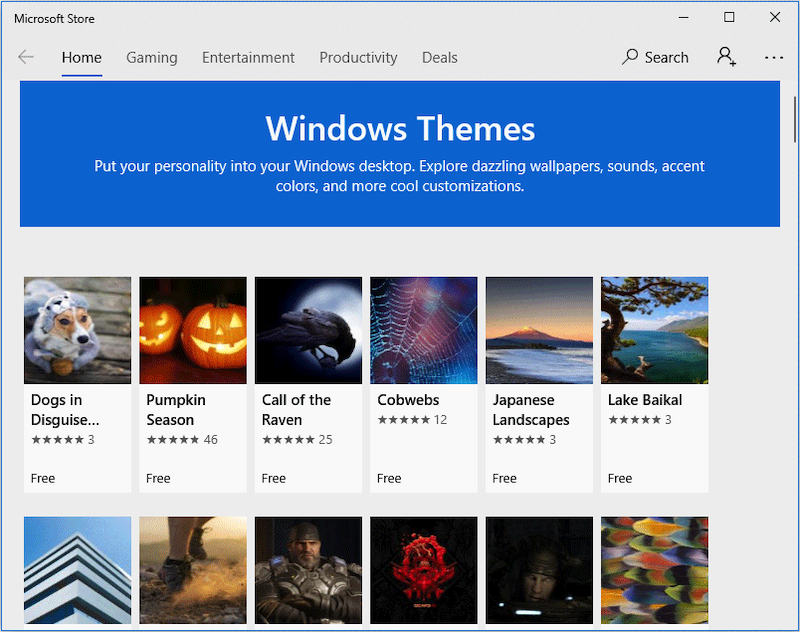
Most users begin windows desktop customization using the built-in Windows personalization settings. These options provide a basic level of microsoft desktop customization and are useful for simple appearance adjustments.
Basic Windows Desktop Customization Options
With default Windows settings, users can customize several visual and system-level elements, including:
1. The color of pop-up windows and system UI, allowing users to personalize the overall look and feel
2. System sounds, including notifications and alerts, to match personal preferences
3. Default fonts, improving readability and visual consistency
4. Lock screen wallpaper, especially popular for high-resolution and 4K wallpaper setups
5. Basic taskbar behavior, such as alignment and visibility
These built-in options form the foundation of windows desktop customization and are suitable for light personalization.
Advanced Windows Desktop Customization Elements
However, as desktops accumulate files, folders, screenshots, and shortcuts, visual clutter quickly becomes a problem. At this stage, practical windows desktop customization ideas shift from appearance-focused changes to functional improvements.
Many advanced and chic customization elements are not available through standard Windows settings and require dedicated Windows desktop customization software, such as:
1. Cursor effects and animated cursor enhancements
2. Transparent or adaptive taskbars for a cleaner desktop appearance
3. Widgets that display real-time information on the desktop
4. Desktop zones and layout control for better workspace organization
5. Automatic icon grouping and organization to keep the desktop clean over time
These advanced features help users move beyond basic microsoft desktop customization and build a clean, efficient, and productivity-focused Windows workspace. By combining system settings with specialized windows desktop customization tools, users can reduce distractions and maintain long-term desktop organization rather than relying on daily manual cleanup.
automation rather than heavy visual effects. It is a free desktop customization tool designed for users who want a clean and organized desktop that stays tidy without constant manual effort.
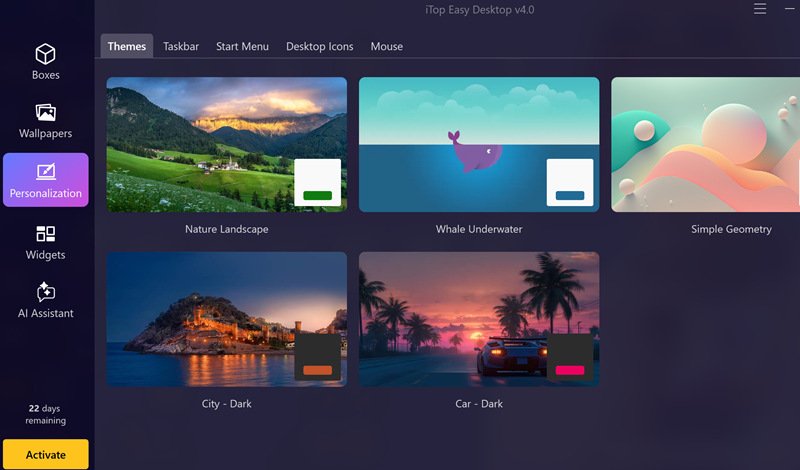
Key Personalization Features of iTop Easy Desktop
iTop Easy Desktop provides several essential windows desktop customization features that meet the needs of advanced users:
1.Themes
The software supports clean and minimal themes that improve desktop readability and reduce visual distractions, making it suitable for both personal and professional use.
2.Auto-gather icons and documents
As a lightweight desktop organizer for Windows, iTop Easy Desktop automatically gathers icons, documents, and shortcuts into clearly defined sections. This auto-gather function helps prevent clutter caused by daily downloads and ongoing projects.
3.Start Menu optimization
iTop Easy Desktop enhances desktop accessibility by improving how users interact with shortcuts and frequently used applications, supporting a more efficient workflow.
4.Mouse and cursor-related adjustments
Basic mouse-related customization options improve usability without adding unnecessary visual effects, keeping the desktop experience simple and focused.
5.Taskbar and layout support
The software supports layout adjustments that enhance clarity and organization, helping users maintain a clean Windows workspace over long-term use.
Compared with manual tools, iTop Easy Desktop is often considered one of the best desktop organizer options for users who prefer automation over constant manual maintenance, as well as a practical stardock fences alternative.
Pros:
Automatic icon and document organization
Clean interface with minimal learning curve
Suitable for long-term daily use
Cons:
Limited advanced visual animations

- iTop Easy Desktop - Keep Your Desktop Organized
-
- Box desktop icons to declutter your workspace
- Manage documents, games, media files, etc., at 1 click
- Add calendar, clock and other widgets to desktop
- Locate any file you want instantly with search box
Stardock Fences is one of the most recognizable names in Windows desktop customization software. Its core concept is the use of visible containers, commonly known as Windows desktop customization fences, which allow users to manually group desktop icons into labeled areas.
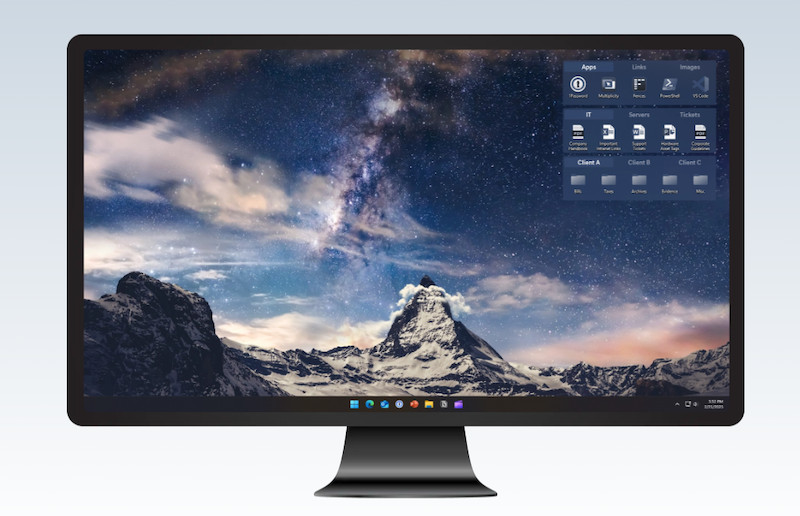
This approach provides strong visual clarity, especially for users who prefer structured layouts. Fences can be rolled up, hidden, or resized, making it easier to separate work-related files from personal shortcuts. For many users, this visual grouping represents a clear improvement over default windows desktop customization options.
However, Stardock Fences relies heavily on manual maintenance. Users must continuously manage fences as files change. Advanced features and long-term updates are locked behind a paid license, which may not appeal to users seeking simple or cost-effective solutions.
Because of this, many users eventually look for a stardock fences alternative that offers automation rather than visual containers alone. While Stardock Fences remains effective for users who enjoy hands-on control, it may not be ideal for those who want a “set it and forget it” desktop organization experience.
Pros:
Clear visual grouping with containers
Mature and well-known software
Cons:
Manual organization required
Paid license for full features
Windhawk represents a different approach to windows desktop customization. Instead of focusing on layouts or icon organization, it allows users to modify Windows system behavior through modular tweaks and extensions. This includes changes to the taskbar, File Explorer, window behavior, and system animations.
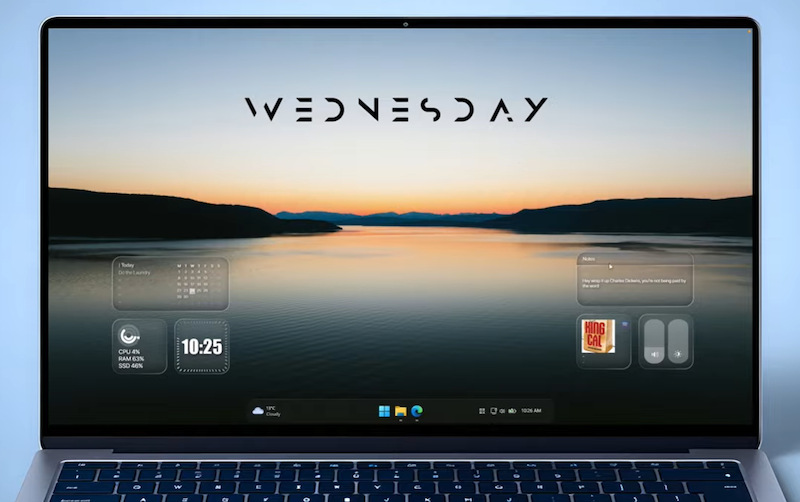
For advanced users, Windhawk provides deep control that traditional Windows desktop customization tools do not offer. Users can install community-created modules to customize specific system behaviors, such as taskbar size, notification display, window snapping rules, or legacy UI elements. This flexibility makes Windhawk attractive to users who enjoy experimenting with microsoft desktop customization beyond visual design.
However, Windhawk is not designed for beginners. It requires technical understanding, and poorly configured modules may affect system stability or cause unexpected behavior. Unlike visual-focused Windows desktop customization software, Windhawk does not provide ready-made layouts, themes, or automatic organization features.
As a result, Windhawk is best suited for power users who want fine-grained system control rather than a clean desktop layout. While it expands what windows desktop customization tools can achieve at a technical level, it lacks the simplicity and automation needed by users who primarily want a tidy, distraction-free desktop with minimal effort.
Pros:
Deep system-level customization
Community-driven modules
Cons:
Steep learning curve
Risk of system instability
| Software | Monthly Plan | Yearly Plan (Single Device) | Yearly Plan (Multi-Device) | Yearly Plan (Object Desktop) | Enterprise |
| iTop Easy Desktop | $7.99 | $11.99 | $19.99 | / | Not available |
| Stardock Fences | Free | $11.70 | $23.40 | $58.50 | $24.99 |
| Windhawk | Free | Free | / | / | Not available |
Pricing plays an important role when choosing Windows desktop customization software. Tools like iTop Easy Desktop and Windhawk are available at no cost, making them attractive options for users who want powerful functionality without ongoing fees. These free tools can fulfill most organization and customization needs, especially for everyday productivity. In contrast, paid solutions such as Stardock Fences require a license purchase, which may appeal to users who prioritize structured, container-based layouts or official customer support. When evaluating options, consider both your customization goals and budget to select the best fit.
Conclusion
Effective windows desktop customization improves focus, organization, and productivity. While Windows provides basic personalization, advanced tools unlock greater control and automation. Among available options, iTop Easy Desktop stands out for its balance of simplicity and efficiency. If you want a clean, organized desktop without constant maintenance, it is a practical place to start.