-
iTop Easy Desktop - No.1 Desktop Organizer for Windows
-
Automatically organize and customize Windows desktop. Make your messy desktop look clean and professional within seconds.

Best 4 Desktop App Organizer Apps for Any Device
Discover the top 4 app organizer apps for Windows, Mac, iOS, and Android. Use the best options to organize apps on your desktop and home screen.
Have you ever stared at a desktop cluttered with random icons, trying to spot that one app you need? Yeah, we've all been there. An app organizer app is exactly what it sounds like - a tool designed to help you sort, group, and manage your apps and files so your digital workspace actually makes sense. These apps aren’t just about cleaning up; modern ones come packed with advanced features and intuitive interfaces that take the headache out of desktop management.
In this post, we'll tell you some of the best options out there for Windows, Mac, iOS, and Android. No matter what device you're using, there's a good app organizer app here for you.
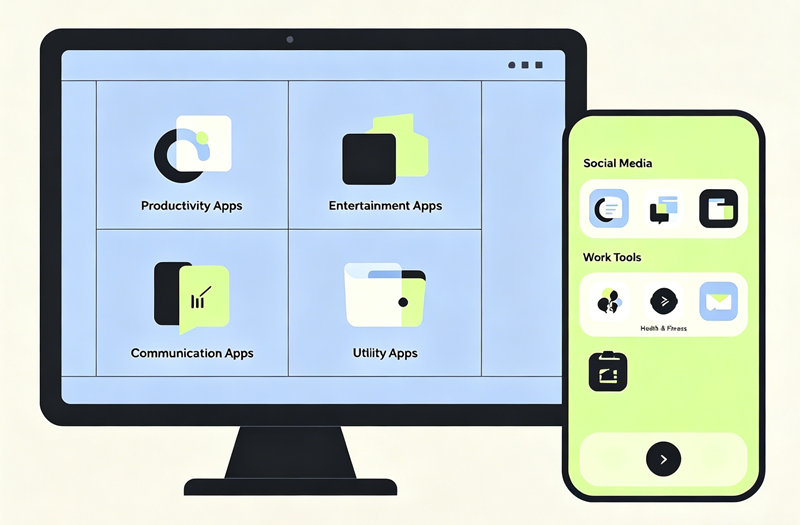
You might be thinking, "My desktop isn’t that messy." But trust me, a little clutter can quietly kill your productivity. Here's why grabbing an app organizer is a smart move.
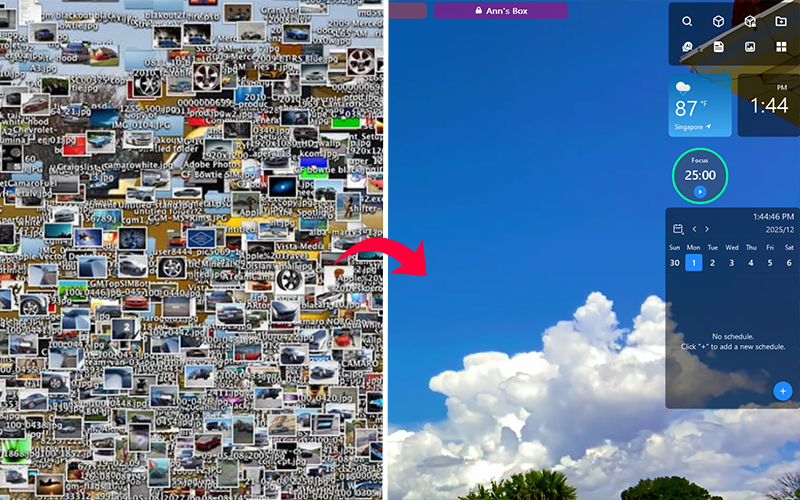
Reduce desktop clutter: Stop drowning in icons and files scattered everywhere. An desktop organizer cleans that mess up in seconds.
Quick access to apps: No more scrolling through endless folders or scanning a crowded screen just to open one program.
Boost productivity: When everything has a place, you spend less time searching and more time doing.
Make desktop look aesthetic: A clean, well-organized desktop just feels good to look at and will level up your mood during working/studying.
Reduce digital stress: Visual clutter affects your brain more than you think. A tidy workspace = a tidy mind.
An app to organize apps isn't a luxury anymore. It's practically a necessity if you spend hours in front of a screen every day.
Perfect for: Windows users who want a powerful, all-in-one desktop organizer with extra productivity tools.
Pricing: Free version available; premium version offers additional features.
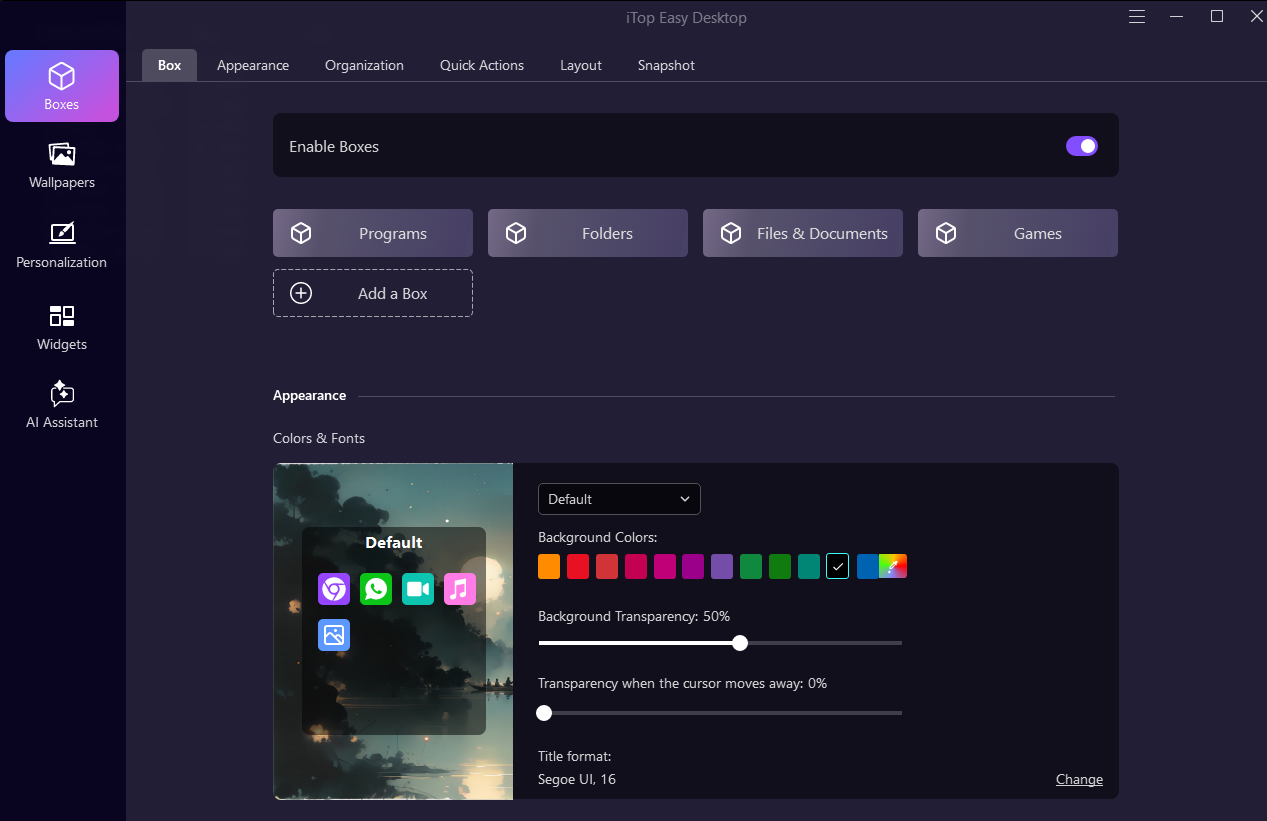
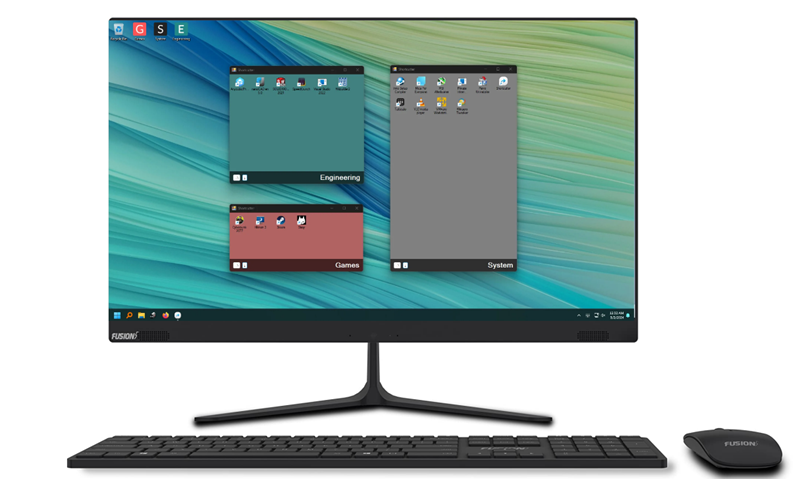
iTop Easy Desktop is hands-down the best windows app organizer out there right now. This powerful app organizer app turns your chaotic Windows desktop into a beautifully organized workspace with just one click. The auto-organize feature intelligently groups your icons into categories like Documents, Images, Applications, and Folders all automatically. If you want more control, you can create custom boxes for different activities like work, gaming, or personal projects.
Need to find something fast? The built-in search bar lets you locate any file by typing its name, way faster than scanning a messy desktop manually. And here’s a cool touch — you can create a private box to protect your important or sensitive apps from prying eyes.
iTop Easy Desktop isn’t just about organization. It comes loaded with extra features that make your desktop look genuinely awesome. You can customize your entire desktop aesthetic with live wallpapers, themed icon packs, and even a digital desktop pet to keep you company. The desktop app organizer also includes iNotes for jotting down reminders, a calendar widget that syncs with Google Calendar and Outlook, and more useful widgets for your digital workspace. It’s an app manager app that does more than just organization.
Pros:
One-click auto-organization saves massive time
Highly customizable boxes and appearance options
Private box for protecting sensitive apps
Live and 4K wallpapers for PC
Desktop personalization tools
Auto-save layout feature for backup
Cons:
Free version has limited features
Windows only (no Mac or mobile support)

- iTop Easy Desktop - Keep Your Desktop Organized
-
- Box desktop icons to declutter your workspace
- Manage documents, games, media files, etc., at 1 click
- Add calendar, clock and other widgets to desktop
- Locate any file you want instantly with search box
Perfect for: Mac users who want a simple, intuitive way to group files and apps right on their desktop.
Pricing: Paid (one-time purchase with free trial available).
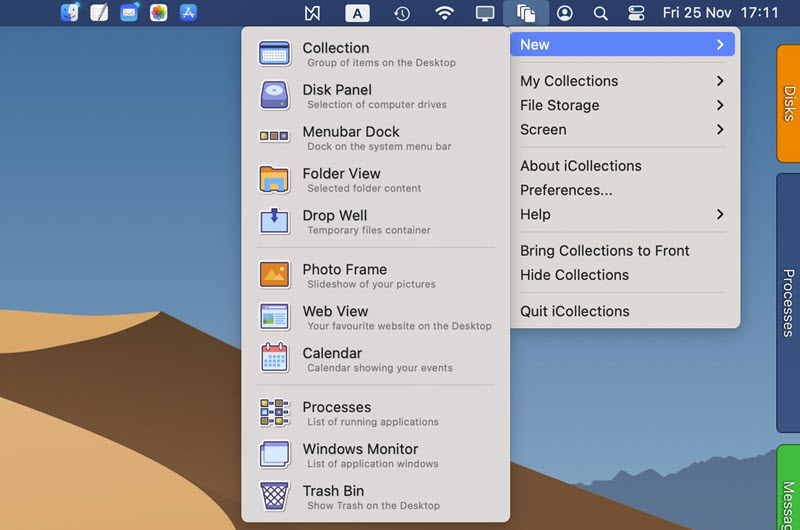
If you're on a Mac, iCollections is a name you need to know. This app organizer app lets you create shaded “collection” areas directly on your desktop where you can group files, folders, and applications however you like. Want a section for work documents, another for design assets, and a third for your favorite apps? Easy. Just drag and drop. You can label, resize, recolor, and style each collection to match your preferences.
iCollections also offers some seriously handy extras - a Disk Panel to show your drives, a Folder View to access folders right from your desktop, a Photo Frame to display your favorite images, and even a Web View that puts websites like Facebook or YouTube right on your desktop without opening a browser. As useful app organizer app, it fully supports Retina displays and multi-monitor setups. The app integrates smoothly with macOS and launches at startup, so your organization stays intact every time you boot up. For anyone tired of hunting for that one app or document, iCollections is a game-changer.
Pros:
Very easy to use — drag, drop, and done
Highly customizable visual appearance (colors, fonts, sizes)
Multiple collection types (Disk Panel, Folder View, Photo Frame, Web View)
Retina display and multi-monitor support
Auto-shrink feature minimizes collections when not in use
Cons:
Paid software (no permanent free version)
Mac only
May take some time to set up initial organization
Perfect for: iPhone and iPad users who want a built-in, zero-setup solution for organizing apps.
Pricing: Completely free (built into iOS).
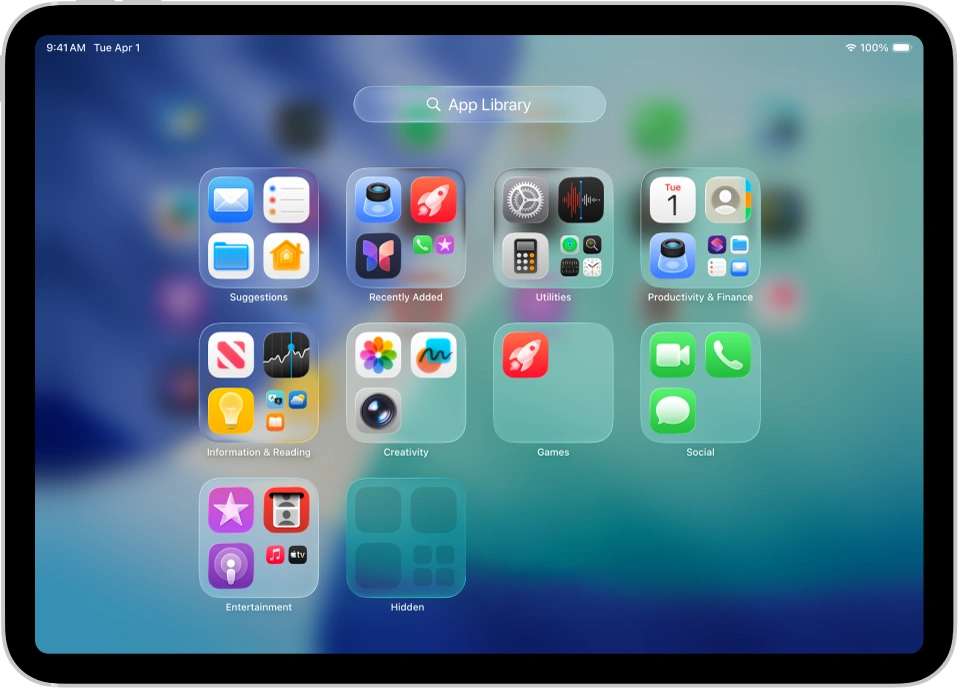
Here's something you might already have and not even realize how powerful it is. App Library is Apple’s native app organizer tool, introduced in iOS 14. It automatically sorts every app on your iPhone into smart categories like Social, Entertainment, Productivity & Finance, Utilities, and more. Your most-used apps sit at the top of each category for quick access. To get there, just keep swiping left past your last home screen page. From there, you can search for any app by name or browse through the auto-generated folders. One of the best features? You can hide entire home screen pages and keep all your apps tucked neatly in the App Library, which means you can have a super minimal home screen with just your essentials, all powered by this built-in app organizer app. New apps you download can be sent directly to the App Library instead of cluttering up your home screen — just adjust the setting in Settings > Home Screen & App Library. It’s simple, seamless, and requires zero effort to maintain.
Pros:
Completely free and built into iOS
Zero setup required — works automatically
Smart categories based on your actual usage
Can hide home screen pages for a cleaner look
Easy search functionality
No third-party app needed
Cons:
Can't manually move apps between categories
Limited customization options
iOS only (no iPadOS? Actually iPadOS has it too but less prominent)
Category logic isn’t always perfect
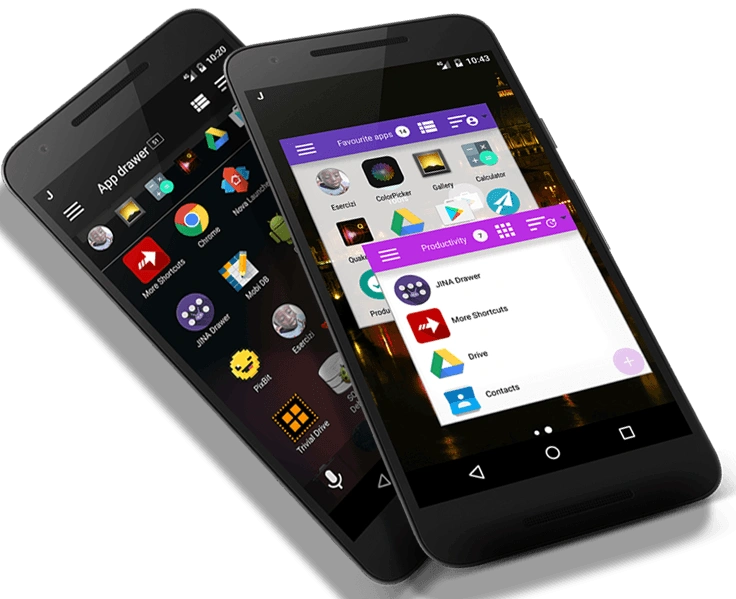
Perfect for: Android users who want complete control over how their apps are organized and accessed.
Pricing: Free (no ads, no in-app purchases).
Android users, this one’s for you. JINA Drawer is a powerful app organizer app that completely replaces your stock app drawer with something way more flexible. It comes with a sidebar launcher accessible by a simple swipe from the edge of your screen — and you can use that sidebar on top of any running app. Need to jump to another app without going back to your home screen? Swipe, tap, done. JINA lets you sort your apps by name, size, usage frequency, install date, or custom tags. You can create nested folders (folders inside folders!) for next-level organization, hide apps you don’t want to see, and mark favorites so they always stay on top. It even supports T9 keypad search and full-text search with custom app name aliases. The app is completely ad-free and open source, which is rare and amazing for a free tool. Whether you want to automatically classify apps or manually build your own tagging system, JINA gives you the freedom to do it your way.
Pros:
Completely free with no ads
Sidebar launcher accessible from any app
Highly customizable sorting and tagging
Nested folders for deep organization
Open source
T9 keypad search support
Can hide unwanted apps
Cons:
Interface isn't the most modern or polished looking
May have a learning curve for all the features
Android only
The Bottom Line
At the end of the day, an app organizer app is one of those tools you don't realize you need until you try it - and then you wonder how you ever lived without it. Whether you're battling a cluttered Windows desktop, a chaotic Mac screen, an iPhone with 15 pages of apps, or an Android drawer that feels impossible to navigate, there's a solution here for you. iTop Easy Desktop is your ideal desktop organizer for Windows with its powerful auto-organization and extra productivity features.
- iTop Easy Desktop - Keep Your Desktop Organized
-
- Box desktop icons to declutter your workspace
- Manage documents, games, media files, etc., at 1 click
- Add calendar, clock and other widgets to desktop
- Locate any file you want instantly with search box