
iTop VPN offers 3200+ VPN servers in 100+ locations worldwide to help you access various sites privately and safely, along with dedicated IP, dynamic and static IP, and Double VPN.
What is Getcontact? Is Getcontact safe to use? Learn the best Getcontact VPN to access full features, bypass restrictions, and enhance security. Start now.
Access Getcontact Anywhere: A VPN Guide for Restricted Countries and Secure Use
In a world where digital privacy is increasingly under threat, apps like Getcontact have become both popular and controversial. Whether you're trying to identify unknown callers or protect yourself from spam, many users are turning to this powerful caller ID and number-tagging app. Newbies may wonder what is Getcontact, and more importantly, is Getcontact safe?
But despite its functionality, some regions restrict its use, or restrict part of its functions, prompting many to explore options like a Getcontact VPN for secure and unrestricted access, especially for old users.

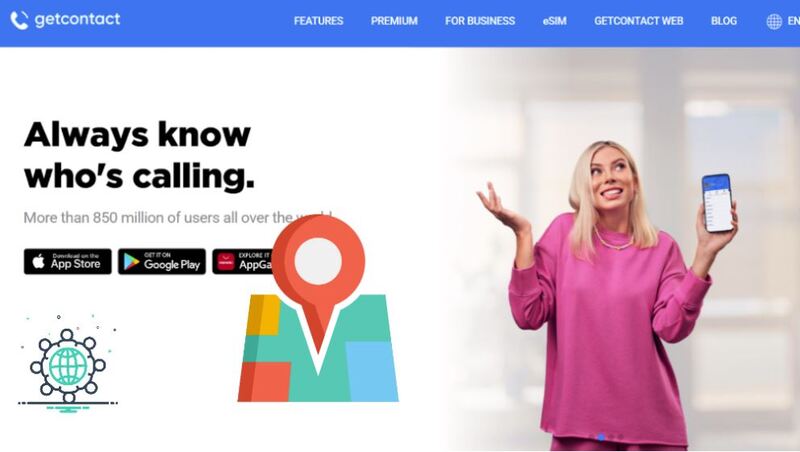
Getcontact is a mobile application that offers caller ID services, spam call blocking, and a unique tagging feature. It helps you decide whether to answer calls from unfamiliar numbers. Allows you to see how others have saved your number in their address book and understand your own unique notes.
Widely popular in countries like Turkey, India, and Brazil, the Getcontact app has gained attention for its powerful data recognition tools. While the app is free to use, some advanced features require a premium subscription. The Getcontact app supports iOS and Android systems, and there is also a web version (with more limited functions). Android users account for the largest proportion.

Despite its functionality, many users ask, is Getcontact safe? Privacy experts have raised concerns over how the app accesses contact lists, stores tag data, and processes user information. In some countries, like Azerbaijan and Kazakhstan, Getcontact was temporarily banned due to data privacy issues.
Although the developers claim compliance with GDPR and local data laws, caution is still advised when using such a service. That is why more and more users, no matter old users or new users, consider using a Getcontact VPN for additional protection.
While Getcontact is available globally, its features are not consistent across all regions. The app restricts or limits core functions in some countries due to local regulations, such as the United States, where caller tagging is disabled.
Below is a table outlining major availability differences:
| Function | Service Available Countries |
| Number query, Tag view, Spam protection | Most countries in the world, excluding the US |
| Voicemail | Turkey only |
| Second Number/Personal Robot Assistant | The USA only |
| Live streaming, Paid content, and Enterprise verification | Limited to Turkey, Ukraine, and Indonesia |
| Other features such as chat channels, anti-spam functions | All countries |
The table above shows some of the regional limitations by function. Getcontact also has country restrictions. Currently, some countries are explicitly unavailable, such as China and Iran; the UAE is often blocked or filtered through ISP controls. Regardless of what kind of restriction it is, a VPN is an essential and effective tool to overcome it.
To access Getcontact without limitations, using a powerful and secure VPN is essential. A get contact VPN can change your virtual location, enhance privacy, and allow seamless access to all features.
Then, which one is the best one? The one that suits you is the best. Here are the top-rated VPNs for Getcontact users.
iTop VPN is a versatile and beginner-friendly getcontact VPN known for its balance between security, speed, and affordability. With over 3,200 servers in 100+ locations worldwide, it offers optimized connectivity for users in restrictive regions like India and UAE, where Getcontact is often blocked or restricted. It’s compatible with all major platforms, including Windows, macOS, iOS, and VPN for Android.
It includes military-grade AES-256 encryption, a kill switch, DNS protection, and ad-blocking capabilities. Users can easily switch between global regions using its smart VPN connection, ideal for accessing Getcontact services when abroad. Besides, what makes iTop VPN stand out is its free VPN tier that doesn’t compromise on essential features.
In addition to its strong security suite, iTop VPN also offers dedicated IP options, allowing stable access to apps like Getcontact app without triggering frequent verification flags. For users concerned about speed, it features acceleration nodes for streaming and gaming, making it a speed VPN for PC as well.

Pros:
●Free version with generous features
●Easy region switching for Getcontact use
Offers dedicated IP and privacy-focused tools
●Highly compatible,
Cons:
●Some advanced features require premium subscription
●Free version has 700MB daily data limits
With over 7,400 servers in 118 countries, NordVPN is a powerhouse for security-conscious users. It provides double encryption and enough VPN server connections, making it one of the best Getcontact VPN options. This VPN location changer is widely regarded for its strong ability when bypassing censorship and regional blocks.

Pros:
●Excellent server distribution
●Strong no-logs policy
●Works well with Getcontact and streaming apps
●Offers obfuscated servers for extra privacy
Cons:
●More expensive than other options
●No free version available
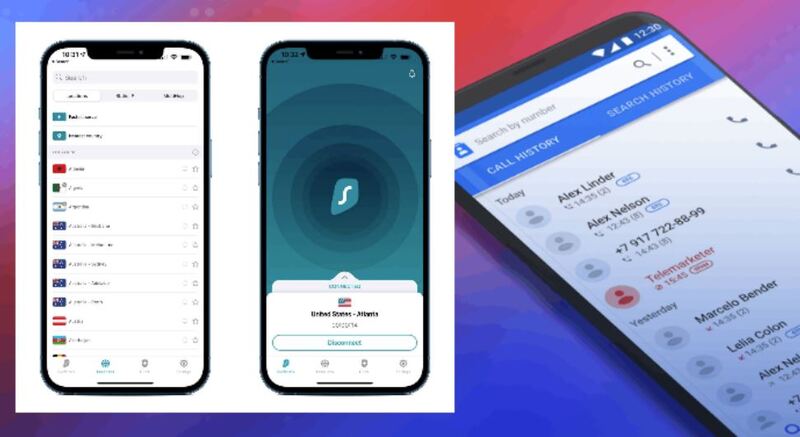
Surfshark supports unlimited device connections, making it a top pick for households or those who want one plan for multiple platforms. It has over 3,200 servers and offers privacy tools like CleanWeb and camouflage mode. It also excels in speed.
Pros:
●Connect all devices under one plan
●Budget-friendly long-term plans
●Fast speeds and intuitive interface
●Compatible with mobile and desktop platforms
Cons:
●Some specialty servers only available in select locations
Devices Supported & Lowest Pricing Comparison:
| VPN Provider | Max Simultaneous Device Connections | Price |
| iTop VPN | 5 devices | $1.66/mo (2-year plan) |
| NordVPN | 5 devices |
$3.39/mo (2-year plan) |
| Surfshark | Unlimited devices | $2.29/month (2-year plan) |
When choosing a Getcontact VPN, consider your primary goal - whether it's bypassing regional blocks, VPN servers, supporting device numbers, or price. All three VPNs listed above offer unique strengths that cater to different needs. Whether you go for a free plan or a premium option, the key is finding a service that consistently works well with the Getcontact app and your location.
Now that you're aware of the regional restrictions and the top VPNs that can bypass them, including iTop VPN, NordVPN, and Surfshark, it's time to move from comparison to action.
iTop VPN is a first choice due to its free plan, affordability, wide VPN servers, strong privacy features, and user-friendly interface. Here's a step-by-step guide to get you started.
Step 1. Download and install iTop VPN on your device.
Step 2. Open it and sign in. Connect to a server in Turkey or India from the VPN server list.
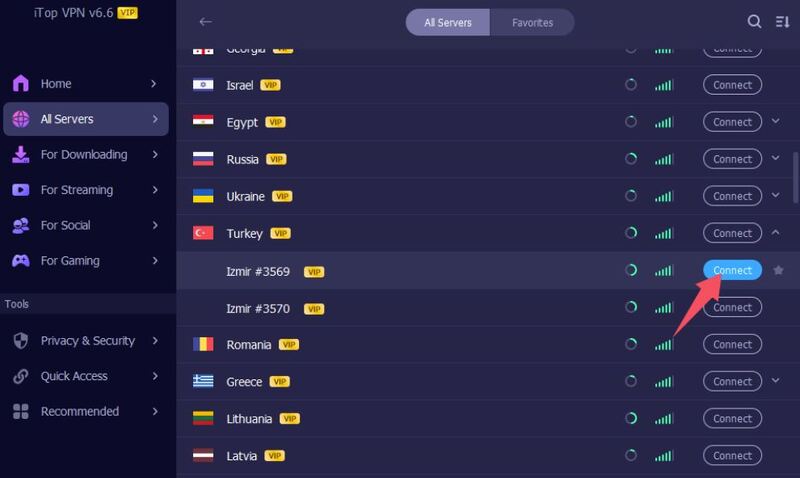
Step 3. When connected, check if your IP has changed.

Step 4. Launch the Getcontact app and enjoy full access to features.
Using a Getcontact VPN is the easiest and safest way to access all features of the Getcontact app, especially if you're in a restricted region. Whether you’re concerned about privacy or simply want full access, a good VPN provides both freedom and protection. Don't forget you can even buy TikTok coins cheaply while you're at it!

Best Free TikTok VPN to Unblock TikTok with VPN for PC & Mobile
Best VPN with Kill Switch for Android: Stay Secure on Every Connection

Kakao Talk Not Working? Learn Quick Fixes Now

Everything about the Free VPN Settings for Android Mobile
Top ShareChat VPN Apps: The Ultimate Solution for ShareChat India & Any Countries
10 Best Android Free VPN APK for Privacy and Security
Best VPNs for Android Split Tunneling in 2026: Maximize Speed and Security

Exploring the World of Signal VPN: A Comprehensive Guide to Privacy and Security
100+ global countries
3200+ worldwide servers
Dedicated IP addresses
Dynamic IP and static IP

Subscribe to Our Newsletter
Subscribe to our newsletter to stay updated every moment.

Subscribe to Our Newsletter
Subscribe to our newsletter to stay updated every moment.
© 2026 iTop. All rights reserved.






