-
iTop Easy Desktop - No.1 Desktop Organizer for Windows
-
Automatically organize and customize Windows desktop. Make your messy desktop look clean and professional within seconds.

3 Folder Organizer Software for Windows: Keep Your Files Organized and Efficient
Looking for the best folder organizer software for Windows? How does a Windows folder organizer help you manage files efficiently? Organize your files now.
Managing files on a Windows computer can quickly become overwhelming when documents, downloads, images, and work folders pile up without a clear structure. This is where folder organizer software plays a crucial role. Instead of manually sorting files one by one, users can rely on dedicated tools designed to simplify organization, reduce clutter, and improve productivity across daily workflows.
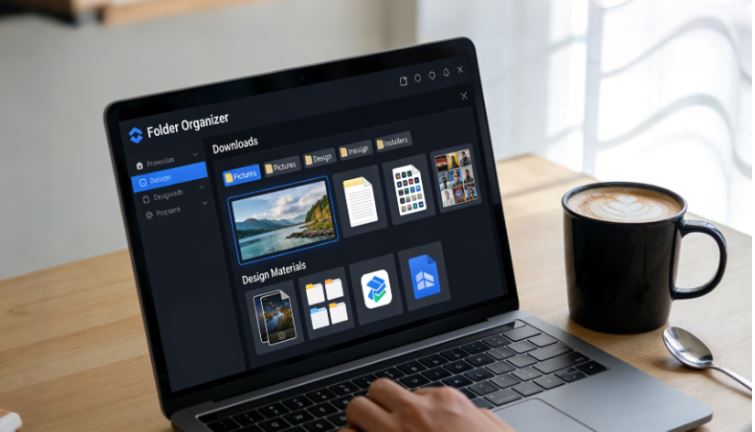
As digital files grow, an easy-to-use Windows folder organizer becomes convenient for both personal and professional use. Whether you need a lightweight folder organizer Windows solution for desktop cleanup or a more advanced file system manager, choosing the right tool can save hours of time and frustration while keeping everything easy to find.
Before exploring specific Windows folder organizer tools, it’s important to understand what this type of software actually does. Folder organizer software on Windows refers to applications that help users structure, categorize, and manage files and folders more efficiently than the default system tools.
In terms of function, a folder organizer software may offer features such as automatic file sorting, visual desktop grouping into a box, rule-based organization, and quick access panels. Compared to basic file browsing, a dedicated folder organizer Windows solution focuses on long-term order and smarter file control.
Using a specialized tool goes beyond simple file cleanup. A Windows folder organizer improves how you interact with your entire file system, making daily tasks smoother and more predictable. Instead of reacting to clutter, users can maintain structure from the start.
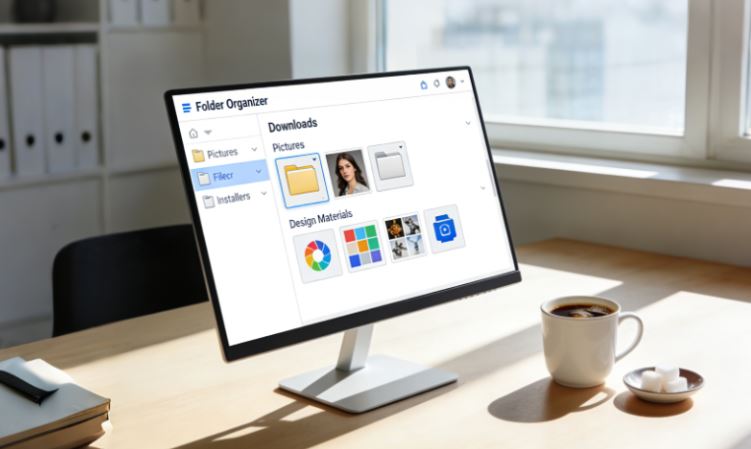
Key benefits include:
Faster access to frequently used folders and files
Reduced desktop and directory clutter
Improved productivity and focus
Better separation of work and personal files
Automated organization rules that save time
Enhanced visibility through visual layouts
With the right folder organizer software, file management becomes a proactive process rather than a recurring problem.
Choosing the right tool depends on how much control and automation you need. Below are three popular options that serve different types of Windows users, from visual desktop organizers to more traditional folder management solutions.
#1 iTop Easy Desktop - One Place, All Folders Organized
iTop Easy Desktop is a visual-first folder organizer software designed specifically for Windows users who want instant clarity on their desktop. Instead of relying solely on nested folders, it allows users to create clearly defined desktop zones that group files, shortcuts, and folders by category. This makes it an intuitive folder organizer Windows choice for everyday use.

- iTop Easy Desktop - Keep Your Desktop Organized
-
- Box desktop icons to declutter your workspace
- Manage documents, games, media files, etc., at 1 click
- Add calendar, clock and other widgets to desktop
- Locate any file you want instantly with search box
Beyond visuals, iTop Easy Desktop also works as a lightweight folder organizer app that simplifies access to frequently used items. By combining desktop organization with quick file access, it functions as both a folder management software and a productivity booster.
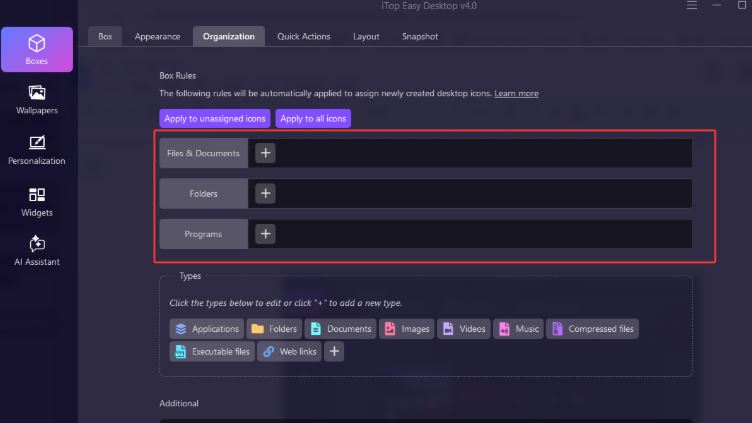
It offers a pre-defined file categorization logic with nine categories: Applications, Folders, Documents, Pictures, Videos, Music, Compressed Files, Executable Files, and Network Connections. Surprisingly, it provides the option to customize these categories. In other words, you can create your own rules to categorize various content on your computer.
Furthermore, you can choose to collapse these category boxes on your desktop or hide them all. For users who prefer a minimalist style, the option to hide them all is particularly appealing.
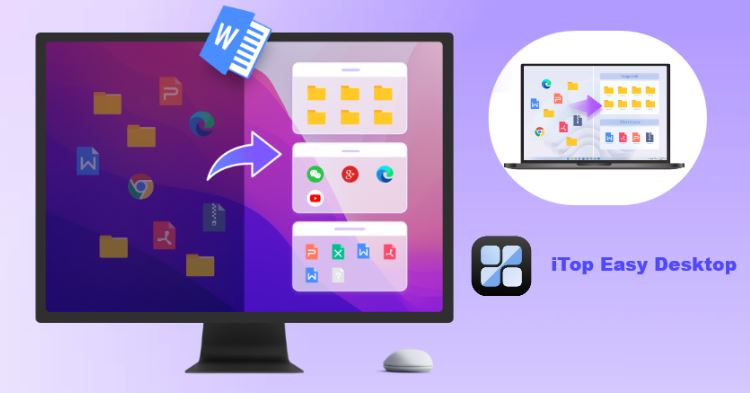
Don't worry about finding them; your category boxes will appear simply by swiping your mouse slightly upwards. Its clean interface makes it ideal for users who want structure without complexity.
#2 Easy File Organizer
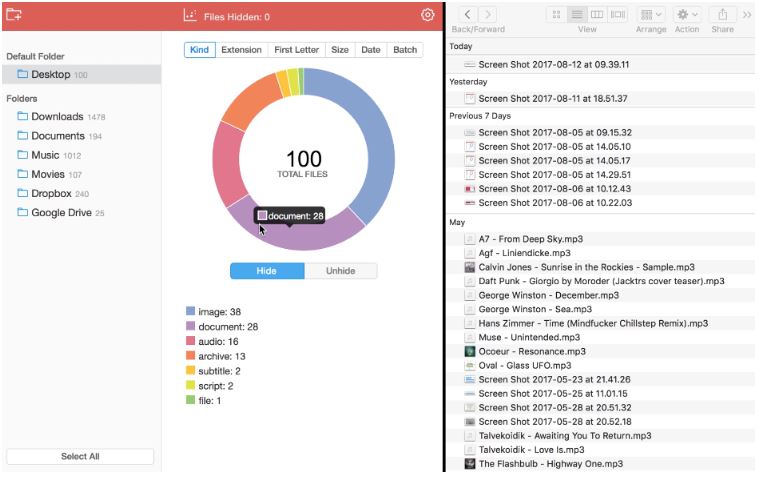
Easy File Organizer is designed for users who prefer automation over manual sorting. As a traditional folder organizer software, it focuses on scanning directories and sorting files based on rules such as file type, date, or size. This makes it a practical Windows folder organizer for handling large volumes of documents.
This tool acts more like a background assistant than a visual dashboard. Users who regularly manage downloads, media libraries, or shared folders may appreciate its efficiency. While it lacks advanced visuals, it functions well as a reliable folder manager software for structured environments.
Pros:
Automated file sorting rules
Suitable for large directories
Minimal user interaction required
Cons:
Less visual feedback
Limited desktop-focused features
#3 Windows Folder Organizer
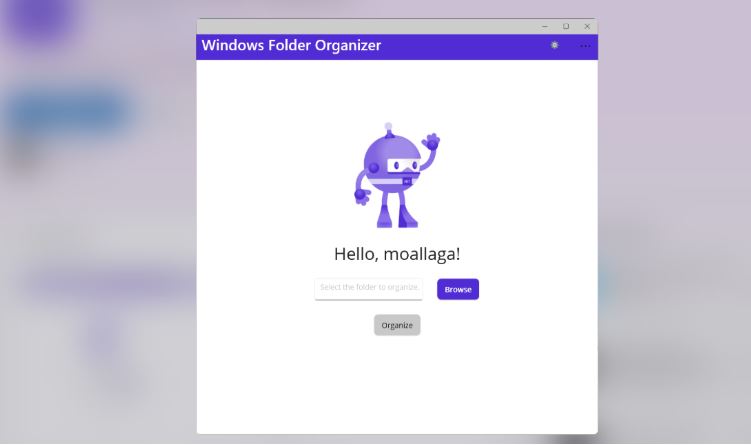
Windows Folder Organizer tools typically focus on enhancing the default file system experience rather than replacing it. This lightweight yet efficient tool automatically organizes messy folders by sorting files into Doc, Media, Binary, and Others based on their file extensions.
For instance, document files such as .pdf, .doc, and .txt are placed in the Doc folder, media files like .jpeg, .mp3, and .gif are moved to Media, executable and compressed files including .exe, .zip, and .dll are grouped under Binary, while any remaining files are neatly stored in the Others folder, resulting in a cleaner and more structured directory.
As a folder organizer Windows option, they appeal to users who want familiar navigation with extra power. It bridges the gap between built-in tools and full-scale third-party solutions.
Pros:
Familiar Windows-style navigation
Improved search and folder access
Low system impact
Cons:
Fewer visual organization options
Less customization compared to standalone apps
Once you’ve selected the right folder organizer software, the next step is to apply it effectively to your daily workflow. Most Windows folder organizer tools are designed with simplicity in mind, helping users build an organized file structure step by step rather than all at once. Using iTop Easy Desktop as an example, the process focuses on creating clear visual zones and maintaining long-term desktop order.
Step 1. Download and install iTop Easy Desktop.
Step 2. Launch the software on your Windows PC. Once enabled, the Box feature will be enabled, and it will start working immediately in the background.
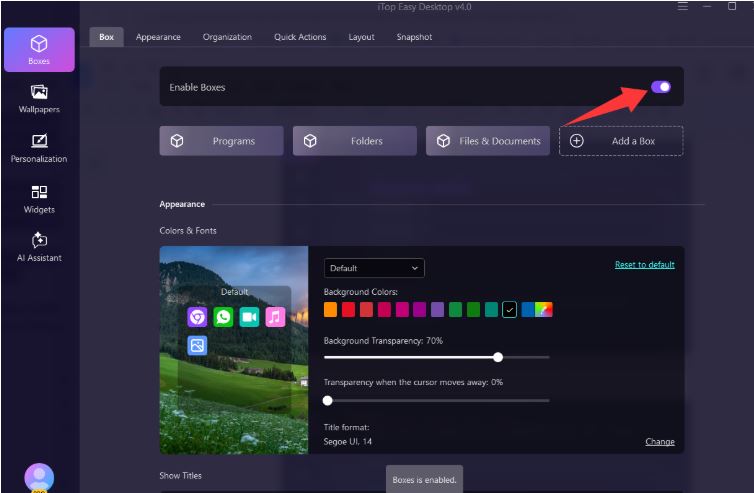
Step 3. By default, it will automatically categorize your folders, files, apps, etc., according to default rules. You can also set your own custom categorization rules based on your habits and preferences.
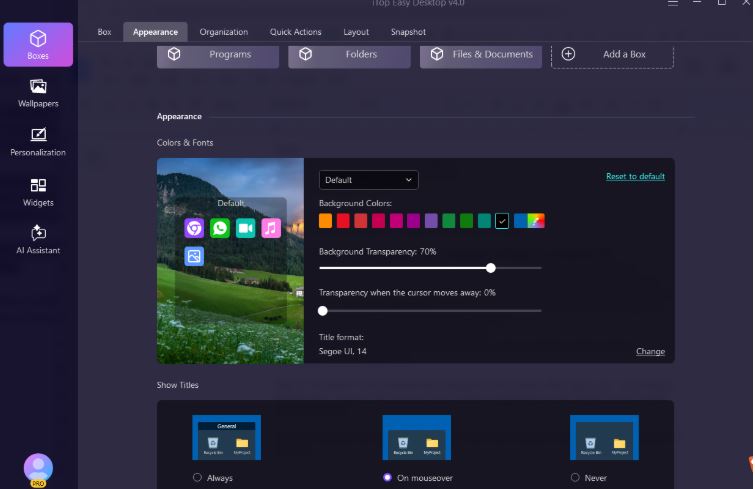
Step 4. Customize box background colors, show titles, positions, and more for your preferred visibility.
While Windows File Explorer is the default tool for browsing files, it is not designed for proactive organization. File Explorer helps users locate existing folders, but it lacks automation, visual structuring, and long-term maintenance features.
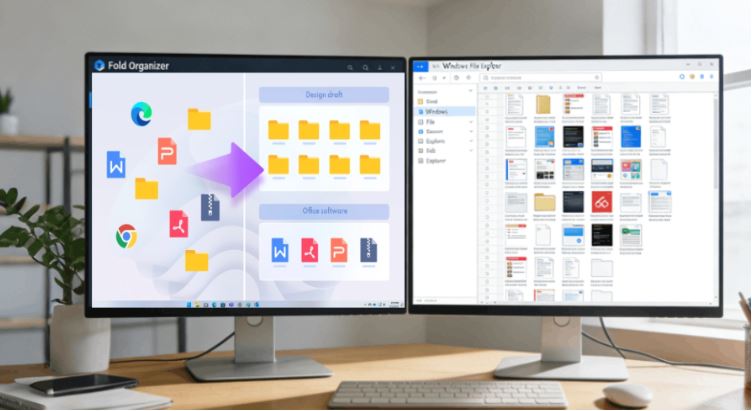
In contrast, folder organizer software focuses on preventing clutter before it happens, making file management more intentional and efficient. A dedicated Windows folder organizer supports better workflows, especially for users handling large or frequently changing file collections.
Windows File Explorer |
Folder Organizer Software |
Basic file navigation |
Proactive file organization |
Manual only |
Supports rules and auto-sorting |
Standard folder view |
Desktop zones, grouping, layouts |
Reactive browsing |
Designed to reduce clutter long-term |
Limited customization |
Highly customizable |
Occasional file access |
Ongoing file management |
Using the right tool is only part of the solution. Long-term organization requires consistent habits and smart system design. Once a folder organizer software is in place, these practical tips help maintain order and prevent clutter from returning over time.
Create clear top-level folder categories early
Avoid storing files directly on the desktop
Use descriptive and consistent file names
Limit folder depth to reduce navigation time
Schedule regular cleanup sessions
Archive inactive files instead of deleting them immediately
Separate work and personal folders clearly
Use automation rules where available
Review download folders weekly
Rely on a folder organizer app for daily maintenance
The Bottom Line
Choosing the right folder organizer software can dramatically improve how you manage files on Windows. Whether you prefer visual desktop organization or automated folder sorting, the right tool helps maintain clarity, boost productivity, and reduce daily friction when working with digital files. Select one and clean your desktop now.