-
iTop Easy Desktop - No.1 Desktop Organizer for Windows
-
Automatically organize and customize Windows desktop. Make your messy desktop look clean and professional within seconds.

Best Desktop Reminder for PC: Widgets, Alarms, and Smart Desktop Management
Looking for the best desktop reminder? Check this guide to learn the 3 best reminders for PC desktop. One-stop management of your widgets, alarms, and more.
Staying organized on a computer often requires more than memory alone. A desktop reminder helps you keep important tasks, deadlines, and daily routines visible right on your screen, reducing the risk of forgetting critical work. Whether you need a simple alert or a persistent note, a specifically designed desktop alarm reminder system can dramatically improve productivity for both work and personal use.
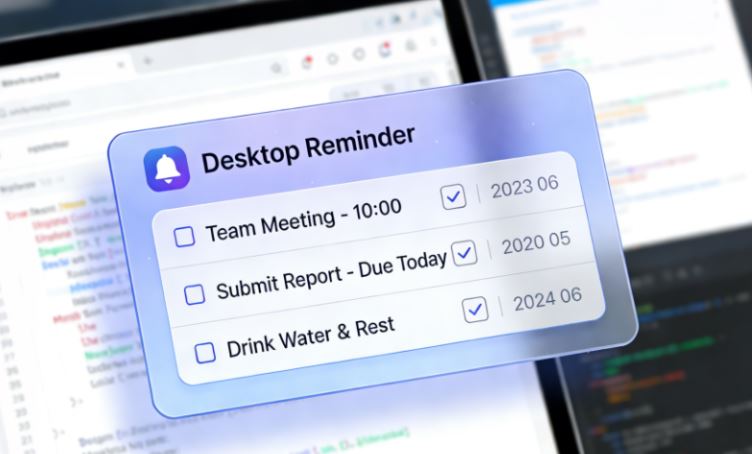
Some users are looking for a desktop reminder widget, while some prefer a more functional reminder for PC desktops. In this guide, you will learn how desktop reminders work, what features matter most, and which tools stand out - including an all-in-one desktop management solution.
Before choosing a reminder for computer desktop, it’s important to understand what a desktop reminder actually is and why it matters for PC users.
Unlike mobile notifications that disappear quickly, a desktop reminder stays visible while you work, ensuring tasks don’t get lost among emails or browser tabs.
A desktop reminder can take many forms, such as pop-up alerts, sticky notes, or scheduled alarms. These reminders are especially useful for professionals who spend most of their time on a computer and need consistent prompts. Whether it’s a reminder for computer desktop tasks, a meeting alert, or a personal habit reminder, having notifications directly on your PC guarantees not missing reminders and improves focus.
Not all reminder tools deliver the same level of convenience or usability. Before choosing a solution, it’s important to understand which features truly make a desktop reminder widget effective in everyday use. A well-designed widget should not only notify you on time but also fit seamlessly into your desktop workflow without causing distraction.
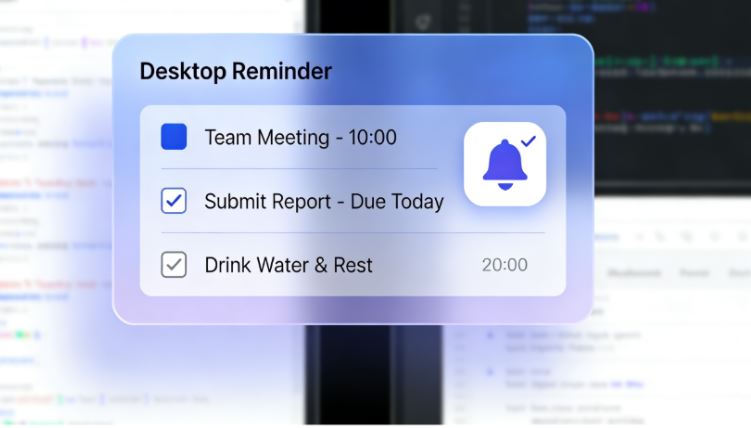
When evaluating a desktop reminder widget, consider the following key features:
Persistent on-screen visibility: Ensures reminders stay visible on the desktop instead of disappearing after a notification.
Flexible scheduling options: Supports one-time, recurring, and custom reminders for daily or long-term tasks.
Custom alert styles and sounds: Allows the use of pop-ups, silent notifications, or a desktop alarm reminder based on urgency.
Easy drag-and-drop placement: Lets you position the widget anywhere on your desktop for better focus and accessibility.
Compatibility with Windows versions: Works smoothly as a reminder widget for Windows 10 and a reminder widget for Windows 11 without system conflicts.
Low system resource usage: Runs efficiently in the background without slowing down your PC.
With so many options available, choosing the right reminder tool can feel overwhelming. To make it easier, let’s look at three top-ranked desktop reminder solutions. Each tool offers a different approach to reminders, from lightweight alerts to full desktop management.
#1 Desktop-Reminder
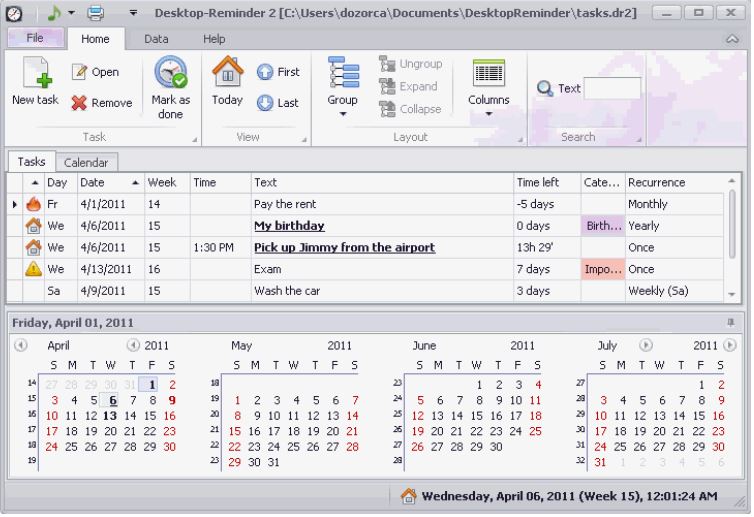
Desktop-Reminder is a classic tool designed specifically for scheduled alerts on Windows. Its core strength lies in simplicity: users can quickly set up reminders with specific dates and times, making it suitable for those who want a straightforward desktop reminder without extra features.
This tool works well as a reminder alarm for desktop, offering pop-up notifications and optional sound alerts. However, its interface feels dated, and customization options are limited compared to modern reminder widgets. It focuses purely on reminders, which may be ideal for minimalists but less appealing to users seeking an integrated desktop experience.
Pros:
Simple and lightweight
Reliable time-based reminders
Easy setup for basic tasks
Cons:
Outdated user interface
Limited customization
No advanced widgets or desktop integration
#2 Any.do
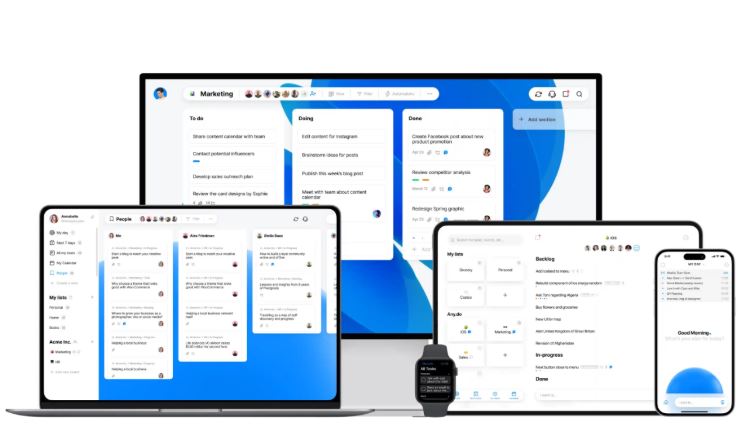
Any.do is another popular task management platform that also functions as a reminder solution for PC users. It combines to-do lists, reminders, and scheduling into one ecosystem, making it suitable for users who want more than a standalone desktop reminder.
As a reminder for pc desktop, Any.do relies heavily on synchronization with its cloud-based system. While it supports reminders and notifications, it doesn’t fully function as a persistent desktop widget. Users looking for a visible desktop reminder widget may find it less intuitive, though its cross-device syncing is a major advantage.
Pros:
Cross-platform and cloud-based
Strong task and list management
Syncs reminders across devices
Cons:
Limited desktop widget visibility
Requires an account and internet access
Less control over desktop layout
#3 iTop Easy Desktop
Compared to the above, iTop Easy Desktop offers a more comprehensive desktop management environment. Instead of focusing only on alerts, it integrates reminders into a broader system of widgets, notes, and personalization options, making it ideal for users who want full control over their workspace.

- iTop Easy Desktop - Keep Your Desktop Organized
-
- Box desktop icons to declutter your workspace
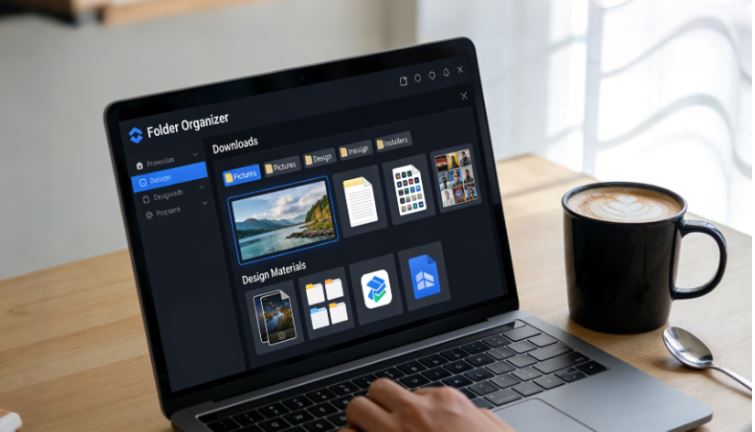
- Manage documents, games, media files, etc., at 1 click
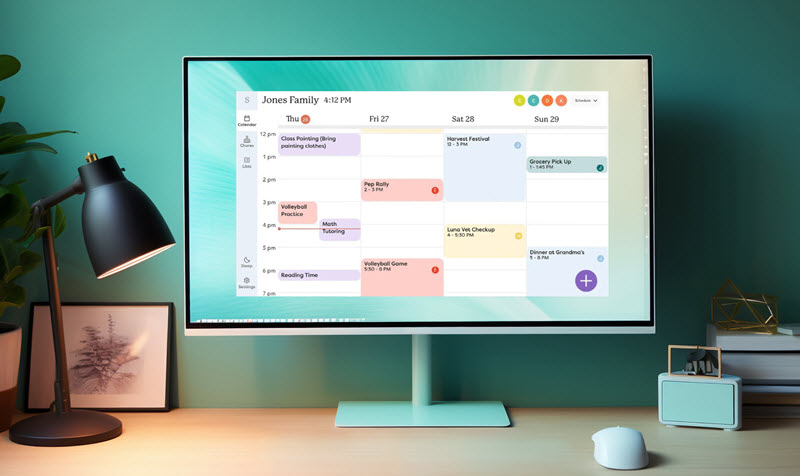
- Add calendar, clock and other widgets to desktop
- Locate any file you want instantly with search box
Unlike traditional desktop reminder tools that rely on a single alert system, iTop Easy Desktop offers three distinct reminder features, each designed for a specific productivity scenario. This makes it more flexible than standard reminder apps and better suited for real desktop workflows.
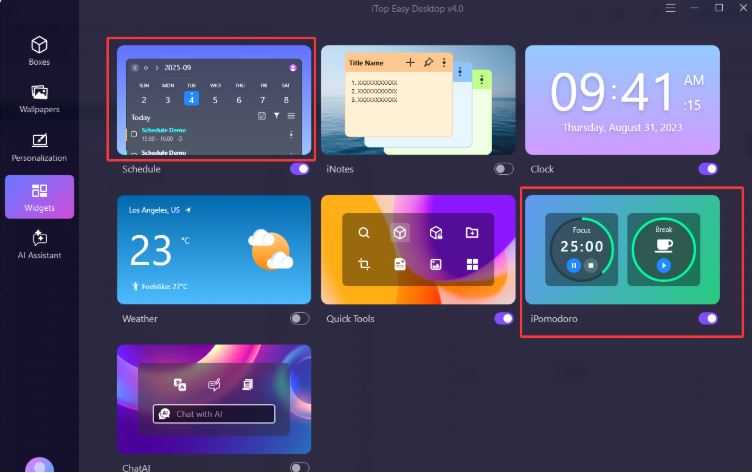
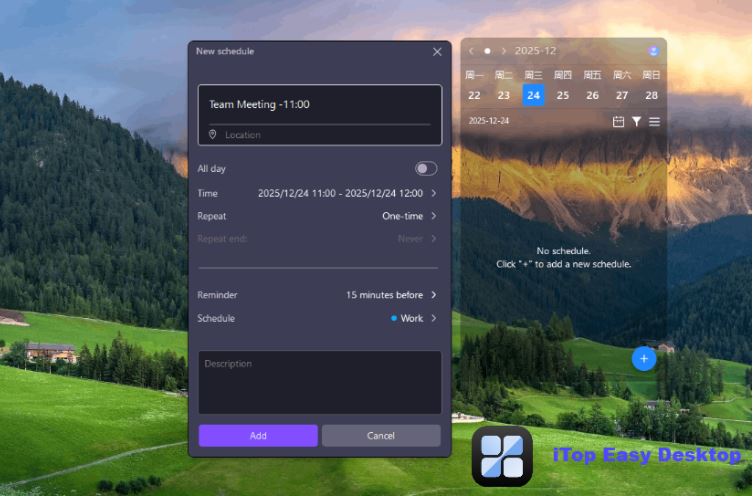
Schedule: Short-Term Alerts & Long-Term Recurring Planning
Schedule is a flexible reminder solution designed to handle both immediate alerts and long-term planning needs. It supports same-day, time-sensitive reminders - similar to quick alarm-style notifications - as well as weekly, monthly, and fully recurring schedules.
This makes Schedule suitable for a wide range of use cases, including meetings later in the day, upcoming deadlines, recurring tasks, project planning, regular meetings, habit tracking, and long-term work arrangements. By combining short-term alerts with recurring reminders in one place, Schedule, this desktop reminder gadget, eliminates the need to switch between different tools and ensures nothing is missed.
iPomodoro: Focus and Break Management
iPomodoro is designed for focus sessions rather than task alerts. Users can set work and break intervals and choose whether the next focus session starts automatically. It's ideal for deep work, studying, and forcing yourself to rest routines.
Together, these three reminder types allow iTop Easy Desktop to handle planning, urgency, and focus, going far beyond what a basic desktop reminder tool can offer.
Pros:
Integrated desktop reminder widget system
Highly customizable layout and widgets
Combines reminders with notes and tools
Cons:
More features than some users may need
Requires initial setup for full benefits
Once you understand the value of having reminders directly on your desktop, the next step is learning how to set them up efficiently. With iTop Easy Desktop, your desktop organizer and reminder, the setup process is designed to be intuitive, even for first-time users.
Follow these steps to set up desktop reminder widgets using iTop Easy Desktop:
Step 1. Download and install iTop Easy Desktop.
Step 2. Launch the application and go to Widgets. You can set your Schedule widget, Clock widget, or iPomodoro widget based on your needs.
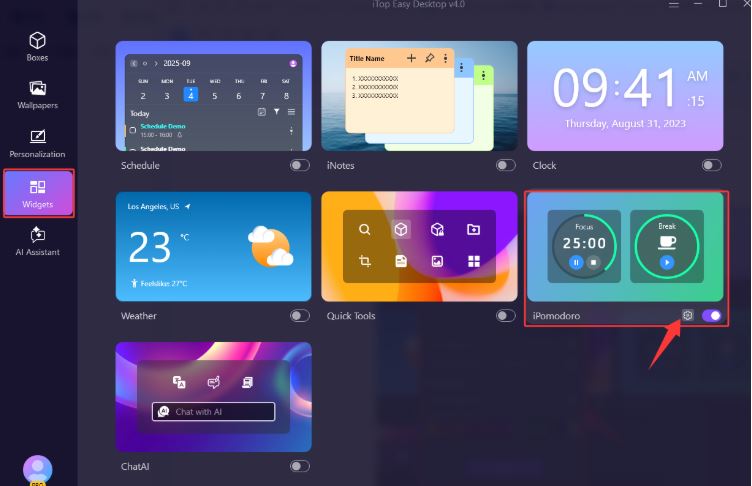
Step 3. Take the iPomodoro widget, for example. Let it remind me to have a rest for 5 minutes after half an hour. Click Apply.
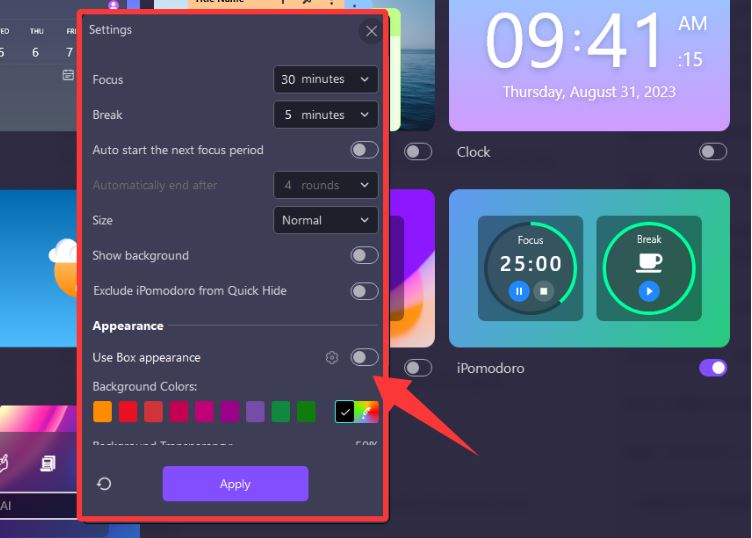
Step 4. Then you will see the iPomodoro desktop reminder widget icon appear on-screen. When time is up, it will pop up a window and remind you.

This step-by-step approach turns your desktop into a practical reminder center, helping you stay organized without relying on external apps or hidden notifications.
While reminders are essential, productivity often requires more than alerts alone. This is where iTop Easy Desktop stands out by extending beyond the idea of a basic desktop reminder into a complete desktop organization platform.
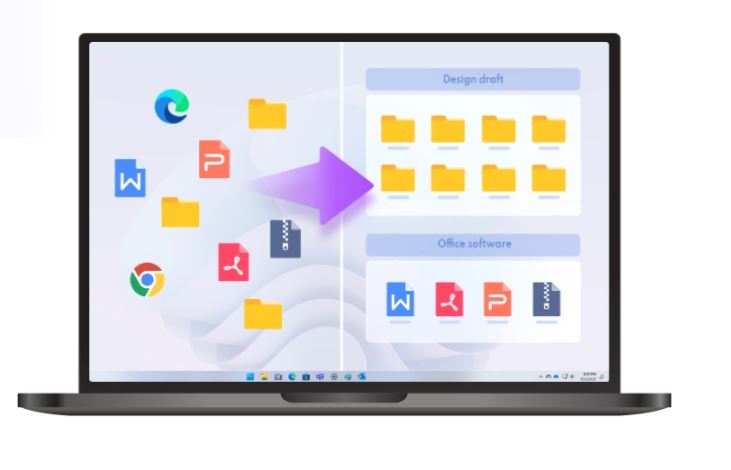
In addition to its reminder widgets, iTop Easy Desktop offers several powerful features. iNotes allows users to place sticky notes directly on the desktop, complementing reminders with quick thoughts or task details. Boxes help organize files, shortcuts, and folders into clean, accessible groups, reducing desktop clutter. Wallpapers and personalization options let users design a visually pleasing workspace that keeps reminders noticeable without being intrusive.
The Bottom Line
Choosing the right reminder solution depends on how you work and what level of visibility you need. A modern desktop reminder should not only alert you but also fit naturally into your daily workflow. Tools like iTop Easy Desktop demonstrate how reminders, widgets, and desktop organization can work together to create a smarter, more productive PC experience.