
iTop VPN offers 3200+ VPN servers in 100+ locations worldwide to help you access various sites privately and safely, along with dedicated IP, dynamic and static IP, and Double VPN.
Unlock regions, enhance security, and improve performance with the best VPNs for Starfield on Xbox & PC. Stay safe and play better with the best Starfield VPN.
Starfield, Bethesda's new sci-fi game, offers a vast universe and exciting role-playing elements, drawing players worldwide. However, players may face issues like regional restrictions, network lag, andStarfield secure risks. Those in certain regions might miss out on the latest content or face threats to the game server. To enhance gameplay and protect privacy, many players are turning to a Starfield VPN.

Through a VPN for Starfield, players can not only bypass regional blockades and access game content in other countries but also encrypt network connections to avoid being hacked, thereby protecting accounts and data security. This article will take a deep dive into why using a VPN is crucial for Starfield players, especially on Xbox, and how to choose a suitable Starfield Xbox VPN service.
Using a VPN to play Starfield can bring the following benefits:
1. Enhanced security: A Starfield VPN can encrypt your network connection, prevent hacker attacks and data leaks, and protect your personal information and game account security.
2. Unlock regional restrictions: By choosing VPN servers in different countries, you can bypass regional blocks and access different Starfield content and updates around the world. Reliable Free Starfield VPN also can make it as well.
3. Reduce latency and lag: Choose to connect to a closer VPN server to reduce the latency caused by physical distance and improve the gaming experience, which is especially important in multiplayer mode.
4. Avoid network blockades: If you are in a specific area, such as school or company, you may encounter access blocks set by technicians. Using a VPN for Starfield Xbox can help you bypass these blocks and ensure a smooth login and game.
5. Hide your real IP address: A Starfield premium upgrade VPN can mask your real IP address, prevent other players in the game from tracking your online activities, and protect your privacy.
6. Bypass regional price differences: There are price differences in Starfield in some regions. Using a VPN can help you choose a low-priced region to buy games or DLC and save money.
7. Avoid traffic restrictions and ISP throttling: Some ISPs may throttle gaming traffic, causing delays and lags. Using a VPN can avoid these restrictions and improve the smoothness of the game.
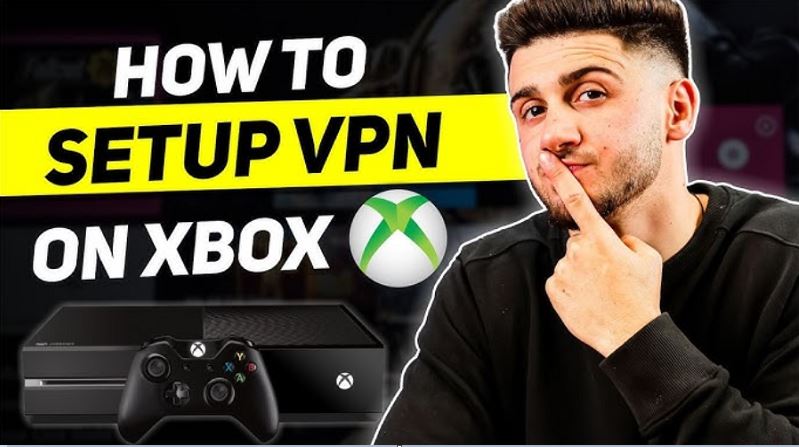
Using a VPN to play Starfield on Xbox is a little more complicated because Xbox doesn't directly support VPN clients like PC does. To solve this problem, you can take the following methods:
Method 1. Setup VPN through a router
Configuring a VPN to your home router is an effective way to solve the Xbox VPN problem. You can choose a router that supports VPN protocols (such as OpenVPN or L2TP) and encrypt the traffic of all devices with the VPN through the router. This way, you don't need to install the VPN app directly on the Xbox, and all devices can enjoy the benefits of VPN.
Method 2. Share VPN using Windows PC
If you have a Windows PC, you can set up a VPN through the PC and then share the Internet to the Xbox. In this way, you can access the network through VPN by simply connecting the Xbox to this PC.
Method 3. Choose the right VPN server
For Xbox users, choosing a VPN server that is close to your location can effectively reduce latency and increase connection speed. Connecting to a foreign server through a VPN not only allows you to bypass regional restrictions, but also ensures a smooth gaming experience.
When playing Starfield, using a VPN not only improves your gaming experience but also provides additional security for your account and personal data. With the increasing number of cyber attacks and data breaches, especially in large-scale online games, it is particularly important to use a VPN to encrypt your network connection and ensure your privacy and security. Here test and summarize the 3 best Starfield VPNs, two of which are free VPNs and one paid VPN. Each of them has its own advantages and is suitable for players with different needs.
iTop VPN is a great tool for Starfield players, especially when high-speed connections and high security are required. It provides military-grade AES-256 encryption technology to ensure that your network connection cannot be eavesdropped or attacked. Its VPN server list covers the world, providing 3200+ high-speed servers in more than 100 countries, and players can easily connect to servers in different regions to unlock game content.



At the same time, iTop VPN has a stable connection speed, which is very suitable for online games, reducing delays and stuttering, especially for Xbox players, to ensure a seamless gaming experience. In addition, although iTop VPN does not support direct settings through a router, it provides a Home LAN function on the PC side. In short, as long as you turn on this function on your PC, your Xbox can connect to the same VPN-capable LAN as your PC, which is very convenient.iTop VPN is one of the few free VPNs on the market that provides rich functions and a large number of free servers. Even in the free version, it can provide a relatively comprehensive service, the highest level of encryption, nearly a hundred free servers from 5 countries, high quality and high speed, etc. But we have to admit that the paid version has more features and higher bandwidth, such as a kill switch, dark web monitoring, ad blocking, etc., which is suitable for long-term use.
ProtonVPN is known for its strong privacy protection and no-logging policy. It is suitable for Starfield players who are very concerned about data security and privacy, especially in case of account theft. ProtonVPN provides end-to-end encryption to protect players from DDoS attacks and hackers.
Although its free version limits the server selection, it can only access servers in three countries, namely the US, the Netherlands, and Japan. Compared with iTop VPN's 100+ servers in 5 countries, the selection is much less. However, it still provides a high level of encryption and privacy protection.

The paid version offers server selection in 94 countries and higher speeds, which is perfect for players who need a more stable connection. ProtonVPN also supports multiple platforms and can be easily used on PC or other devices. Unfortunately, it also does not support router installation directly.
ExpressVPN is a popular speed VPN for PC on the market, and is widely praised for its fast speed, high stability, and global server coverage. It is the first choice for players who have extremely high requirements for speed, especially for those "Starfield" players who need a high-speed connection to avoid delays and lags. It has excellent speed performance and can maintain a stable connection even during peak hours.
ExpressVPN provides strong encryption technology to protect players' data from hackers and supports most devices and operating systems, including PC, Xbox, mobile phones, etc. ExpressVPN's network covers 105 countries and has more than 3,000 servers, which can easily unblock "Starfield"'s global content and help you bypass regional restrictions and quickly access the latest updates and DLC.
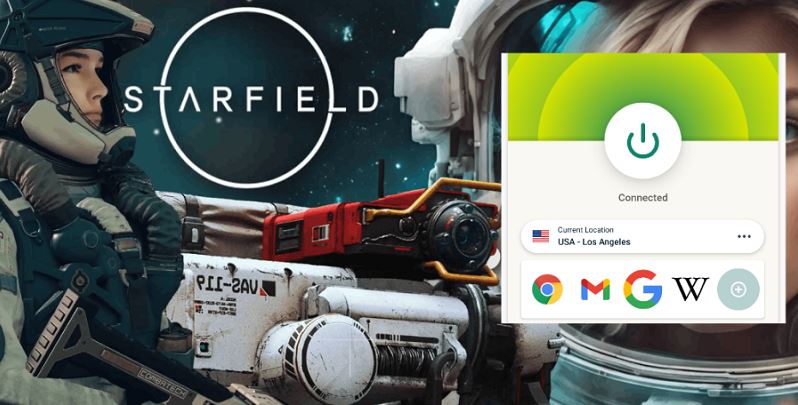
Each VPN has unique features, if you prioritize speed and stability and don't mind paying more, ExpressVPN is a top choice. For a good balance of speed, quality, experience, and price, iTop VPN is a great option. ProtonVPN works well for occasional "Starfield" players who don't need much traffic or many server options.
Whichever VPN you choose, it can help you enhance your Starfield gaming experience, especially in multiplayer mode. So, how do you do that? You can follow the steps below.
Step 1.Choose the VPN you prefer and install it on your gaming device. Here take iTop VPN for PC as an example. Download and install it on your PC.
Step 2. Open the app, register, and log in.
Step 3. Select a server, or click the connect button on the home screen, and the system will automatically connect you to the server closest to you.

Step 4. After the connection is successful, check whether the current IP has been successfully switched. After confirmation, you should now be able to access and play Starfield.

The Bottom Line
In summary, the use of a Starfield VPN can not only unlock regional restrictions and improve the gaming experience but also effectively protect players' privacy and account security. Although free VPNs have certain limitations, safe and reliable free VPNs like iTop VPN provide good speeds, stable connections, and a wide range of server options, making it truly worth trying for free options. Of course, you can also choose to upgrade any of the VPNs for Starfield shared in this article. Try it now.

Best Free Battlefield 2042 VPN | Play Battlefield from Anywhere

Top 6 VPNs Change Location Free: A Simple Guide on VPN to Change Location Free

Unable to Connect to Rockstar Game Services? How to Fix? Look Here!
Stop Blocking Crazy Games: How to Play Crazy Games Unblocked Anywhere Anytime

How to Get Cheap Valorant Points: Cheapest Valorant Points Country List Below

Free VPN with Dedicated IP - Get Unique IP Address

Best Brawl Stars VPN to Enhance Gameplay, Fix Connection Issues and Reduce Ping

Buy Cheap TikTok Coins Online & with Free VPN in the Cheapest Country
10+ dedicated social app servers
Unblock your favorite apps
Encrypt and protect data

Subscribe to Our Newsletter
Subscribe to our newsletter to stay updated every moment.

Subscribe to Our Newsletter
Subscribe to our newsletter to stay updated every moment.
© 2026 iTop. All rights reserved.






