
iTop VPN offers 3200+ VPN servers in 100+ locations worldwide to help you access various sites privately and safely, along with dedicated IP, dynamic and static IP, and Double VPN.
How to see who stalks your Instagram? Learn the truth about apps, Instagram features and real signs of stalking behavior. Get effective methods & secure tricks.
Curious about who's secretly checking out your Instagram profile? You're not alone. Many users are eager to see who stalks your Instagram, wondering if there’s a way to trace silent viewers. Whether it’s an ex, a competitor, or just a curious stranger, the urge to uncover these digital watchers is strong.
This guide will explore how to see who stalks your Instagram, clarify how to know who is stalking your Instagram, and dig into the realities behind third-party tools, Instagram’s own features, and how to enhance your privacy using an essential tool.
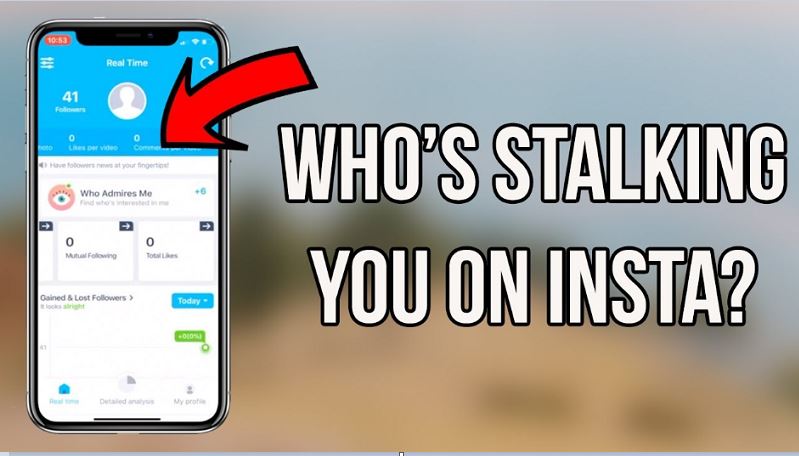
It’s a common question: Is there a way to see who stalks your Instagram?
Unfortunately, Instagram does not officially allow users to view who visits their profile. While you can see who views your Stories or likes and comments on posts, there’s no direct metric showing who viewed your profile without interacting.
But, fortunately, that doesn’t mean you’re completely in the dark. By combining behavioral clues, built-in features, and privacy tools, you can get a better idea of who may be stalking your Instagram. However, be cautious - many third-party apps promising such insight are unreliable and can even be harmful to your account security.
While you may not get a notification that says "this person stalked you," you can look for indirect signs. However, if you observe carefully, certain patterns of behavior might help you identify users who are stalking your Instagram. These behaviors don’t confirm stalking definitively but serve as strong indicators of consistent, silent observation.
Here are some common signs someone might be stalking your profile:
●Frequent Story Views: They always appear early in your viewer list, even if they don’t follow you.
●Old Post Engagement: They go back months or years to like or comment on older content.
●Quick Reactions: They react or reply to your Stories almost immediately after posting.
●Silent Browsers: They don’t follow you or interact publicly but repeatedly appear in viewers lists.
●Unexpected Follows: They follow/unfollow you frequently to appear in your notifications.
●Frequent DMs: They message you casually about things you’ve posted without liking or commenting.
While no single sign confirms a stalker, spotting several of these together may help you find out who stalks your Instagram.
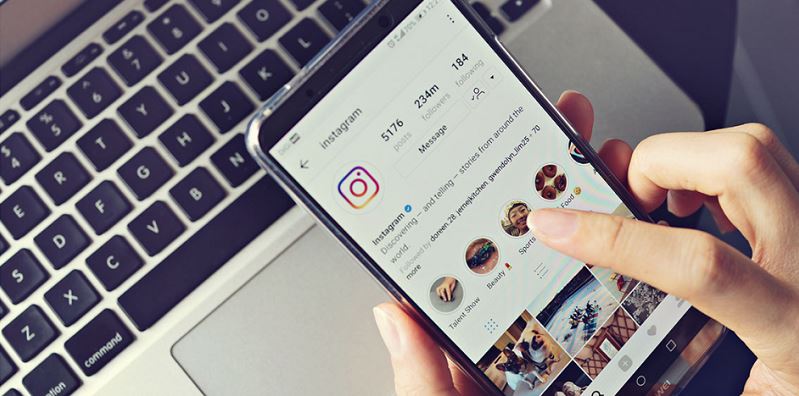
Instagram provides several tools that can help you get some insights. If you switch to a business or creator account, you can access analytics about profile visits and content engagement. While it won’t show exact names, you’ll know how many people have viewed your profile.
Steps to Switch to a Business Account:
Step 1. Open Instagram and go to your profile.
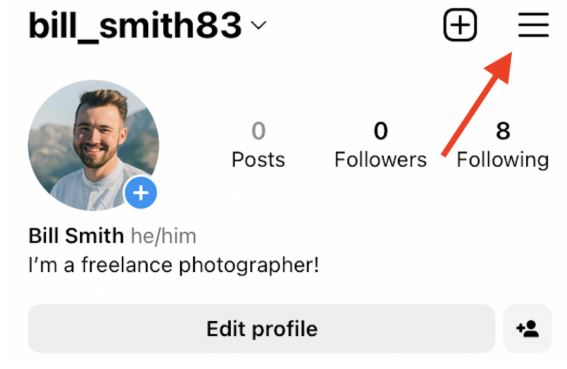
Step 2. Tap the menu icon in the top right.
Step 3. Go to Settings > Account.
Step 4. Select “Switch to professional account” > "Insights."
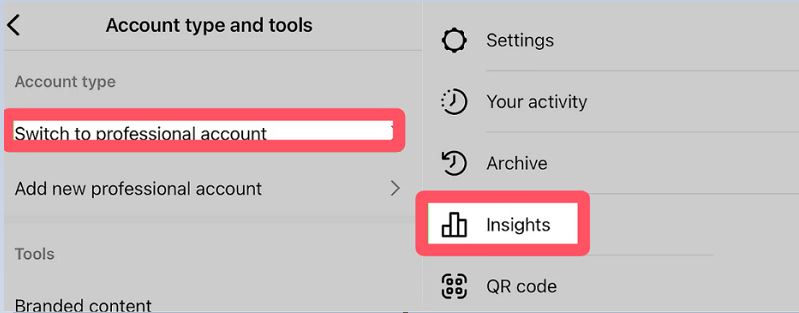
Step 5. Once enabled, tap ☰ in the top-right corner, and select Insights, represented by a bar graph.
It will still not tell you who is stalking you on Instagram, but you can check more about who engages with your profile, including their age and gender. Features like Instagram Stories and Highlights also allow you to see a list of viewers, which refreshes every 24 hours.
Consistent appearances by the same users may indicate they are paying special attention to your content. If you're serious about tracking patterns, consider taking screenshots of viewers at different times to compare.
You’ve probably seen ads for apps that claim to tell you how to see who’s stalking your Instagram. Most of these apps are misleading. Or, in other words, it was written like this intentionally to attract you to download. Instagram’s API doesn’t allow third parties to access data on who views your profile. That means these apps are likely guessing based on engagement or, worse, collecting your data.
The data that these third parties can obtain is the same as what you can see after logging in yourself, such as how many followers you have, how many likes your story has, etc. Although these apps cannot help you see who stalks your Instagram, some of the features that claim to help you increase your followers are actually feasible. They have their own user communities, and through certain rules, help to achieve the growth of fans, views, and likes. However, to achieve these, you usually need to provide login credentials.
If you are concerned about the security of your account information, it is recommended to use other protection tools at the same time, such as VPN for accessing Instagram music or IP switching before logging into third-party applications.
A lot of people ask, "who stalks my Instagram online free?" or look for tools that can help them identify stalkers at no cost. The truth is, there is no reliable free tool that gives you a list of people stalking your profile. However, free methods still exist if you're looking to make educated guesses.
Here's how to see if someone is stalking your Instagram using Instagram built-in features:
1. Post an Instagram Story and check the viewers list frequently within 24 hours.
2. Save Stories as Highlights and monitor repeated viewers over time.
Watch out for frequent interactions on old posts.
3. Switch to a business account for access to Insights.
If privacy is your main concern and you're worried about being watched, you should focus on protecting your own information. This is where a free VPN comes in handy - it can mask your activity, obscure your IP address, and keep stalkers from knowing your general location.
For example, if you're using Instagram from India or the UAE, where certain content might be restricted or where digital tracking is more common, a VPN can keep your online identity safer. iTop VPN offers a list of global servers - check their full VPN server list for optimal coverage.
A VPN encrypts your internet traffic and hides your real IP address. This helps mask your digital footprint and makes it harder for anyone to track your activity on Instagram.
Whether you're on mobile or PC, a speed VPN for PC and mobile can ensure fast and safe browsing. By using a VPN location changer, you can also test how content appears in other regions without exposing your identity. This adds a layer of protection while still letting you enjoy global features.
For those who are serious about protecting your Instagram activity from prying eyes - whether it's stalkers, data trackers, or geographic restrictions, iTop VPN offers a reliable and user-friendly solution. It’s not just about hiding your IP, it’s also about giving you control over how and where you access your Instagram. iTop VPN, a VPN offers a free version, is a good balance VPN app for speed, security, and access flexibility. That's why it is a top choice for both mobile and desktop users.
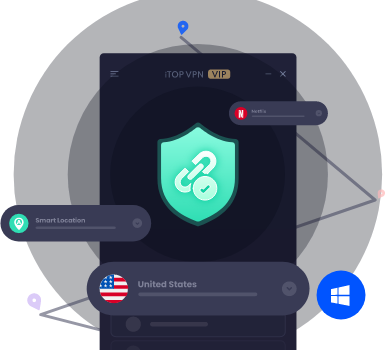
Here’s what makes iTop VPN especially useful for Instagram users:
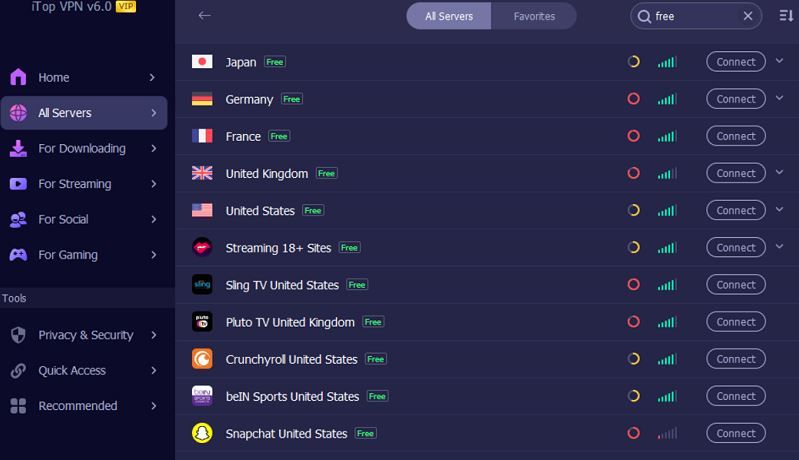
●Free VPN plan: Access essential VPN servers at no cost, perfect for casual users looking for basic locations but still high-security protection.
●Kill switch: Automatically blocks internet traffic if the VPN connection drops, preventing accidental IP leaks.
●Dedicated IP: Get a consistent IP address for more stable login and fewer verification triggers.
●Global server network: 3200+ servers in 100+countries. You can access Instagram from the UK, India, Brazil, Japan, UAE, Koraea and more.
●Wide compatibility: Offers easy-to-use VPN for Windows, Mac, iOS, and Android. Give you smooth experience on desktop and mobile for managing posts, reels, and messages.
●Optimized streaming & social media nodes: Faster, more stable connections when browsing media-rich apps.
Although you are not able to see who stalks your Instagram with 100% certainty, with awareness, smart usage of Instagram features, and tools like iTop VPN, you can stay safer and more informed on the platform. When in doubt, use your instincts - and your settings - to keep control of your Instagram experience.

Ultimate Tutorial: How to Fix Instagram No Internet Connection with 6 Easy Methods

How to Unblock Instagram at School or in Turkey? 3 Tested Ways Available!

6 Ways on How to Change App Store Country With/Without Credit Card [iOS/Online/Mac]

Best Free TikTok VPN to Unblock TikTok with VPN for PC & Mobile

Korean Dating App Review & Top Korean Dating Sites/Apps for Korean Singles
What is Cheapest App Store Country? Compare App Store Prices by Country

How to Watch Age Restricted YouTube Videos | NSFW YouTube & Alternatives

Buy Cheap TikTok Coins Online & with Free VPN in the Cheapest Country
10+ dedicated social app servers
Unblock your favorite apps
Encrypt and protect data
Subscribe to Our Newsletter
Subscribe to our newsletter to stay updated every moment.

Subscribe to Our Newsletter
Subscribe to our newsletter to stay updated every moment.
© 2026 iTop. All rights reserved.






