
iTop VPN offers 3200+ VPN servers in 100+ locations worldwide to help you access various sites privately and safely, along with dedicated IP, dynamic and static IP, and Double VPN.
Your Pocket Casts download failed? Check this guide to know the failure types and possible reasons, and then get the corresponding solutions.
Podcasts have become an important way for many people to get information and entertainment. However, when you open the App Store and want to do a Pocket Casts download or open the app to download the latest podcast episode, you unexpectedly encounter a "Pocket Casts download failed" prompt, which is undoubtedly frustrating.
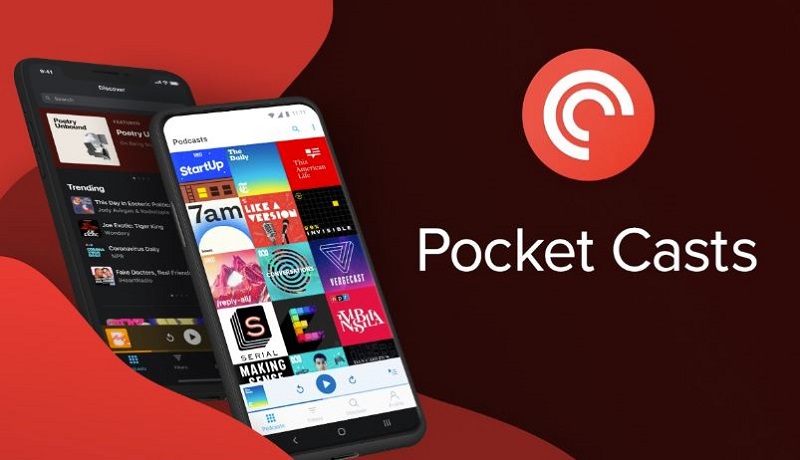
Whether Pocket Casts download failed issues caused by network problems, regional problems, improper application settings, or other unknown factors, download problems with the Pocket Casts app and podcast episodes may become a stumbling block that prevents you from enjoying the content. This article will delve into the various reasons that lead to Pocket Casts download failures and provide effective solutions to help you solve this common problem smoothly.
The Pocket Casts download failed issues discussed in this article are mainly divided into two types:
As the name implies, this problem occurs before you use the Pocket Casts app, that is, you cannot even successfully obtain the podcast app. Potential reasons for the failure to download the podcast app may include:
1. Network connection problems: unstable or weak Wi-Fi or mobile data connection
2. Insufficient storage space: The device storage space is full and new files cannot be downloaded
3. Application cache or data problems: Cache or data corruption causes download failure
4. Server problems: Pocket Casts server is temporarily unavailable or encounters problems
5. Device system problems: The operating system or device settings are abnormal, affecting the download function.
6. Geographic restrictions: The number of episodes of some podcasts is limited in certain regions
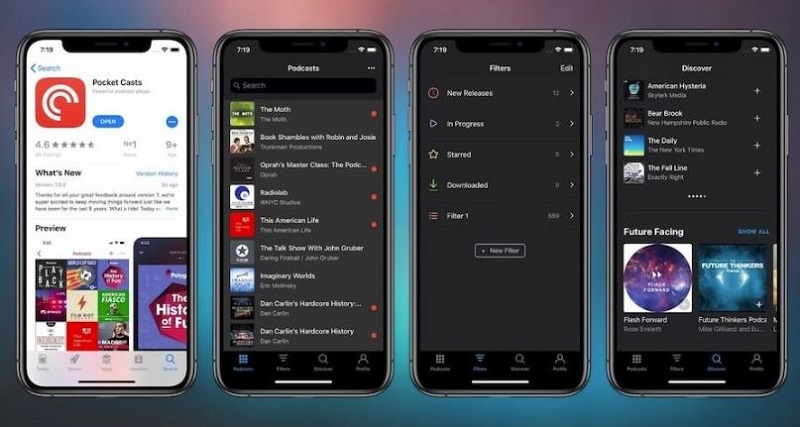
This type of podcast download failure mainly refers to the inability to download the latest episode within the app. Some of the reasons for the failure to download the latest content may be similar to the app download failure, such as:
unstable network connection, Pocket Casts download location not supported, insufficient storage space for Pocket Casts Android or iOS, regional restrictions, application cache or data corruption, hosting server problems, etc. But there are also some new possible reasons, including:
1. Podcast RSS source error: There may be a problem with the podcast's RSS source, resulting in a download failure
2. VPN or proxy interference: VPN or proxy services may affect episode downloads
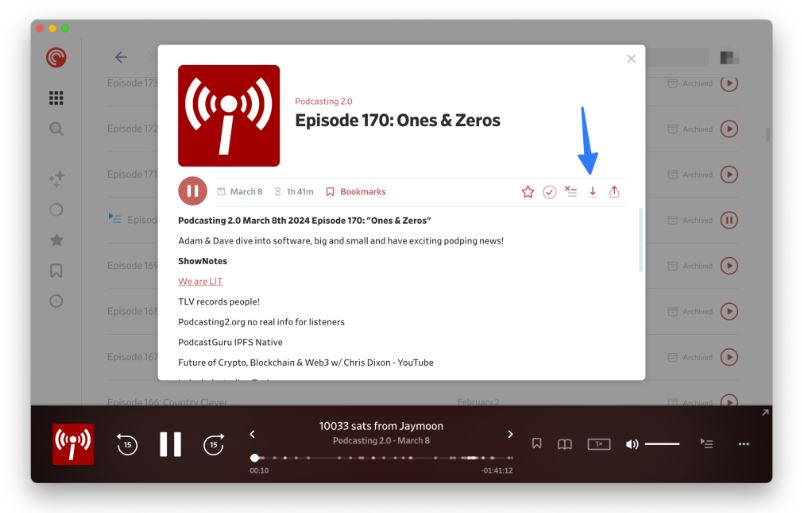
How to solve the problems of Pocket Casts app or episode download failure? This section provides corresponding solutions for different problems to help you get Pocket Casts free and easy.
Solution to Pocket Casts app download failed:
1. Network connection problem: Check and switch to a more stable Wi-Fi or mobile data network.
2. Insufficient storage space: Delete unnecessary files or apps to free up device storage space.
3. App cache or data problem: Clear Pocket Casts' cache or data, or reinstall the app.
4. Server problem: Try again after a while, or check Pocket Casts' social media or support page for server status.
5. Device system problem: Restart your device or update the operating system to ensure that the system is running properly.
6. Geographic restrictions: Try using a VPN for Pocket Casts to connect to a region where the content is available for download.
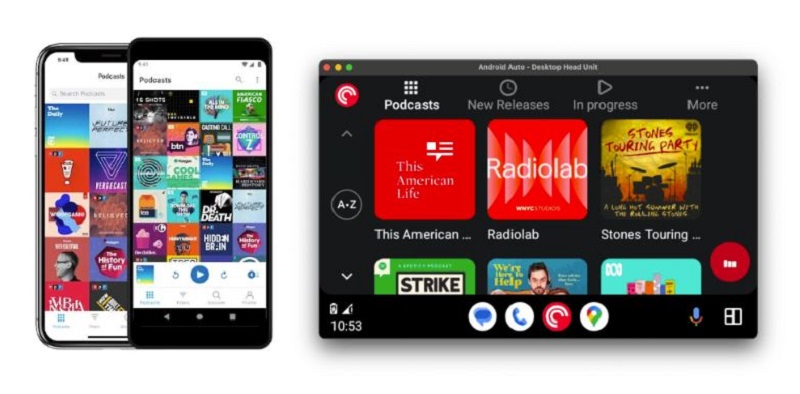
Solution to Pocket Casts episode download failed:
1. Unstable network connection: Switch to a stronger network or try downloading another episode to check for network issues.
2. Low storage space: Clear storage space on your device and delete old or unnecessary files.
3. App cache or data corruption: Clear the app cache or reinstall Pocket Casts.
4. Geographic restrictions: Use a VPN to connect to a region that allows downloads.
5. Server issues: Try again later or check Pocket Casts for status updates.
6. VPN or proxy interference: Turn off the VPN or proxy and try downloading again.
7. Podcast RSS feed error: Contact the podcast publisher, or try to update the RSS feed manually.
As you can see, VPNs can be an effective tool to solve problems when Pocket Casts apps or episodes fail to download. By changing virtual locations to circumvent network restrictions, VPNs can help users bypass geo-restrictions, network interference, and other reasons that cause download failures, so that they can successfully obtain content.
However, not all VPNs can effectively deal with these problems, and choosing a VPN that is suitable for Pocket Casts is particularly important. Among the many VPN options, iTop VPN has become an ideal choice for solving Pocket Casts download problems with its excellent speed, stable server connection, and strong privacy protection features. No matter where you are, iTop VPN can help you easily access and download your favorite podcast content.

iTop VPN Features and Benefits:
Global server coverage: iTop VPN has a rich VPN server network around the world, with 3200+ servers in 100+ regions. Users can easily connect to servers in different locations to bypass the geographical restrictions of Pocket Casts. Even if some podcast content is not accessible in your area, iTop VPN can be used to download these episodes by connecting to servers in authorized regions.
High-speed and stable connection: iTop VPN is deeply loved by users for its high-speed connection and is a good P2P download assistant. This is also particularly important for Pocket Casts users, as it ensures that you can download and stream high-quality podcast content quickly and stably without any buffering or delay issues.
Data encryption and privacy protection: iTop VPN uses AES-256 encryption technology and adheres to a strict no-logging policy to protect users' online privacy and data security. It can prevent third parties from intercepting or stealing your download data, and offering a kill switch feature to deal with sudden network disconnection.
Intelligent server selection: This VPN location changer offers an auto intelligent server selection function that automatically recommends the most suitable server based on your network conditions to ensure that you get the best connection quality. This not only improves download efficiency but also reduces the trouble of selecting servers and improves user experience.
No bandwidth restrictions: iTop VPN offers unlimited bandwidth, allowing you to freely download and stream all the content on Pocket Casts anytime, anywhere without worrying about running out of traffic or speed limits.
Free version and price-friendly paid version: iTop VPN not only offers a feature-rich free VPN version suitable for budget-conscious users but also has a very cost-effective paid version. Even in free mode, you can still enjoy a wealth of VPN services and solve Pocket Casts download problems. The paid version unlocks more advanced features.
iTop VPN not only provides comprehensive support for the download and use of Pocket Casts on a technical level, but also meets the needs of different users through flexible version selection, becoming the best VPN recommendation for solving the download and use problems of Pocket Casts. Whether you encounter geographical restrictions, network interference, or privacy and security issues, this speed VPN for PC and mobile can provide you with a comprehensive solution to ensure that you enjoy a barrier-free podcast experience.
So, how to use iTop VPN to get an IP in another place to change the download address of Pocket Casts?
Step 1. Download and install iTop VPN.
Step 2. Open the iTop VPN app and create a new account or log in with an existing account.
Step 3. In the server list of iTop VPN, select a server in a country or region where you want to change the download address, such as the US, the UK, etc. Click the "Connect" button.
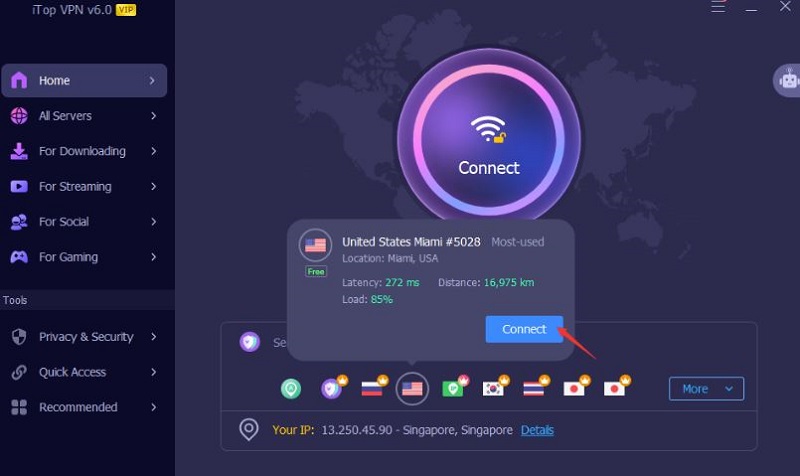
Step 4. Wait for iTop VPN to successfully connect to the selected server. At this point, your IP address will be changed to the IP address of the target country.
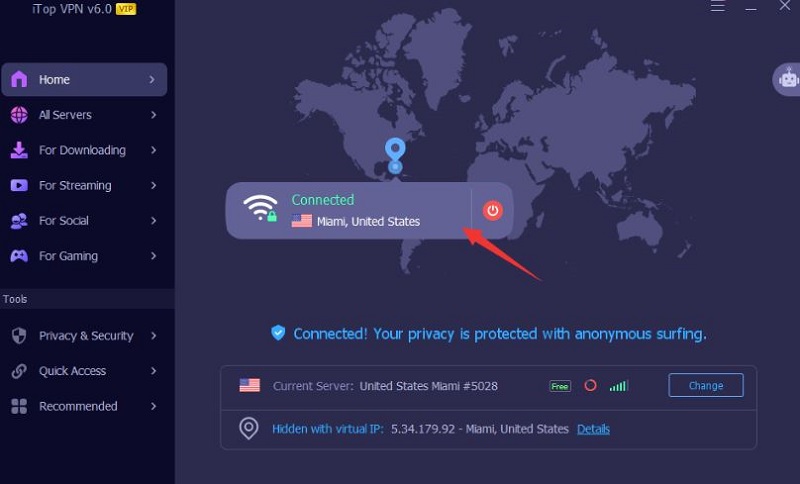
Step 5. Open the Pocket Casts app, and your download address will be automatically updated to the region corresponding to the new IP address. Now, you can download the podcast app, or open the podcast app you have already downloaded, and download the latest podcast episode.
The Bottom Line
This article shares different situations, reasons, and corresponding solutions for Pocket Casts download failed. No matter what problem you encounter, I hope the methods provided in this article can really help you solve the problem of podcast download failure.
If it is a regional or VPN problem, using iTop VPN to change the download address of Pocket Casts is one of the effective ways to solve regional restrictions and download problems. By choosing a suitable server, you can easily bypass regional restrictions and access and download podcast applications or the latest episodes of podcasts available in other regions. Hope you can successfully solve the download problem and enjoy podcast content around the world.

How to Set Up VPN with Dynamic IP Addresses for Privacy

Best Free TikTok VPN to Unblock TikTok with VPN for PC & Mobile

Will a VPN Change My Location on Life360? 3 Best Life360 VPNs for iPhone & Android

9 Best Free Indian VPNs for Secure Indian IP Address

Unlock Local Deals: How to Use a VPN for OfferUp - Shop Without Borders

How to Subscribe on Twitch Cheaper - Get the Cheapest Twitch Sub Today

3 Best VPN for Talkatone 2026: Unblock Talkatone on Android & iPhone

Buy Cheap TikTok Coins Online & with Free VPN in the Cheapest Country
10+ dedicated social app servers
Unblock your favorite apps
Encrypt and protect data

Subscribe to Our Newsletter
Subscribe to our newsletter to stay updated every moment.



Product
iTop VPN iTop Screen Recorder iTop Data Recovery iTop PDF Editor DualSafe Password Manager iTop Easy Desktop Plans & PricingCompany
About Us Contact Us Press Awards FacebookHelp
Support Uninstall Instructions Refund PolicyPartner
Become iTop Affiliate YouTube Creators Free AI Video Generator
Subscribe to Our Newsletter
Subscribe to our newsletter to stay updated every moment.
© 2026 iTop. All rights reserved.






