iTop VPN offers 3200+ VPN servers in 100+ locations worldwide to help you access various sites privately and safely, along with dedicated IP, dynamic and static IP, and Double VPN.
Want to maximize your Outlook email encryption? Get the best Outlook VPN solutions to enhance security and ensure smooth performance on PC and mobile devices.
In today's internet workplace, the security and reliability of email systems are a challenge for everyone. Those who use Outlook most, especially professionals, they are likely to use Outlook VPN to protect sensitive communications. When accessing Outlook email from remote locations or public networks, VPNs allow users to maintain encrypted connections and bypass regional restrictions. Receive and send emails in a safer environment for work-related correspondence.
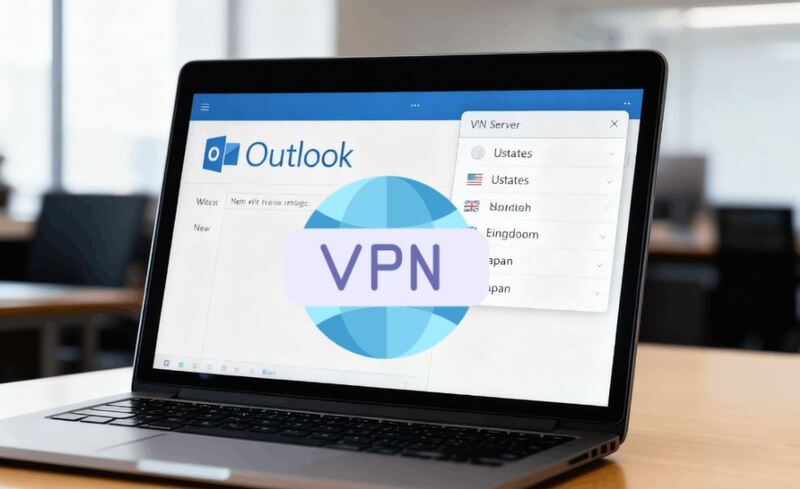
However, choosing the right Outlook VPN for PC or mobile is not the same for everyone. Not all VPNs are compatible with Outlook, and lots of users reported issues when they combine it with a VPN connection. Then, how to choose the best VPN for Microsoft Outlook? See below.
Using VPN for Outlook can sometimes introduce challenges that affect performance and accessibility. Users on platforms such as Microsoft Answers have reported errors where Outlook fails to connect through VPN servers. Similarly, Reddit discussions highlight scenarios where users encounter messages like “Please retry with a different device” when VPN interferes with Outlook authentication.

The following summarizes some common problems; see if you have met any of them:
Your purchased VPN is not compatible with Outlook's email protocol and cannot stably transmit SMTP/IMAP/Exchange data packets
VPN connections are causing delayed email sending or receiving
Conflicts between VPN and corporate network settings
Connection drops are preventing Outlook email updates
Regional restrictions and inappropriate server selection
Slow performance with large attachments
Multi-factor authentication failures due to VPN interference
“Outlook not working” errors when authentication fails
Understanding these issues helps you troubleshoot effectively and prepares you to choose the right VPN solution for seamless Outlook usage.
How can you avoid pitfalls when choosing a VPN for Outlook? Choosing the right VPN for Microsoft Outlook requires careful consideration of some necessary factors. You need a VPN that is both secure and stable with Outlook.
Key Criteria for Choosing a VPN for Outlook:
Email Protocol Support – Ensure compatibility with IMAP, SMTP, and Exchange ActiveSync to prevent connection issues.
Stable Servers & Bandwidth – Pick a VPN with global servers and high bandwidth to avoid sync delays and attachment failures.
Bypass Regional Blocks – Choose servers in your target country to access corporate email or Microsoft Exchange abroad.
Open Required Ports – Make sure Outlook ports (25, 465, 587, 993, 995) aren’t blocked.
Low Latency & Quick Reconnect – Look for fast server switching and auto-reconnect to avoid dropped sessions.
Strong Security – Use VPNs with AES-256 encryption, a no-log policy, and a kill switch for email privacy.
Cross-Platform Support – Ensure it works on Windows, macOS, iOS, and Android for seamless access to Outlook emails on both your PC and mobile device.
Extra Features – Dedicated IPs, split tunneling, ad blockers, double VPN, etc., can improve corporate network compatibility.
Reasonable Pricing & Refunds – Test the free VPN plan first if there are, then choose a plan balancing speed, features, and security. Best to choose one that supports refunds.
To optimize VPN for Microsoft Outlook, choosing a provider that offers speed, reliability, and security is crucial. Here are three top VPNs that deliver exceptional performance:
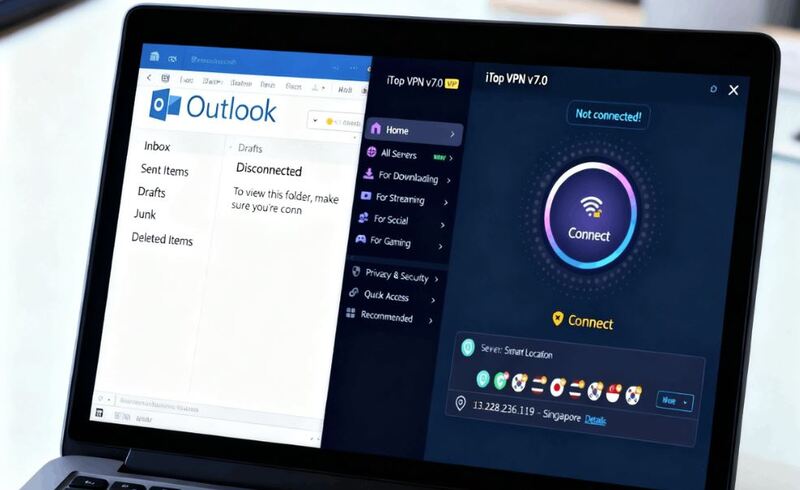
iTop VPN provides extensive server coverage, including a global VPN server list, ensuring consistent access for Outlook VPN for PC and mobile users. Its simple interface and flexible free and pro subscription plans make it accessible for both individual users and corporate teams.
Advantages:
Over 3200 servers worldwide with dedicated IP options for stable connectivity
Support Outlook app in 100+ countries, no matter where you go, India, USA, UK, Malaysia, it helps you receive emails at any time and not miss important notifications
Multi-platform support including Windows, Mac, iOS, and Android
AES-256 encryption protecting Outlook email encryption
Free and paid subscription options for testing and premium use
Rich additional features including double VPN, kill switch, split tunneling, ad blocker, and more
ExpressVPN excels in speed and stability, ensuring uninterrupted Outlook VPN access. This fast VPN supports robust encryption and a wide server network to maintain email security.
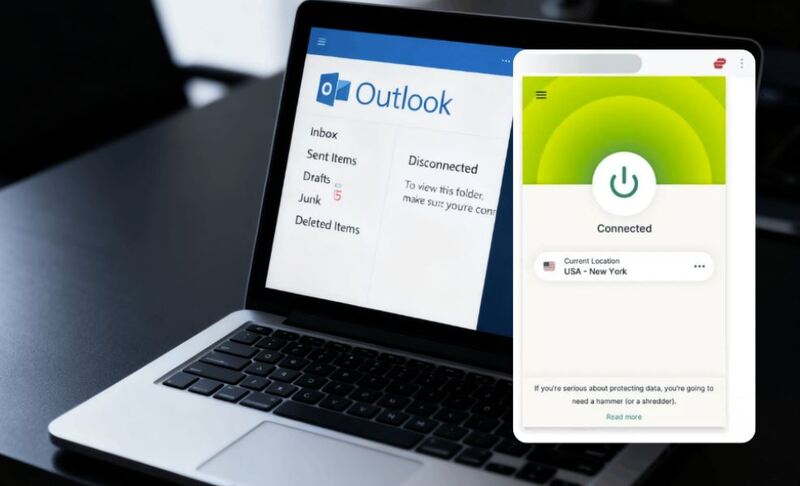
ExpressVPN is particularly effective for users who operate across international networks. With the super-fast speed, ExpressVPN ensures Outlook email remains synchronized, even when handling large corporate attachments. Besides, this strongly encrypted VPN prevents unauthorized access and preserves data integrity for both individuals and organizations.
Advantages:
AES-256 encryption for secure email transmission
3000+ servers across 105 countries for bypassing regional restrictions
High-speed servers enable the smooth sending and receiving of attachments
Compatible with Windows, macOS, iOS, and Android
NordVPN combines robust privacy features with dedicated IP options, making it suitable for enterprise-level VPN for Outlook usage. It provides enhanced security and a consistent network identity for professional environments.
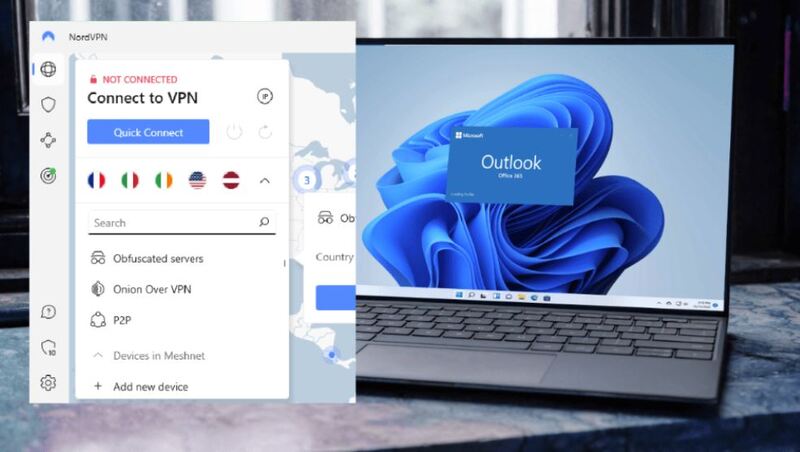
NordVPN ensures reliable Outlook VPN connectivity while reducing login errors through dedicated IP options. NordVPN's advanced security protects Outlook email encryption and sensitive communications. So, it is suitable for enterprises handling confidential data.
Advantages:
Over 7400 servers in 118+ countries
Dedicated IP for stable Outlook connections and corporate network integration
AES-256 encryption and advanced security features
Flexible subscription plans for individuals and businesses
When setting up a VPN for Outlook, it’s best to use a service that offers stable servers, easy setup, and reliable security. iTop VPN is a strong choice because it provides optimized servers for email, split tunneling to route Outlook traffic selectively, and a kill switch for data protection, and best of all, it offers a free plan for unlimited use.
To get started, you can:
Step 1. Download the iTop VPN Windows app, install it, and log in.
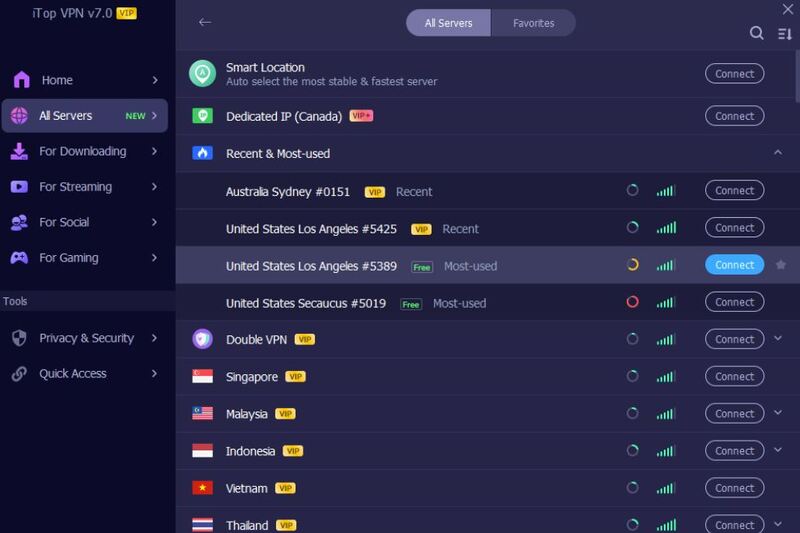
Step 2. Pick a nearby or country-specific server for your Outlook mail server region.
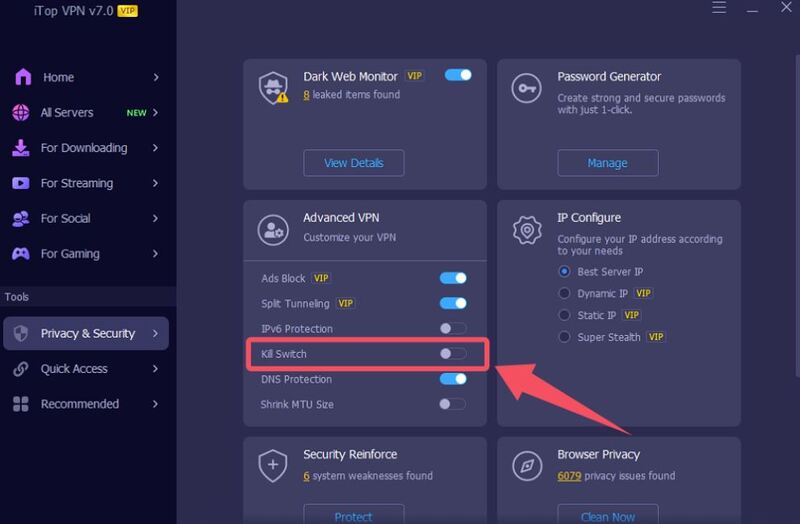
Step 3. Turn on Kill Switch and (optional) Split Tunneling to keep Outlook stable and secure.
Step 4. Open Outlook, send a test email, and confirm sync is smooth. If slow, switch servers.
Even with a good Outlook VPN, issues may occur as well. Here are some of the most common problems and solutions (several of these issues are frequently discussed on Microsoft’s Outlook Community Forum):
1. Emails Not Syncing
Solution: Switch to a closer server, lower encryption level (if available), or enable split tunneling to improve connection speed. Check that Outlook’s Work Offline mode is disabled.
2. Cannot Send or Receive Emails
Solution: Ensure VPN isn’t blocking SMTP/IMAP ports. Try switching from TCP to the UDP protocol or vice versa.
3. Outlook Keeps Asking for a Password
Solution: Clear saved credentials from Windows Credential Manager, reconnect to the VPN, then re-enter credentials. Sometimes switching to a different VPN server solves authentication loops.
4. Frequent Disconnections
Solution: Enable VPN’s auto-reconnect feature, try a wired connection for stability, or switch to a server with lower load.
5. Slow Attachment Upload/Download
Solution: Choose a high-bandwidth server or temporarily disable the VPN if the security risk is low and the large file transfer is time-sensitive.
6. Blocked Access to Corporate Network
Solution: Request a dedicated IP from your VPN provider or ask IT to whitelist your VPN IP range. Some corporate networks only allow approved IPs.
A reliable and workable Outlook VPN ensures stable connections, secure communications, and effective Outlook email encryption. The 3 best options shared above provide robust servers, high-speed performance, and compatibility across devices; they are good choices of Outlook VPN for PC and mobile usage. Select one based on your needs and seamlessly receive and send your emails with Outlook from anywhere.

10+ dedicated social app servers
Unblock your favorite apps
Encrypt and protect data

Subscribe to Our Newsletter
Subscribe to our newsletter to stay updated every moment.

Subscribe to Our Newsletter
Subscribe to our newsletter to stay updated every moment.
© 2026 iTop. All rights reserved.