
iTop VPN offers 3200+ VPN servers in 100+ locations worldwide to help you access various sites privately and safely, along with dedicated IP, dynamic and static IP, and Double VPN.
Explore our Opera GX VPN review. Learn how to use it for gaming, its pros and cons, and why you might need a stronger VPN solution for optimal performance.
Opera GX, the renowned "gaming browser," comes with a built-in Opera GX VPN that promises enhanced privacy and access. But is this free, browser-level VPN sufficient for serious gamers who demand low latency, robust security, and seamless access to global servers? While convenient for casual browsing, the built-in VPN has limitations that might hinder your gaming experience. This review will objectively analyze Opera GX VPN, guide you on how to use it, and explain why dedicated VPNs like iTop VPN often provide a superior solution for hardcore gamers seeking uninterrupted performance and comprehensive protection.
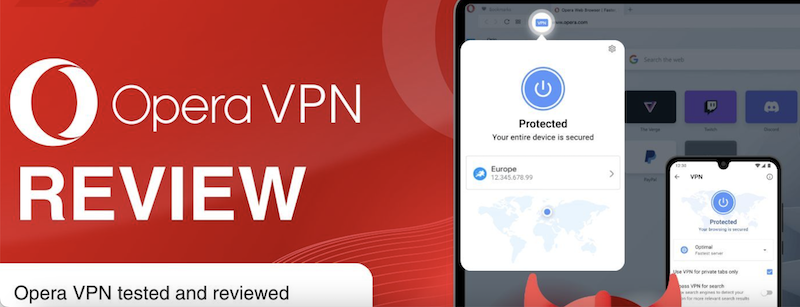
Opera GX is a specialized web browser designed specifically for gamers. It includes unique features that enhance the gaming and browsing experience by giving users control over system resources and providing integrated gaming tools. Its gaming-centric features make it stand out from conventional browsers.
CPU, RAM & Network Limiters: These allow you to cap the browser's usage of system resources, ensuring that your games have priority and run smoothly without performance drops.
GX Corner: A dedicated hub within the browser for discovering new game releases, deals, and news, all curated for gamers.
RGB Integration & Customization: You can sync the browser's lighting themes with popular RGB peripherals from brands like Razer, Corsair, and Logitech for a unified gaming aesthetic.
Built-in Ad Blocker & Twitch Integration: It blocks intrusive ads for a cleaner experience and lets you watch Twitch streams directly from the sidebar.
The Built-in VPN: The integrated Opera GX VPN provides a free and easy way to enhance privacy and access geo-blocked content directly within the browser, without needing a separate application.
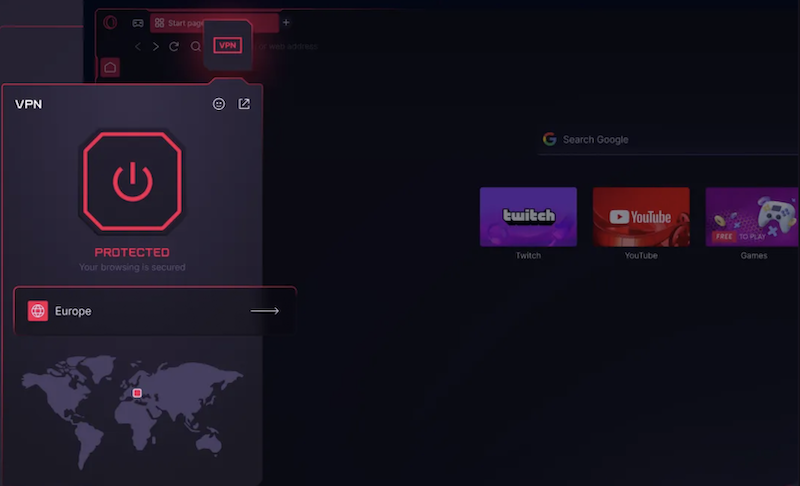
Now that you know what Opera GX offers, let's explore why its built-in VPN is especially relevant for gamers.
Using a VPN with your browser can significantly enhance your online gaming activities. The Opera GX VPN offers several key benefits tailored to improve your overall experience with Opera GX games.
Reduce latency and improve connection stability: By connecting to optimal server locations, a VPN can sometimes provide a more direct route to game servers, potentially lowering ping.
Bypass ISP restrictions and network throttling: Some Internet Service Providers throttle gaming traffic; a VPN encrypts your data, preventing this and maintaining consistent speeds.
Access region-locked game content or servers: Easily connect to different global servers to play games or access content released earlier in other countries.
Prevent DDoS attacks and protect privacy: Masking your real IP address with a VPN makes it much harder for malicious players to target you with attacks.
Pros:
Free and easy to enable directly within the browser.
No data usage limits, which is great for browsing.
Simple interface, perfect for VPN beginners.
Cons:
Limited server locations and lack of specialized gaming servers.
Only protects traffic within the Opera GX browser, not other games or applications.
Can sometimes impact internet speed due to being a free service with fewer resources.
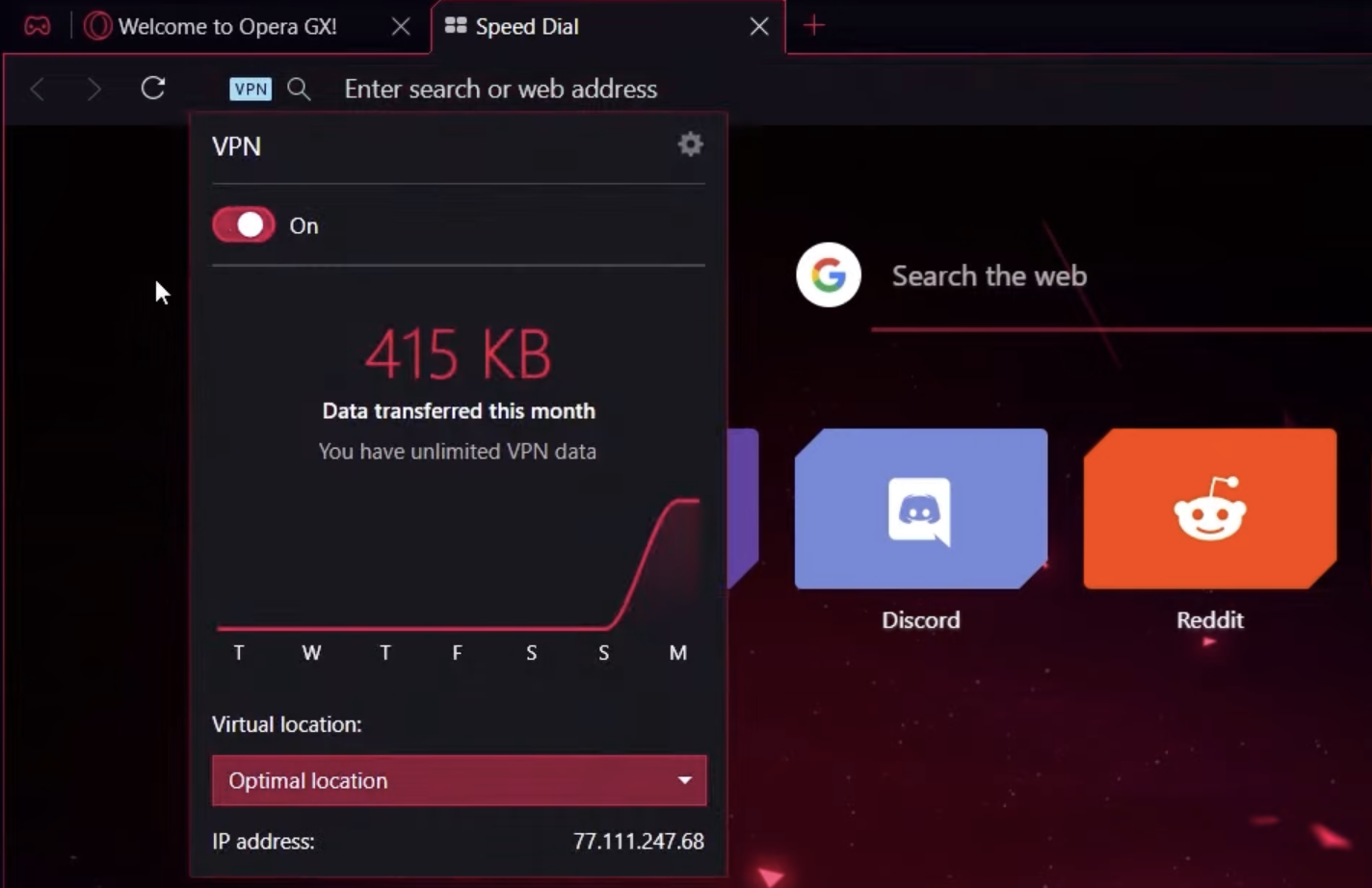
If you're searching for a simple guide on Opera GX VPN how to use, the steps below will help you quickly enable and customize the built-in VPN inside the browser.
Using the built-in VPN is straightforward. Here’s a simple Opera GX VPN how to use guide:
Step 1. Open your Opera GX browser and click on the "Easy Setup" icon (the three horizontal lines) in the t op-right corner.
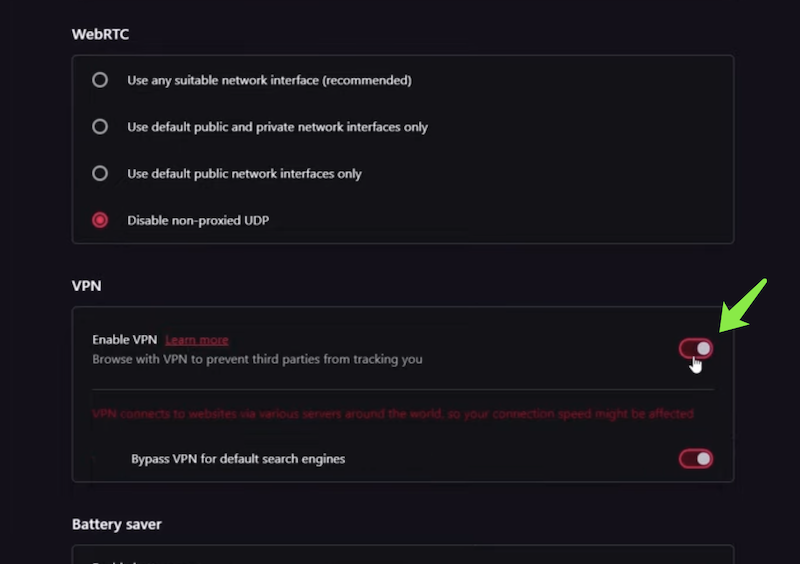
Step 2. Find the "VPN" section and toggle the switch to enable it.
 Step 3. Click on the VPN badge in the address bar to select your preferred virtual location and check your data usage.
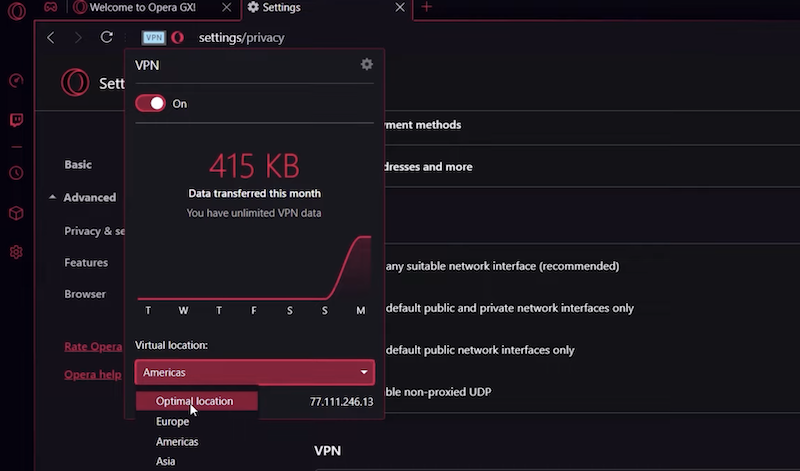
However, while the built-in tool is convenient, it does not fully meet the advanced needs of esports players or heavy PC gamers.
While Opera GX VPN is convenient for browser-based tasks, hardcore gamers need system-wide protection, lower latency, and access to a global network of optimized servers. This is where a professional VPN like iTop VPN becomes essential. It secures all your internet traffic - not just the browser - and is engineered for performance, making it a superior choice for gaming. For those wondering, "Does Opera GX have vpn that's good enough?" the answer often points towards upgrading for a seamless experience.



Among numerous options, the free VPN location changer iTop VPN stands out for gamers who prioritize both security and performance. It's a powerful free VPN that provides a secure, high-speed connection without compromising on performance, making it ideal for data-intensive Opera GX games.
Key Features of iTop VPN:
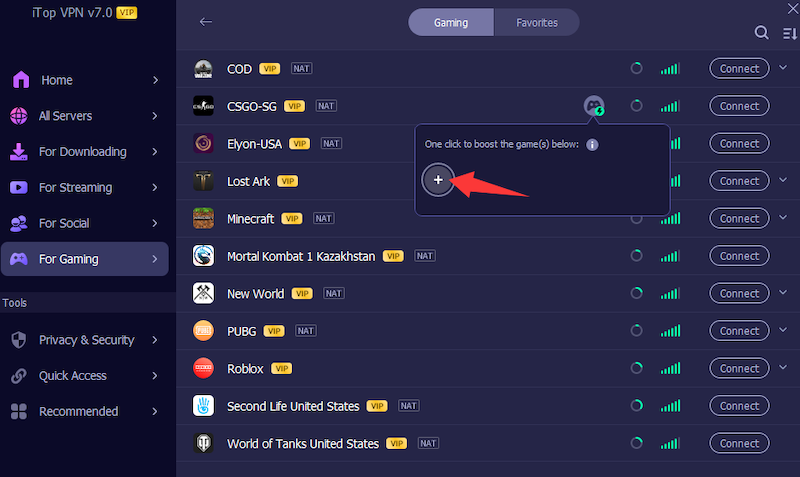
Built-in Game Booster: This feature optimizes your network connection specifically for gaming, reducing lag and ping times. Click the + icon in the app to select your PC game and activate the performance boost.
High-Speed, Global Servers: With thousands of VPN servers worldwide, including specialized high-speed nodes, you can always find a low-latency connection for your games.
Robust Security Features: It offers military-grade encryption and a strict no-logs policy, effectively hiding your IP to protect against DDoS attacks and doxxing.
Ad-Blocking & Threat Protection: Browse and game without interruptions. Its built-in ad blocker and malicious website protection keep you safe from ads and online threats.
For gamers who also play on multiple devices, iTop VPN offers a VPN iOS free version and other platform support, ensuring your entire digital life is protected.
How to Use the Best VPN for Opera GX on PC
Using a dedicated VPN like iTop VPN enhances your entire PC experience, including gaming and browsing with Opera GX.
Step 1. Download iTop VPN for Windows. A download button will be added here.
Step 2. Install and launch the application. Select a high-speed server from the list optimized for gaming or browsing.
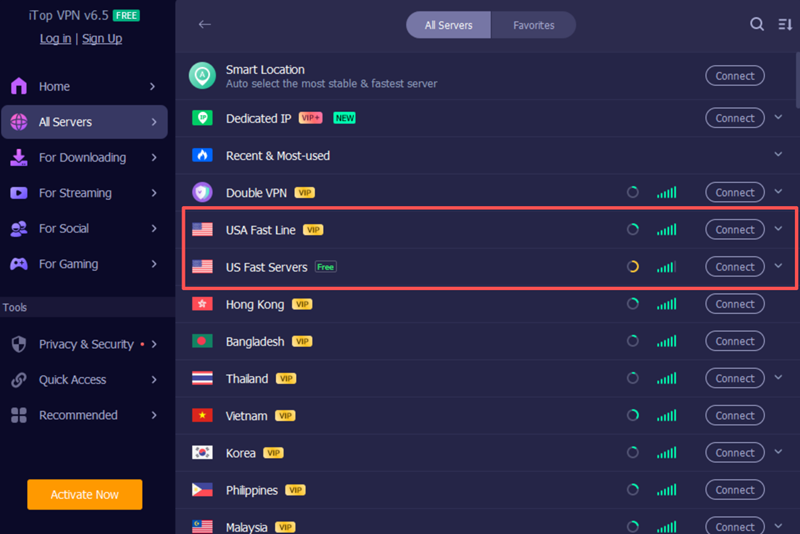 Step 3. For the best experience, consider using a dedicated IP for consistent access or the free VPN location changer to access global game content. Once connected, your entire system, including Opera GX, is protected.
Even the best software can have hiccups. Here are solutions to common problems, not just with the VPN but with the browser itself.
Opera GX Adblock Not Working?
Another common issue users encounter is browser crashes. This can be due to outdated filter lists or conflicts. Go to Settings > Advanced > Privacy & security > and update your ad blocking lists. If the issue persists, a system-wide ad blocker from a speed VPN like iTop VPN can be more effective.
Opera GX Keeps Crashing?
This is often caused by a corrupted cache or conflicting extensions. Try clearing your browsing data or disabling extensions one by one to find the culprit. Ensuring you have the latest version of the browser is also crucial.
Why is My Game Still Lagging with Opera GX VPN on?
In some cases, users experience game lag even with the VPN enabled. The built-in VPN may not have servers optimized for gaming and could introduce latency. For a lag-free experience, switch to a dedicated gaming VPN like iTop VPN, which offers a speed VPN experience with optimized servers.
Is Your Opera GX VPN Connection Unstable?
Free VPN can suffer from overcrowded servers. If your connection drops frequently, try using a premium service with dedicated VPN servers that offer greater stability and bandwidth for a smooth gaming session.
Final Words
Opera GX VPN is a decent, convenient tool for casual browsing and light gaming privacy within the browser. However, for serious gamers who demand system-wide protection, the lowest possible latency, and access to a vast network of global servers, it falls short. Its limitations in server choice, scope of protection, and potential impact on speed make it less than ideal for competitive gaming.
For a truly superior and secure gaming experience, a dedicated application like iTop VPN is the definitive choice. With its game booster, high-speed global servers, and robust security features, it is designed to meet the high demands of modern gamers. Don't let a limited VPN hinder your performance - download iTop VPN today to protect all your traffic and unlock a faster, more stable gaming world.

10+ free servers in US, UK...
3200+ extensive servers
Dedicated IP addresses
Ad blocker and Proxy service
For Windows 11/10/8/7
Subscribe to Our Newsletter
Subscribe to our newsletter to stay updated every moment.

Subscribe to Our Newsletter
Subscribe to our newsletter to stay updated every moment.
© 2026 iTop. All rights reserved.






