
iTop VPN offers 3200+ VPN servers in 100+ locations worldwide to help you access various sites privately and safely, along with dedicated IP, dynamic and static IP, and Double VPN.
Try to bypass GitHub blocked at school? Get the best free VPN for GitHub to unblock GitHub in school and other places, fast speed, worldwide geobreaking.
If you are a college student who is busy with your mathematical or computer science homework, GitHub is definitely an inevitable trump card for your papers and deadlines.
In such conditions, a good connection and access to the GitHub website is the keyword. But there are a series of cases that you can not access to GitHub. Even if you can, there are still potential problems for users who want to log in to GitHub. So a GitHub VPN is necessary to unblock GitHub and access it without security concerns.
There are several potential security threats that can arise when using GitHub.
1. Exposure of sensitive information: If you are a coder, sensitive information such as API keys, passwords, or proprietary code is accidentally uploaded to a public repository is a common security issue.
2. Malware or malicious code: Hackers and attackers may upload malware or malicious code to GitHub and people who download could be victims of malware attacks.
3. Account compromise: Connecting and logging in to your GitHub account without proper security protection may cause compromise of your account information.
4. Connection problems: In some countries where GitHub gets banned (Like China, and North Korea), GitHub will not be accessible without a GitHub VPN.
5. Campus networking restriction: In some universities, why is GitHub blocked at school? GitHub could possibly get banned due to security and academic reasons.
Noticeably, using an internet communication encryption tool like GitHub VPN could resolve the majority of these problems.
CyberGhost VPN is a powerful VPN for GitHub that offers many security benefits, making it a good choice for connecting to GitHub from everywhere with superior security promise.
Worldwide accessibility: CyberGhost VPN has more than 7,000 servers worldwide, located in more than 90 countries and regions. No matter where you are or which country you live in, the change location VPN will get you access to GitHub.
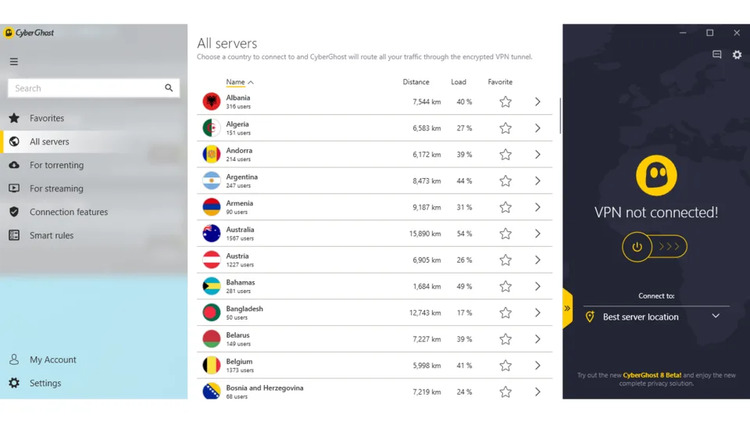
Speedy: CyberGhost VPN also provides fast and stable connections, unlimited bandwidth, and traffic (need a paid account). It will help you visit GitHub seamlessly with pleasant speed.
CyberGhost VPN offers a high-level online encryption experience to improve your GitHub visit anonymity and security. Also, a 1-day trial for new users to experience their service has been offered by CyberGhost - try it before purchase. Overall speaking, CyberGhost is an excellent VPN for connecting to GitHub.
From almost all aspects, iTop VPN could be considered the top GitHub VPN Windows for free.

Accessibility from anywhere in the globe - the free VPN for Windows provides proxies on more than 3,000 servers worldwide, spread over more than 90 countries and regions on all five continents. No matter where you are or what country you reside in, iTop VPN will quickly and easily grant you access to GitHub.
Military-grade online security proof: iTop VPN uses AES-256 level encryption technology to protect your data transfer process through your PC to GitHub. This means your GitHub activity will be protected at the highest level of algorithm encryption, making it impossible for hackers to steal your personal information by intercepting & breaching your data.
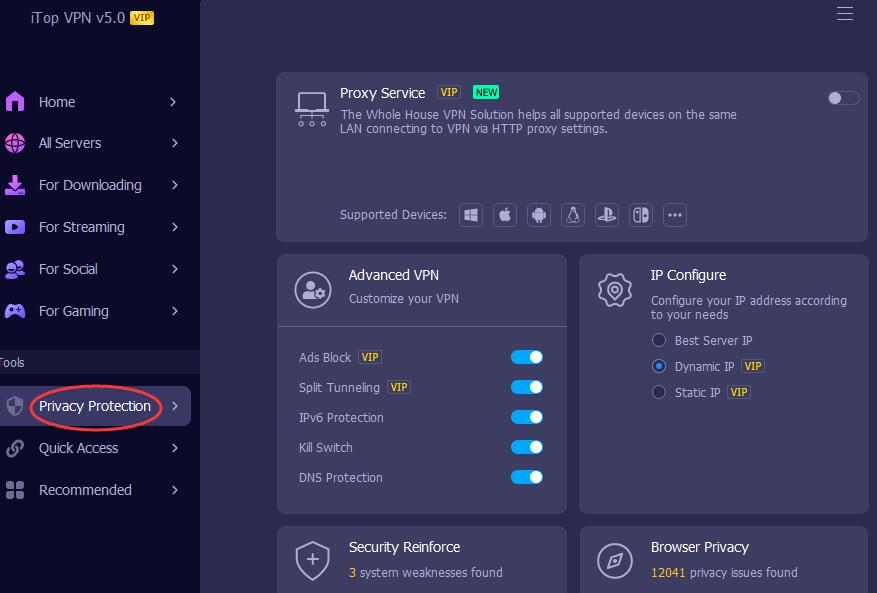
Strongest online identity protection: iTop VPN’s powerful anonymity features can mask your real IP address and hide your real IP online, making your activities on GitHub untraceable by others like hackers and supervisors. You will no longer worry about identity leaks, especially when working with sensitive projects or participating in classified works.
Kill Switch: This function can ensure that your connection to GitHub will be always protected under iTop VPN. Once the internet is interrupted, tkills witch will work and shut down the connection in case of potential data leaking.
Free-to-use policy: iTop VPN is free to use VPN. Users may use the service to connect to GitHub and decide if a premium service is needed. It is no doubt that iTop VPN is the best free VPN for GitHub.
Express VPN is a superb GitHub VPN Windows service that provides numerous security advantages, making it perfect for visiting GitHub.
Military-grade data encryption: ExpressVPN GitHub uses 256-bit AES encryption technology to guarantee the security and dependability of your GitHub data transmission.
Global proxy: It offers simple access to GitHub resources globally thanks to its more than 3,000 servers scattered over 94 nations and regions. In order to preserve your privacy, ExpressVPN GitHub also adheres to a strict zero-logging policy and does not record any of your online actions.
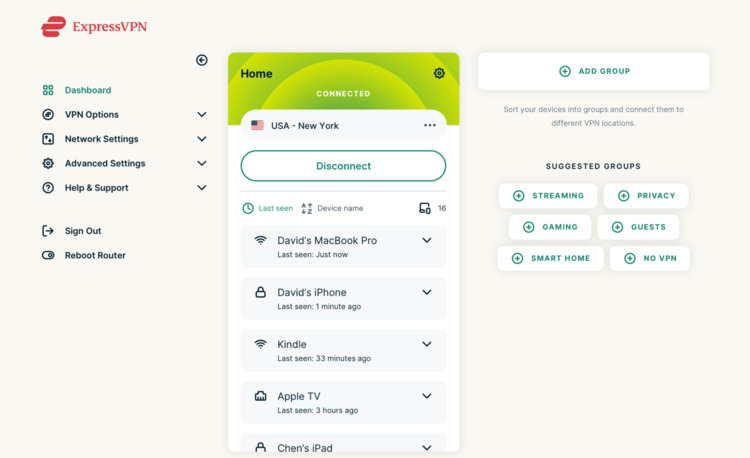
Anti-leak system: ExpressVPN GitHub has anti-leak technologies that guarantee complete protection for your true IP address and location.
Unlimited bandwidth (paid service): Express VPN also provides limitless bandwidth and traffic with its paid plan. Fast and reliable connections and user-friendly apps for a selection of devices and operating systems are offered for a relatively expensive plan.
Nord VPN is a reliable VPN service that offers the following security benefits when connecting to GitHub.
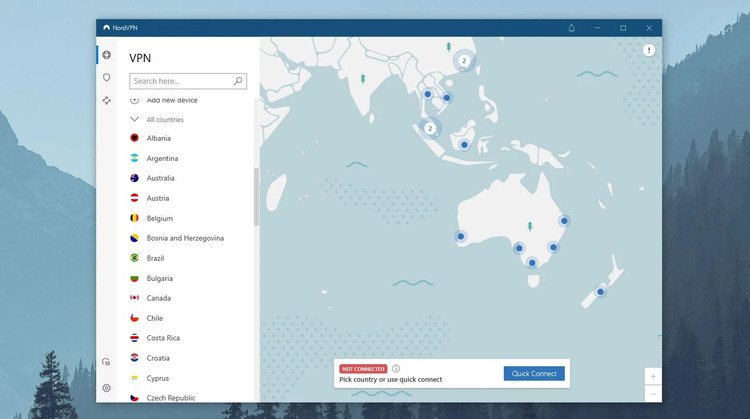
Strong encryption technology: Protect your GitHub data transmission with 256-bit AES encryption, ensuring safety and reliability.
Zero logging policy: Strict logging policy, do not record your online activities, and protect your privacy. As the top tier GitHub VPN, your security can be approved by NordVPN.
Anti-leakage function: Effectively prevent IP leakage, ensuring that your real IP address and location are fully protected.
High-speed and stable connection: Provides fast and stable connection, unlimited bandwidth, and traffic, allowing you to seamlessly access GitHub resources.
Multi-device compatible: Suitable for various devices and operating systems, convenient and easy to use.
VpnHood is a unique example of GitHub VPN: it releases its source code and whole workflow on GitHub. VpnHood is a good example of GitHub’s sharing VPN idea and also provides an ideal VPN service to access GitHub.
Client Features:
● Easy Installation; Just install and press connect
● Undetectable on private IPs
● Fast
● Split Tunneling by Apps & Countries
Server Features:
● No Network configuration or knowledge is required
● No Admin privilege is required
● Hot Restart (User sessions' will not close on restart)
● Built-In User Management
● Built-in NAT with zero configuration
● NetScan Protector
● Windows (x64) 10, 11, or Windows Server, Linux, Linux Server
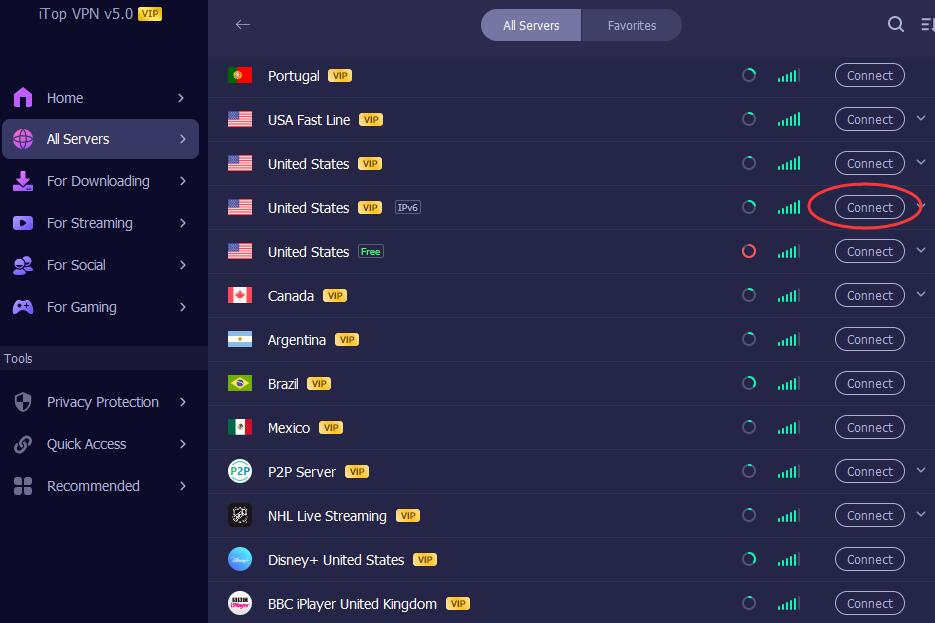
Step 1. Download, install, and launch iTop VPN on your PC.
Step 2. Choose a server, click the "Connect" button, and you will be given a virtual address. Your security connecting to GitHub will be protected.
GitHub is famous for its web-based platform & version control & coder collaboration that allows programmer developers to store, exhibit, and manage their code. GitHub offers flexible options of tools and options to improve development workflows. Issue tracking, project management, and continuous integration can be achieved on GitHub. GitHub is an open community for open-source projects and is widely adopted among all software developers.
Furthermore, GitHub is now beyond a platform for coders, programmers, and computer engineers. It has now become a community for people to seek resources not restrain to codes and computer science domain.
As the potential security threats can be deadly to your PC or even personal security, we strongly recommend you use a competent VPN, like iTop VPN to connect to GitHub.
As a necessary tool for software developers and learners, GitHub itself is a perfect tool to use. The safety and privacy of the website itself is promised. But without a proper GitHub VPN protection is still necessary.
GitHub is an irreplaceable tool for many developers and users, but visiting GitHub sometimes causes trouble to your online security. We strongly recommend using iTop VPN, a GitHub VPN to protect your online privacy.
Subscribe to Our Newsletter
Subscribe to our newsletter to stay updated every moment.

Subscribe to Our Newsletter
Subscribe to our newsletter to stay updated every moment.
© 2026 iTop. All rights reserved.






