
iTop VPN offers 3200+ VPN servers in 100+ locations worldwide to help you access various sites privately and safely, along with dedicated IP, dynamic and static IP, and Double VPN.
Looking for a free device wide VPN? How to get the best device wide VPN free? Learn everything about device wide VPNs and top free providers. Check now.
A device wide VPN free solution is essential for users who want to protect not just browser activity but the entire device, including apps, background services, system processes, and streaming platforms. Unlike limited browser extensions, a pro or free device wide VPN encrypts every data packet your device sends or receives, ensuring privacy that extends beyond web traffic.
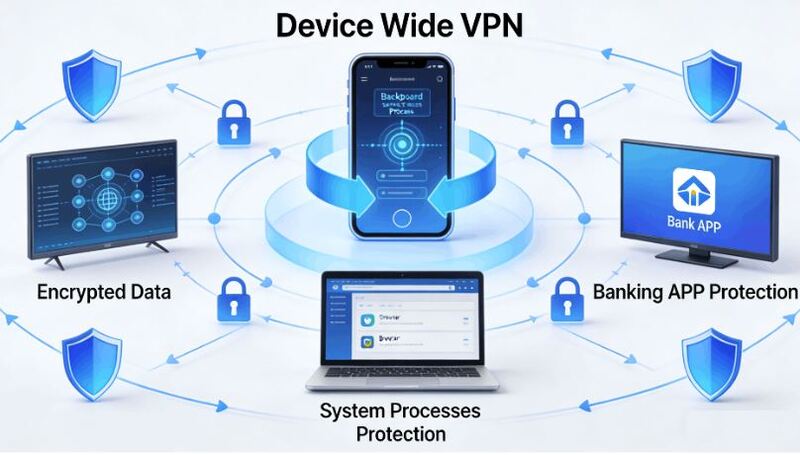
As cyber risks increase, having a reliable device wide VPN has become a necessity for safe browsing, secure banking, private messaging, and region-switching for games or streaming. Then, how to choose the best one? Keep reading.
A device-wide VPN is a VPN connection that encrypts all internet traffic on your entire device, not just your browser, but applications, games, and background processes.
It encrypts all network traffic, protects every app, system process, and background service, and ensures complete privacy and security across your operating system. Is there a reliable free device wide VPN? See below.
Before choosing a device wide VPN free tool, it’s crucial to understand the difference between a system-level VPN and a browser extension.
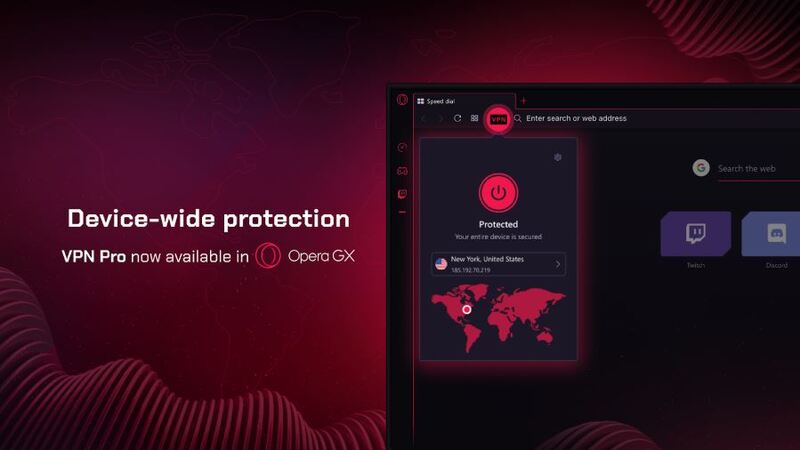
Many users ask, “Is Opera GX VPN device wide?” The answer is no. Opera GX only encrypts browser-based traffic, while a device-wide VPN secures everything from email clients to gaming launchers and mobile apps.

What's more difference between a device-wide VPN and a browser VPN? Check this table.
Feature |
Device-Wide VPN |
Browser VPN |
Coverage |
Entire device |
Browser only |
DNS protection |
Full system DNS |
Browser DNS |
Suitable for streaming/gaming |
Yes |
Limited |
App-level protection |
Yes |
No |
Examples |
iTop VPN, ProtonVPN |
Opera GX, Chrome VPN extensions |
This distinction makes clear why a device-wide VPN vs browser VPN comparison always favors the former for users seeking deeper privacy.
Understanding what makes a strong device wide VPN free option helps select services with reliable performance and security. High-quality device-wide VPNs deliver system-level protection, strong encryption, and global accessibility across all apps.
For detailed choosing criteria, you can consider:
Full-device encryption across all apps
Large global VPN server list for fast and stable connections
Kill Switch to prevent IP leaks
No-log policy for privacy protection
Optional dedicated IP VPN for increased stability
Streaming and gaming-optimized routing
AES-256 encryption to secure all device traffic
Double VPN support for multilayer protection
Split tunneling for flexible routing of selected apps or services
Multi-platform compatibility (Windows, Mac, iOS, Android)
Now, let’s step into the top providers that offer trustworthy and secure free device-wide VPN services. Each provider offers unique strengths, from unlimited data to advanced firewall protection. The following three stand out.
iTop VPN is a versatile and modern device wide VPN free solution designed for users seeking fast and stable full-device protection. It supports Windows, Mac, iOS, and Android, encrypting all system and app traffic.

This speed VPN for PC and mobile is a strong alternative for those relying on Opera or other browsers that do not offer device-wide encryption. Its free VPN version includes about 100 essential global servers, providing reliable everyday protection for browsing, gaming, and streaming.
Full VPN servers are more than 3200 servers worldwide, covering regions in Asia, Europe, and the Americas, with stable routing for streaming and social media access. Premium plans unlock faster speeds, specialty servers, ad-blocking, and additional features like dedicated IP, kill switch, double VPN, etc.
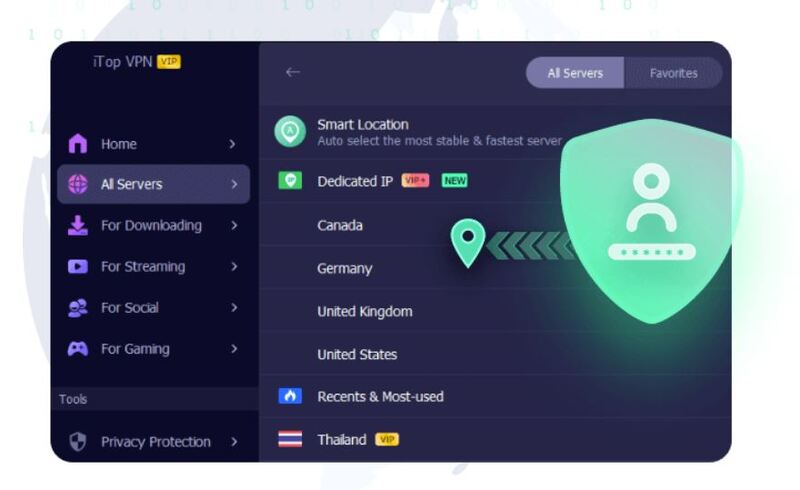
With robust AES-256 encryption, it's so helpful for users switching between international markets like Malaysia or India or securing cross-border payments and digital purchases, such as buying TikTok coins cheaply.
ProtonVPN is one of the few providers offering unlimited bandwidth in its device wide VPN free plan. With no ads, reliable performance, and strict no-log policies, it excels in transparency and security.
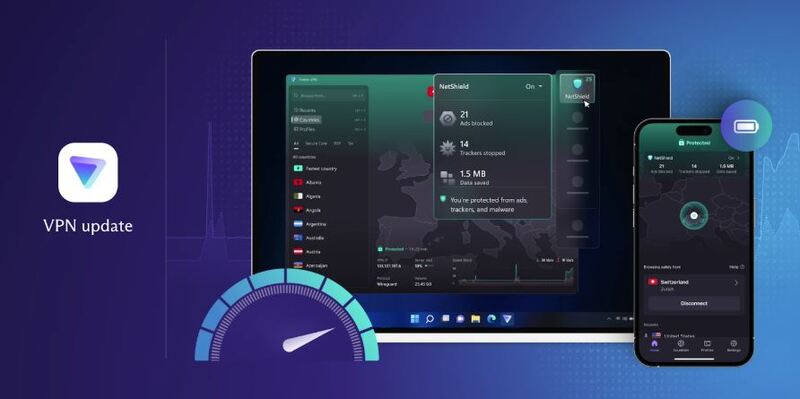
Its free version includes stable servers in 10 countries, while paid plans extend access to more than 120 countries with high-speed streaming and secure routing. Compatible with Windows, Mac, Linux, iOS, and Android.
With paid upgrades, users gain access to advanced security features and better global performance, especially for users accessing regional services in India, Poland, Mexico, Canada, Switzerland, Singapore, and Europe. ProtonVPN’s focus on security makes it a dependable option for privacy-focused users.
Windscribe offers a robust all-device VPN solution featuring a generous 10GB monthly allowance in its free version. Its built-in Firewall feature blocks any unauthorized or non-VPN traffic, ensuring zero leaks - a capability uncommon among free VPNs.

The free plan is also available in 10 countries, including the US, Canada, the UK, and more. No credit card. No strings. Supports all major platforms: Windows, Mac, iOS, Android, and even browsers if the user wants extension-level control.
Paid plans unlock unlimited bandwidth, expanded server access, OpenVPN configuration files, and faster connection routes. Windscribe’s pricing is flexible, allowing users to subscribe to individual locations or purchase full access at once. It's a flexible device-wide VPN option.
No matter which platform you use, setting up a device-wide VPN is a quick process involving installation, server selection, and connection. The steps below apply universally to all systems, and we use iTop VPN on Windows as an example since its setup process is straightforward.
Step 1. Download and install iTop VPN for Windows.
Step 2. Open the app and browse the available servers. Select one and click Connect.
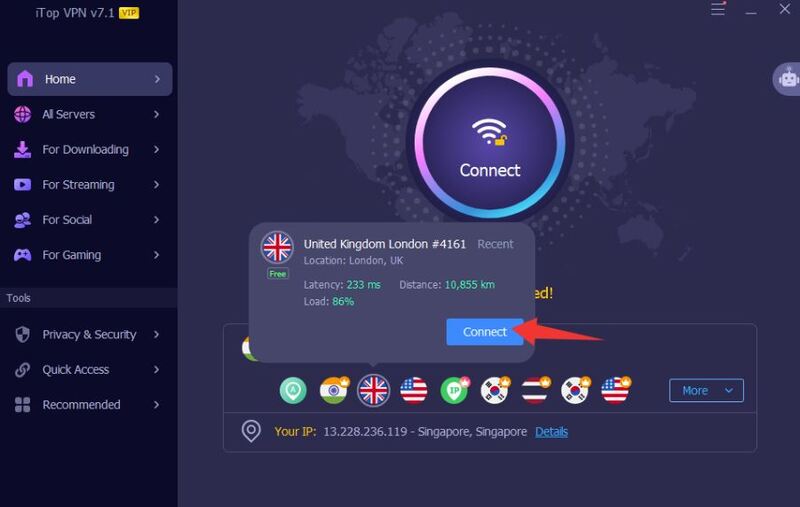
Step 3. When connected, check that your IP has changed, and then start using other apps under protection.
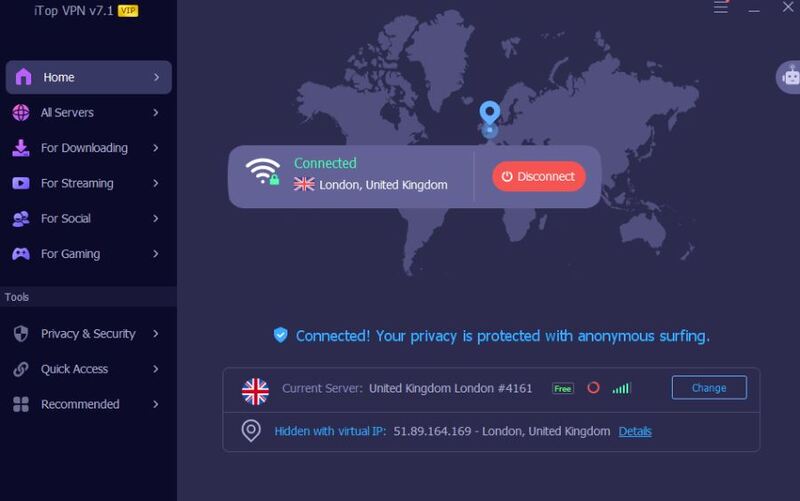
You can also try connecting a dual VPN combination to add an extra layer of protection to your IP. Enable kill switch or other protection features as needed.
Use one when you need protection across all apps, including messaging, email, gaming, streaming, and background services.
Yes. It encrypts all system traffic, while browser VPNs only protect web-based activities.
No. Opera GX VPN only covers browser traffic and does not encrypt entire device connections.
Yes. iTop VPN, ProtonVPN, and Windscribe provide genuine device wide VPN free options.
Mildly, depending on distance and server load, but high-quality servers keep speed loss minimal.
Choosing a reliable device wide VPN free service ensures complete protection across apps, browsers, and background processes. Whether you need privacy, region switching, or safer public Wi-Fi usage, the options above deliver dependable full-device security for every platform. Do not hesitate. Why not select one and get all your devices protected now?
10+ free servers in US, UK...
3200+ extensive servers
Dedicated IP addresses
Ad blocker and Proxy service
For Windows 11/10/8/7
Subscribe to Our Newsletter
Subscribe to our newsletter to stay updated every moment.

Subscribe to Our Newsletter
Subscribe to our newsletter to stay updated every moment.
© 2026 iTop. All rights reserved.






