

 iTop VPN
Best free VPN with fast speed, security features, 3200+ servers, etc.
Share


Does Instagram show activity status on computer? Why does Instagram show active when your not? Find answer here and check how to turn off IG activity status.
“Active Status” is a feature that shows people when you were last online or currently active on Instagram. However, Instagram may show “Active Now” when you’re not, which may damage your privacy or lead to misunderstanding. Does Instagram show activity status on computer? Read this post to figure it out.
Yes. No matter if you’re using Instagram mobile app or log into Instagram from your computer, Instagram will show your activity to others through a “green dot” or a line under your name, like “Active Now”, “Active 1h Ago”, telling people if you are available in this app.
Does Instagram show your activity active when you’re not? Why it happens? Here are some possible reasons:
1. The background activities remain active, like Stories loading.
2. You’re interacting with a push notification on IG.
3. The app is running in the background.
4. A Instagram server sync delay issue.
5. Your Instagram account may be hacked by others.
Follow these easy steps to turn off activity status on desktop Instagram.
Step 1. Visit the Instagram.com site and log in.
Step 2. Click on your profile picture, and select “Settings” (the gear icon).
Step 3. Choose “Settings and security”, in the sidebar menu, click on “Messages and story replies”.
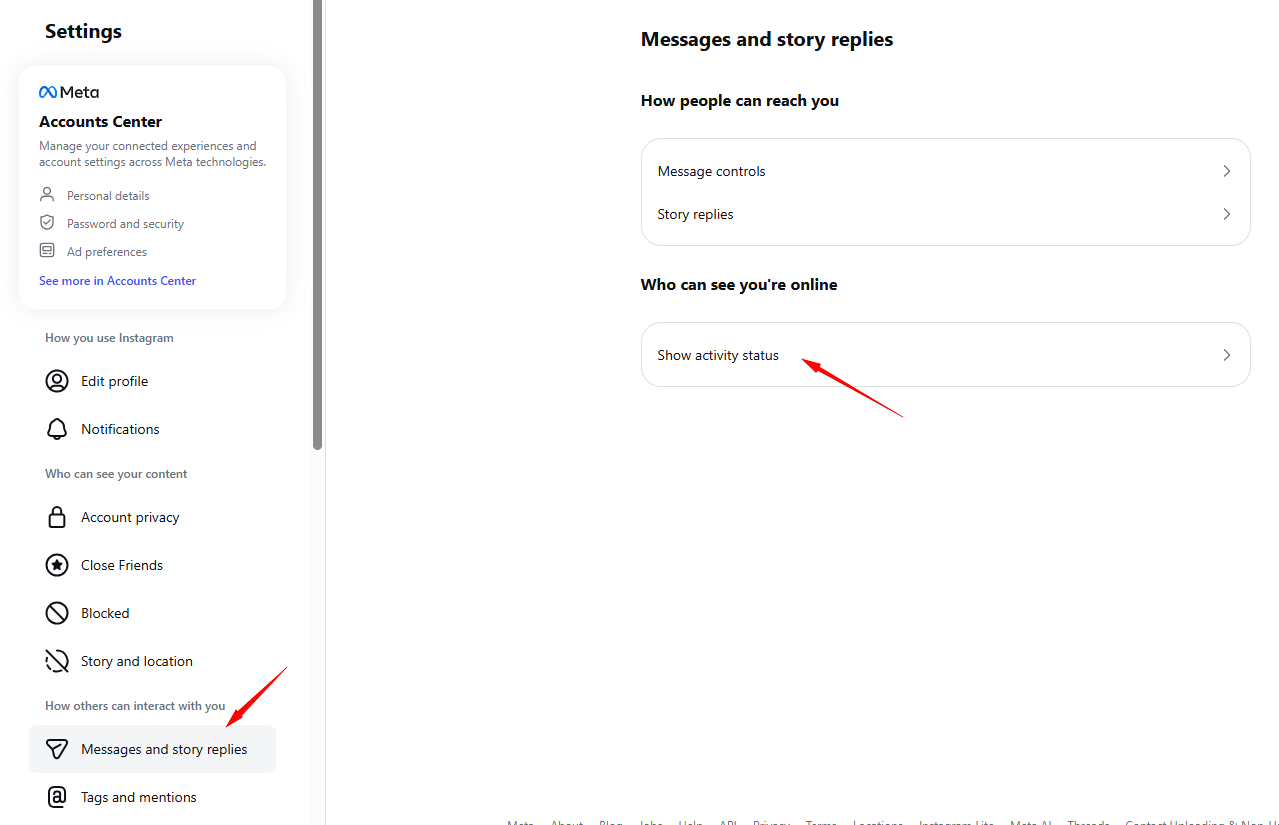
Step 4. Locate “Show Activity status” and uncheck the box near “Show Activity status” under “Activity status”.
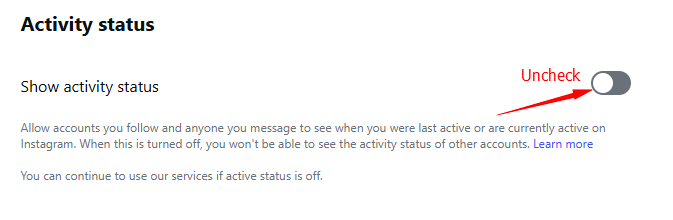
Does Instagram still show your activity now? No, people won’t see when you’re active online, but you won’t either. How to turn on IG activity status? Simple, just check the box and enable Show Activity status.
You May Need: Is Skidrowreloaded Safe or a Scam? >>
Does Instagram show your activity to others even you hide it? No worries. Here’s a better way to keep you private and anonymous on Instagram anytime - connecting to iTop VPN.
It’s a strong free VPN service that protects users online privacy and security with best-in-class encryption, including DNS protection, Kill Switch, Ads block, etc. Also rely on its powerful Geo-bypassing feature to access trendy IG Stories and Reels anywhere!
Proton VPN is Blocked in Russia. What Should I Do to Use a VPN? >>
Yes No
Share
 Do you have any more questions? Share with us

Invalid email address
 Submitted successfully
 People Also Ask
I don't know what's going on in Twitter. Why can’t I see 18+ content on X as usual? How to view age restricted content on X?
I’m over 18, but I can’t see 18+ content on X. How to verify age on X? What should I do to verify I'm 18+ on Twitter?
Is SteamRip safe? Is there any potential risk if I download pre-installed Steam games on steamrip.com?
Subscribe to Our Newsletter
Subscribe to our newsletter to stay updated every moment.

Subscribe to Our Newsletter
Subscribe to our newsletter to stay updated every moment.
© 2026 iTop. All rights reserved.


