
iTop VPN offers 3200+ VPN servers in 100+ locations worldwide to help you access various sites privately and safely, along with dedicated IP, dynamic and static IP, and Double VPN.
Looking for a VPN Ome TV Free solution? Explore the top free VPNs for OmeTV to stay anonymous, avoid tracking, and access chats securely.
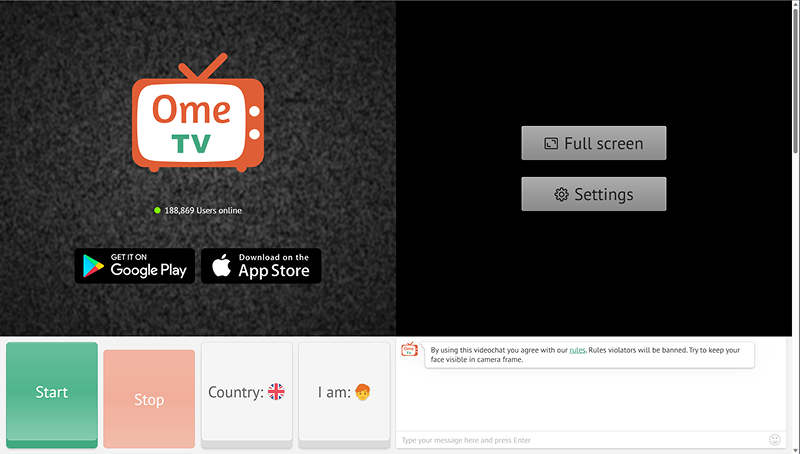
If you love online chatting, you must be familiar with OmeTV which is a popular video chat platform connecting users with strangers worldwide. However, its anonymity doesn't ensure your privacy, because IP tracking tools can expose your location and compromise security. At this moment, a reliable VPN for OmeTV can mask your real IP address, encrypt your internet connection, and provide the anonymity you need while video chatting with strangers.
When using OmeTV to connect with new people worldwide, ensuring your safety, privacy, and seamless access is essential. If you use a VPN for Ome TV, there will be multiple benefits, such as protect your personal information and improve your overall experience. Here's why you need an OmeTV VPN:
Prevent OmeTV IP Locator
During video chats on OmeTV, IP locators can reveal your real IP address, giving away sensitive details like your approximate location, internet service provider, and other personal data. It is possible that all the information may be exploited by malicious users for harassment, stalking, or even identity theft. A VPN for OmeTV can mask your real IP address by replacing it with one from its server, creating a secure connection that ensures your privacy remains protected.
Bypass Regional Restrictions
OmeTV is not accessible in some countries due to regional blocks and local regulations. For example, platforms like OmeTV are restricted in countries such as:
China, due to strict internet censorship policies
UAE, where video chat services face heavy restrictions
Saudi Arabia, where many social platforms are blocked
Other Middle Eastern and Asian countries with similar regulations
Additionally, in the UK, users may be required to verify their age before accessing OmeTV, which can be both inconvenient and a potential privacy concern. A VPN allows you to connect to servers in countries where OmeTV is freely available, bypassing these restrictions completely.
Avoid ISP Throttling and Video Chat Buffering
Internet Service Providers often slow down (or throttle) internet speeds for specific activities like OmeTV video chats. This can lead to frustrating issues like poor video quality, lag, and frequent disconnections during your OmeTV sessions. A VPN for OmeTV encrypts your internet traffic, making it impossible for your ISP to detect or throttle your activity on OmeTV. Then you can experience faster, more stable connections with smoother video chats and better audio and video quality, free from buffering interruptions.
By using a VPN for OmeTV, you gain enhanced privacy, unrestricted access, and improved performance, ensuring the best possible experience while connecting with new people online.
Now you know the reasons why users need a VPN for OmeTV, let’s talk about the best VPN options. Here, we’ve compiled a list of the best free VPNs for OmeTV, highlighting their features, benefits, and potential limitations to help you make an informed choice.
iTop VPN stands out as an excellent free VPN choice for OmeTV users, offering robust privacy features and extensive server coverage. This VPN service provides:
3200+ Optimized Servers Worldwide: iTop VPN maintains an extensive network of servers across multiple countries, ensuring reliable connections and fast speeds for OmeTV video chat. With its detailed VPN servers list, the wide server selection allows users to choose locations that provide the best performance and access to restricted content.
Dedicated IP to Bypass OmeTV Ban: One of iTop VPN's standout features is its dedicated IP option, which helps users avoid IP-based bans on OmeTV. It makes iTop VPN reliable VPN Ome TV solution for users looking for an OmeTV ban bypass while maintaining stable connections.
Dark Web Monitor: This advanced security feature monitors the dark web for any leaked personal information associated with your account, providing an extra layer of protection for privacy-conscious users.
Auto Clear Browser Privacy Data: As a trusted VPN Ome TV tool, iTop VPN automatically clears browsing history, cookies, and other privacy data, ensuring no traces of your OmeTV activity remain on your device after each session.
The user-friendly interface makes it easy for beginners to connect to VPN servers and start protecting their privacy on OmeTV immediately.

ProtonVPN offers a solid free tier with strong privacy protection for OmeTV users. As a Swiss-based VPN for OmeTV, ProtonVPN is popular for its commitment to user privacy and transparency, which makes it a trustworthy option for users who love anonymous video chatting.
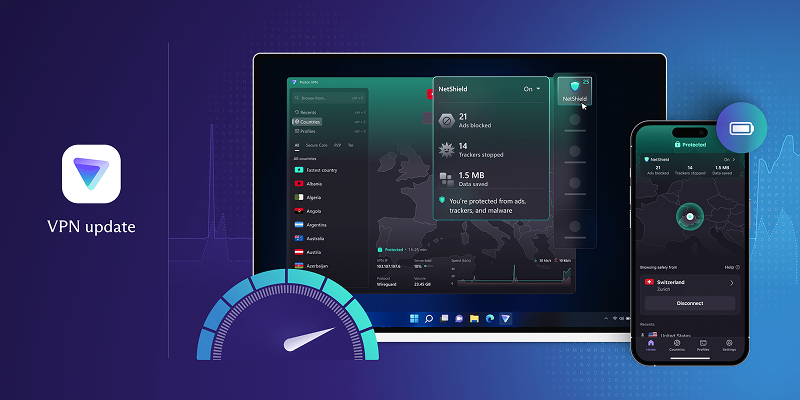
Speaking of ProtonVPN’s key features, they include unlimited bandwidth on free plans, strict no-logs policy, and strong encryption protocols. ProtonVPN's free version provides access to servers in three countries (US, Japan, and Netherlands), which is sufficient for basic OmeTV usage and bypassing regional restrictions.
CyberGhost VPN provides a generous free trial that allows users to test premium features before committing to a paid plan. As a powerful VPN Ome TV solution, it offers optimized servers for streaming and video chat applications, making it suitable for OmeTV usage.
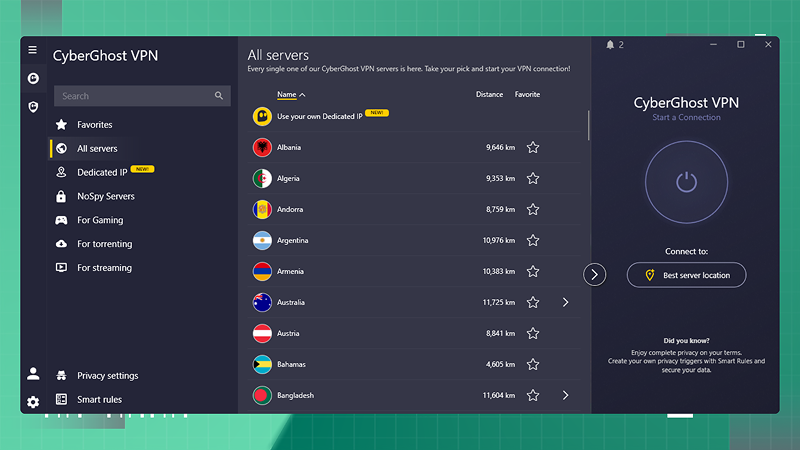
Users can also access servers in multiple countries, benefit from strong encryption, and enjoy a user-friendly interface that simplifies the connection process with its free version. CyberGhost's automatic kill switch feature ensures your real IP address never gets exposed if the VPN connection drops unexpectedly during an OmeTV session.
Getting banned on OmeTV can be frustrating, but there are effective ways to regain access to the platform. The two primary methods are changing your IP address and creating a new account. Using a VPN like iTop VPN to change your IP address is the most reliable approach. Here are the step-by-step guides.
Step 1: Download iTop VPN from its official website, install it on your device, and sign up or log in to your account.
Step 2: Choose a server in a different country to get a new IP address. Click "Connect" and wait for the secure VPN connection to be established.
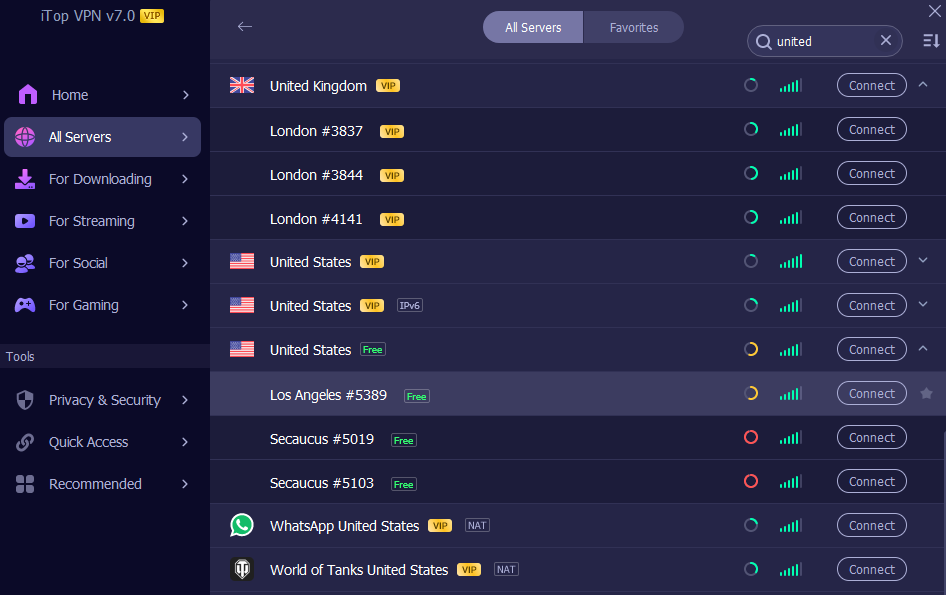
Step 3: Clear your browser's cookies and cache, then navigate to OmeTV. With your new IP address, you should now have access to the platform.
Q: What if OmeTV is Not Working?
If you're experiencing issues with OmeTV, try these solutions:
Check your internet connection stability
Clear browser cache and cookies
Disable browser extensions that might interfere with video chat
Try using a different browser or device
Restart your router or modem
Connect to a different VPN server if using a VPN
Update your browser to the latest version
Disable firewall or antivirus software temporarily
Q: What are OmeTV Alternatives?
Popular alternatives to OmeTV include:
Omegle (the original random video chat platform)
Chatroulette (similar random video chat service)
Chatspin (video chat with gender and location filters)
Shagle (random video chat with multiple features)
Camsurf (free video chat platform)
Tinychat (group video chat rooms)
Bazoocam (French-based video chat service)
Q: How to Fix OmeTV Camera Not Working on iPhone?
To resolve camera issues on iPhone:
Grant camera permissions in iPhone Settings > Privacy > Camera > OmeTV
Restart the OmeTV app completely
Check if other apps can access your camera
Update the OmeTV app to the latest version
Restart your iPhone device
Clear the app's cache if possible
Reinstall the OmeTV app
Check for iOS system updates
Conclusion
Using a VPN for OmeTV has become essential for maintaining privacy and security while video chatting with strangers online. Among the free VPN options available, iTop VPN offers the most comprehensive features for OmeTV users, including extensive server coverage, dedicated IP options, and advanced privacy tools. Download iTop VPN today to protect your privacy, bypass restrictions, and enjoy unrestricted access to OmeTV video chat!
10+ dedicated social app servers
Unblock your favorite apps
Encrypt and protect data

Subscribe to Our Newsletter
Subscribe to our newsletter to stay updated every moment.

Subscribe to Our Newsletter
Subscribe to our newsletter to stay updated every moment.
© 2026 iTop. All rights reserved.






