
iTop VPN offers 3200+ VPN servers in 100+ locations worldwide to help you access various sites privately and safely, along with dedicated IP, dynamic and static IP, and Double VPN.
How to pass Steam age verification? Here is the step-by-step guide to unblock 18+ content. Also, learn how to fix the UK Steam age verification not working.
Steam has rolled out a new age verification system to gate mature content, leaving many gamers, especially in the UK, confused and locked out of their favorite games. Facing a "Steam age verification UK not working" error can be incredibly frustrating. Whether you're struggling with the process, lack a credit card, or are simply looking for a workaround, this guide is for you. We'll walk you through exactly how to verify your age on Steam, explain how to see age of Steam account for users wanting to confirm their account details, delve into why the Steam age verification might fail, and introduce a reliable method to bypass these regional locks using a VPN service, ensuring you regain access to your full game library.

Steam age verification is a digital checkpoint implemented by Valve on its Steam platform. The primary goal is to prevent minors from accessing age-inappropriate content. This system triggers when you attempt to view or purchase games, downloadable content (DLC), trailers, or community content that is rated for mature audiences (18+). By verifying your age, you prove you are legally eligible to access this content. It's important to note that the strictness of this system can vary by region. For instance, the Steam age verification UK system is particularly stringent, often requiring more robust proof compared to other countries, in compliance with local regulations designed to protect younger users.
If you're old enough to view adult-rated games or content, verifying your age on Steam is usually quick — but the exact steps depend on your country. For users in the United Kingdom, Steam’s current approach relies primarily on payment-method verification rather than date-of-birth alone.
Sign in to your Steam account and check Account Details → Store & Purchase History to confirm your registered country. UK-based accounts are subject to the stricter verification flow.
For many UK users, Steam requires adding a valid credit card to their payment methods. Steam will perform a small, zero-value (or temporary authorization) check to confirm the card, which serves as proof of being 18+. Note: debit cards often do not qualify for this purpose.
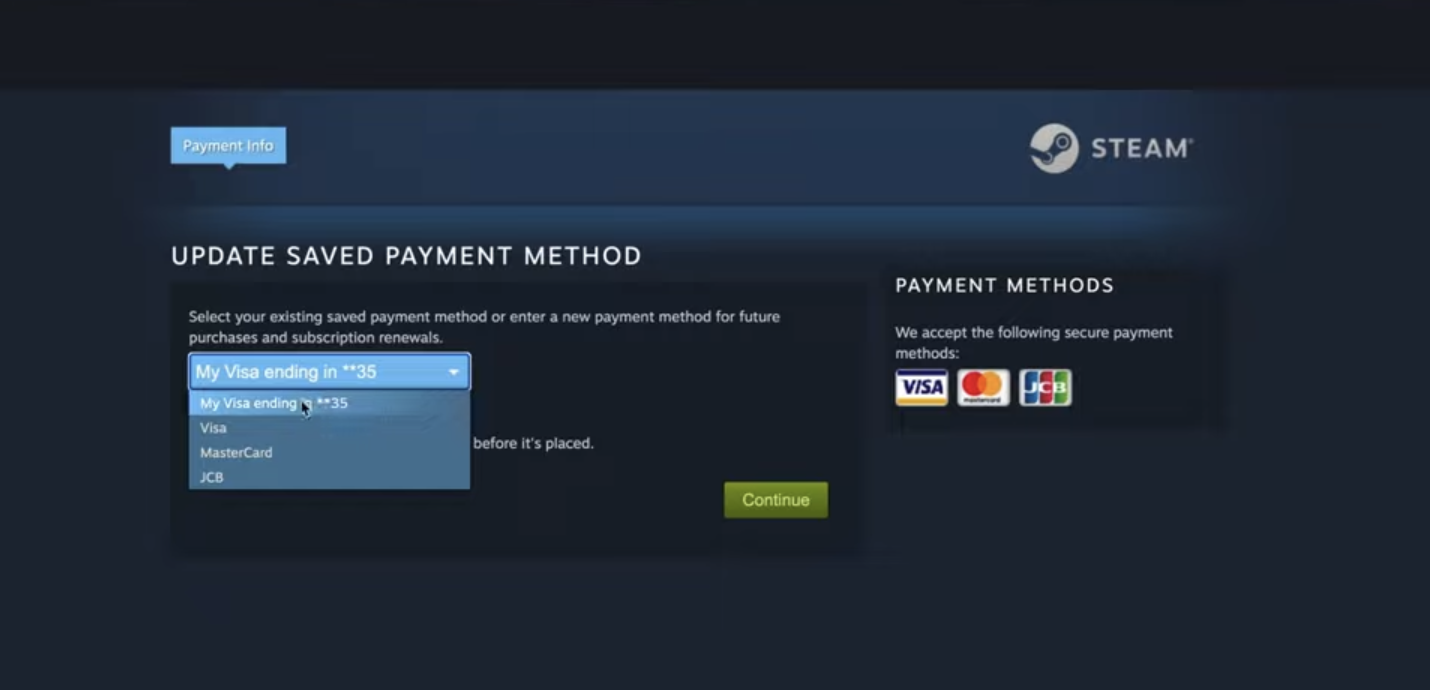
After the authorization completes, Steam typically marks the account as age-verified, and you should be able to view mature / 18+ pages. In rare situations, Steam may request further proof, but the credit-card route is Valve’s primary, privacy-preserving option in the UK.
TIPS
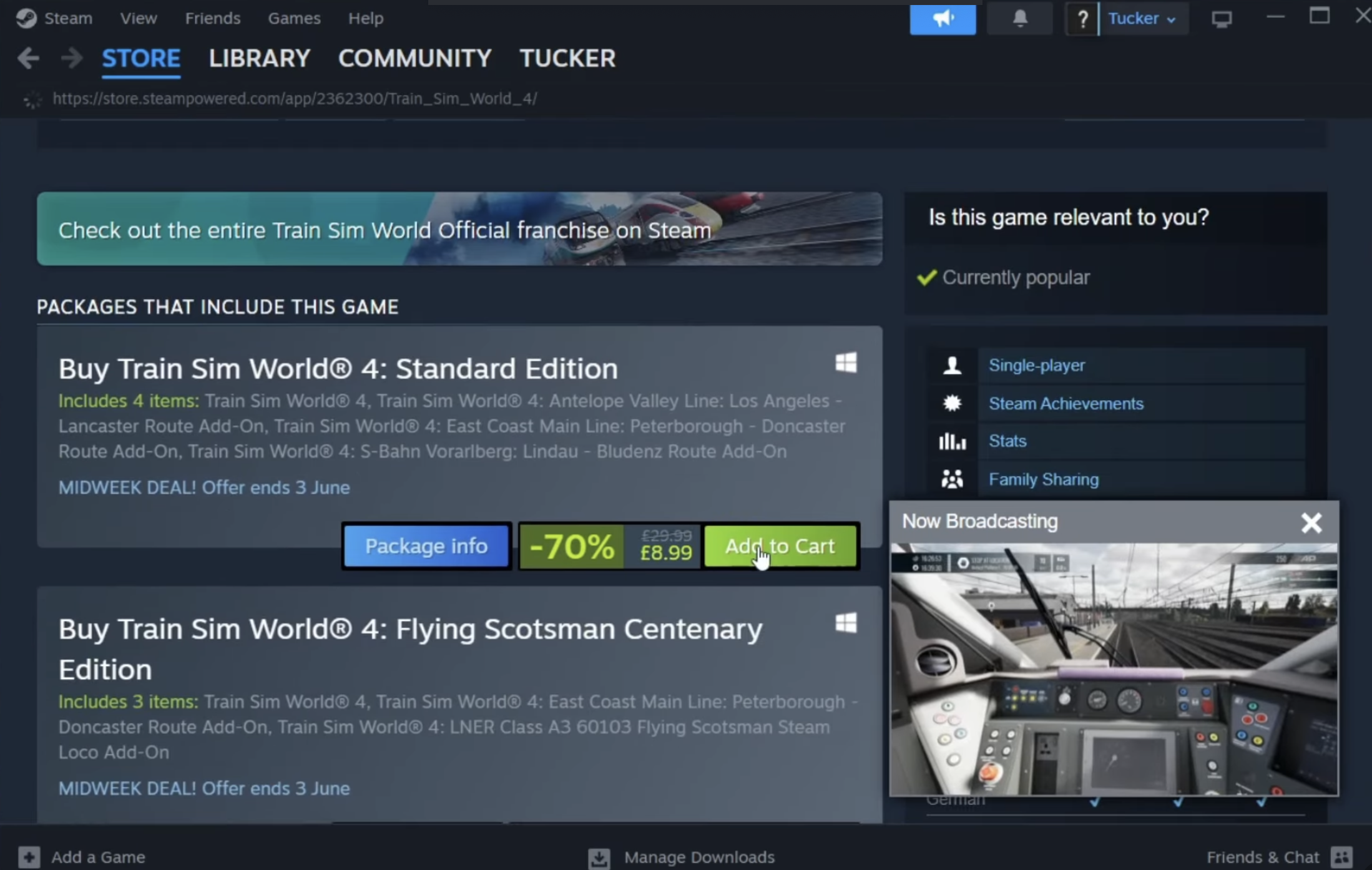
If the age gate persists, try the Steam desktop client (it sometimes handles store checks more reliably than the browser), clear browser cache, and ensure your payment billing address matches your Steam country.Many users report that their Steam age verification UK is not working, leading to immense frustration. If you're stuck and can't verify Steam account, one of these hidden reasons is likely the culprit:
Stricter ID or Third-Party Verification: Unlike other regions, the UK system may outright require official ID uploads or a more rigorous credit card verification Steam process. If you're unable or unwilling to provide this, the verification will fail.
Billing Address or Payment Method Mismatch: For payment-based verification, even a minor discrepancy between your card's billing address and your Steam account country can cause the Steam age verification no credit card workaround to be your only desired path.
Browser Issues: Accumulated cache, corrupted cookies, or disabled JavaScript can interfere with the verification page's functionality, making it seem like it's not working.
Family View Restrictions: You might have enabled Steam's Family View in the past and forgotten about it. This feature can re-lock access to mature content even after a successful account-level age verification.
Account Flagged as Underage: If the date of birth on your Steam account is set to under 18, the system will permanently restrict access until the account itself is considered "of age."
If these fixes seem cumbersome or you wish to maintain more privacy, there is an effective alternative. Want to bypass Steam Age Verification with no credit card? A quality VPN can help you change your virtual location secretly, circumventing the regional check. Here’s how to do it.
If the official verification method doesn’t work for you—or simply feels too intrusive—a VPN is an effective workaround. A VPN like iTop VPN masks your real IP address and connects you to a server in another country. Since Steam's age verification rules are location-based, connecting through a server in a region with laxer rules can bypass the block. For instance, connecting to a server in the United States or certain parts of Asia often allows you to access content without the stringent Steam age verification UK requirements. This method is also the perfect answer for those seeking a Steam age verification no credit card solution. The same privacy technology can even help users find a cheap Telegram premium deal by accessing regional pricing, much like changing your Steam store region.

Key Features
Change IP to Anywhere with 3200+ VPN Servers: With a vast global network, you can easily connect to a country where Steam does not enforce strict age verification, instantly solving your access problem. For users who need a consistent online identity for other applications, exploring a free dedicated IP service can be beneficial, though it's often a premium feature.
One-Click Auto-Connection with No Effort: The user-friendly interface allows you to get connected to the optimal server with a single click, making it easy for anyone to use, regardless of technical skill.
Stable Network Connection to Play Steam Games: Unlike many free VPNs, iTop VPN offers a stable and fast connection, which is crucial not just for bypassing checks but also for downloading and playing games without lag. It is optimized as a speed VPN for PC, ensuring your gaming isn't interrupted by buffering or delays.
Hide Your Privacy and Online Activities: It encrypts your internet traffic, ensuring your gaming and browsing habits remain private from your Internet Service Provider (ISP) and other third parties.
Truly Free Tier Available: As a free VPN, iTop VPN provides a robust set of features without an upfront cost, making it an accessible tool for everyone. You can also explore its free VPN server list to find the best location.
Follow these three simple steps to bypass regional age checks on Steam.
Step 1. Download and install the iTop VPN application on your Windows PC or other device. It's a straightforward process that sets you up in minutes.
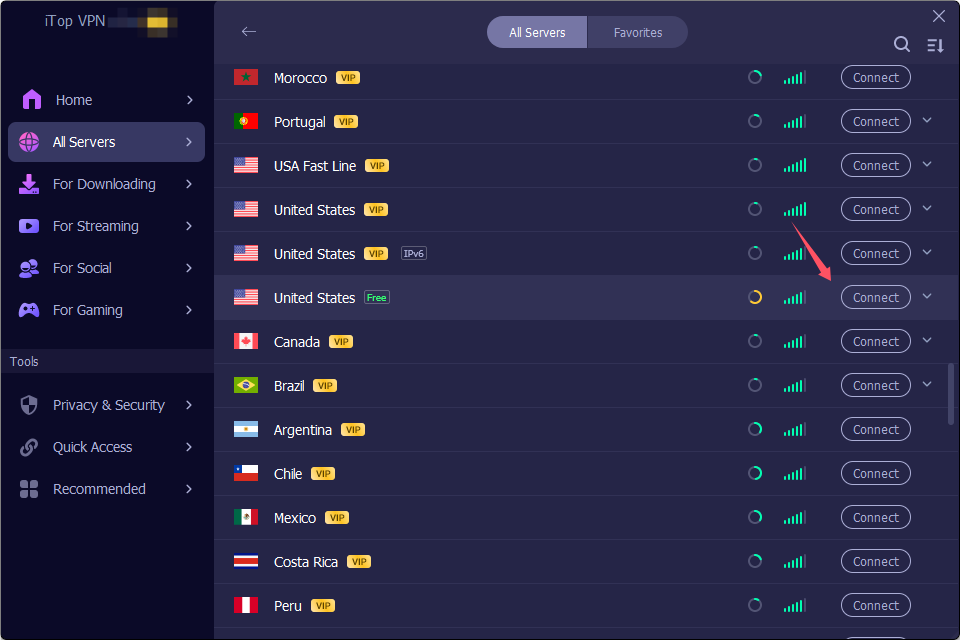
Step 2. Launch iTop VPN and connect to a server in a country known for having less strict Steam age checks, such as the United States. This changes your virtual location.
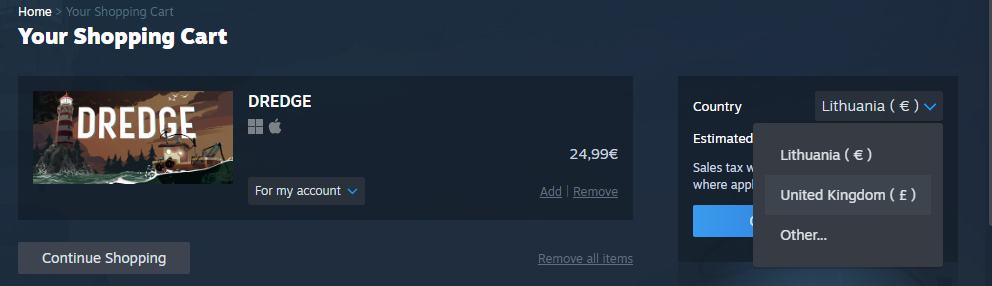
Step 3. Now, open your Steam client or refresh the Steam store webpage. To ensure the change takes effect, you may need to clear your browser's cache or use Steam's built-in "Change Store Region" feature when making a purchase. You should now find that the age restriction is lifted.
This method is not only useful for Steam age verification but also for other online activities, like learning how to buy TikTok coins safely. It’s a versatile tool for any internet user looking to enhance their privacy and access. For gamers, it doubles as an excellent VPN for game sessions, reducing ping and protecting against DDoS attacks.
The Bottom Line
Dealing with Steam age verification, especially when it's not working, can be a significant hurdle for legitimate adult gamers. While Steam does offer an official way to verify your age, the process doesn’t always go smoothly. Using a reliable VPN like iTop VPN offers a powerful and private alternative to bypass these geo-specific restrictions, effectively solving the Steam age verification UK problem and providing a path for Steam age verification no credit card. It’s a versatile tool that also helps you bypass YouTube age restrictions or Change Steam region for better game deals. Ready to unlock your Steam library and browse freely? Don't let location locks hold you back.
Download iTop VPN now to bypass Steam age verification and enjoy a borderless internet!



How to Buy CapCut Pro Cheap? Check Capcut Cheapest Country List!

5 Best Ticketmaster VPNs: Buy Tickets from Anywhere in the World

Detailed Guide on How to Get Pokémon Go Coins Cheap

How to Get Unbanned from Minichat with 5 Best VPNs for Minichat from Anywhere

Best Free Bigo Live VPN to Change Location Indonesia and America

Best VPN for BGMI: How to Play BGMI Outside India for Free

How to Buy Cheap Robux? Get a Cheapest Robux Country List & Cheap Robux Methods

Delta Force VPN: Play Faster, Safer, and Without Interruptions
Subscribe to Our Newsletter
Subscribe to our newsletter to stay updated every moment.

Subscribe to Our Newsletter
Subscribe to our newsletter to stay updated every moment.
© 2026 iTop. All rights reserved.






