
iTop VPN offers 3200+ VPN servers in 100+ locations worldwide to help you access various sites privately and safely, along with dedicated IP, dynamic and static IP, and Double VPN.
Looking for a Restream alternative? Compare the top 6 Restream alternatives, features, pricing, and learn how to stream them worldwide. Check them now.
Live streaming creators often rely on multistreaming platforms to broadcast to several channels at once. However, not everyone wants to depend on the same tool forever. Many streamers start looking for a Restream alternative when they encounter feature limits, higher subscription costs, or platform restrictions. As a result, interest in Restream alternatives and reliable tools that provide similar multistreaming capabilities has grown rapidly.
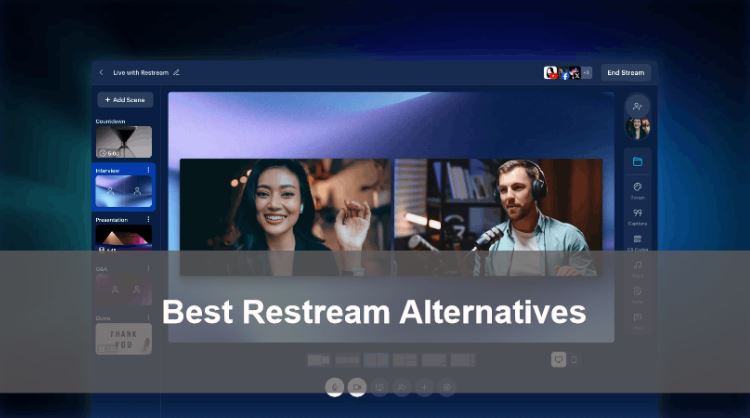
If you are exploring an alternative to Restream, there are many options available today. Some tools provide more customization, others focus on cloud automation or better pricing for beginners. Then, what are they, and how to choose? Keep reading.
Restream is a popular cloud-based multistreaming service that allows creators to broadcast live video to multiple platforms simultaneously. Instead of streaming separately to each site, users send a single stream to Restream, which then distributes it to platforms such as YouTube, Facebook, and Twitch.
Features and Plans of Restream
Why did Restream become popular in the first place? The platform offers several powerful tools designed for content creators and businesses that rely on live streaming.
Core features include multistreaming to multiple platforms, cloud broadcasting without heavy local hardware, chat aggregation that merges audience messages from different platforms, and real-time analytics.
Restream offers several pricing tiers:
Free Plan – $0/month
Multistream to 2 channels, integrated chat, basic studio tools, and Restream branding.
Standard Plan – $16/month
3 channels, add custom logos, record streams for up to 6 hours, and include 2 team seats.
Professional Plan – $39/month
5 channels, 1080p streaming, longer recordings (10 hours), split-audio downloads, and additional team collaboration features.
Business Plan – $199/month
8 channels, advanced analytics, team features, and integrations
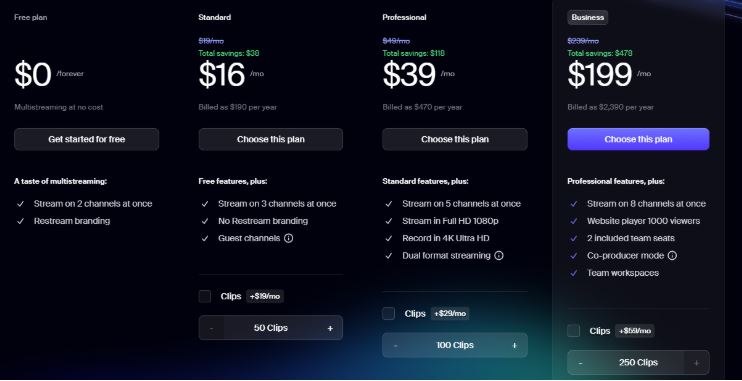
Even though these plans provide flexibility, some creators still search for a Restream alternative free option or a platform with better pricing and performance.
Although Restream is powerful, it may not suit everyone. As streaming becomes more competitive, creators often explore a Restream alternative that better fits their workflow, budget, or performance requirements.
Common reasons include:
Pricing limitations – Some advanced features require higher subscription tiers.
Platform restrictions – Not all destinations or integrations are supported equally.
Latency concerns – Some users report delays during multistreaming sessions.
Customization limits – Branding options and layouts may be limited for some users.
Technical issues – Occasional errors such as Restream not working during broadcasts push creators to test other solutions.
Different creator needs – Gaming streamers, webinar hosts, and marketing teams require different feature sets.
Because of these factors, many creators actively search for a reliable alternative to Restream that delivers better performance or flexibility.
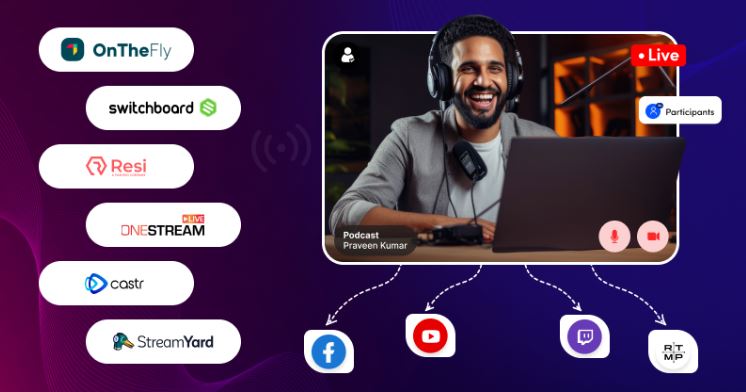
Many platforms today compete in the multistreaming space. If you are searching for a dependable Restream alternative, the following services are widely considered among the best options.
OneStream Live is a flexible cloud streaming platform that supports both live broadcasts and pre-recorded streams. It allows creators to schedule videos and stream them simultaneously to more than 40 social media platforms. Integration with services such as Google Drive and RTMP encoders makes it convenient for automated streaming workflows.
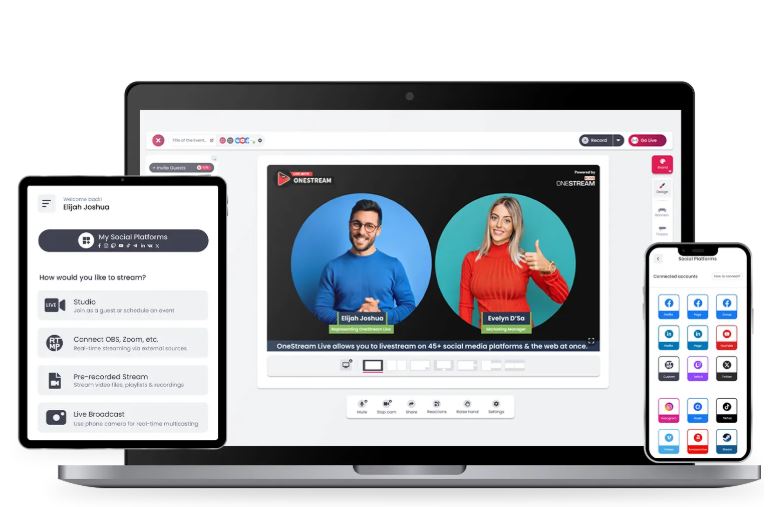
Reasons for recommendation:
Supports 40+ streaming platforms
Allows scheduled streaming of pre-recorded videos
Integrates with OBS, Zoom, and cloud storage services
Simple interface suitable for beginners
Price:
Free plan available
Basic: $15/month
Standard: $39/month
Professional: $49/month
Enterprise: $99/month
StreamYard is a browser-based streaming studio designed for interviews, webinars, and talk shows. Unlike many tools that require software installation, it runs entirely in a browser, allowing creators to go live quickly. Guest invitations, on-screen comments, and easy branding make it a practical alternative to Restream for conversational live content.
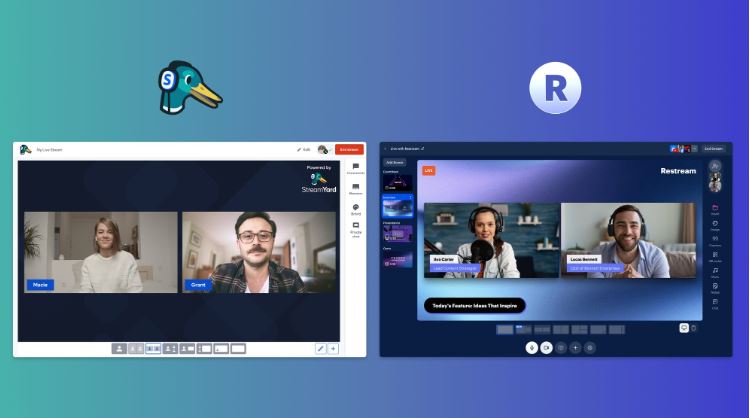
Reasons for recommendation:
No installation required; works in a browser; supports 10 platforms
Easy guest invitation through shareable links
On-screen comments, banners, and layouts
Ideal for interviews, webinars, and podcasts
Price:
Free plan with branding
Paid plans: $25 – $49/month
BoxCast is a professional live streaming solution designed for organizations, churches, and event broadcasters. The platform allows users to capture, manage, and distribute live video across websites and social media platforms with minimal technical setup. It is often considered a strong Restream alternative for event broadcasting and professional streaming environments.
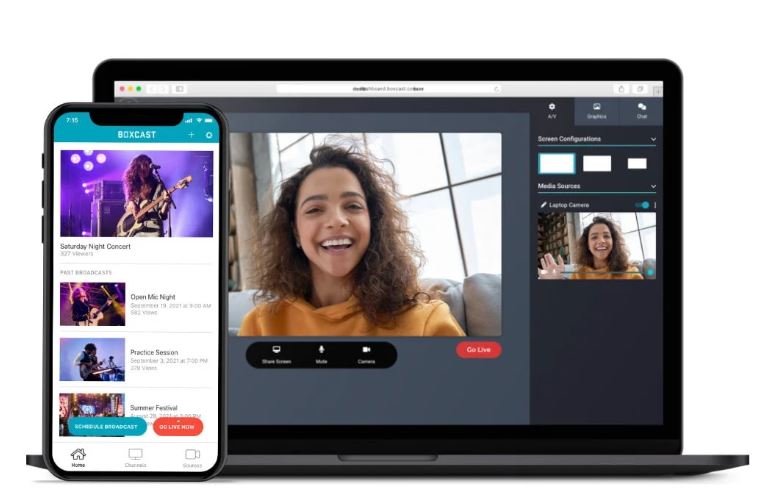
Reasons for recommendation:
End-to-end broadcasting workflow
Caption support and customizable broadcasting options
Designed for large events and organizations
Simultaneous streaming to multiple platforms: Facebook Live, YouTube, Twitter, websites, etc.
Price:
Standard: $109/month
Deluxe: $169/month
Advanced: $249/month
Premium custom plans available
Castr is a scalable live streaming platform built for both creators and businesses. It supports more than 30 streaming destinations, real-time analytics, and even 24/7 live channels. Castr is particularly popular among broadcasters who need reliable stream distribution and scheduling tools.
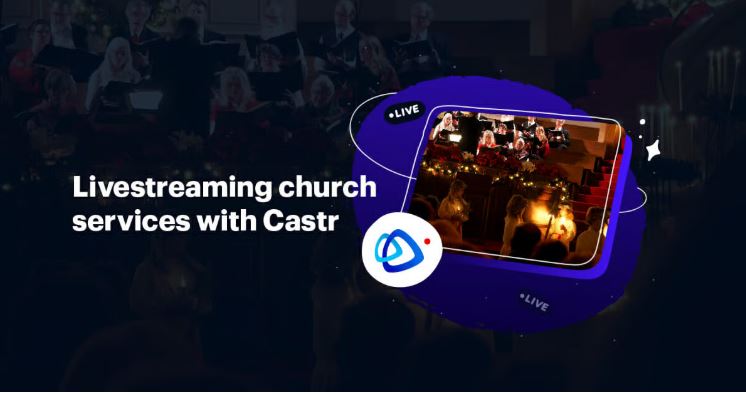
Reasons for recommendation:
Supports streaming to 30+ destinations
24/7 live channels and scheduling options
HTML5 player and real-time analytics
API access for automation
Price:
Standard: $39.99/month
Professional: $99.99/month
Premium: $149.99/month
Ultra: $299.99/month
Switchboard Live focuses on professional multistream distribution and stream routing. It allows creators to broadcast to dozens of destinations simultaneously and automate their streaming workflows. For creators managing multiple platforms and collaborators, it can serve as a powerful Restream alternative.
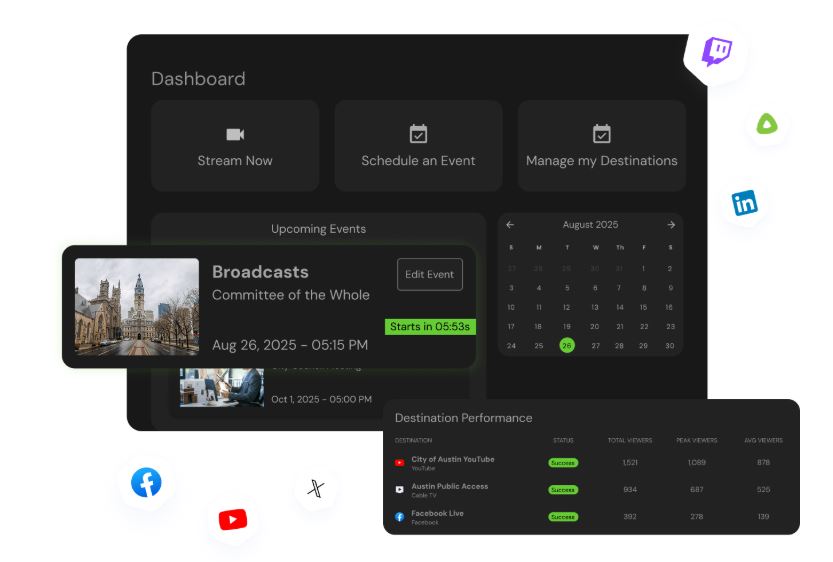
Reasons for recommendation:
Broadcast to multiple platforms simultaneously
Stream scheduling and automation features
Custom branding and overlays
Allows co-hosts to broadcast on their own channels
Price:
Plans start at $35/month
Streamlabs OBS is a popular streaming software widely used by gamers and content creators. It combines broadcasting tools, overlays, alerts, and chat features into one interface. Many streamers consider it a practical Restream alternative free option because of its free base version and integrated streaming features.
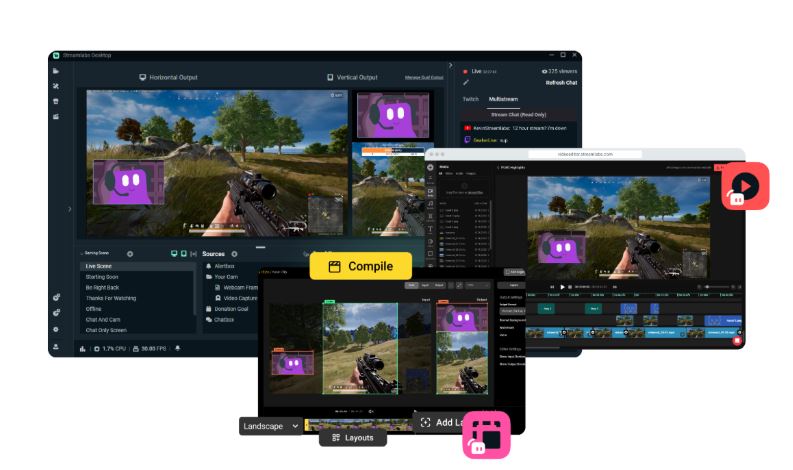
Reasons for recommendation:
All-in-one streaming studio
Integrated alerts, widgets, and chat tools
Popular among gaming streamers
Supports multistreaming with premium features
Price:
Free basic version
Streamlabs Prime: $19/month or $149/year
Platform |
Price Range |
Key Strength |
Supported Platforms |
OneStream Live |
Free – $39/mo |
Scheduled streams |
40+ |
StreamYard |
Free – $49/mo |
Easy browser studio |
10 |
BoxCast |
$99+/mo |
Reliable broadcast infrastructure |
Major platforms |
Castr |
$50+/mo |
CDN distribution |
Many |
Switchboard Live |
$29+/mo |
Dynamic stream routing |
Major platforms |
Streamlabs OBS |
Free – Premium |
Integrated streaming tools |
Twitch, YouTube |
These options provide multiple free alternatives to Restream, depending on whether your priority is cost, automation, or professional broadcasting features.
Many creators start by searching for a Restream alternative free option. Free plans can be useful for beginners who are testing multistreaming workflows or learning how different platforms operate.
However, free tools often include several limitations. These may include restricted streaming destinations, bandwidth limits, platform watermarks, reduced resolution quality, and higher streaming latency. For professional creators or businesses, these limitations may affect audience experience and brand perception.
Therefore, while free plans can serve as a starting point, serious creators often upgrade to a premium Restream alternative once their streaming needs grow.
Choosing the best Restream alternative depends on your content style, audience, and budget. Each creator has different priorities when selecting a streaming platform.
Here are some general recommendations:
Individual streamers → choose a simple Restream alternative with easy setup
Corporate marketing teams → use platforms with CDN infrastructure and analytics
Cross-border streamers → combine Restream alternatives with a VPN for stability
Low-budget creators → start with free alternatives to Restream and upgrade later
Gaming creators → prioritize low latency and OBS integration
Event organizers → choose platforms with professional broadcast reliability
When using Restream alternatives, network stability becomes just as important as the streaming platform itself. Multistreaming requires a consistent upload connection, and routing issues can increase latency or cause dropped frames. This is where a VPN can help improve performance and accessibility. Among multiple VPN providers in the market, iTop VPN is a good choice.

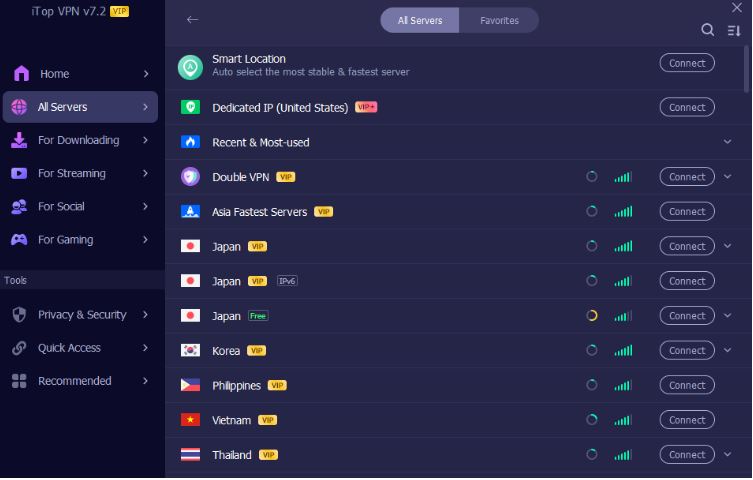
This VPN for Windows and mobile provides optimized routing and global servers, 3200+ servers in over 100 countries, that can help streamers maintain stable connections during broadcasts.
Another advantage is flexibility. Lots of streamers broadcast to global audiences and need access to platforms available in different countries. iTop VPN allows them to connect through servers in regions such as the USA, France, India, Japan, Malaysia, and more, making it easier to manage content distribution worldwide. Using such a reliable VPN can reduce network bottlenecks and allow creators to access streaming platforms even when certain regions impose restrictions.
Key Benefits You Can Enjoy:
Reduce Streaming Latency
Multistreaming often routes traffic across several global servers. iTop VPN can optimize your routing paths and connect you to faster nodes listed in the VPN server list.
Bypass Regional Restrictions
Some streaming platforms limit features in certain regions. For example, creators in the UAE sometimes encounter restrictions when accessing browser-based streaming tools like StreamYard. iTop VPN helps bypass these limitations by connecting through international servers.
Prevent ISP Throttling
Some internet providers slow down high-bandwidth activities such as live streaming. Encrypted VPN traffic prevents ISPs from identifying streaming data and applying throttling.
Secure Your Streaming Traffic
Streaming platforms may involve account credentials, payment tools, and API integrations. VPN encryption helps protect these data transfers. Dedicated identity options from iTop VPN, like a dedicated IP can also improve account stability.
Extra flexibility for creators
Some creators use VPN connections to manage online tasks such as promotions or even services like buy TikTok coins cheap in supported regions.
For beginners looking to test VPN benefits, it offers a reliable free VPN option that can provide basic protection and access without additional cost.
The Bottom Line
Multistreaming helps creators reach audiences across multiple platforms. While Restream is a powerful tool, many platforms now offer similar or specialized features. Choosing the right Restream alternative depends on your budget, streaming goals, and technical needs. By selecting the right platform and optimizing your network setup, you can create a stable multistreaming workflow and reach viewers worldwide.
10 Best SFlix Alternatives to Stream Movies Free or Paid

Best GoMovies Alternatives & Mirror Sites That are Still Working 2026
Yesmovies.org Unblocked: 10 Best Websites Like YesMovies 2026
10 Best Bflix Alternatives to Safe Streaming with VPNs in 2026
12 Best MyFlixer Alternatives for Free & Safe Streaming [2026]
12 Best 123Movies Alternatives in 2026 [Free & Safe]
15 Best Moviesjoy Alternatives for Safe Streaming 2026 [Paid/Free]
25 Free & Paid Flixtor Alternatives for Safe Movie & TV Streaming in 2026
3200+ worldwide servers
20+ dedicated streaming servers
Unblock any streaming sites
Free, fast & anonymous

Subscribe to Our Newsletter
Subscribe to our newsletter to stay updated every moment.

Subscribe to Our Newsletter
Subscribe to our newsletter to stay updated every moment.
© 2026 iTop. All rights reserved.






