iTop VPN offers 3200+ VPN servers in 100+ locations worldwide to help you access various sites privately and safely, along with dedicated IP, dynamic and static IP, and Double VPN.
Tired of game lag ruining your multiplayer matches? Use 4 effective methods to figure out how to fix lag in online multiplayer games.
You’ve got the perfect shot lined up. Your crosshair is right on the enemy's head in Apex Legends. You pull the trigger, but instead of a satisfying knock, your screen freezes for a split second. When it catches up, you're already in the spectator mode. Sound familiar? That gut-wrenching moment is brought to you by one thing: lag. We've all been there, and it’s beyond frustrating. But what if you could stop blaming your reflexes and begin to fix online game lag? This guide will answer the question: how to fix lag in online multiplayer games with proven methods.

So, before we begin to reduce online game lag, let's quickly figure out why this is happening in the first place. Lag isn't just one thing; it's usually a symptom of an underlying issue. Understanding "why I lag in multiplayer games" makes the "how to fix lag in online games" much easier. Here are the most common culprits:
Network Issues: This is the big one.
High Latency (Ping): This is the time it takes for data to travel between your PC and the game server. A high ping means a delayed response.
Packet Loss: Imagine your game data is a stream of letters. Packet loss is when some of those letters get lost in the mail, causing stutters and rubber-banding.
ISP Throttling: Your Internet Service Provider might be intentionally slowing down your gaming traffic, especially during peak hours.
Unstable WiFi: Wireless signals are susceptible to interference from walls, other devices, and even your microwave!
Software Conflicts:
Background Apps: Programs like streaming services, web browsers with too many tabs, or Windows updates downloading in the background can hog your bandwidth and processing power.
Game Issues:
Overloaded Servers: Sometimes, the problem isn't you—it's the game's servers being too crowded, especially on launch day or during big events.
Hardware Limitations:
Outdated Components: An old GPU or insufficient RAM can struggle to keep up, causing frame rate drops that feel like lag.
Now that you know what's causing the problem, it's time to tackle how to fix lag in online multiplayer games. You don't have to just accept a laggy game. The following four methods target the root causes we just discussed, from your network setup to your in-game configuration. Let's work to reduce online game lag and get your game running smoothly.
If you’re trying to figure out how to fix lag in online games, using a high-quality VPN can be surprisingly effective. You might only think of a VPN for privacy, but for gamers, it can be a secret weapon against lag. How? It all comes down to routing. Sometimes, your ISP doesn't choose the most efficient path to the game server, sending your data on a scenic route that increases ping. A VPN can provide a more direct highway.

A quality VPN for gaming can reduce ping by connecting you to a server that has a better, less congested route to the game's data center. It can also help bypass ISP throttling, as your encrypted traffic might be hidden from your provider's speed-limiting algorithms. For a seamless solution, consider iTop VPN. It's a great choice for gamers, especially because it offers a solid free tier to test things out. Its standout features include dedicated IPs for an exclusive, less crowded route and servers optimized for popular games.
How to Reduce Ping with iTop VPN
Step 1: Click the button, download, and install it for your PC.
Step 2: Open iTop VPN. Access its free VPN server list, pick a server from the list, and hit the "Connect" button.
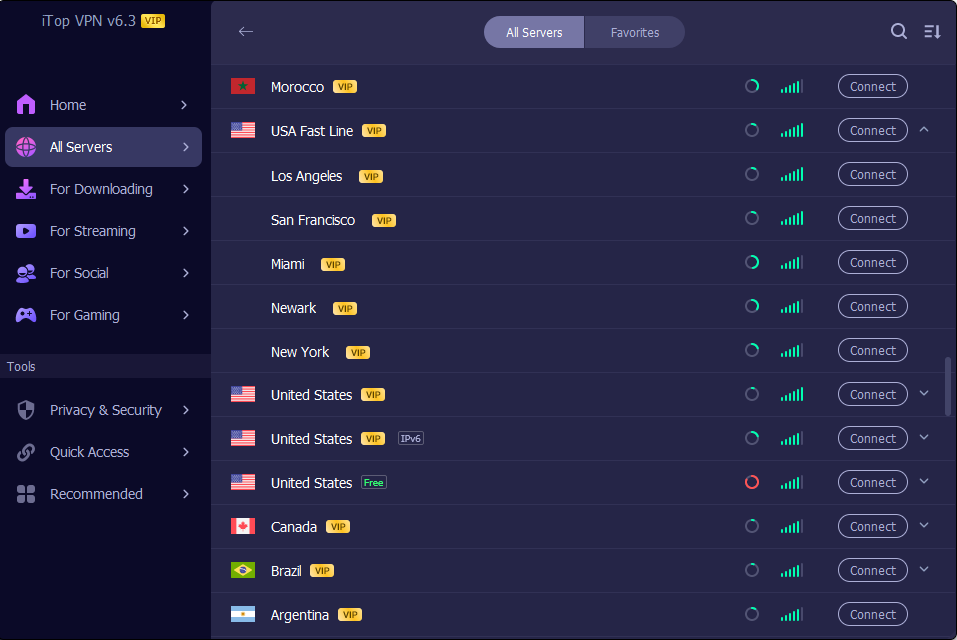
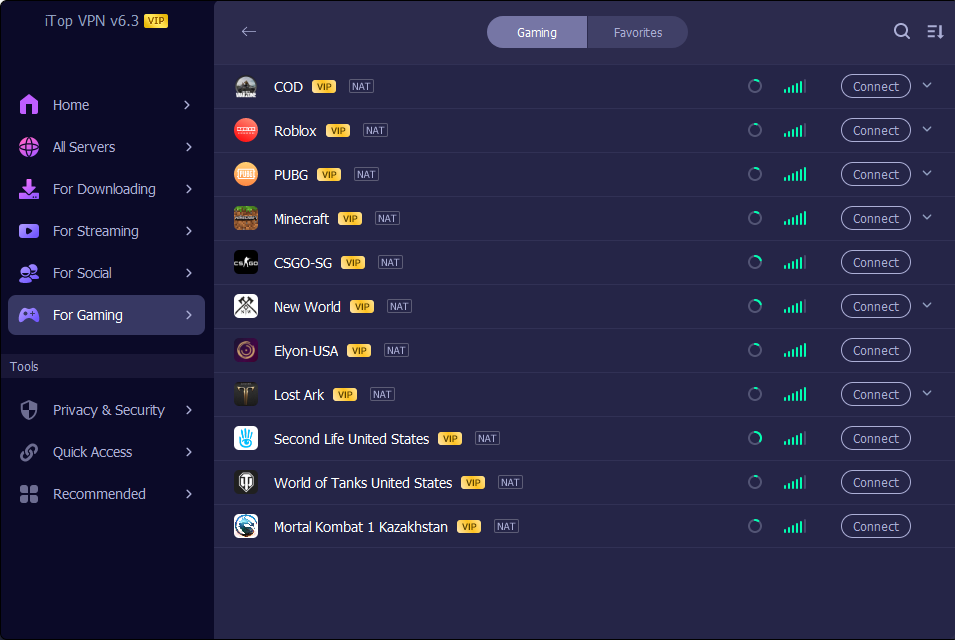
Step 3: For an extra edge, use its built-in Game Booster feature.
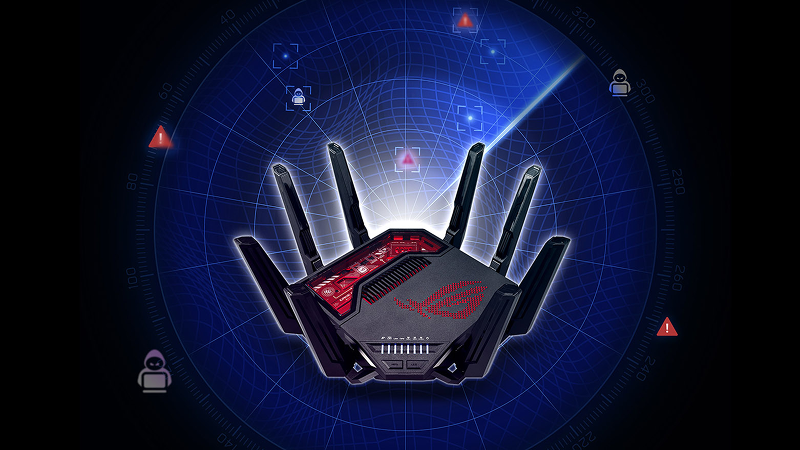
Many players searching for how to fix lag in online games eventually discover that the root cause is their own network. Your gaming setup is only as strong as its weakest link, and that's often the connection itself. To fix online game lag for good, let's get your network in fighting shape.
| Factors that lead to High Latency | Fixes |
| Unstable WiFi | Use a wired Ethernet connection. This is the single most effective fix. It's faster, more stable, and less prone to interference than WiFi. |
| Router Distance & Obstacles | Move closer to your router or eliminate physical barriers. If you must use WiFi, consider a WiFi extender or a mesh network system to boost the signal. |
| Overloaded Internet | Limit other devices. Ask housemates to stop streaming 4K videos or downloading large files while you game. You can also set up QoS (Quality of Service) on your router to prioritize your gaming device's traffic. |
| Outdated Router | Upgrade your hardware. An old router may not handle modern gaming demands. Investing in a newer, gaming-oriented router can make a world of difference. |
A key strategy to reduce online game lag especially for players who are wondering how to make Minecraft less laggy or how to reduce lag in Minecraft is to optimize your device’s running environment. Your game is running, but so is a ton of other stuff you've forgotten about. Let's clean house to free up precious resources.
Background Running Apps: Apps like Discord, Chrome, Spotify, and cloud storage services can drain your CPU and bandwidth.
Fix: Before gaming, open your Task Manager (Ctrl+Shift+Esc), sort by CPU and Memory, and close any unnecessary applications.
Outdated Drivers: Old network or graphics drivers can cause performance issues and conflicts.
Fix: Regularly check for updates from your hardware manufacturers, especially for your GPU (like NVIDIA or AMD).
Overheating Devices: When your PC or console overheats, it throttles performance to cool down, causing frame drops.
Fix: Ensure your device has proper ventilation. Clean out dust from fans and consider using a cooling pad for laptops.
Also Read: Delta Force VPN: Play Faster, Safer, and Without Interruptions >>
Sometimes, you can fix online game lag directly from within the game. A few tweaks can significantly lighten the load.
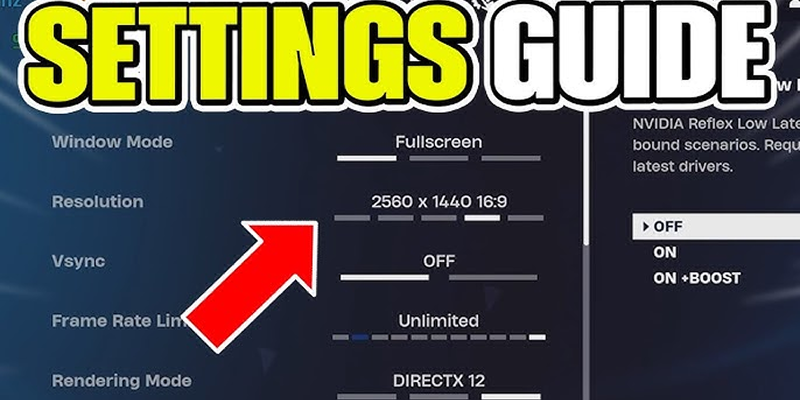
Change to a Nearer Server Region: Always select the game server geographically closest to you. This is the easiest way to lower your base ping.
Lower Graphic Settings: High-fidelity graphics are demanding. Lowering settings like shadows, anti-aliasing, and texture quality can boost your FPS (Frames Per Second), making the game feel more responsive.
Limit FPS to Match Monitor: If your game is rendering 200 FPS but your monitor only displays 60Hz, it can cause screen tearing and stutter. Capping your FPS just above your monitor's refresh rate can create a smoother image.
When considering how to fix lag in online multiplayer games, a specialized free VPN often provides the most direct solution to network-based lag. It’s the ultimate tool for taking control of your connection. For a consistently smooth and fast experience, iTop VPN stands out as a top contender, specifically engineered for gamers who can't compromise on speed.


Unlike standard VPNs, iTop VPN is built from the ground up to deliver the low latency and high stability that competitive gaming requires. It goes beyond just encrypting your data; it actively optimizes your route to the game world.
Key Features:
Low Ping & High Speed: With its dedicated IP feature, you get a free dedicated IP address that isn't shared with others, eliminating congestion and ensuring no bandwidth limits.
Dedicated Routes for Your Loved Game: iTop VPN doesn't just offer a generic free VPN server list. It has exclusive servers optimized for specific popular games in key locations, ensuring you get the best possible connection to the titles you play most.
Enjoy Smooth Game with Built-In Game Booster: This isn't just a VPN; it's a gaming suite. The built-in Game Booster allows you to add a game (by clicking the + icon). Once connected, only that game's traffic is routed through the high-speed VPN tunnel, while other apps like browsers or chat clients run normally on your local network.
Beyond Speed Comes Security: A smooth game is also a safe one. iTop VPN's military-grade encryption keeps your data and traffic safe from snoopers.
Also Read: Buy Cheap TikTok Coins Online & with Free VPN in the Cheapest Country >>
Still have some burning questions? Let's tackle the most common ones about gaming lag, like how to fix lag in online multiplayer games.
Q1: How Do I Know if I’m Experiencing Lag in a Game?
A1: The most common signs are your character "rubber-banding" (teleporting back to a previous spot), delayed actions (like shooting and the result happening seconds later), and sudden, brief freezes in the game world while other players seem to move normally.
Q2: What Ping Is Considered Good or Bad for Gaming?
A2: Generally, a ping below 20ms is excellent, 20-50ms is very good, 50-100ms is average, and anything above 100-150ms will start to become noticeably laggy.
Q3: Why Is Lag Worse on Wi-Fi Compared to Ethernet?
A3: Wi-Fi is susceptible to interference, leading to lag, while an Ethernet cable provides a faster, more stable, and reliable direct connection.
Q4: Why Am I Lagging in Multiplayer Games When I Have Good WiFi?
A4: Even with a strong WiFi signal, you could be experiencing "bufferbloat" (congestion in your router), ISP throttling, or an inefficient internet route to the game server.
Final Thoughts
Lag might feel like an unbeatable boss, but as we've seen, it's not. Try these methods to figure out how to fix lag in online multiplayer games. From optimizing your internet and in-game settings to cleaning up your system, you have a powerful arsenal of fixes at your disposal. For the most stubborn, network-related issues, a specialized tool like a gaming VPN is often the key to victory. Ready to stop struggling and start dominating? Download iTop VPN to fix lag in New World, FF XIV, WoW, and more!
10+ dedicated social app servers
Unblock your favorite apps
Encrypt and protect data

Subscribe to Our Newsletter
Subscribe to our newsletter to stay updated every moment.

Subscribe to Our Newsletter
Subscribe to our newsletter to stay updated every moment.
© 2026 iTop. All rights reserved.