
iTop VPN offers 3200+ VPN servers in 100+ locations worldwide to help you access various sites privately and safely, along with dedicated IP, dynamic and static IP, and Double VPN.
How do I deactivate my Snapchat account? Don't worry anymore; here is your detailed step-by-step guide for iPhone, Android, and computer, plus tips for privacy protection
Wondering how do you deactivate Snapchat or if it’s possible to close a Snapchat account temporarily or permanently? Actually, you're not alone. Many users frequently ask how do you deactivate Snapchat on iPhone when considering a break from social media or protecting their privacy. Some want to close their Snapchat account temporarily, while others wonder how do I deactivate my Snapchat account permanently to ensure that their data is removed.
Whether you are exploring a short-term deactivation or permanently closing a Snapchat account, understanding the correct process is crucial. Then, how to close Snapchat accounts on your computer or mobile phone? Let's see the tutorials below.
First of all, Snapchat is so user-friendly that it enables you to close your Snapchat account. But, before getting to know the steps on how to deactivate Snapchat account permanently, it’s important to distinguish between temporary deactivation and permanent deletion.
Snapchat provides a 30-day window after deactivation during which your account remains recoverable. These 30 days are designed to give users time to reconsider before fully deleting all Snapchat content.
Closing your account temporarily can be a smart choice if you need a digital break, want to reduce distractions, or aim to protect your online privacy. Or, you can follow your heart and close it permanently. Then, you can take the right steps.
First, Let’s see how to delete your Snapchat account temporarily. Carefully following the steps guarantees your account is safely deactivated while preserving your recovery options during the 30-day period.
On Computer:
Step 1. Visit the Snapchat accounts portal and log in to your account.
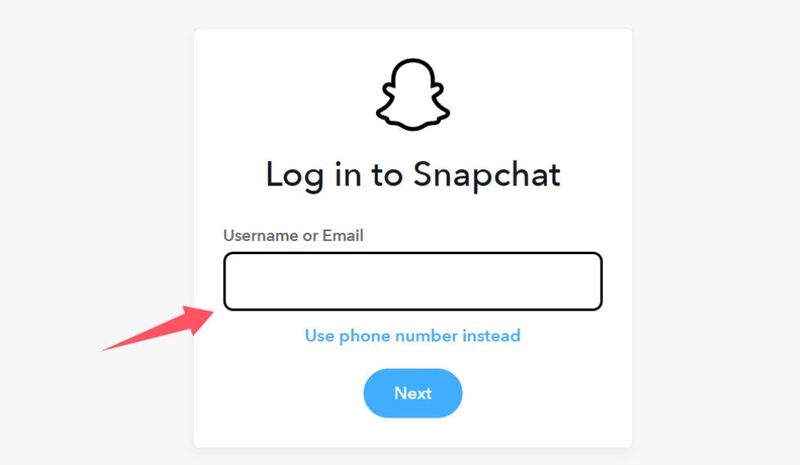
Step 2. Click Account Security and select Delete My Account.
Step 3. Enter your username, password, and then click Continue.
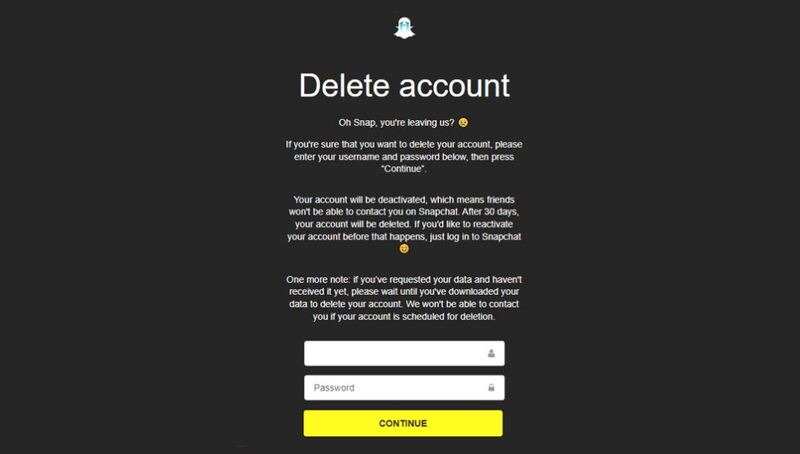
Your account will now be deactivated. Remember, it remains recoverable for 30 days, allowing you to log back in if you change your mind.
On iPhone or Android:
Step 1. Open the Snapchat app and tap your avatar in the top-left corner.
Step 2. Tap the gear icon to access Settings, then scroll to Support → I Need Help.
Step 3. Search for “Delete” and select Delete My Account.
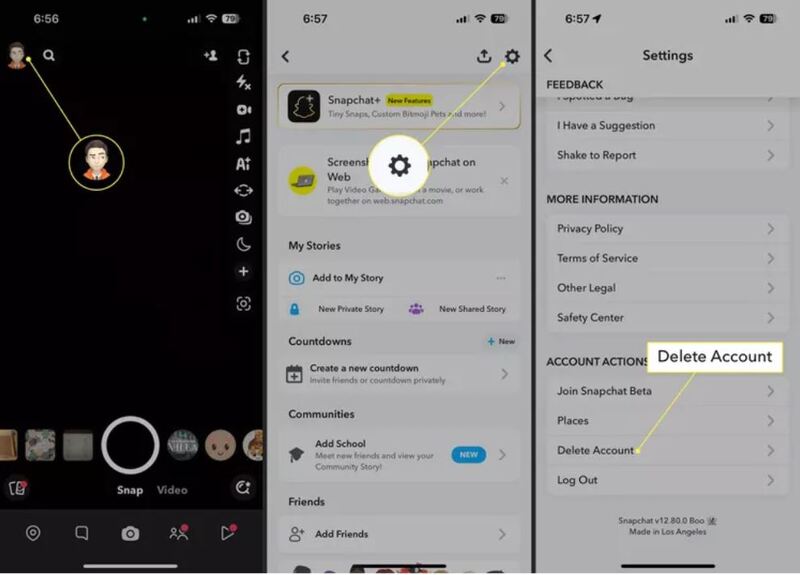
Step 4. Follow the instructions to deactivate your Snapchat account.
If you do not have immediate access to a computer, you can follow the steps above. Always make sure your app is updated to avoid errors. Remember that deactivating your account on any platform ensures your profile is temporarily hidden while your data remains recoverable for 30 days.
If you are certain about removing your account completely, follow these steps for how to deactivate Snapchat account permanently. Before starting, note that Snapchat keeps some data for legal and security purposes even after deletion.
Steps to permanently deactivate your account:
Step 1. Back up your important data, especially photos, videos, and chat histories.
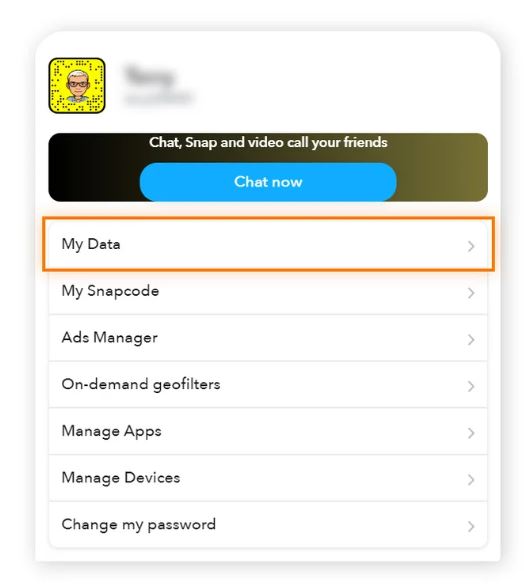
Step 2. Follow the computer or mobile steps from the above to deactivate your account.
Step 3. Avoid logging in for 30 days since logging in during this period will cancel the deletion process.
Step 4. Wait for automatic deletion. After 30 days, Snapchat permanently removes your account, including most snaps, chats, and profile information.
You can attempt to log in after 30 days should confirm that your account is no longer accessible.
Even after deactivating or deleting your account, privacy concerns persist when you use your device. Since Snapchat stores sensitive information, including location, photos, and messages, when you use it on a Public Wi-Fi or unsecured networks can expose your IP address, potentially allowing hackers or trackers to monitor your activity. Deleting it is not the smart way; protecting it is.
Using a VPN for Snapchat encrypts your internet connection, hides your IP address, and prevents third parties from tracking your Snapchat usage. Besides, privacy-conscious users benefit from a VPN not only for Snapchat but also for other social media platforms, like Tinder, TikTok, and more.
For Snapchat users seeking privacy and security, iTop VPN is an excellent choice. It uses AES-256-bit encryption, supports 0 log policy, and offers multiple protocols. With 3200+ VPN servers in 100+ regions, users can safely access Snapchat even from restricted areas such as North Korea or Russia.
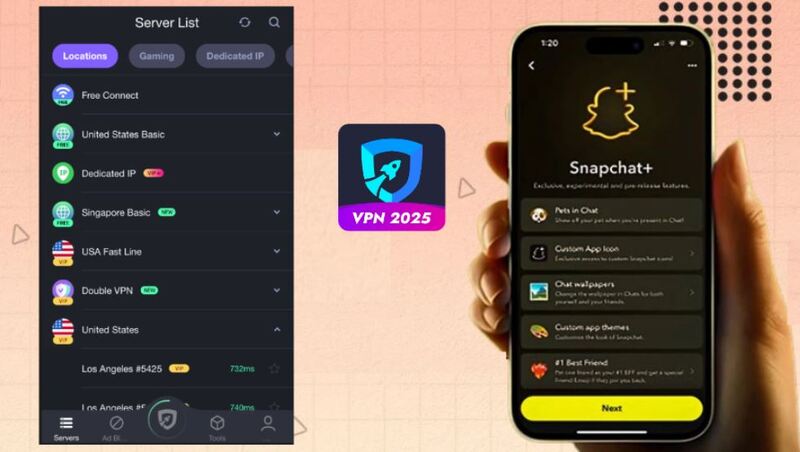
Plus, this secure VPN offers additional features like dedicated IP and double VPN for consistent and secure access. Mobile users can benefit from VPN for iOS and Android, while free users can try the free VPN option. For advanced needs or access to its full VPN server list, you can easily upgrade with a budget-friendly plan.
With iTop VPN, Snapchat users gain privacy, faster connections, and secure browsing across all devices. It’s particularly useful for those deactivating their account temporarily or wanting to maintain anonymity while active.

IP masking and location spoofing: Access Snapchat securely and bypass geo-restrictions to access it from anywhere.
Encrypted connections: Protect chats, snaps, and personal data on public Wi-Fi networks.
High-speed servers: Ensure smooth media uploads, video snaps, and messaging without lag.
Cross-platform support: iTop VPN works well on iOS, Android, Windows, and Mac.
Privacy Protection: Military-grade encryption and a strict no-log policy keep your conversations private.
Free VPN Option: Try Snapchat securely without paying upfront by using its unlimited free VPN version.
Step 1. Install iTop VPN on your device.
Step 2. Open the app and log in, or use the free VPN option without logging in.
Step 3. Select a server from the VPN server list, preferably near your location, or select the auto smart connection.
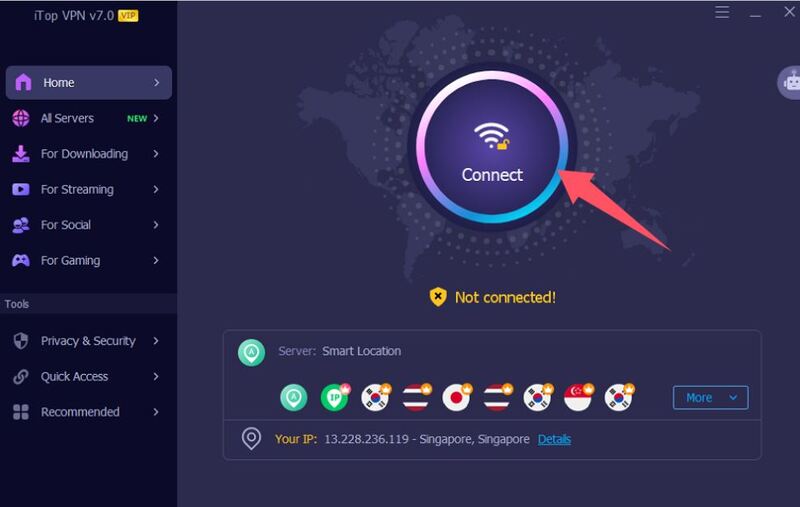
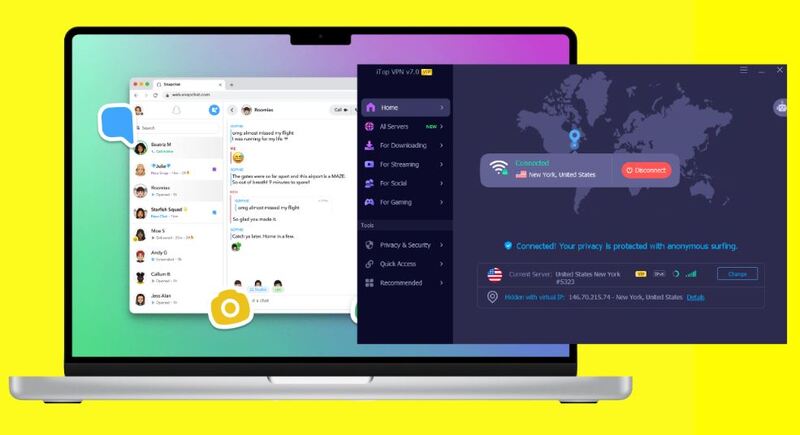
Step 4. Connect and launch Snapchat. Now, your connection is encrypted and secure.
Only during the 30-day deactivation period. Logging in during this time restores your account.
Use Snapchat’s password recovery options. Reset via email or phone number linked to your account.
Most content is deleted after the 30-day period, but some data may be retained for legal or security reasons.
Connection issues may occur if the selected VPN server is far or overloaded. Choose a nearby server from your VPN server list to improve speed.
Yes, a secure VPN with professional encryption tech will encrypt your connection, and prevent hackers and trackers from accessing your personal data.
Select a server close to your location for faster performance, or choose a country to bypass regional restrictions.
The Bottom Line
Knowing how do you deactivate Snapchat on iPhone, Android, and a computer, and deciding between temporary deactivation and permanent deletion is essential for digital privacy. Following the outlined steps across devices ensures a smooth process. If you pair your account management with a secure VPN like iTop VPN, you can enhance your Snapchat online security. Select the right way to confidently manage your Snapchat activity without deactivation.



10+ dedicated social app servers
Unblock your favorite apps
Encrypt and protect data

Subscribe to Our Newsletter
Subscribe to our newsletter to stay updated every moment.

Subscribe to Our Newsletter
Subscribe to our newsletter to stay updated every moment.
© 2026 iTop. All rights reserved.






