iTop VPN offers 3200+ VPN servers in 100+ locations worldwide to help you access various sites privately and safely, along with dedicated IP, dynamic and static IP, and Double VPN.
How to boost game performance on PC? Best game booster VPNs help reduce lag, bypass throttling, and improve performance. Boost game speed with a VPN now.
Gamers today are always looking for reliable ways or specialized game boosters to optimize their online play. A game booster VPN is becoming a new tool. Whether you want smoother gameplay or lower ping, a good VPN can help you stabilize your connection and even bypass ISP throttling.
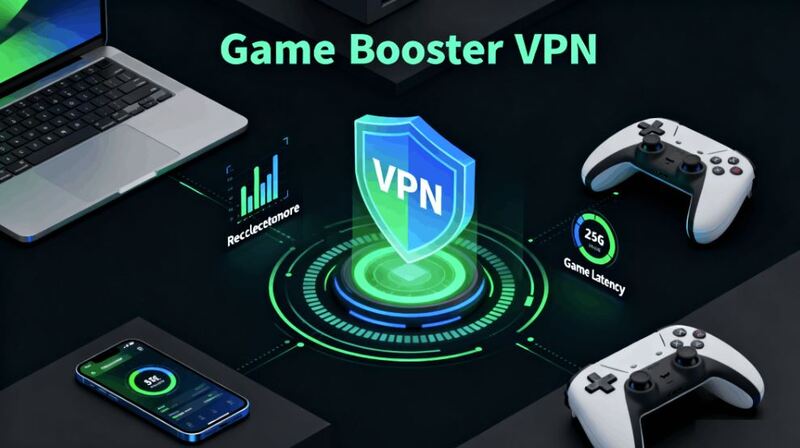
VPN with game boost functionality, especially the new game booster PC software, can deliver an enhanced experience for PC gamers who have higher requirements for speed. If you’re playing competitive online games, you need more than just a fast PC – you need a network that works as hard as you do. That’s why using a game booster VPN PC solution can be the missing piece to your performance puzzle.
What does a vpn do for gaming? For competitive players, every millisecond counts, and using a game booster VPN can dramatically change your online performance. These VPN game boost tools not only help you stay connected to the fastest possible servers while avoiding interruptions, but also bring more. Here’s why they matter:
Lower ping and reduce lag: A gaming VPN routes your traffic through optimized servers to connect you faster to game servers.
Bypass ISP throttling: When ISPs slow down your connection, a VPN hides your traffic, keeping your game speed consistent.
Unlock region-locked games: A game pass ultimate VPN supports playing titles that are only available in other regions and accessing global servers.
Protect your privacy: Stay safe from DDoS attacks and other malicious disruptions during competitive play.
Stabilize connections: A VPN that can boost internet speed helps maintain smooth gameplay even on unstable networks.
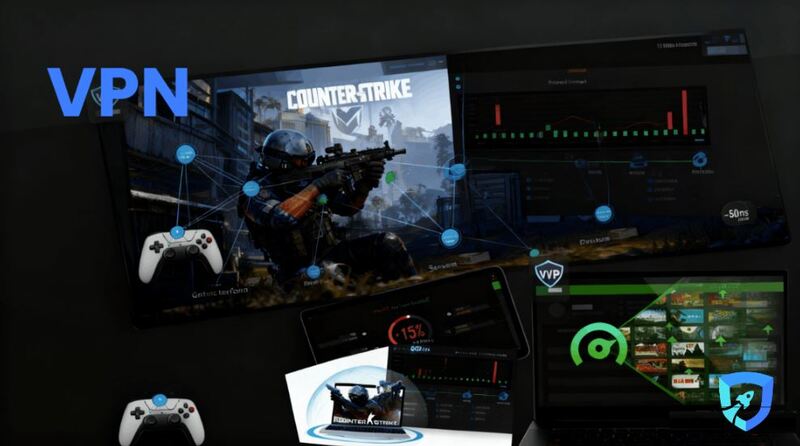
By addressing these pain points, a good VPN that can boost internet speed not only ensures you stay competitive in fast-paced online matches but also secures your data and allows you to play with global players.
Then, how to boost pc game performance with a VPN? Good game booster VPNs help you access global matchmaking pools, which can result in faster queues and fairer matches.
To make the most of your VPN, you should choose a service optimized for gaming. For example, iTop VPN offers a dedicated game booster mode that minimizes ping spikes and packet loss.
Here’s a quick guide:
Step 1. Download and install iTop VPN on your PC.
Step 2. Open the app and select a server, then click the "Game Booster" icon.
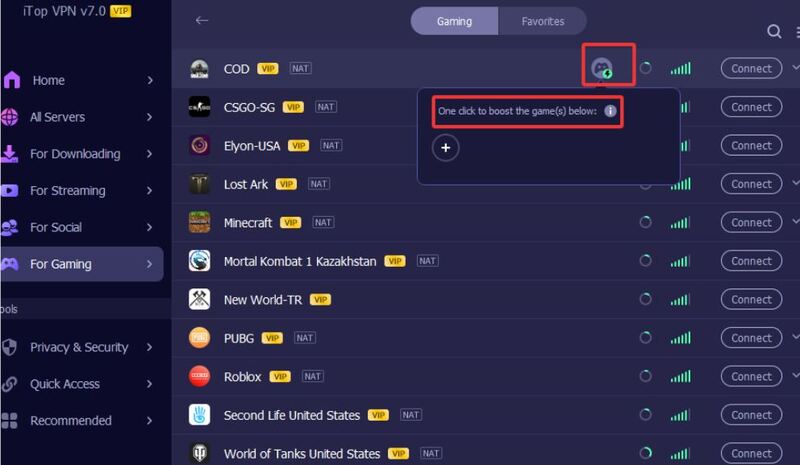
Step 3. Connect to the game-specific server and confirm your IP when connected.
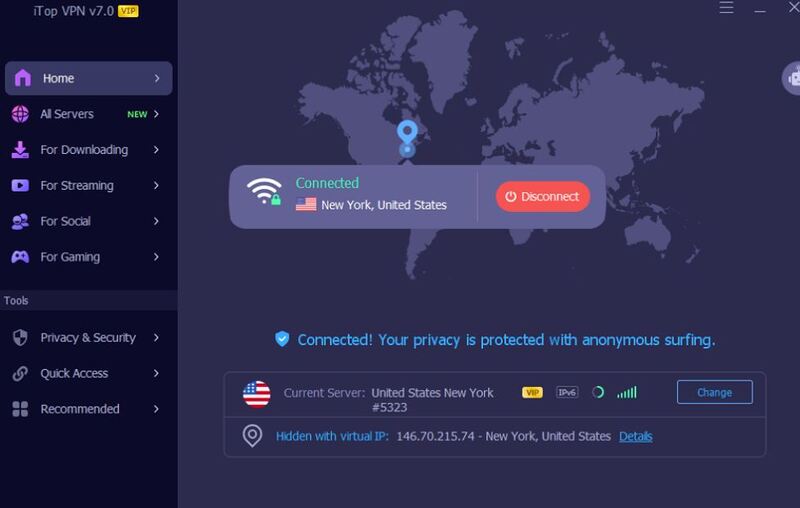
Step 4. Launch your game and enjoy smoother gameplay.
Not only iTop VPN, there are more game booster VPNs in the market. Before you select and commit to a VPN subscription, it’s important to know what makes a VPN effective for gaming.
A good VPN game booster PC service must meet several criteria:
Game boost: A VPN that offers a dedicated game acceleration option is preferred, as it provides independent functionality and better acceleration processing.
Low-latency servers: Look for providers with gaming-optimized servers close to your region.
Wide server coverage: The more locations, the better your chance of finding an uncongested server.
Strong encryption and security: Strong encryption like AES-256 ensures privacy while gaming and prevents attacks.
Affordable plans: Services with free trials or a free VPN option are helpful for testing performance.
Dedicated IP option: Using a dedicated IP VPN can help with consistent access to certain game servers.
Compatibility: It should support Windows, consoles, and mobile devices.
The right Game Booster VPN can transform your gaming sessions. Here are three top picks that deliver excellent performance and have proven VPN game boost capabilities.
iTop VPN is a popular choice among gamers looking for a VPN that can boost game speed. It has 3200+ servers in over 100 countries, about 100 free VPN servers in 5 countries, and offers dedicated gaming nodes for games like COD, CSGO, PUBG, Minecraft, and more. Its game booster mode reduces ping and prevents packet loss.
iTop VPN is a versatile game booster VPN for Windows and consoles. It offers VPN services for Windows, macOS, iOS, and Android, you can use it to boost your game across devices. For no budget users, you can use its free VPN version without login.
If you need higher speed and want to use its full VPN servers, it also provides affordable plans. Besides boosting the speed, you can benefit more from its additional privacy features like ad-blocking, double VPN, quick kill switch, and so on.



Highlights:
Game Booster Mode with optimized routing
3200+ VPN servers worldwide
Compatible with PC, consoles, and mobile
Affordable plans with a free trial
Extra privacy features
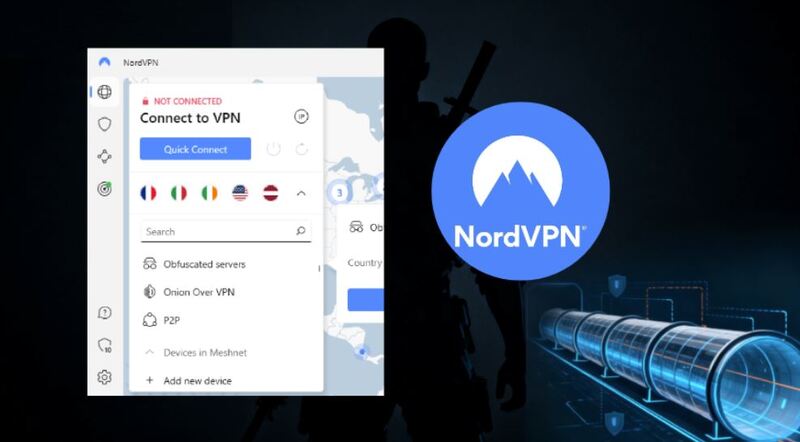
NordVPN is a well-known player in the industry and one of the best solutions if you are looking for what does a VPN do for gaming. Its specialty servers reduce latency and let you bypass ISP throttling with ease. NordVPN covers 118 countries and offers over 7400 servers.
For PC gamers, NordVPN is also an ideal option for both casual and competitive gaming. Its pricing is mid-range and comes with a 30-day money-back guarantee, so you can test its performance without risk.
Highlights:
7400+ servers in 118 countries
Low-latency specialty servers
Multi-platform support
Advanced security with Double VPN
Reliable customer support
ExpressVPN is another excellent choice for those seeking the best game booster PC solution. Known for its lightning-fast speeds and strong security, ExpressVPN has 3000+ servers in 108 countries, always a perfect option for global matchmaking.
ExpressVPN plans are slightly premium, but you get top-tier speed and 24/7 support, which is great for competitive players. This flexibility ensures you can also figure out how to boost game performance on laptop using the same subscription.

Highlights:
3000+ servers in 108 countries
Excellent speed performance
TrustedServer technology for security
Works on multiple platforms
For boosting a game, using a VPN is just one part of the equation. For even better results, you can combine it with these tips:
Keep your GPU drivers updated for maximum performance.
Close unnecessary background apps to free up RAM.
Use wired Ethernet instead of Wi-Fi to stabilize the connection.
Adjust in-game graphics settings for smoother FPS.
If needed, explore options to buy Robux or more games cheaply using different VPN locations for regional pricing – a perk for players who want to enhance their game equipment.
The Bottom Line
Using a game booster VPN can make a massive difference to your PC gaming experience by reducing lag, bypassing throttling, and providing global server access. Choose a service with the right features; each of the recommended VPNs above is a good choice, and follow the easy steps to maximize your performance. Whether you’re on a PC or a laptop, with it, you can keep yourself competitive and make your matches smoother and more enjoyable.
Subscribe to Our Newsletter
Subscribe to our newsletter to stay updated every moment.

Subscribe to Our Newsletter
Subscribe to our newsletter to stay updated every moment.
© 2026 iTop. All rights reserved.