iTop VPN offers 3200+ VPN servers in 100+ locations worldwide to help you access various sites privately and safely, along with dedicated IP, dynamic and static IP, and Double VPN.
Want to buy Figma Pro but worried about the cost? Discover proven methods to get Figma cheap with education discounts, billing tricks, and a smart VPN tip.
Hey there, designers and creators! If you're in the world of UI/UX design, development, or even education, you've probably heard of Figma. It's an incredibly versatile and collaborative design tool that makes creating stunning prototypes a breeze. But let's be real—while the free version is awesome, the Figma professional plan unlocks some truly game-changing features. The catch? Upgrading isn't always cheap. Don't worry, though! This guide is packed with proven methods and insider tips for buying cheap Figma in 2026. Let's save some cash now!
So, what exactly is Figma? In a nutshell, it's a cloud-based design platform where teams can build, prototype, and collaborate in real-time. It's a favorite for designers, product managers, and developers alike. Now, the Figma Professional plan takes this to the next level. We're talking unlimited version history, advanced prototyping, team libraries, and private plugins. It's the full power pack for serious creators who need more from their toolkit.
Also Read: Buy Cheap TikTok Coins Online & with Free VPN in the Cheapest Country >>
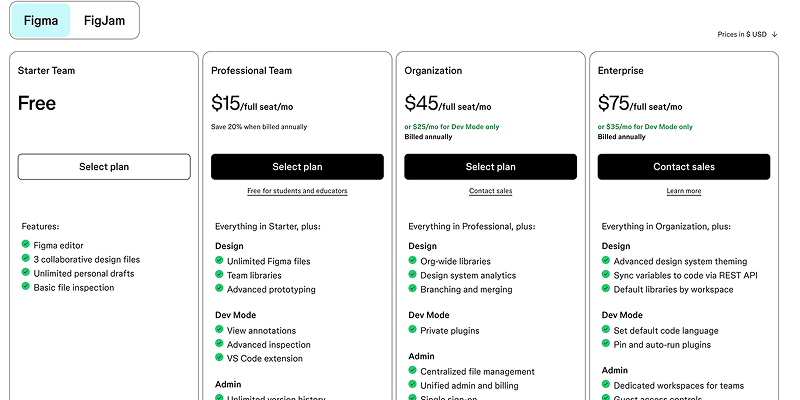
Before we hunt for a Figma cheap plan, let's break down what's officially on the menu. Figma offers a few tiers, each with its own perks. You can check the full details on their pricing page.
Figma Free Trial (Starter): Perfect for individuals or small projects. You can get access to the Figma and FigJam editors with some file and project limits. It's a great way to test the waters.
Figma Professional (Monthly plan from $5 to $20, Annual plan from $3 to $16): This is the star of the show for most professionals. It unlocks unlimited files, unlimited version history, team libraries, and private plugins. It's billed per editor per month.
Figma Organization (Annual plan from $5 to $55): Built for larger companies, this adds advanced security, centralized admin controls, and dedicated support.
Figma Enterprise (Annual plan from $5 to $90): The big league, with the highest level of security, compliance, and customization for massive organizations.
Alright, here's the part you've been waiting for. Let's explore four effective ways to significantly reduce the cost and help you buy Figma Pro cheap.
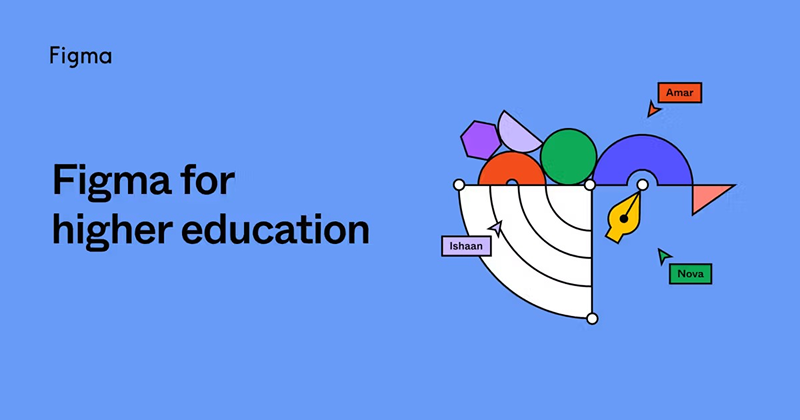
Are you a student or educator? Do you want to get a Figma cheap plan? Then you're in luck! Figma offers a fantastic Education plan that gives you most Professional features for free. The only limit? You need to verify your academic status to get cheap Figma.
Where to Find it: Head over to the Figma Education page.
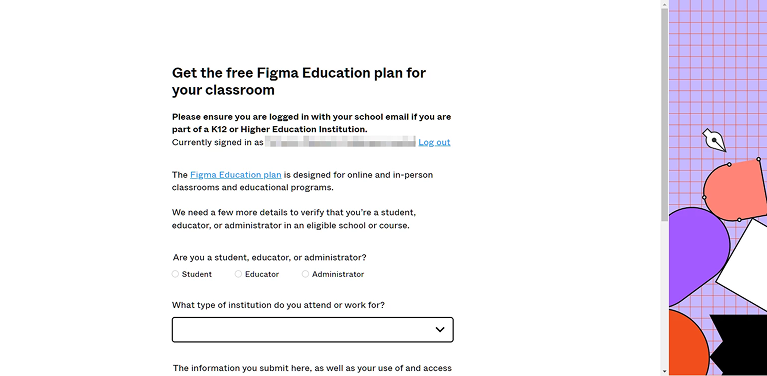
How to Apply: Click "Get Verified" and follow the steps, which usually involve submitting a valid school email or other documentation.
Also Read: What is the Cheapest Google Play Country? Get the Lowest In-App Purchases >>
This is a simple switch that can help you buy Figma Pro cheap with ease. Instead of paying monthly, opt for annual billing. Figma often gives a nice discount for this commitment. Also, review your team: if only one person needs full editing rights, keep just one Pro seat and add others as viewers. This adjustment alone can cut your Figma Pro cost by 30–50%.
How to Buy Annually: In your account billing settings, simply switch the toggle from "Monthly" to "Annual."
How to Reduce Seats: Go to your team settings and adjust the number of paid editor seats.
Sometimes, the best way to get Figma cheap isn't through the official site. Check authorized resellers and app marketplaces like Stack Social or AppSumo. They occasionally run regional discounts or bundle offers. A quick search for "where to buy cheap Figma" can lead you to some surprising deals!
Here’s a powerful trick to help you get cheap Figma: Figma's pricing isn't the same everywhere. Due to local economic factors, the subscription fee can be much lower in certain countries. By using a VPN service that acts as a hide my IP VPN, you can conceal your real address and make it appear like you're browsing from a country with cheaper pricing.
This is where a reliable VPN like iTop VPN comes in. It’s a free and robust service that lets you virtually relocate yourself to access the best deals. But why is iTop VPN your best bet for a cheaper Figma Pro? When you're trying to get a Figma cheap deal, you need a VPN that's both powerful and easy to use. iTop VPN fits the bill perfectly.

Let's look at its key features:
3200+ VPN servers worldwide to unblock Figma cheapest country. With such a massive network, you can easily unblock those Figma cheap countries and compare prices from different regions without any hassle.
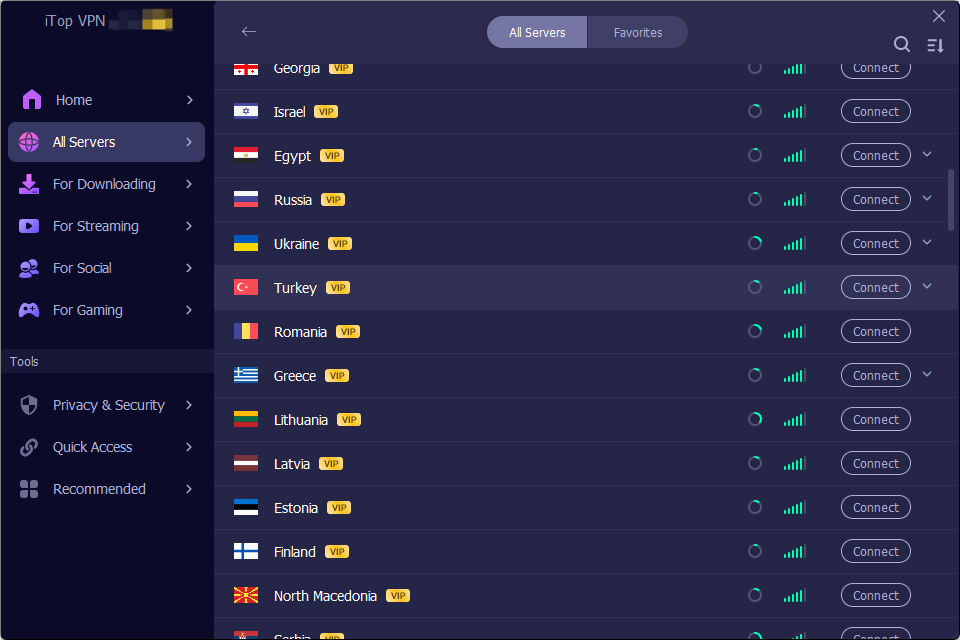
Fast VPN server to use Figma with no lag. As a speed VPN for PC, its high-speed servers ensure a smooth, lag-free design experience, even from a distance. Simply pick a fast server from its free VPN server list and enjoy seamless Figma use.
Easy to Navigate UI. New to VPNs? No problem! Its clean and intuitive interface is friendly for any new user, letting you connect to your desired location in just one click.
Advanced data protection features to guarantee your privacy. Your privacy matters. iTop VPN comes with a built-in VPN with Kill Switch and military-grade encryption to guarantee your online activity and payment details are always safe.
Bonus Features. Beyond Figma, you can enjoy a free dedicated IP for a more reliable experience. Unlike shared IPs that can be slow or flagged, your own dedicated IP ensures consistent, uninterrupted access.
Ready to grab your discount? Here’s how to do it:
Step 1: Download the iTop VPN app on your PC. It's quick, and the free version has everything you need for this task.
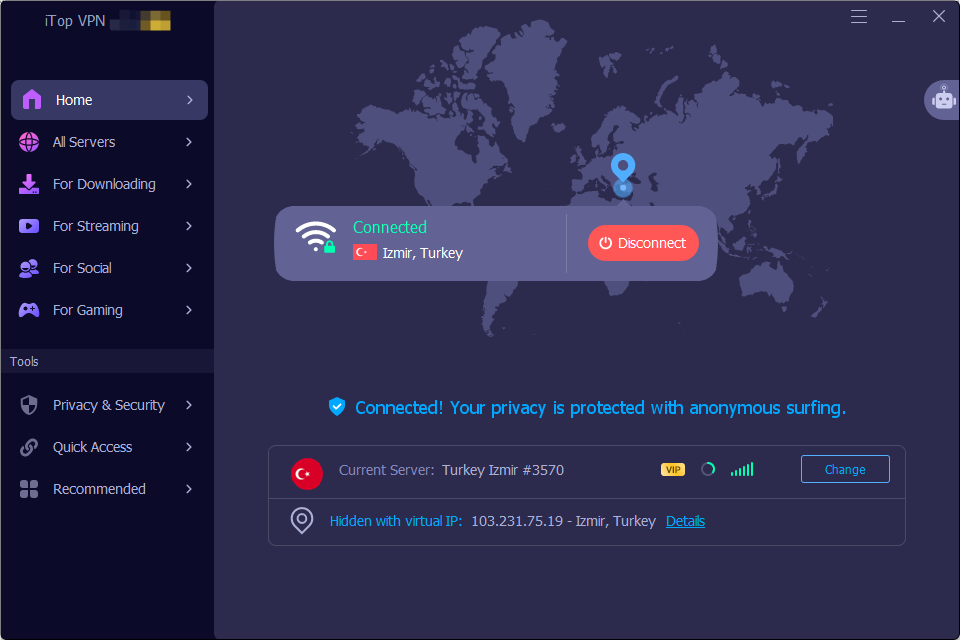
Step 2: Open the app and connect to a server in a country known for lower software subscription fees (e.g., Turkey or Argentina are often good starting points).
Step 3: With your new virtual location active, go to the Figma website. The pricing will now be displayed in the local currency at a much lower rate. Proceed with your Figma cheap subscription process as usual!
The Bottom Line
Getting a Figma cheap Pro upgrade is easier than you think. Whether you qualify for the Education plan, can switch to annual billing, or use the smart iTop VPN method, you have options. Why wait? Download this free VPN now, find the best price, and unlock the full power of Figma Professional without draining your wallet.
Subscribe to Our Newsletter
Subscribe to our newsletter to stay updated every moment.

Subscribe to Our Newsletter
Subscribe to our newsletter to stay updated every moment.
© 2026 iTop. All rights reserved.