
iTop VPN offers 3200+ VPN servers in 100+ locations worldwide to help you access various sites privately and safely, along with dedicated IP, dynamic and static IP, and Double VPN.
Experiencing Brawl Stars lagging on WiFi or mobile data? Learn why Brawl Stars is so laggy and discover 8 proven methods to fix it fast. Check now.
If you’ve ever entered a ranked match and suddenly noticed Brawl Stars lagging during a crucial team fight, you’re not alone. Every day, players search online trying to understand "why is Brawl Stars so laggy", especially when smooth gameplay suddenly turns into delayed skills, teleporting characters, or frozen screens.

The frustration becomes worse when you experience Brawl Stars lagging on WiFi despite having full signal bars. Many players immediately search “is Brawl Stars lagging right now” or “are Brawl Stars servers down.” In reality, most cases of Brawl Stars lagging are not server outages. Then, why does it happen and how to fix it? Keep reading.
Lag in Brawl Stars can mean two different things.
Network lag appears as delayed skill activation, rubber-banding movement, or characters teleporting. Performance lag appears as frame drops, stuttering animations, or freezing during heavy combat. This is typically hardware-related. Understanding the difference is critical when fixing Brawl Stars lagging effectively.
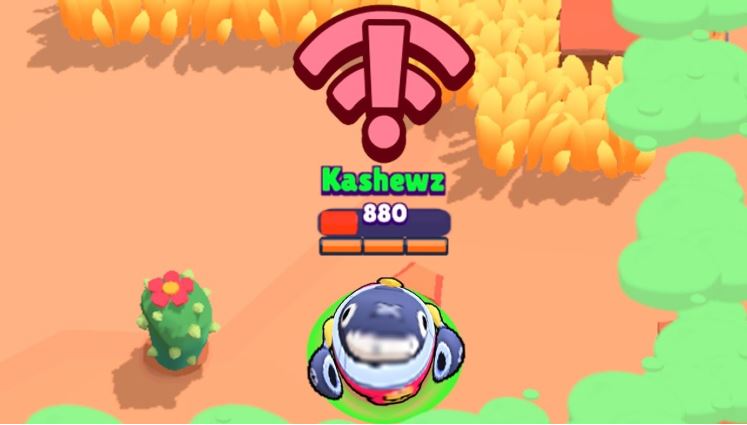
Players frequently report Brawl Stars lagging during team fights or when multiple supers trigger simultaneously. Others notice Brawl Stars lag on wifi mostly at night when the household network is crowded.
Some even experience Brawl Stars lag on 5g, proving that higher speed does not equal lower latency. Then, what exactly causes Brawl Stars to lag?
Similar to issues explained in Why is Warzone so laggy, Brawl Stars lagging almost never comes from a single cause. Why is Brawl Stars so laggy? The root causes typically fall into two major categories: network-related problems and non-network limitations.
Network-Related Causes
●Unstable Wi-Fi or Mobile Data
Weak signal strength, packet loss, and jitter can cause delayed actions. This explains many cases of Brawl Stars lagging on wifi.
●Server Distance & Routing Inefficiency
If you are far from the assigned game server, latency increases naturally. Poor ISP routing can add extra hops, increasing delay even if speed tests look good.
●ISP Congestion During Peak Hours
Evening traffic overload often causes spikes. Players then assume servers are down, when the issue is local bandwidth saturation.
●Regional Network Conditions
In certain regions, such as India, routing paths and infrastructure variations can lead to unstable latency.

Non-Network Causes
●Low Device Performance
Limited RAM or older processors struggle during intense 3v3 fights.
●Background Apps Consuming Resources
Streaming apps, syncing tools, or even platforms where users try to buy TikTok coins cheap may run in the background, consuming bandwidth and CPU.
●Thermal Throttling
Overheating forces your device to reduce performance automatically.
●Outdated Software or Corrupted Cache
System bugs can cause frame drops that feel like network lag.
Most cases of Brawl Stars lagging are caused by a combination of these factors.
Because Brawl Stars lagging results from layered problems, typically, solving it requires either network or device optimization. Below are 8 practical, structured solutions.
Network Optimization Methods:
1. Restart Your Router Properly
Turn off your router for at least 3–5 minutes. This clears temporary routing congestion and refreshes your public IP session. Many small latency spikes disappear after a full reboot instead of a quick reset.
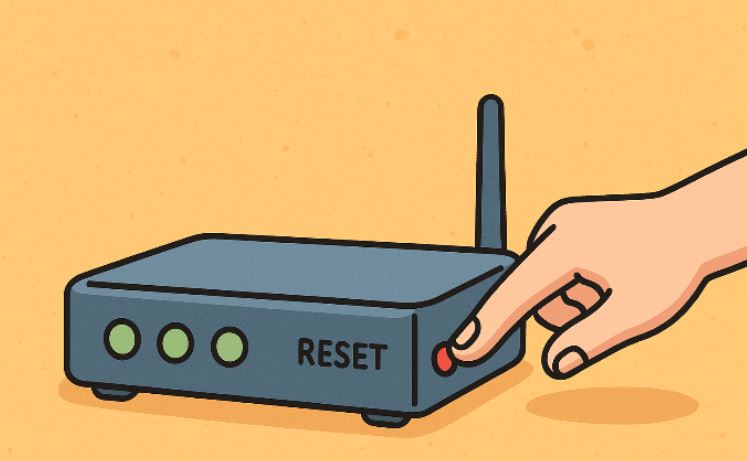
2. Switch WiFi Bands or Network Type
Test 2.4GHz vs 5GHz.
5GHz = lower latency but shorter range.
2.4GHz = better coverage but more interference.
If instability persists, test mobile data. But remember, Brawl Stars lag on 5g can still happen due to signal fluctuation or carrier congestion.
3. Improve Physical Network Conditions
Sometimes, signal stability matters more than raw speed, so try these adjustments:
- Move closer to your router
- Avoid metal obstructions
- Reduce interference from microwaves or Bluetooth devices
- Avoid public WiFi
4. Use a VPN to Optimize Routing Stability
One of the most effective ways to reduce lag in Brawl Stars is to use a VPN to optimize routing stability. High ping is often not caused by slow internet speed, but by inefficient routing paths automatically selected by your ISP. In many cases, your data may travel through congested or indirect international nodes before reaching the game server, increasing latency and causing packet loss. A VPN can reroute your traffic through optimized, low-latency pathways, shortening the transmission distance and stabilizing your connection to the game server. Among multiple choices, iTop VPN is a good option.

It is a fast VPN for Windows and mobile that provides gaming-optimized routes designed to reduce jitter and stabilize ping. For PC users, with its dedicated VPN for Windows, players can manually select the fastest region from the available 3200+ VPN server list, allowing them to connect to a node closer to Brawl Stars’ infrastructure. This reduces routing detours and improves real-time responsiveness during matches.
If you frequently encounter IP-related instability or congestion caused by shared IP addresses, switching to a dedicated IP can further enhance stability. A dedicated IP minimizes interference from other users, helping maintain consistent matchmaking and smoother gameplay performance.
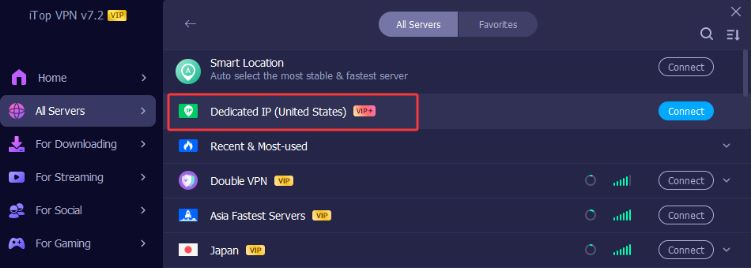
For budget users, its free VPN version can offer basic routing improvements, although premium servers typically provide better speed and prioritized bandwidth.
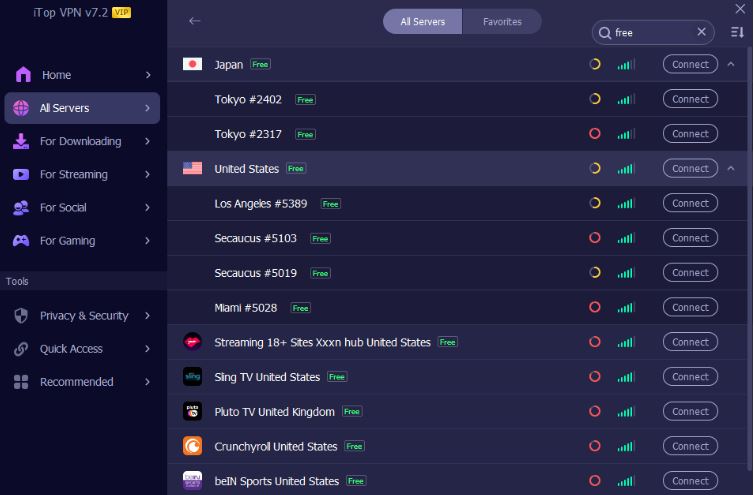
Overall, using a VPN is especially beneficial for players dealing with ISP throttling, cross-region play, or unstable peak-hour connections. A VPN will not magically give you zero ping. But it can significantly stabilize fluctuations for players constantly asking why is Brawl Stars so laggy.
Device & System Optimization Methods:
5. Close All Background Applications
Background apps may consume system resources. Closing them can reduce lag.
Before launching Brawl Stars:
Close streaming apps
Disable cloud sync
Pause system updates
Stop background downloads
This reduces CPU load and frees bandwidth.
6. Prevent Overheating
Overheating can trigger performance throttling. Keeping your device cool helps maintain stable gameplay. Stable temperature = stable frame rate.
Avoid overheating by following these tips:
Avoid charging while gaming
Remove thick phone cases
Play in a cool environment
Lower screen brightness
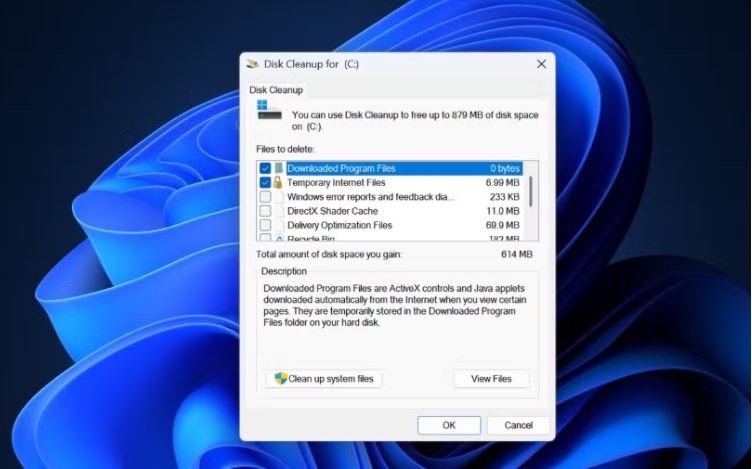
7. Clear Cache or Reinstall the Game
Corrupted temporary files may cause performance inconsistencies. Reinstalling the game refreshes all assets and removes hidden glitches that may contribute to Brawl Stars lagging.
8. Avoid Peak ISP Hours
If lag mainly occurs at night, ISP congestion is likely the trigger. Playing during off-peak hours can dramatically reduce spikes and stabilize ping.
Realistically, Brawl Stars lagging cannot be eliminated 100%. Online games depend on server infrastructure, ISP routing, and hardware limitations.
However, lag can absolutely be minimized and stabilized. Consistent 40ms latency is far better than fluctuating 20–120ms spikes. The goal is not zero ping. The goal is stability.
By combining router optimization, device management, and routing tools like VPNs, players can significantly reduce instability and maintain smooth competitive performance.
The Bottom Line
Now, you know that when experiencing Brawl Stars lagging does not automatically mean servers are down or your internet is broken. Lag is usually the result of a layered network and hardware factors working together. By identifying the true cause and applying structured fixes, you can dramatically improve match stability and enjoy smoother gameplay without chasing unrealistic zero-latency expectations.

3 Best VPNs for Minecraft: Fix Minecraft Lagging & Escape IP Ban

How to Get Cheap Valorant Points: Cheapest Valorant Points Country List Below
Best VPN for BGMI: How to Play BGMI Outside India for Free

How to Buy Cheap Robux? Get a Cheapest Robux Country List & Cheap Robux Methods

How to Fix Hogwarts Legacy Lag, Stuttering, Low Frame Rate on PC
Poki Unblocked Guide: Best VPNs for Poki Games Unblocked Anywhere 2026

Why Is New World So Laggy? 7 Optimization Tips
Top 5 VPNs for FiveM in 2026 - Fast, Secure & Reliable Gaming VPNs
100+ global countries
3200+ worldwide servers
Dedicated IP addresses
Dynamic IP and static IP

Subscribe to Our Newsletter
Subscribe to our newsletter to stay updated every moment.

Subscribe to Our Newsletter
Subscribe to our newsletter to stay updated every moment.
© 2026 iTop. All rights reserved.






