iTop VPN Download Free for Windows PC
- - AES-256 encryption & no-log policy
- - 3200+ VPN servers in 100+ locations
- - Lightning speed to surf the internet
- - Dedicated IP for exclusive connection


Set Up iTop VPN for Windows within 3 Steps

- Step 1: Download iTop VPN for Windows x64, x86, or Windows on ARM devices
- Step 2: Install and launch the top VPN for Windows
- Step 3: Connect to a free VPN server without login
iTop VPN for Windows Free for Secure & Fast Network Solution
iTop VPN for Windows is one of the best free Windows VPNs. With its fast speed of data transfer, high-grade 256-AES encryption, and private access to websites, you can enjoy a fast, secure, and unrestricted online browsing experience.
Get Access to Content Worldwide
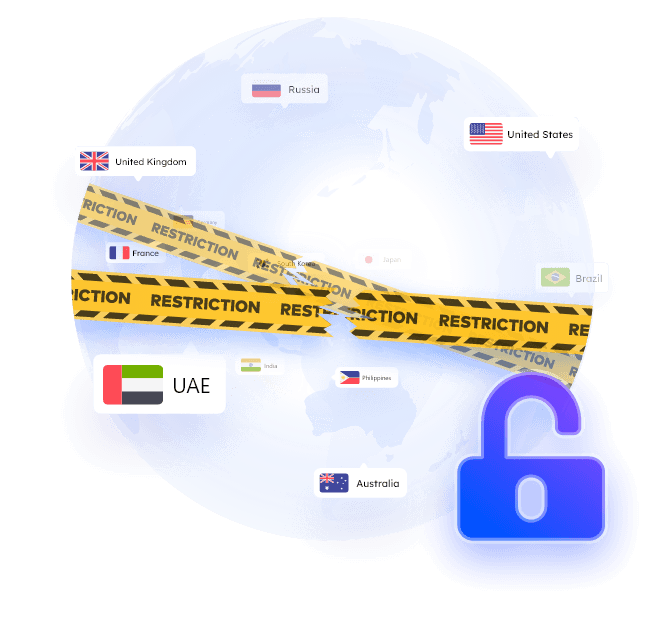
iTop VPN offers 3200+ VPN servers around the world. With it, you can easily gain access to the services that are shut off in your country, including streaming sites, games, chat apps, social platforms, and more.
Best-in-Class Encryption
iTop VPN safeguards your data with the AES-256 encryption to prevent your data from being intercepted by ISP, government, and any third-party advertisers. Get a safe environment for public Wi-Fi or online activities!
Strict No-Log Policy
Strict no-log policy guarantees that none of your online activity or identifiable metadata is recorded, stored or tracked. It uses RAM-only servers so every system reboot automatically wipes all data instantly.


Dedicated IP for Country
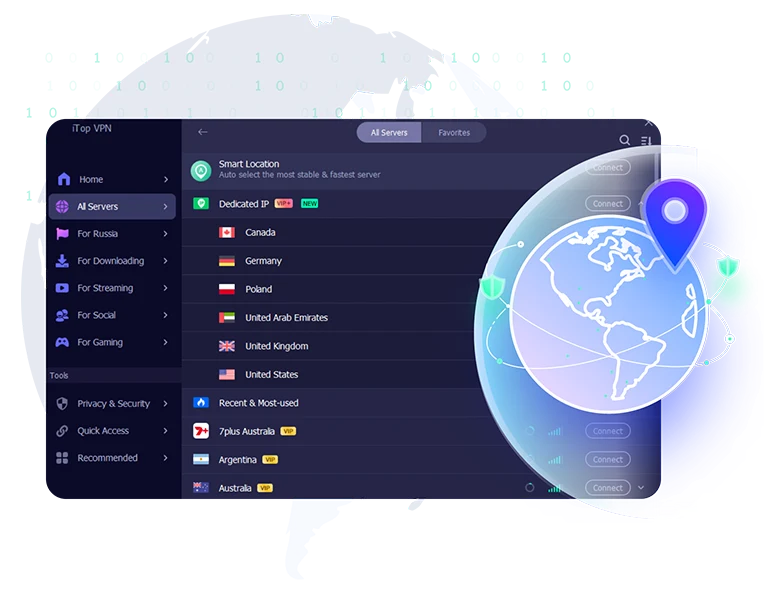
iTop VPN offers dedicated IPs in the US, UK, Canada, Germany, Poland, and UAE. Choose one, and after connecting, your internet traffic routes through the exact same unique digital address. Fewer CAPTCHAs and a consistent login experience, especially for enterprise use.
Dedicated IP for Streaming
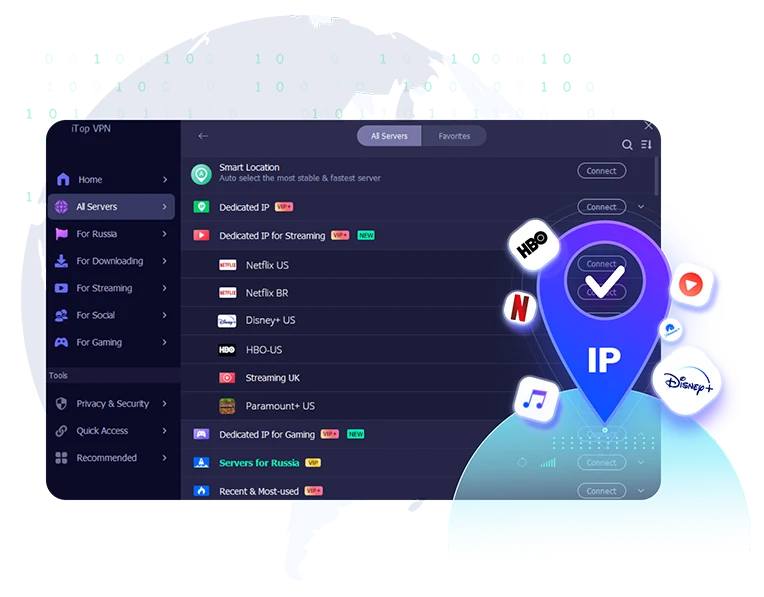
Get a reliable, uninterrupted access to localized streaming libraries with dedicated IP for streaming in iTop VPN. Exclusive IP address for popular platforms enables you to stream like a standard home user.
Dedicated IP for Gaming
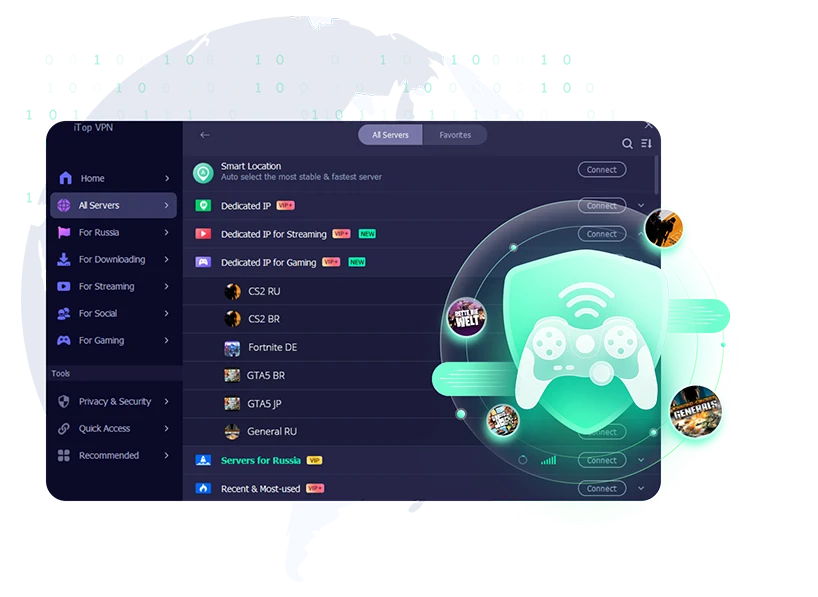
Dedicated IP for gaming gives you an exclusive IP and connect to a certain game. Route your gaming traffic throught a dedicated path without accidental IP bans or sudden lags caused by overcrowding or dynamic IP.
Multi-Layer VPN Security
Always keep your online identity completely invisible. iTop VPN offers multi-layer protection with a built-in Kill Switch, WebRTC leak defense, and full IPv4/IPv6 and DNS masking—ensuring your real IP and location are never exposed, even if your connection suddenly drops.
Worry-Free Password Manager
Eliminate the hassle of creating, remembering and securing passwords with the centralized password manager. Auto produce complex and randomized passwords, save and fill in usernames, passwords, payment information.
Ad Blocker
iTop VPN gives the ad blocker feature that works at the network and app level to block malicious or intrusive ads, pop-ups, and trackers across your entire device. Enjoy the purest Internet environment instantly.


Top VPN Download for PC and Mobile


The Windows VPN Elevates Privacy & Performance with More Features
iTop VPN has some important and powerful features that could help you stream, play games, or browse the internet with a better experience. Learn these features and use the top VPN for PC at will.
- Privacy Protection
- Speed & Performance
- System Compatibility
-
-
Anonymous Browsing
Automatically clean up all browser traces on mainstream browsers. Cache, history, download history, cookies and more can be cleaned instantly or as scheduled.
-
-
Keep IP Changing
Use Super Stealth feature to keep changing your IP when surfing the internet to prevent being tracked. Remember that it is not proper for gaming and streaming.
-
-
Dark Web Monitor
Dark Web Monitor continuously scans and monitors dark web sites for leaked information. Once your email, phone, and other information are detected on dark web sites, you'll be alerted.
-
-
Encrypt Traffic Twice
Route your internet traffic through two remote VPN servers with Double VPN, UK to USA, DE to USA, for example. Encrypt traffic twice and stay safe all the time.
Use iTop VPN for Windows for the Following Scenes
iTop VPN, compatible with multiple devices, helps you access various videos, social media, and games, including Disney+, Hulu, Facebook, WhatsApp, TikTok, Roblox, Call of Duty Mobile, PUBG, and so on.
-
iTop VPN for Windows accelerates your gameplay in any region by offering multiple servers. You can connect those servers in different locations to play your favorite online video games successfully. For example, it can work as a Valorant VPN. Additionally, this VPN for gaming excels greatly reducing ping times in case that lags happen from time to time to enhance game experience.
-
Streaming services win popularity thanks to the supply of unlimited movies, TV shows and other splendid contents. However, the giant services, like ITV, Hulu, set a boundary depending on regions to prevent audiences in some areas from access. iTop VPN for Windows enables you to enjoy libraries of mainstream streaming services through a connection to available regions. No matter where you live, this streaming VPN can direct you to watch everything without hassle.
-
iTop VPN for Windows figures out the easiest way to visit websites unavailable at school, office or region, containing adult content sites you like (for those who are at age of majority). A new IP address will be assigned after you connect to one server provided by this best VPN for Windows to browse the internet. Your privacy is guaranteed through Auto Clean engine. Once the option is enabled, all browsing history and cookies will be automatically removed.
-
iTop VPN for Windows gives a big hand when you need to deal with confidential works. It encrypts the traffic and sets flexible IPs so that your activities online can’t be tracked or monitored. No matter where you work, at home or office, it delivers non-stop protection. What’s more, using iTop VPN for Windows, you can work in any region no matter where you are.
-
If you move or have a long-time business trip to a country where social networks like WhatsApp, Twitter, Facebook, Instagram, TikTok, face government censorship, iTop VPN for Windows routines the internet traffic for access to banned services and helps you stay in touch with your friends and family. It offers a high-level secure way to eliminate disclosure on privacy. Plus, this best Windows VPN ensures the stability of connection. You can socialize online without hassle regardless of where you are.
FAQs of This Free VPN for Windows
-
Is there a free VPN for Windows?
Yes.
iTop VPN is a free VPN for Windows, Mac, iOS, and Android. It offers free VPN servers, fast speed, and unlimited bandwidth without registration. -
How to set up VPN for Windows 10?
The iTop VPN for Windows supports Windows 7, Windows 8/8.1, and Windows 10, 11.
Step 1: Click the Free Download button to download the setup file.
Step 2: Double-click the set file on the folder to install iTop VPN for Windows.
Step 3: Connect to the VPN for Windows.
If you need help, via sending support requests, the iTop VPN Support Team is available 7/24. -
Why should you use iTop VPN for Windows free?
The best free VPN for Windows can help you access a range of online streaming services, social media sites, and so on. Its military-grade encryption (hide your real IP address), global proxy servers (access your favorite websites and social platforms), unlimited bandwidth (stream and download anything securely, anonymously, and with no limits), a no-log policy (protect your confidential information), and multiple devices connection ability always satisfy your demands.
-
How to download VPN for Windows?
Click HERE to download iTop VPN for Windows. The web will automatically save the installation program file that matches your Windows system to your local folder.
-
Is there a free VPN for Mac?
Yes. iTop VPN supports Mac 10.15 or later.
Besides, the iTop VPN supports Chrome, Firefox, Edge, Opera, IE, Vivaldi, Waterfox, Pale Moon, and Chromium-Based Browser. -
What else can a VPN software do?
In general, all VPN for Windows including iTop VPN can get access to censored websites and social platforms.
Beyond that, iTop VPN for Windows can play games anywhere, block ads on your websites, clear browsing data to protect your ID from being tracked, prevent malware from modifying your system DNS settings, and reinforce the security of your PC to prevent it from being hacked. -
Can I share this free VPN with family or friends?
Yes.
You can share iTop VPN for Windows through Facebook and Twitter. And once the download proceeds, more free data will be delivered to your account.
Also, you can share one iTop VPN account with your family or friends. With a single account, regardless of the platform, you can connect 8 devices to iTop VPN at the same time.

Download VPN for PC Windows
iTop VPN for Windows is Easy to Use, No hassle, No risk. With security reinforced and browser privacy, iTop can be the best VPN for PCs that protect your privacy in every possible way! Download iTop VPN for Windows Now!