iTop VPN offers 3200+ VPN servers in 100+ locations worldwide to help you access various sites privately and safely, along with dedicated IP, dynamic and static IP, and Double VPN.
TikTok not working with VPN again? Learn why it happens, 6 quick fixes, and how to choose a reliable VPN like iTop VPN to access TikTok seamlessly.
Ever fire up your VPN, excited to scroll through TikTok, only to be greeted by a black screen, endless buffering, or an annoying "no network connection" error? You're not alone. It's frustrating when TikTok not working with VPN ruins your plans to access your favorite content or connect with creators abroad. Many people ask, “Will TikTok work with VPN?” or “Can you use TikTok with VPN?” The reality is more complex than a simple yes or no.
This common headache usually stems from TikTok's strict geo-blocks and VPN detection. But don't worry—this guide will walk you through the simple reasons why this happens and give you clear fixes, including our top VPN pick to get you back to scrolling in minutes.
So, why does your go-to access tool suddenly fail, leaving you stuck with TikTok not working with VPN? It’s not random. TikTok doesn’t work with VPN servers that it can easily detect. The platform employs sophisticated systems to detect and restrict VPN traffic. Let's break down why this happens:
TikTok Blocks Certain VPN IP Addresses: TikTok maintains massive lists of IP addresses known to belong to VPN servers. If you're connected to one of these blacklisted IPs, you'll be blocked instantly.
Poor VPN Server Quality or Overloaded Nodes: A slow, unreliable, or overcrowded server is easier for TikTok to flag as unnatural traffic, causing connection drops.
Location Mismatch Between TikTok Account & VPN: When the country tied to your TikTok account doesn’t match the location of your VPN server, the system may treat this as unusual activity.
Sudden Region Changes May Trigger Security Systems: Jumping from a US server to an Indian VPN server in seconds looks suspicious to TikTok's security algorithms.
DNS or Network Configuration Conflicts: Sometimes, your device might "leak" your real location through DNS requests, even when your VPN is active, giving away the game and leading to a TikTok VPN not working scenario.
Alright, enough with the problem—let's get to the solutions. Before you give up, try these troubleshooting steps. One of them will likely get your feed flowing again and solve the issue of TikTok not working with VPN.
This is the most effective first step. If your current server IP is blocked, simply disconnect and choose another server in the same country, or even a different nearby country. Sometimes, less popular server locations work better.
Over time, corrupted cache data can cause conflicts. Go to your phone's settings, find TikTok in the app list, and clear its cache and data (note: this may log you out).
The classic IT fix works here, too. A fresh start can clear up temporary glitches in both the app and your device's network stack—a simple but often overlooked step that can resolve common issues when using TikTok with VPN.
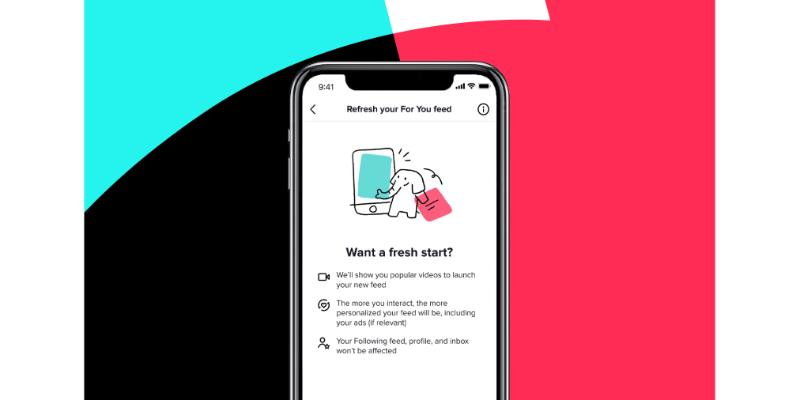
Your VPN might not fully protect IPv6 traffic. Try disabling IPv6 in your device or VPN settings. Alternatively, manually switch your DNS to a public service like Google DNS (8.8.8.8) or Cloudflare (1.1.1.1).
Outdated apps have bugs and security holes that might trigger TikTok’s detection. Make sure both your TikTok and VPN apps are updated to their latest versions from the official app stores to help avoid scenarios of TikTok not working with VPN.
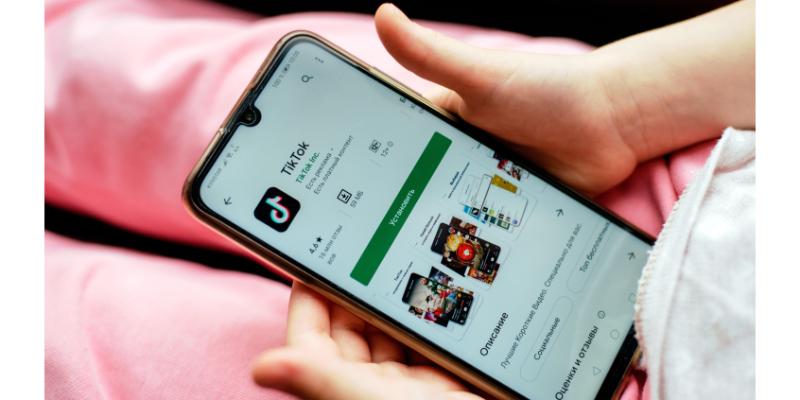
If you're constantly battling blocks, your free VPN is likely the culprit. Free services often have overcrowded, easily detectable IPs, which is a core reason for VPN not working for TikTok. Investing in a reputable premium VPN that actively refreshes its IPs is the most reliable long-term fix.
If you're tired of the cat-and-mouse game, choosing the right tool is key. So, what VPN works for TikTok? Try iTop VPN. It's specifically designed to handle tough geo-blocks on platforms like TikTok, directly addressing the problem of TikTok not working with VPN.

Frequently refreshed IP pools to avoid TikTok blocks: iTop VPN consistently updates its IP addresses, staying ahead of TikTok's ever-growing blacklists to ensure reliable access.
Stable speed for smooth TikTok video browsing: Its optimized servers provide the fast, buffer-free connection needed for seamless HD video streaming and scrolling.
Easy region switching with one click: Accessing content from anywhere is simple with an intuitive interface that lets you hop between global servers instantly.
Free version available for basic TikTok access: You can test its core functionality and gain basic access with its free dedicated IP feature—a great way to start.
High-quality global servers optimized for streaming: A vast and maintained network ensures you always have a high-performance node available, turning the dream of using TikTok with vpn into a stable reality.
Ready to try a solution that directly tackles TikTok not working with VPN? Here’s how simple it is to use iTop VPN to get back on track:
Step 1. Download and install iTop VPN on your device. It's available for Windows, Android, and iOS.
Step 2. Launch the App and connect to a suitable server. For broader access, try servers in the US, UK, or Japan.
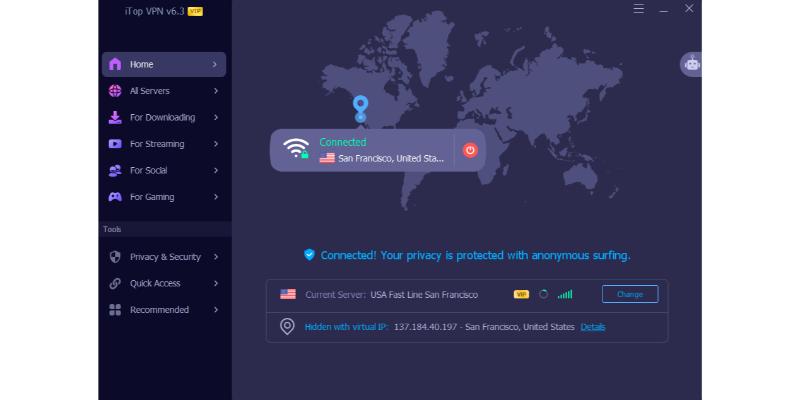
Step 3. Once connected, open TikTok. You should now have unrestricted access! This process clearly shows does TikTok work with VPN when you have the right tool. Plus, with a secure connection, you can safely explore options for cheap TikTok coins without worrying about regional price differences.

Dealing with TikTok not working with VPN can be a hassle, but it's usually fixable. Start with the basic steps, and if blocks persist, switch to a robust solution built for the task. For consistent, hassle-free access, a reliable service like iTop VPN is the definitive answer to what VPN works for TikTok. Try it today and get back to your feed without any interruptions!
Subscribe to Our Newsletter
Subscribe to our newsletter to stay updated every moment.

Subscribe to Our Newsletter
Subscribe to our newsletter to stay updated every moment.
© 2026 iTop. All rights reserved.