iTop VPN offers 3200+ VPN servers in 100+ locations worldwide to help you access various sites privately and safely, along with dedicated IP, dynamic and static IP, and Double VPN.
Use a Deadlock VPN to change region, reduce ping, and access servers early. Learn change Deadlock region tips before the final Deadlock release date.
As Valve’s new competitive title gains traction, players are already searching for ways to improve performance and access more servers. Whether you're dealing with Deadlock high ping, regional matchmaking issues, or waiting for the Deadlock full release date, one solution keeps coming up: using a Deadlock VPN.

Many players also want to change Deadlock region to play with friends abroad or access early testing servers. However, region switching doesn’t always work as expected, especially before the Deadlock release date. In this guide, you will get the top Deadlock VPN options, a detailed guide, and bonus fixes for the Deadlock region change not working issue.
Deadlock is a multiplayer competitive game developed by Valve, combining hero-based abilities with fast-paced shooting mechanics. It is currently available mainly through the PC platform via Steam, with Windows users making up the majority of the player base. It is still in the testing/invitation phase and has not announced a specific release date. According to industry analysis and media predictions, it is expected to be released no earlier than late 2026.

Server regions play a crucial role in your overall experience. Your region determines matchmaking speed, latency (ping), and even the skill level of opponents. For example, connecting to a nearby server reduces lag, while switching to another region may provide easier matches or faster queues. That’s why many players try to change Deadlock region, especially when facing unstable connections or limited access. This is where most gameplay optimization tools, especially VPNs for Windows, come in to help.
Before jumping into specific tools, it’s important to understand why a VPN for Deadlock is so widely recommended. As the game is still evolving and not fully released globally, many players encounter region locks, unstable routing, or ISP throttling. This is where a Deadlock VPN becomes essential.
Using a VPN helps you:
Unlock region-restricted servers and test environments
Reduce latency by optimizing routing paths
Access early builds before the official Deadlock release date
Avoid ISP throttling that causes unstable gameplay
Change Deadlock region to overseas servers and compete with gamers from different countries.
Reduce ping spikes and enjoy a smoother gameplay experience
Stable routing, fewer disconnects, and lag issues
Choosing the right Deadlock VPN can significantly improve your experience. Below are three top-performing options based on speed, server coverage, and gaming optimization.
When it comes to flexibility and accessibility, iTop VPN stands out as one of the best choices for both beginners and advanced users. It offers a large number of servers across multiple regions, 3200+ servers in over 100 countries, including popular countries such as the United States, Canada, Germany, France, Russia, and South Korea, making it easy to change Deadlock regions instantly.



It offers gaming-optimized servers that are specifically designed to reduce latency and stabilize connections, which is ideal for players dealing with Deadlock high ping. Another big advantage is the availability of a robust free VPN plan. While the free version includes limited daily data, it’s still sufficient for casual gaming and testing, and there are about 100+ free servers in 5 hot countries for lifetime use.
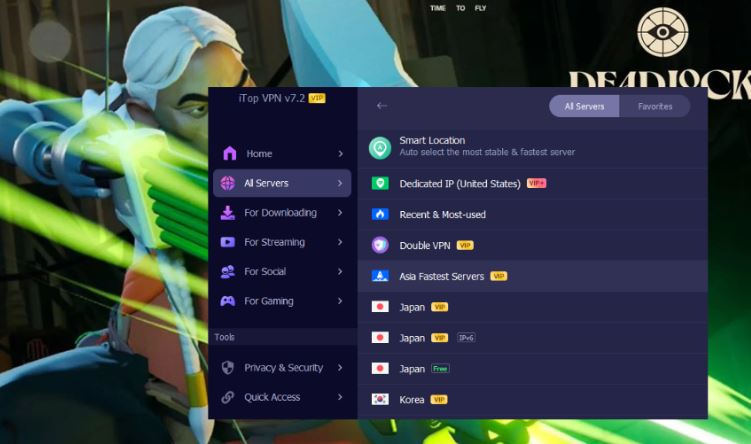
Pro plans start at a low monthly cost, $1.66/mo, and unlock high-speed servers, unlimited bandwidth, and advanced features like a dedicated IP, kill switch, double VPN, ad-blocker, etc. You can explore its full VPN server list to find the best region for your gameplay.
NordVPN is widely recognized for its strong balance between speed and security, making it a reliable VPN for Deadlock. With over 7,400 servers in 118 countries, it allows players to switch regions effortlessly while maintaining low latency. Its proprietary NordLynx protocol ensures fast and stable connections, which is especially useful during competitive matches. It also performs well in high-demand regions such as India, where routing optimization can significantly reduce lag.
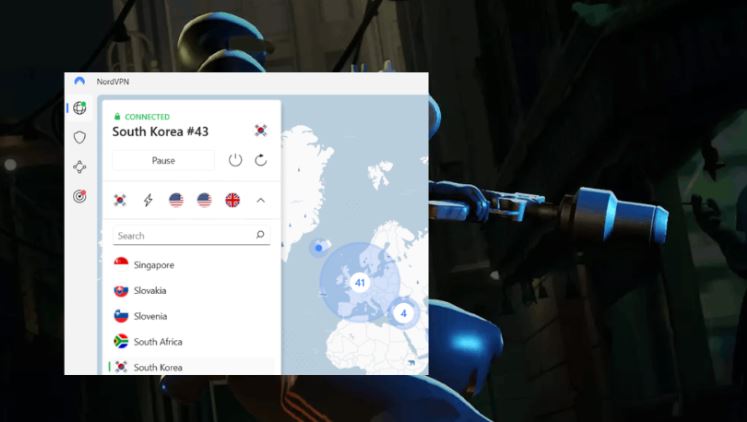
In addition to performance, NordVPN offers advanced security features like double VPN and threat protection. It supports multiple platforms, including Windows, macOS, and mobile devices. While it doesn’t have a free version, its entry-level pricing is competitive. Currently, you can get its basic plan starting at $3.39/mo, and frequent discounts make it accessible for gamers seeking a premium Deadlock VPN.
ExpressVPN is known for its exceptional reliability and super-fast speed, making it ideal for players who frequently switch Deadlock regions. With 3000+ servers in 105 countries, it provides consistent access to different Deadlock regions, even in restricted areas. This makes it particularly effective when dealing with “Deadlock region change not working” issues, especially in regions like Malaysia, the UAE, and Vietnam, where routing stability can vary.
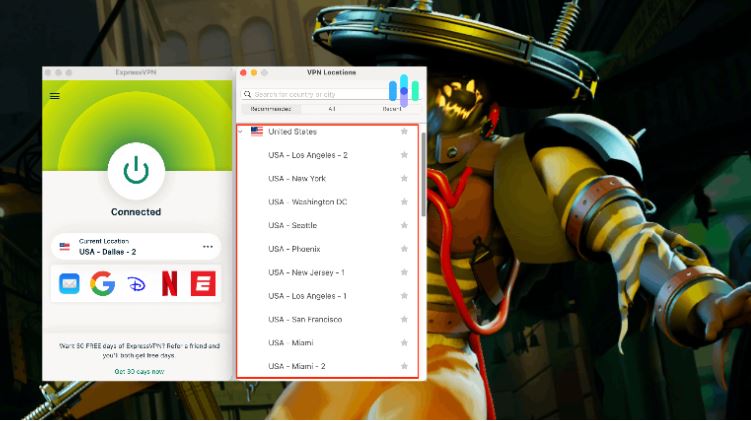
Its high-speed Lightway protocol ensures minimal latency, while strong encryption keeps your connection secure. Although it is priced higher than most competitors, starting at $3.49/mo for a 2-year plan, and does not offer a free tier, its performance and ease of use justify the cost. For players who prioritize stability and seamless region switching, ExpressVPN is a solid Deadlock VPN option.
Before choosing the best VPN for Deadlock, it helps to compare their core features based on actual gaming needs. Here’s a quick overview:
Deadlock VPN |
Free Version |
Countries |
Servers |
Gaming Optimization |
Starting Price |
iTop VPN |
Yes |
100+ locations |
3200+ |
Yes |
$1.66/mo |
NordVPN |
No |
118 countries |
7400+ |
Yes |
$3.39/mo |
ExpressVPN |
No |
105 countries |
3000+ |
Yes |
$3.49/mo |
Now that you understand the tools, let’s walk through how to change Deadlock region using a VPN for Windows, since most players are on PC.
Step 1. Download and install a VPN (e.g., iTop VPN).
Step 2. Launch the app and connect to your target country server.
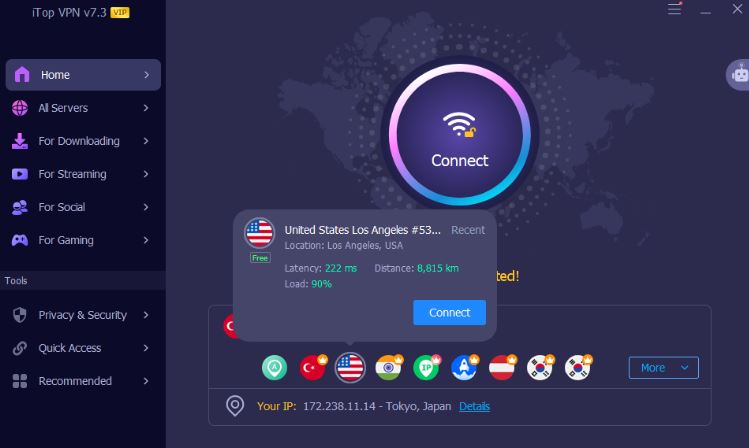
Step 3. Confirm if your IP has changed.
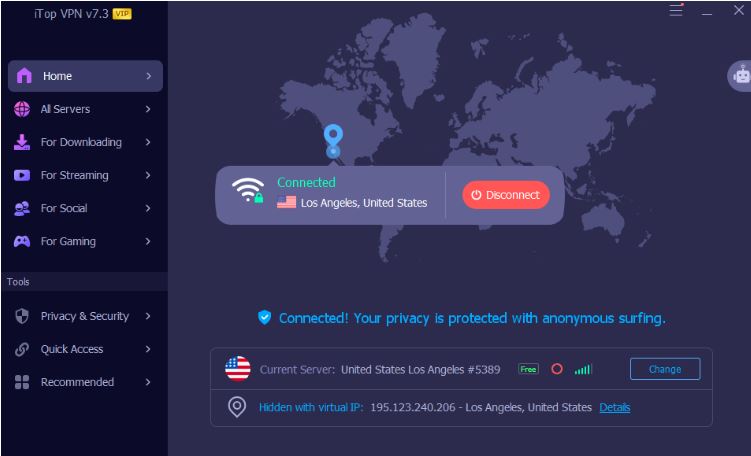
Step 4. Open Steam and start Deadlock.
This simple process resolves most region-related issues and helps avoid Deadlock region change not working errors.
Many players encounter the “Deadlock region change not working” issue, where the game fails to switch servers despite using a VPN. This can lead to high ping, long matchmaking times, or an inability to join matches.
Common causes and fixes:
VPN not fully applied → Switch servers and reconnect
If Deadlock still detects your real location, try reconnecting or changing to another server within the same country.
IP or DNS leaks → Enable leak protection features
Turn on kill switch and DNS leak protection to prevent your real IP from being exposed.
Cached region data → Restart Steam and clear cache
Fully exit Steam, reconnect your VPN, then relaunch. Clearing the download cache helps refresh region detection.
Free VPN limitations → Upgrade to a premium VPN
Free servers are often overcrowded or flagged, making region switching unreliable.
Server-side restrictions → Try nearby regions instead
Some regions may be temporarily locked; switching to a closer alternative improves success rate and stability.
The Bottom Line
A reliable Deadlock VPN can make a huge difference in your gameplay experience, from reducing lag to unlocking new regions. Whether you're trying to access early servers or fix connectivity issues, choosing the right VPN ensures smoother and more consistent performance. Select one and try now.
100+ global countries
3200+ worldwide servers
Dedicated IP addresses
Dynamic IP and static IP

Subscribe to Our Newsletter
Subscribe to our newsletter to stay updated every moment.

Subscribe to Our Newsletter
Subscribe to our newsletter to stay updated every moment.
© 2026 iTop. All rights reserved.